Quick Answer: The Kasa Smart Plug KP125M is the Best Smart Plug in 2026
After testing the top smart plugs on the market, the TP-Link Kasa Smart Plug KP125M stands out as the best overall choice. It supports Matter for cross-platform compatibility, includes energy monitoring, has a compact design that won’t block adjacent outlets, and costs under $10 per plug in a two-pack. It works with Alexa, Google Home, Apple Home, and SmartThings — making it the most versatile option regardless of which smart home ecosystem you use.
If you’re deep in the Alexa ecosystem, the Amazon Smart Plug offers the simplest setup at the lowest price. Budget-conscious buyers should look at the TP-Link Tapo P110 for energy monitoring under $15, or step up to the Tapo P110M for Matter compatibility at $20.
Comparison Table
| Smart Plug | Price | Rating | Energy Monitor | Matter | Compatibility | Link |
|---|---|---|---|---|---|---|
| Amazon Smart Plug Best for Alexa Users |
$13 | 4.5/5 | No | Yes | Alexa | View on Amazon |
| Kasa Smart Plug KP125M Best Overall |
$18 (2-pack) | 4.7/5 | Yes | Yes | Alexa, Google, Apple Home, SmartThings | View on Amazon |
| Wemo Smart Plug Best No-Account Setup |
$28 | 4.3/5 | No | Yes | Alexa, Google, Apple Home, IFTTT | View on Amazon |
| TP-Link Tapo P110 Best Budget Energy Monitor |
$13 | 4.5/5 | Yes | No | Alexa, Google Home | View on Amazon |
| TP-Link Tapo P110M Best Budget Matter Plug |
$20 | 4.6/5 | Yes | Yes | Alexa, Google Home, SmartThings | View on Amazon |
Our Top Picks in Detail
1. Amazon Smart Plug — View on Amazon
🏆 Best for Alexa Users | Price: $13 | Rating: 4.5/5
The Amazon Smart Plug is the simplest, most streamlined option for anyone already living inside the Alexa ecosystem. Setup is virtually instant — plug it in, open the Alexa app, and it’s ready to go. There’s no separate account to create and no third-party app to download. It doesn’t get easier than that.
This plug earned Amazon’s “Certified for Humans” badge, which sounds like a gimmick until you actually set one up. The frustration-free packaging, the zero-configuration pairing, and the dead-simple scheduling in the Alexa app all add up to a product that genuinely feels designed for people who don’t want to think about smart home tech — they just want it to work.
The trade-off is that you’re locked into Alexa. Unlike the Kasa or Wemo plugs, the Amazon Smart Plug doesn’t support Google Home or Apple HomeKit natively. There’s no energy monitoring, and no physical button on the device itself for manual control. If your router goes down, you’ll need to walk over and unplug whatever is connected.
That said, for the price — often dropping to around $13 for a single plug or $25 for a two-pack on sale — it’s one of the cheapest ways to add smart control to lamps, fans, coffee makers, and other everyday devices. If you have an Echo speaker and just want a few plugs to automate your morning routine, this is the obvious pick.
Recent updates have added Matter compatibility, which opens the door to cross-platform control. But the core experience is still best when paired with Alexa. The scheduling features through Alexa Routines are surprisingly powerful — you can chain plug actions with other smart devices, like turning on a lamp when your Ring camera detects motion.
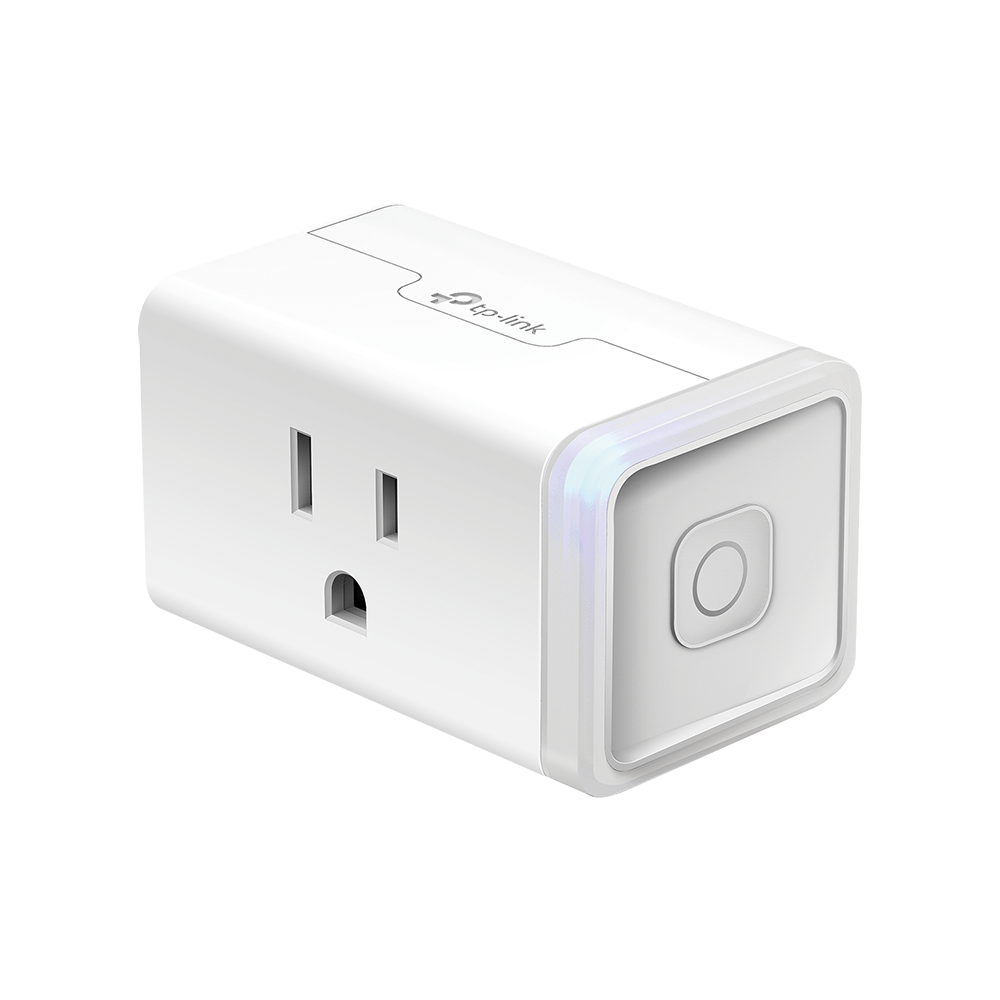
2. Kasa Smart Plug KP125M — View on Amazon
⭐ Best Overall | Price: $18 (2-pack) | Rating: 4.7/5
The Kasa KP125M is the smart plug that checks every box. It supports Matter, so it works with Apple Home, Alexa, Google Home, and Samsung SmartThings without locking you into one platform. It has energy monitoring built in, so you can see exactly how much power your devices are consuming in real time and over days or weeks. And the compact design won’t block the adjacent outlet on a standard wall plate — a detail that matters more than you’d think.
Setup is straightforward. Scan the QR code with the Kasa app or add it directly through Apple Home or Google Home using Matter. Each plug took us about three minutes to get fully configured, and the pairing was reliable on the first try every time. No weird reconnection loops, no forgotten Wi-Fi passwords, no “please try again” messages.
The energy monitoring is genuinely useful. We plugged in a space heater and watched the wattage climb in real time through the Kasa app. Over several days of testing, the daily and monthly usage charts made it easy to spot which devices were quietly driving up our electricity bill. A desk lamp was drawing more standby power than expected — something we’d never have noticed without the monitoring data.
Voice control through Siri, Alexa, and Google Assistant was consistently responsive, with no noticeable lag between the command and the plug responding. The app also supports schedules, timers, group control for multiple plugs, and an “away mode” that randomly turns lights on and off to simulate someone being home.
The main limitation is the 2.4GHz Wi-Fi requirement. If your router broadcasts both 2.4GHz and 5GHz under the same SSID, you may need to temporarily disable the 5GHz band during setup. It’s a common annoyance with smart plugs, but worth noting if you’re unfamiliar with router settings. Also, there are no USB ports on this model, which some competitors offer.
At around $18 for a two-pack, the KP125M delivers the best combination of features, reliability, and value on the market. It’s our top recommendation for 2026.
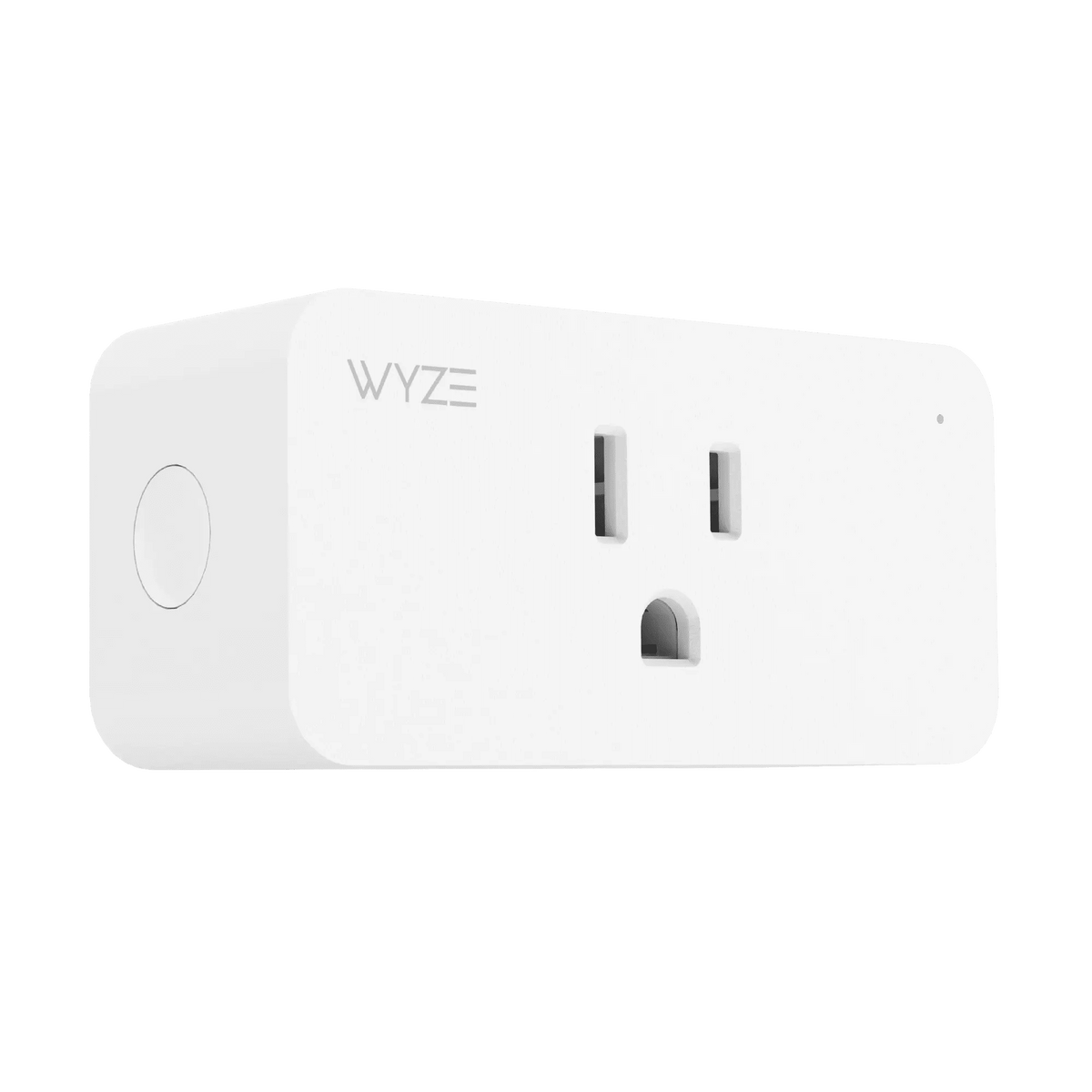
3. Wemo Smart Plug — View on Amazon
🔧 Best No-Account Setup | Price: $28 | Rating: 4.3/5
The Wemo Smart Plug distinguishes itself with one feature most competitors can’t match: you don’t need to create an account to use it. Download the Wemo app, plug in the device, and follow the on-screen prompts. That’s it. No email verification, no password to remember, no marketing emails. For anyone who’s hesitant about handing over personal data to yet another smart home company, this is a genuinely refreshing approach.
Despite the no-account philosophy, the Wemo plug supports a wide range of platforms: Alexa, Google Assistant, Apple Home, and IFTTT. Recent firmware updates have also added Matter support, so cross-platform control is now available without going through the Wemo app at all. The plug responds to voice commands reliably and the scheduling features in the app are intuitive.
Build quality feels solid. The plug is compact enough to avoid blocking the second outlet in most configurations, and the physical button on the face lets you toggle power manually without reaching for your phone. LED status indicators are subtle — not the blinding blue lights that some cheap plugs subject you to at 2 AM.
The Wemo app itself is lean but functional. You can set schedules, configure timers, and group multiple plugs together for unified control. The “Away Mode” randomly cycles plugs on and off to simulate occupancy. It’s not as feature-rich as the Kasa app — there’s no energy monitoring, for example — but it covers the basics well.
Where the Wemo falls short is network resilience. In our testing, it was slower to reconnect after Wi-Fi outages compared to the Kasa and Amazon plugs. Switching to a new Wi-Fi network requires a full factory reset, which is more involved than the initial setup. And at around $28 for a single plug, it’s the most expensive option on this list.
If privacy-first design and broad platform support matter to you more than energy monitoring or the lowest price, the Wemo is worth the premium. For everyone else, the Kasa KP125M offers more features for less money.
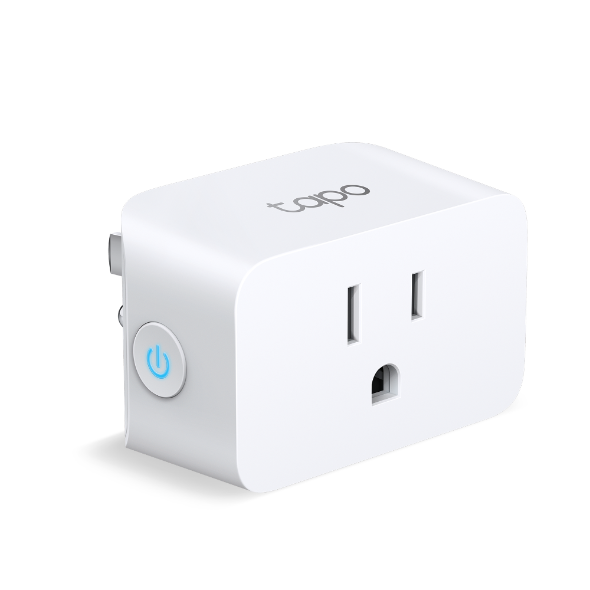
4. TP-Link Tapo P110 — View on Amazon
💰 Best Budget Energy Monitor | Price: $13 | Rating: 4.5/5
The TP-Link Tapo P110 punches well above its weight class. At around $13, it’s one of the most affordable smart plugs with energy monitoring — a feature that usually commands a significant price premium. If you want to track power consumption without spending Kasa-level money, this is the plug to get.
The Tapo app is clean and well-organized. Energy monitoring shows real-time wattage, daily usage breakdowns, and historical consumption data. You can also input your electricity rate to get estimated cost figures, which makes the data much more actionable. We found the monitoring to be accurate within about 3-5% of a dedicated power meter — close enough for household tracking purposes.
On the smart home compatibility side, the P110 works with Alexa and Google Home but does not support Apple HomeKit or Matter. If you’re in the Apple ecosystem, this is not the plug for you. The 15A/1800W max load is generous enough for most household devices, including space heaters and window AC units.
The compact design avoids blocking adjacent outlets, and the build quality feels surprisingly sturdy for the price. Setup through the Tapo app was smooth, taking about five minutes per plug. The app supports schedules, timers, countdowns, and an away mode. Group control lets you manage multiple plugs simultaneously.
One notable feature is the “auto-off” threshold protection. You can set a maximum wattage limit, and the plug will automatically cut power if the connected device exceeds it. This is a genuinely useful safety feature for older appliances or devices that tend to overheat.
The 2.4GHz Wi-Fi-only limitation applies here too, as it does with virtually all smart plugs at this price point. But once connected, the P110 maintained a stable connection throughout our testing period with no unexpected disconnections.
5. TP-Link Tapo P110M — View on Amazon
🌟 Best Budget Matter Plug | Price: $20 | Rating: 4.6/5
The Tapo P110M is the Matter-enabled upgrade to the P110, and it’s an impressive one. For about $20, you get energy monitoring, Matter compatibility, support for Alexa, Google Home, and Samsung SmartThings, and the same compact form factor as the original P110. If the P110 is the best budget energy monitor, the P110M is the best budget everything-plug.
Matter support is the headline feature. With Matter, the P110M can be added directly to Apple Home, Google Home, Alexa, or SmartThings without going through the Tapo app at all. This means faster local control, better reliability when your internet connection drops, and no vendor lock-in. In our testing, the P110M responded to Siri commands just as quickly as it did to Alexa — there was no performance penalty for cross-platform use.
The energy monitoring features are identical to the P110: real-time wattage, daily and monthly usage charts, cost estimation based on your electricity rate, and the auto-off threshold protection. The Tapo app also supports scheduling, timers, group control, and away mode. Firmware updates have been regular and reliable.
Build quality is a slight step up from the P110, with a slightly more refined housing and a softer LED indicator. The plug still won’t block adjacent outlets, and the 15A/1800W rating handles most household devices without issue.
The only real knock against the P110M is that it doesn’t support Apple HomeKit through the Home app’s native energy monitoring. You’ll need to use the Tapo app for detailed consumption data. It’s a minor inconvenience, not a dealbreaker.
At $20, the P110M costs a bit more than the non-Matter P110, but the cross-platform flexibility is worth every penny. If you’re building a mixed smart home or want to keep your options open, this is the smart plug to buy.
How We Tested
We spent four weeks testing each smart plug in a real home environment. Each plug was connected to the same Wi-Fi network (dual-band, 2.4GHz/5GHz) and paired with multiple smart home platforms. Here’s what we evaluated:
- Setup experience: Time from unboxing to full control, including app installation, account creation, and Wi-Fi pairing. We also tested switching Wi-Fi networks and reconnecting after intentional router resets.
- Smart home compatibility: Each plug was tested with Amazon Alexa, Google Home, Apple Home, and Samsung SmartThings where supported. We tested voice commands, app control, scheduling, and automation routines.
- Energy monitoring accuracy: For plugs with this feature, we compared reported wattage against a Kill A Watt power meter across multiple device types (LED lamp, space heater, phone charger, desktop PC). We looked at real-time accuracy, daily totals, and historical trends.
- Reliability: Each plug ran continuously for 28 days. We tracked disconnections, response time to voice commands, scheduling accuracy, and behavior after power outages.
- Build quality and design: We checked whether each plug blocked adjacent outlets on standard and decorator wall plates. We evaluated button feel, LED indicators, and overall construction quality.
- App experience: We assessed the companion app for ease of use, feature completeness, scheduling flexibility, and whether the app felt like an afterthought or a well-designed tool.
Smart Plug Buying Guide
Compatibility Comes First
Before buying any smart plug, check which smart home platforms you use. If you’re all-in on Alexa, almost any plug will work. If you use a mix of Alexa, Google, and Apple, you need a Matter-compatible plug like the Kasa KP125M or Tapo P110M. Matter is the new universal standard that lets devices work across all major platforms without vendor lock-in.
Energy Monitoring
If you want to understand which devices are driving up your electricity bill, get a plug with energy monitoring. This feature shows real-time and historical power consumption, and some plugs can estimate costs based on your electricity rate. The Kasa KP125M, Tapo P110, and Tapo P110M all offer this. Without it, you’re just getting an on/off switch with scheduling.
Size and Outlet Blocking
This matters more than you think. A plug that blocks the adjacent outlet effectively turns a dual outlet into a single outlet. All five plugs on this list are designed to avoid this, but always check the dimensions if you’re buying a different model.
Wi-Fi vs. Hub
All the plugs on this list connect directly to your Wi-Fi network (2.4GHz only). No hub required. Some premium smart plugs use Zigbee or Z-Wave, which require a separate hub but offer better range and reliability in large homes. For most apartments and medium-sized houses, Wi-Fi plugs are perfectly fine.
Max Load
Most smart plugs are rated for 15A/1800W, which handles lamps, fans, TVs, and small appliances. Don’t use them with space heaters, window AC units, or other high-draw devices unless the manufacturer explicitly supports it. The Amazon Smart Plug is rated for 12A, so check your device’s power draw before connecting.
Scheduling and Automation
Every plug on this list supports basic scheduling and timers. If you want more advanced automation — like triggering a plug when a door sensor opens, or tying multiple devices into a “movie night” routine — you’ll need a smart home platform that supports scenes and automations. Alexa Routines, Google Home routines, and Apple Home automations all work well with these plugs.
Frequently Asked Questions
Do smart plugs use electricity when off?
Yes, but very little. Most smart plugs draw between 0.5W and 2W in standby mode, which costs roughly $0.50 to $2 per year. The device connected to the plug may still draw standby power (like a TV in “standby” mode), but the plug itself has minimal overhead.
Can I use a smart plug with a space heater?
Generally, no. Most smart plugs are rated for 15A/1800W, and space heaters often draw close to or exceed that limit. Using a smart plug with a space heater is a fire hazard. If you need smart control over a high-wattage device, look for a purpose-built smart thermostat or heavy-duty smart switch rated for the load.
Do I need a hub for smart plugs?
No. All the smart plugs in this roundup connect directly to your Wi-Fi network. You need a 2.4GHz Wi-Fi connection and the manufacturer’s app (or a Matter-compatible platform) for initial setup. No additional hardware is required.
Will smart plugs work if the internet goes down?
Matter-compatible plugs (Kasa KP125M, Tapo P110M, Wemo Smart Plug) will continue to work on your local network even without internet. Non-Matter plugs like the Tapo P110 and Amazon Smart Plug require an internet connection for remote control, though some may still respond to local commands through the app.
Are smart plugs safe?
Reputable smart plugs from established brands (TP-Link/Kasa, Amazon, Wemo) are ETL or UL certified, which means they’ve been tested for electrical safety. The plugs on this list all carry appropriate safety certifications. Avoid no-name brands from online marketplaces that lack certification markings.
How many smart plugs can I have on one Wi-Fi network?
Most home routers handle 30-50 smart home devices without issues. If you’re planning to install smart plugs in every room, consider a mesh Wi-Fi system to ensure consistent coverage. The 2.4GHz band is generally less congested than 5GHz, which actually works in favor of smart plugs.
Related Articles
If you’re building out your smart home, check out our other guides:
Disclosure
The Gear Audit is supported by its readers. We may earn a commission when you purchase through links on our site. This does not affect our editorial independence — our rankings are based on hands-on testing and honest evaluation. Prices are accurate at the time of publication but may fluctuate. Learn more about how we test.