Robot Vacuum Types Explained: Match Automation to Your Home
By The Gear Audit Team · Specification research September 9, 2026; manufacturer source and buying-advice check September 20, 2026.
Quick answer: choose the chores you want to move to a dock
For a small home and occasional cleaning, begin with a charging-only vacuum if you can empty its bin. Add mopping only if you will care for wet pads and water. An auto-empty dock reduces daily dry-debris handling; a full-service vacuum-mop dock can also wash and dry pads and refill water. That last type is our recommendation for frequent mixed-floor cleaning only when there is room and an easy water-disposal routine. These are ownership types, not cleaning-performance rankings.
A compact dock suits a tight floor plan and someone willing to empty the robot bin after runs.
Plan space for tanks, bag and wash tray. The station consolidates work; it never eliminates upkeep.
Compare four ownership arrangements
| Type | What the dock does | What the owner still does | Best for |
|---|---|---|---|
| Vacuum with charging dock | Recharges the robot | Empty onboard bin; inspect brushes, filter, sensors and wheels | Limited space and low tolerance for extra dock hardware |
| Vacuum-mop with charging dock | Recharges the robot; wet care may stay entirely manual | Vacuum care plus clean-water fill, dirty pad removal or washing | Occasional hard-floor mopping where manual pad care is acceptable |
| Auto-empty vacuum or vacuum-mop | Transfers dry debris into a bag or collector; other functions vary | Replace or empty collector; manage mop water and pads if the dock lacks those functions | Reducing frequent onboard-bin emptying |
| Full-service vacuum-mop dock | Model-dependent debris emptying, pad washing, drying, water refill or other care | Dispose dirty water, refill clean water, manage bag or collector, clean tray and service robot | Frequent mopping when dock space and water access are practical |
Check every feature against the exact bundle. “Auto-empty” does not promise pad washing, and “self-cleaning” does not mean the tank or tray maintains itself.
Charging-only vacuum: compact and hands-on
Best for: A smaller floor plan, dry cleaning and a buyer comfortable emptying the robot bin.
Pros
- A small base is easier to place. It generally needs an outlet and robot approach space rather than room for lift-out water tanks.
- There are fewer dock components to service. The cleaning routine centers on the robot’s bin, brush, filter and sensors.
Cons and trade-offs
- The onboard bin remains a frequent touchpoint. A pet-hair or high-debris home may require more emptying.
- It cannot automate wet-pad work. A later move to frequent mopping may make a different dock type more useful.
Our recommendation
Start here when space and simplicity matter more than reducing each after-run chore. Choose an auto-empty model if bin handling is already the task you most want to remove.
Vacuum-mop with a charging dock: add water deliberately
Best for: Mostly hard floors and occasional wet cleaning, when you are willing to wash or change pads yourself.
Pros
- One robot can cover dry debris and light wet upkeep. You avoid dedicating space to a washing station when mopping is infrequent.
- Manual pad care gives you direct control. You can inspect and change a soiled pad after a particularly dirty room.
Cons and trade-offs
- Wet parts must be handled after cleaning. Pads and reservoirs cannot be left indefinitely just because the robot has docked.
- Rug behavior varies by exact model. Confirm mop lift, no-mop zones or pad removal; a charging dock does not determine carpet protection.
Our recommendation
Select this type when mopping is useful but not frequent enough to justify a larger station. Choose a full-service dock if pad handling after every wet run is the reason you stop using the mop.
Auto-empty dock: fewer small-bin trips
Best for: Regular vacuuming in a debris-heavy home where the onboard bin is the main annoyance.
Pros
- The station takes dry debris from the robot. That can reduce direct bin emptying after each run.
- It can be a middle step in dock size and complexity. Buyers who need less dust handling but rarely mop need not adopt a water system solely for automation.
Cons and trade-offs
- The dock collector becomes a recurring supply or emptying job. Check bag type, replacement availability and access.
- Wet-care features are separate. Some auto-empty vacuum-mops leave every pad and tank task to the owner.
Our recommendation
Prioritize this type when dry-debris handling drives your decision. Choose a full-service bundle only after confirming the specific mop functions you will use.
Full-service dock: automated pad care with a larger footprint
Best for: Frequent hard-floor mopping alongside vacuuming, with a reachable place for clean and dirty water.
Pros
- Pad washing and drying can make repeated wet runs practical. The robot returns to a dock rather than leaving you to remove a pad after every cycle.
- Dry and wet chores are consolidated. A specific bundle may empty debris and refill the robot as well as care for pads.
- Features can target mixed floors. Mop lift, zones and dock routines are worth matching to your rugs and room schedule.
Cons and trade-offs
- The station needs more space than a charger. Allow room to remove tanks and clean a tray, not only the floor footprint.
- Dirty water and consumables remain owner tasks. A missed tank or bag can interrupt the automated schedule.
- It adds wet components to maintain. A household that mops rarely may gain little from the larger system.
Our recommendation
Choose this type if you will actually schedule frequent mopping and can make water care easy. Choose a simpler dock if you mainly vacuum or cannot reach the tanks comfortably.
What two exact full-service systems illustrate
The following models are examples of the same broad dock type, not a ranking of all robots. Both have LiDAR mapping and camera-based obstacle recognition. Their brushes, mop designs and movement features differ; our Roomba 505 versus Qrevo Curv comparison covers the purchase decision in detail.
Roomba Plus 505 Combo with AutoWash Dock, black N185020
Best for: Buyers drawn to a rubber main brush, PerfectEdge extending mop pad and iRobot’s specified AutoWash cycle.
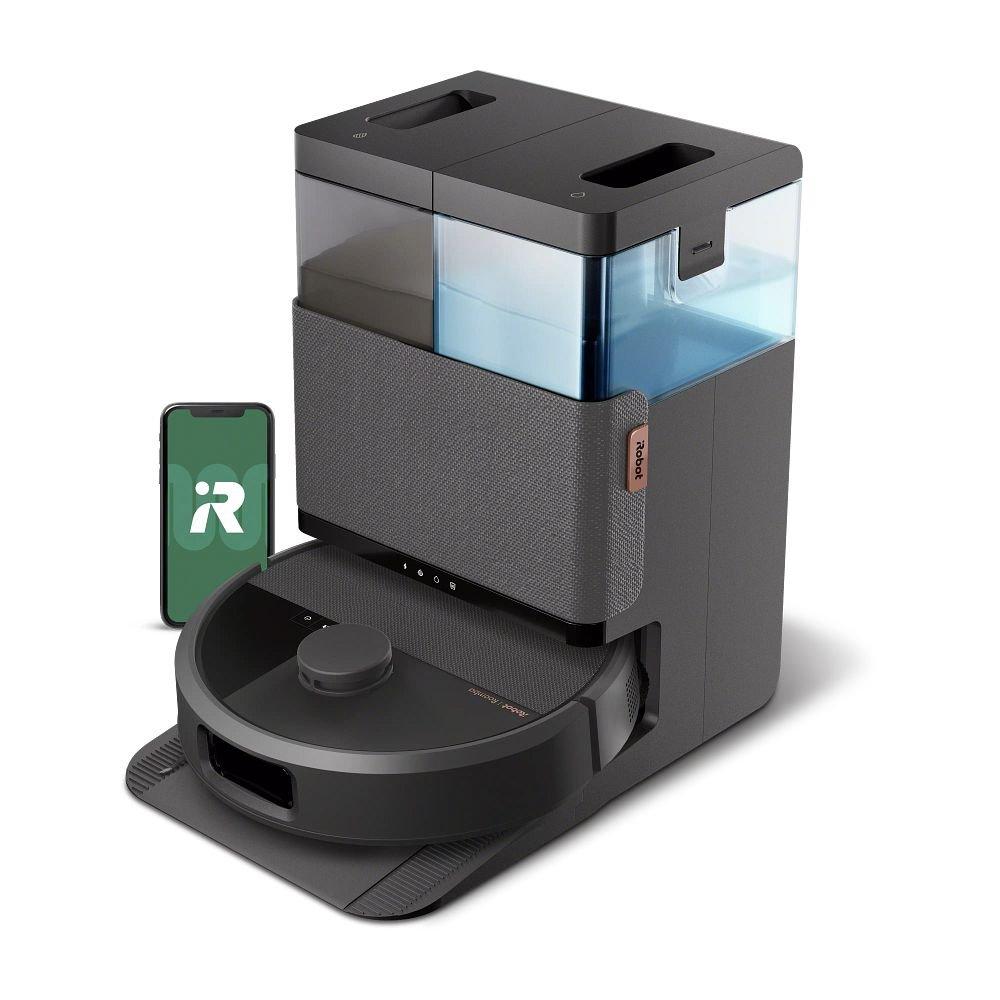
iRobot documents dry-debris emptying, mop refreshing, washing, heated drying and dock self-cleaning. That moves several after-run jobs to the station, but the wash basin, water tanks and bag still need attention. The rubber brush and extending pad are the model’s distinct design reasons; LiDAR and camera recognition are shared with the Curv example.
Pros
- Rubber main brush and extending spinning mop are clear choices to evaluate for your floors.
- AutoWash includes both debris and pad care, useful for regular mixed cleaning.
Cons and trade-offs
- Water, basin and bag service need accessible dock placement.
- Its rubber-brush approach is different from Curv’s dedicated split anti-tangle design for long hair.
Our recommendation
Choose it if the specific brush, mop and dock arrangement matches your care priorities. Choose Curv if hair wraps and raised transitions are the main issues.
Price listing: iRobot Roomba Plus 505 Combo with AutoWash Dock — N185020.
Roborock Qrevo Curv
Best for: Long-hair maintenance, hard-floor edges and raised transitions where its chassis design is relevant.
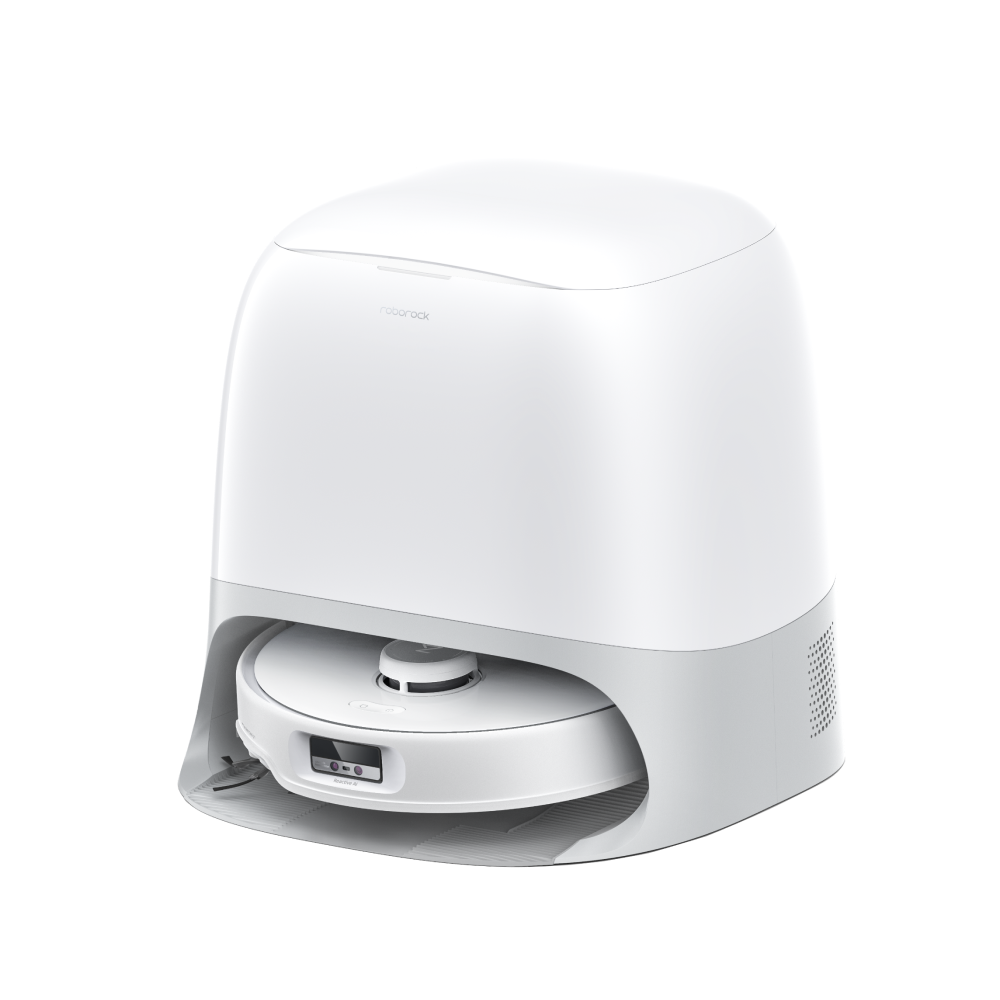
The DuoDivide main brush, FlexiArm side brush and mop, and AdaptiLift chassis make this an example of a full-service dock paired with targeted robot hardware. Its Multifunctional Dock 3.0 washes and dries mops, empties debris and refills water. The larger station still needs tank, tray and bag care. Do not substitute CurvX or similarly named S5 variants when checking the retailer listing.
Pros
- Split main brush and extending side brush give long-hair buyers a specific hardware approach.
- AdaptiLift targets floor transitions as well as the ordinary cleaning route.
Cons and trade-offs
- The 450 × 450 × 450 mm dock requires a convenient place for tank access.
- Roborock’s threshold maximum is conditional and cannot promise passage over every doorway.
Our recommendation
Choose it when those hair and transition features solve an actual problem. Choose a simpler dock if mopping is rare or the station would obstruct daily living.
Tagged model search, not a verified ASIN or offer; check the exact Curv variant.
Choose the type before choosing a brand
- Count the chores you will actually do. If the onboard bin is easy to empty, a charging dock may be enough. If pad handling stops you from mopping, evaluate pad washing and drying.
- Measure the service space. Include door swing, tank lift-out and access to a sink or disposal point.
- Map rugs and thresholds. Compare exact-model mop lift, zones and transition conditions; dock class alone says nothing about them.
- Check parts and account requirements. Bags, brushes, filters and pads differ by model. Confirm app, network and regional support before buying.
For recurring wet-care jobs, see our robot mop maintenance guide. For a shorter model shortlist, see the three-model robot vacuum comparison.
Robot vacuum type FAQ
Does an auto-empty dock also wash mop pads?
No general rule says so. Auto-empty refers to dry debris transfer; check whether the exact bundle separately lists pad washing, drying and water refill.
Is a full-service dock maintenance-free?
No. It can shift daily bin and pad tasks into periodic tank, tray, bag and robot care. Follow the manual for each part.
Should a mostly carpeted home pay for mop automation?
Only if hard-floor mopping is a real task and rug handling is documented for the exact model. A dry vacuum and simpler dock may fit better when wet runs are rare.
Do obstacle-recognition features make floor preparation unnecessary?
No. Recognition lists and demonstrations are manufacturer claims under specific conditions. Remove cords, small hazards and pet accidents before unattended cleaning.
Amazon prices: Cards show the named US configuration and an eligible current new USD offer when available, with its check time. Unavailable or expired offers use a labelled search link. Confirm the model, included parts and final checkout price. Numerical Amazon ratings are omitted when usable review data is unavailable.
Research method, sources and limitations
Original specification research was September 9, 2026. We checked the cited US manufacturer pages again September 20, 2026. The four types are editorial ownership categories, not official product classes or performance grades. The two named full-service examples are black iRobot N185020 and standard Roborock Qrevo Curv. We did not test pickup, mopping, obstacle avoidance, durability, noise or the maintenance time of any dock. Manufacturer feature and performance claims remain attributed claims; recommendations reflect documented chores and layouts.
Primary sources: iRobot N185020; iRobot Plus 500 dock care; Roborock Qrevo Curv; Roborock variant comparison. Read our methodology.
CERTAIN CONTENT THAT APPEARS ON THIS SITE COMES FROM AMAZON. THIS CONTENT IS PROVIDED “AS IS” AND IS SUBJECT TO CHANGE OR REMOVAL AT ANY TIME.
Affiliate disclosure
As an Amazon Associate, The Gear Audit earns from qualifying purchases. We may earn an affiliate commission when you buy through our links, at no extra cost to you. Read our full affiliate disclosure.