Robot Vacuums Compared in 2026: Build a Shortlist Around Your Floors
By The Gear Audit Team · Manufacturer documentation checked September 27, 2026.
Quick answer
Start with the floor route, hair load and dock chores, then compare exact systems. The Roomba Plus 505 Combo is a docked vacuum-and-mop option with iRobot’s documented LiDAR and vision features; Qrevo Curv adds Roborock’s liftable chassis and split brush design; Qrevo S is another docked mop system with different app controls. None is a measured cleaning winner in this guide.
Three options and the questions they raise
| Exact model | Documented features to examine | Best question to ask |
|---|---|---|
| Roomba Plus 505 Combo + AutoWash Dock, N185020 | LiDAR plus vision-based object recognition; automatic pad washing and heated drying | What obstacles remain on your floors, and can you keep the dock accessible for water and debris care? |
| Roborock Qrevo Curv | AdaptiLift chassis and DuoDivide brush system | Do its documented transition limits and brush design address your rugs and hair cleanup? |
| Roborock Qrevo S | Support documentation describes SmartPlan, targeted re-cleaning and carpet traversal without cleaning | Do the app’s carpet and room controls cover the routes you need? |
Qrevo S is also a docked vacuum-mop system; it should not be mistaken for a basic charging-only robot. Curv, CurvX and similarly named variants are distinct products. Check the full model and included dock in every listing.
Map your cleaning constraints before choosing
- Mark the floor types. Note hard floors, delicate surfaces, rug pile and room transitions. Check the product manual against each; a mop-lift feature alone does not guarantee every rug stays dry.
- Measure the dock location. Include access to tanks and the wash area, along with the maker’s approach clearance. A dock squeezed into an inaccessible corner can make routine maintenance harder.
- Identify obstacles. Cords, toys and pet accidents still require floor preparation. Mapping, object recognition and successful obstacle avoidance are different things.
- List recurring chores. Water tanks, pads, trays, brushes, sensors and consumables remain part of ownership even with automated dock functions.
- Check the complete offer. Compare model, region, seller, condition, dock, app requirements, replacement parts and current total price.
What should carry less weight?
Do not use a maximum suction number as a substitute for cleaning evidence. Manufacturers may use different test conditions, and stronger advertised suction does not establish better pickup on every floor. We also cannot rank these models for navigation reliability, noise or long-term durability from their specifications.
For a closer look at two configurations, read our Roomba Plus 505 versus Qrevo Curv comparison. Our robot-vacuum types guide explains the broader choice between charging, emptying and mop-care systems.
What each documented design buys you
Roomba Plus 505 Combo with AutoWash Dock, N185020
Best for: A mixed-floor home where automatic mop washing and an extending edge pad would remove recurring manual chores.
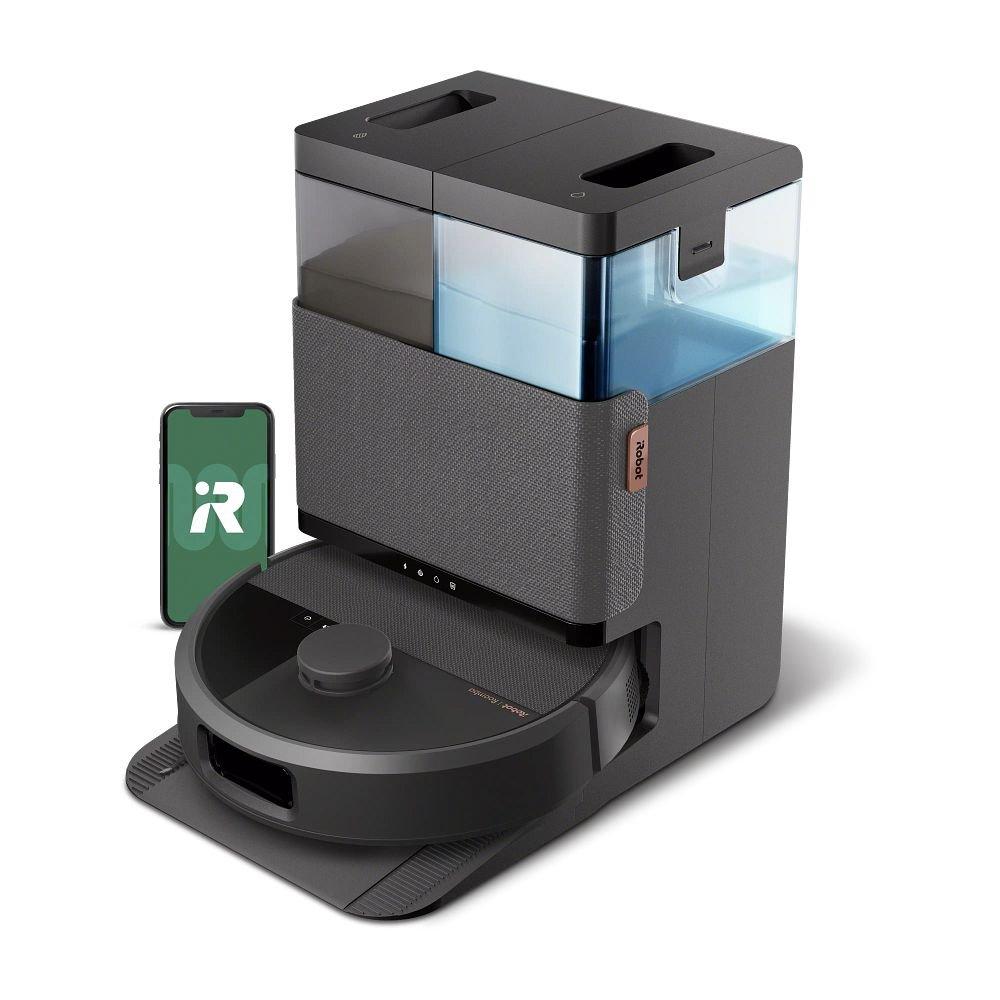
iRobot documents LiDAR mapping, vision-based object recognition, spinning pads that lift at carpet, and the AutoWash dock. Those features make it worth considering where room boundaries and pad upkeep are central; they do not establish that pet accidents or every cord will always be avoided.
Pros
- Dock washes and heat-dries the pads according to iRobot.
- Documented carpet-triggered pad lift supports a mixed-floor route.
Cons and trade-offs
- Water tanks, pads, debris bags and dock tray still need care.
- Cords, fragile objects and unsuitable debris still need floor preparation before a scheduled run.
Choose another if: You want a vacuum-only system or cannot place and service a water-handling dock.
Our recommendation
Shortlist exact N185020 when pad-care automation is your main reason to upgrade. Check iRobot’s dock placement instructions and your rug clearance before ordering.
Source: manufacturer documentation. Buying advice is editorial.
Roborock Qrevo Curv
Best for: A home with thresholds, hair wrapping concerns and a desire for automated mop care.
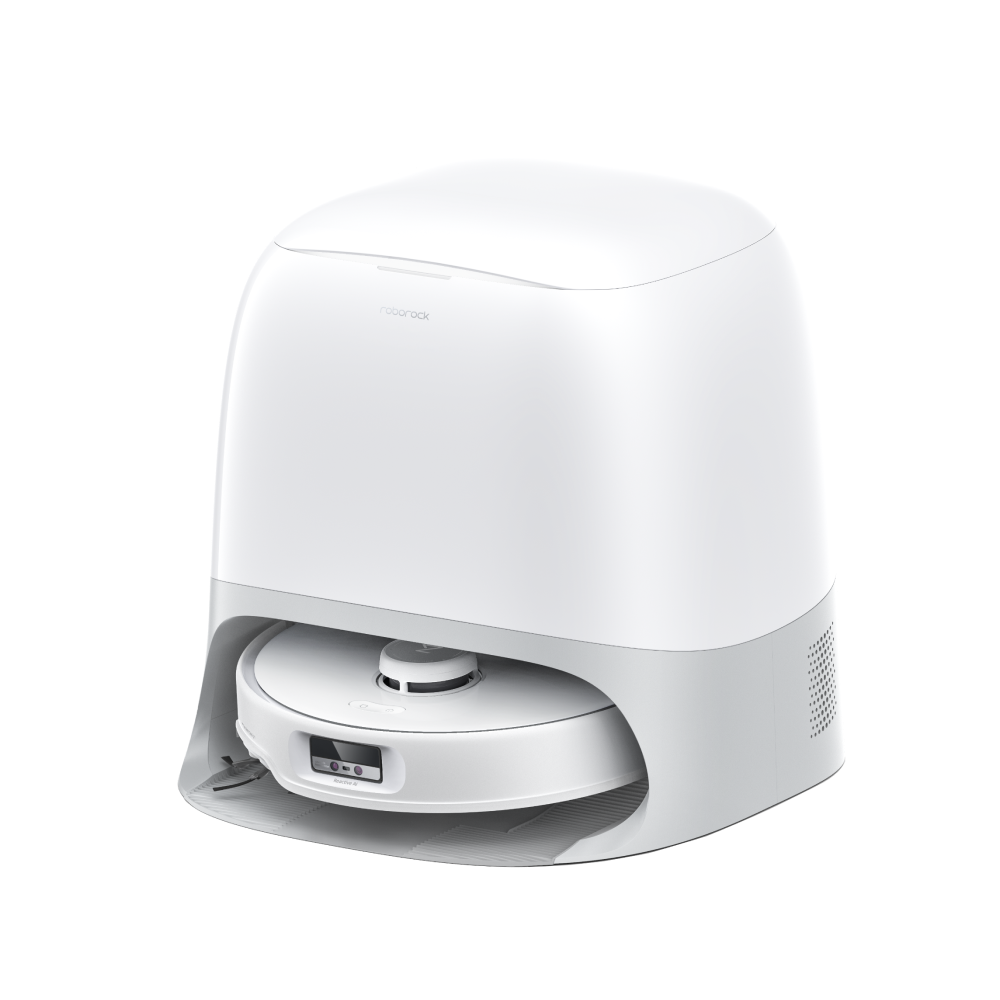
The Curv section names AdaptiLift, DuoDivide and Multifunctional Dock 3.0. The same page also describes CurvX and Curv S5 variants; their numbers and dimensions must not be substituted for this Curv.
Pros
- Liftable chassis gives a documented way to address specified transitions.
- DuoDivide and FlexiArm layouts give concrete brush parts to inspect for hair care.
Cons and trade-offs
- Threshold crossing still depends on the exact obstacle shape and Curv clearance; a tall or fringed rug needs its own route check.
- Its full-service dock adds water, pads and tray maintenance.
Choose another if: You need verified clearance for a threshold or rug outside the exact Curv’s stated limits.
Our recommendation
Compare your measured thresholds with the exact Curv documentation and keep a plan to inspect the brush ends during shedding season.
Source: manufacturer documentation. Buying advice is editorial.
Roborock Qrevo S
Best for: Someone comparing docked vacuum-and-mop systems mainly through room and carpet controls.
Roborock’s support comparison identifies SmartPlan and targeted re-cleaning on Qrevo S. Its product page describes automatic mop washing, drying and water refilling. Evaluate the app route and support terms for the exact regional offer.
Pros
- SmartPlan and targeted re-cleaning offer specific room-control options.
- The dock washes and dries mops and refills the robot’s water tank under Roborock’s stated workflow.
Cons and trade-offs
- Its dock still needs clean water, dirty-water disposal and periodic tray and pad cleaning.
- Roborock specifies a 2.4 GHz Wi-Fi connection; check your network setup before relying on app control.
Choose another if: You require a documented Curv-style chassis lift or exact obstacle recognition behavior.
Our recommendation
Keep Qrevo S on the shortlist when its specific room and carpet controls fit your home; do not infer a pickup ranking from them.
Source: manufacturer documentation. Buying advice is editorial.
Questions before buying
Is a higher Pa suction figure a better cleaning score?
No. It is a maker specification under that maker’s conditions. Brush design, floor type, route and debris also affect pickup, and this guide contains no controlled comparative pickup data.
Will a lifting mop keep every rug dry?
No. Check the exact model’s lift behavior against pile height, fringe and route; use no-mop zones or remove rugs where needed.
Do object-recognition features remove the need to pick up cords?
No. Clear cords and fragile items before scheduled runs, then observe the first route through each room.
Exact-model Amazon searches
These searches do not verify an ASIN, seller, bundle or current price. Check the full model and dock.
Research method and primary sources
Manufacturer descriptions establish claimed features and product identity; the buyer scenarios and recommendations are editorial judgments. We did not run cleaning, navigation, pet-hair, noise or durability tests and cannot rank these models by measured performance. Current stock, accessories and app functions can vary by region and offer.
Primary sources: iRobot N185020; Roborock Qrevo Curv series, exact Curv section; Roborock Qrevo S support comparison; Roborock Qrevo S Germany product page. Read our methodology.
Affiliate disclosure
As an Amazon Associate, The Gear Audit earns from qualifying purchases. We may earn an affiliate commission when you buy through our links, at no extra cost to you. Read our full affiliate disclosure.