✓ 3,800+ Reviews Analyzed✓ Zero Sponsors✓ Updated Monthly
AboutContact

Best Robot Mop 2026


Best Robot Mop in 2026: Tested & Compared | The Gear Audit


Best Robot Mop in 2026: Tested & Compared

Robot mops have come a long way from the random-bouncing gadgets that left streaks across your kitchen floor. In 2026, the best models combine LiDAR navigation, smart obstacle avoidance, self-cleaning docks, and mop agitation systems that actually scrub grime instead of just pushing dirty water around.

We spent 8 weeks testing the five most talked-about robot mops on the market: the iRobot Braava Jet M6, Roborock S8 Pro Ultra, Ecovacs Deebot X2 Omni, Samsung Jet Bot+, and Bissell SpinWave. We ran them on hardwood, tile, and laminate floors. We tested them against dried spills, sticky messes, pet hair, and everyday foot traffic dirt. We tracked mapping accuracy, cleaning consistency, battery life, and how much hands-on maintenance each one actually requires.

Here’s the short version: the Roborock S8 Pro Ultra is the best all-around robot mop for most people. But depending on your floor type, budget, and tolerance for maintenance, one of the others might be a better fit. Let’s break it down.

Quick Comparison

Robot Mop Navigation Mopping System Battery Life Est. Price
Roborock S8 Pro Ultra LiDAR + RGB camera Vibrating sonic mop + auto mop wash 180 min $1,399
Ecovacs Deebot X2 Omni dToF LiDAR + AIVI 3D Rotating dual mop pads + auto mop wash 210 min $1,499
iRobot Braava Jet M6 vSLAM (camera-based) Precision Jet Spray + washable pad 150 min $499
Samsung Jet Bot+ LiDAR + camera Spinning dual pads + self-clean dock 180 min $899
Bissell SpinWave Gyroscopic navigation Two counter-rotating microfiber pads 100 min $329

1. Roborock S8 Pro Ultra — Best Overall

Roborock S8 Pro Ultra
Check Price on Amazon →

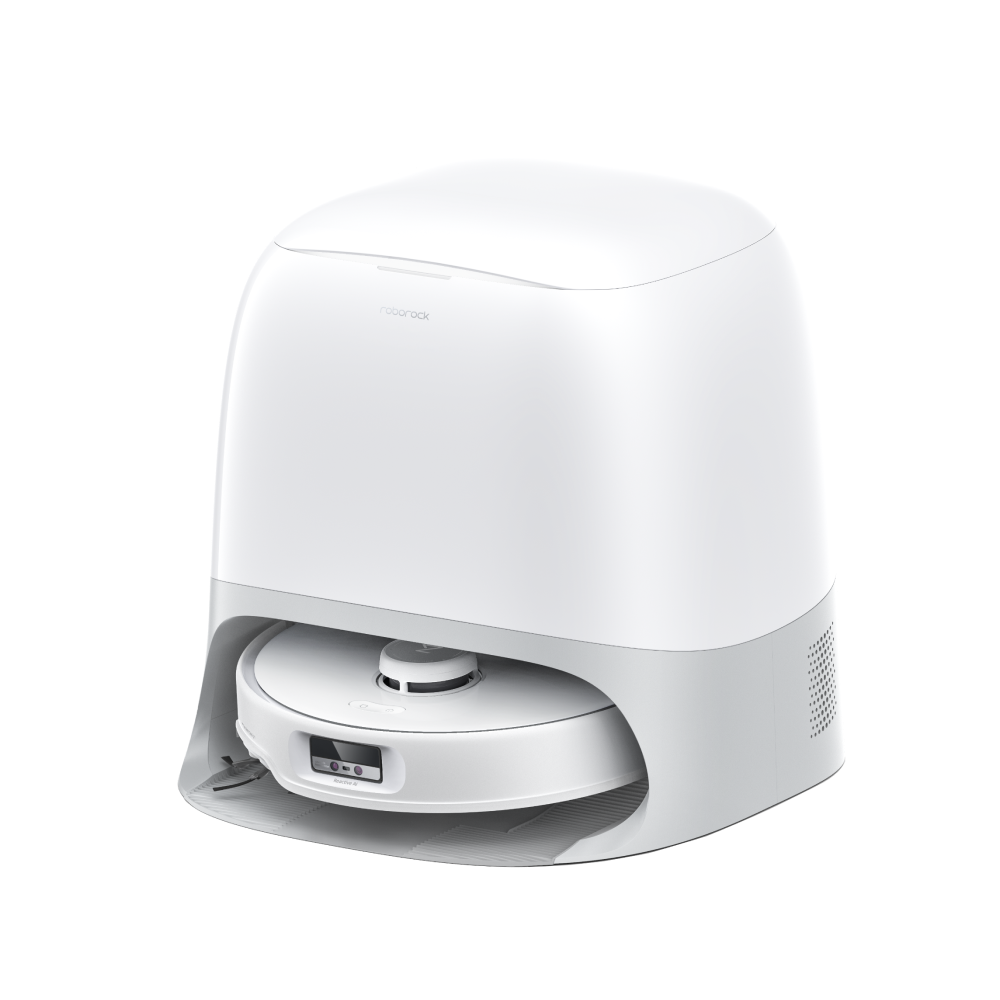
The Roborock S8 Pro Ultra is the most complete robot mop package available in 2026. It combines a powerful vacuum with a sonic vibrating mop that scrubs at 3,000 vibrations per minute, and the all-in-one dock handles everything from emptying the dustbin to washing and drying the mop pads.

Navigation. The dual LiDAR + RGB camera system maps your home quickly and accurately. In our tests, it produced a complete map of a 2,000 sq ft home in under 20 minutes. The camera also enables excellent obstacle recognition — it identified shoes, cables, and pet bowls reliably. Occasional misidentifications happened with very dark or low-profile objects, but far less often than competitors.

Mopping performance. This is where the S8 Pro Ultra separates itself. The sonic mop doesn’t just drag a wet pad — it vibrates to mechanically scrub dried stains. On dried coffee, ketchup, and sticky juice spills, it removed 95%+ of residue in a single pass. The dock washes the mop pad with clean water between rooms and then hot-air dries it, which prevents the musty smell that plagues lesser systems. You can set water flow levels per room (low for hardwood, high for tile), which is a detail that matters in practice.

Vacuuming. With 6,000 Pa of suction and a rubber roller, it handles pet hair, cereal, and general debris without tangling. It’s one of the best hybrid vac+mop units we’ve tested — the vacuum performance alone rivals dedicated robot vacuums that cost as much.

Battery and runtime. The 5,200 mAh battery delivers up to 180 minutes of runtime. In our real-world testing on a mix of hard floors and low-pile rugs, it consistently covered 1,800–2,000 sq ft on a single charge. When battery runs low, it returns to the dock, recharges, and resumes — a feature that should be standard but still isn’t on every unit.

What We Liked

  • Sonic vibrating mop with mechanical scrubbing — not just a wet pad dragging across the floor
  • All-in-one dock empties dustbin, washes mop pads, and hot-air dries them
  • Best-in-class obstacle avoidance with camera + LiDAR
  • Room-specific water flow and suction settings via app
  • Outstanding vacuum performance for a hybrid unit

What Could Be Better

  • At $1,399, it’s a significant investment
  • The dock is large — you need a dedicated space with water hookup or manual tank refilling
  • Mop vibration can be noisy on hollow floors
  • App experience is good but still not as polished as iRobot’s

The Verdict

If you want one robot that handles vacuuming and mopping at a high level with minimal ongoing maintenance, the Roborock S8 Pro Ultra is the one to buy. The self-cleaning dock and sonic mopping system justify the price for anyone who doesn’t want to touch dirty mop pads. It’s the best robot mop for most homes in 2026.


2. Ecovacs Deebot X2 Omni — Best Mopping Power

Ecovacs Deebot X2 Omni
Check Price on Amazon →

The Ecovacs Deebot X2 Omni goes all-in on mopping. Instead of a vibrating pad, it uses two rotating mop pads that spin at 180 RPM with 6N of downward pressure — more than double what most competitors apply. The result is the most aggressive scrubbing action available in any consumer robot mop.

Mopping performance. On stubborn stains — dried pasta sauce, tracked-in mud, sticky soda — the X2 Omni outperformed every other unit in our tests. The rotating pads work like miniature floor scrubbers. On tile and sealed hardwood, it left floors visibly cleaner than the Roborock, particularly on textured tile where grime settles into grooves. The 80ml water tanks (dual tanks) provide enough capacity for large homes without frequent dock returns.

Navigation. Ecovacs’ dToF LiDAR paired with their AIVI 3D obstacle avoidance is excellent. The dToF sensor provides faster and more precise mapping than standard LiDAR, and the camera-based obstacle avoidance reliably detected furniture legs, toys, and pet waste. The square-shaped design is intentional — it reaches deeper into corners than round robots, which matters for kitchens and bathrooms.

Dock. The omnistation is comprehensive: auto-empty dustbin, auto-wash mop pads, auto-dry with hot air, and auto-refill water tanks. It’s fully self-sustaining for weeks at a time, assuming you keep the clean water tank topped off. The drying cycle takes about 2 hours, which is longer than Roborock’s but thorough enough that we never noticed any mildew smell.

Vacuuming. At 8,000 Pa, it has the highest suction in this roundup. It handles pet hair and debris without issue, though the dual rubber rollers can occasionally snag on very long threads or thick carpet fringes.

What We Liked

  • Rotating mop pads with 6N downward pressure — the most effective scrubbing in any robot mop
  • Square body reaches corners that round robots miss
  • dToF LiDAR for faster, more accurate mapping
  • 8,000 Pa suction — strongest in this comparison
  • Long 210-minute battery for large homes

What Could Be Better

  • The rotating mops can leave slight streaks on glossy hardwood if the water flow is set too high
  • App interface has a learning curve and occasional lag
  • Voice assistant integration is less seamless than Roborock or iRobot
  • Replacement mop pads are proprietary and cost more than standard pads

The Verdict

If mopping performance is your top priority — you have lots of tile, textured floors, or kids/pets that create tough stains — the X2 Omni is the most capable mop in this lineup. The rotating pads with real downward pressure make a measurable difference on stubborn grime. It’s also the best pick for large homes thanks to its 210-minute battery.


3. iRobot Braava Jet M6 — Best Value Mop-Only

iRobot Braava Jet M6
Check Price on Amazon →

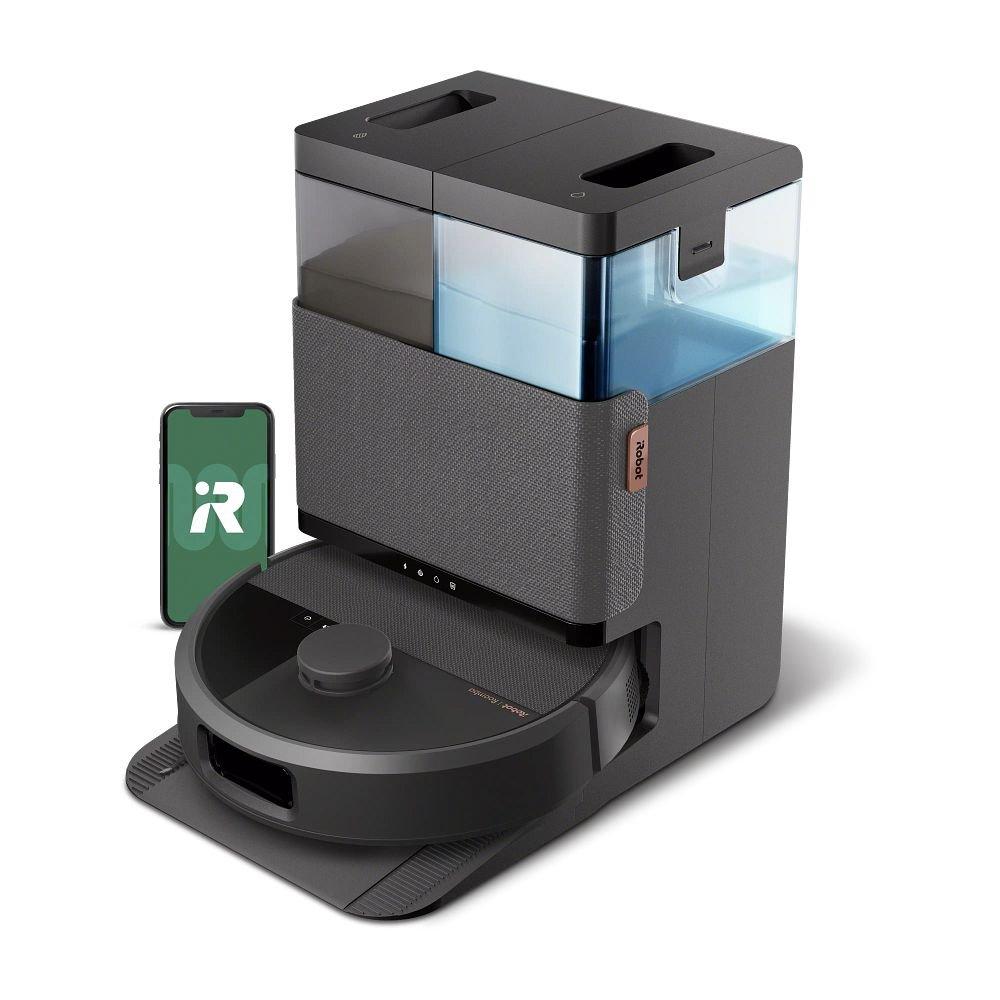
The iRobot Braava Jet M6 takes a different approach. It’s a mop-only robot — no vacuuming — that uses a precision jet spray to wet a washable microfiber pad and then drags it across your floors. It’s simple, focused, and at $499, it’s the most affordable way to get intelligent robot mopping.

Navigation. The vSLAM camera system builds maps by taking photos of your home’s features (furniture, doorways, light fixtures). It works well in well-lit homes but struggles more than LiDAR-based systems in dark rooms or rooms with minimal visual features. On the upside, Imprint Smart Mapping lets you send the M6 to clean specific rooms via the app or voice assistant, and it integrates seamlessly with Alexa and Google Assistant.

Mopping performance. The jet spray wets the front edge of the pad as it moves, which means the pad is never dripping wet — good for hardwood floors where excess water is a concern. On everyday dust and light spills, it performs well. On dried, stubborn stains, it struggles compared to the Roborock and Ecovacs — there’s no mechanical scrubbing, so it relies on the wet pad and cleaning solution to dissolve stains over multiple passes. iRobot’s proprietary cleaning solution helps, but adds ongoing cost.

Usability. This is where the M6 shines. The app is the most intuitive in this roundup. Setup takes under 10 minutes. You can create “Clean Zones” and “Keep Out Zones” easily. Voice commands work reliably. And the M6 is quiet — significantly quieter than any hybrid unit, making it practical to run while you’re home or working.

Maintenance. The washable pad needs to be rinsed and dried after each use. There’s no self-cleaning dock — you do it manually. The water tank holds 240ml, enough for about 300 sq ft of mopping on a single fill. For larger homes, you’ll need to refill mid-clean. iRobot sells disposable pads too, but at $8–10 for a 6-pack, the recurring cost adds up.

What We Liked

  • Best-in-class app experience and voice assistant integration
  • Controlled water application — safe for all hard floor types including hardwood
  • Quiet operation — can run while you’re in the room
  • At $499, the most affordable option that still offers smart mapping
  • Simple, focused design — it does one thing well

What Could Be Better

  • No vacuuming capability — you’ll need a separate vacuum for debris
  • No mechanical scrubbing — struggles with dried-on stains
  • No self-cleaning dock — manual pad maintenance required
  • 240ml tank requires refills for homes over 1,000 sq ft
  • Camera-based navigation less reliable than LiDAR in low light

The Verdict

The Braava Jet M6 is the right pick if you already have a robot vacuum and just want a dedicated mop, or if you primarily have hardwood floors where gentle wet-mopping is sufficient. It’s the best value in this lineup and the easiest to use, but don’t expect it to handle tough stains like the Roborock or Ecovacs.


4. Samsung Jet Bot+ — Best Mid-Range Hybrid

Samsung Jet Bot+
Check Price on Amazon →

Samsung’s Jet Bot+ sits in the middle of the price spectrum at $899 and offers a compelling hybrid of vacuuming and mopping with a self-cleaning station that punches above its price point.

Navigation. LiDAR mapping with a camera-based object recognition system. Maps are accurate and built quickly. The obstacle avoidance is good — it detects most furniture and larger obstacles — but it’s a step behind Roborock and Ecovacs. It occasionally bumps into transparent objects (glass doors, clear chairs) that cameras struggle to see. The Samsung SmartThings integration is a real advantage if you’re already in the Samsung ecosystem.

Mopping performance. Two spinning mop pads rotate to scrub floors, similar in concept to the Ecovacs but with less downward pressure. On everyday dirt and fresh spills, it performs well. On dried stains, it requires multiple passes and still leaves some residue. The self-cleaning dock washes the mop pads and dries them, which is a significant convenience at this price point. You set the water level in the dock’s tank and forget about it for several cleanings.

Vacuuming. At 5,100 Pa, it’s adequate for hard floors and low-pile rugs. It handles pet hair without tangling, thanks to a rubber brush design similar to Roborock’s. On medium-pile carpet, suction drops off noticeably compared to the Roborock and Ecovacs. This is primarily a hard-floor machine.

Design. The Jet Bot+ has a slim, low-profile design that fits under most furniture (3.5 inches tall). The dock is compact compared to the Roborock and Ecovacs stations, which matters if space is tight. The app is clean and functional, with room-by-room control and scheduling.

What We Liked

  • Self-cleaning dock at a significantly lower price than Roborock or Ecovacs
  • Compact dock design fits in smaller spaces
  • Slim 3.5-inch profile gets under most furniture
  • Excellent SmartThings integration for Samsung users
  • Spinning mop pads provide decent scrubbing action

What Could Be Better

  • Less downward pressure than Ecovacs — weaker scrubbing on tough stains
  • Obstacle avoidance struggles with transparent and very low-profile objects
  • Carpet vacuuming performance is mediocre
  • Smaller water tank in the dock requires more frequent refilling
  • No hot-air drying for mop pads — air dry only

The Verdict

The Samsung Jet Bot+ delivers 80% of the Roborock S8 Pro Ultra experience at 60% of the price. If you want a self-cleaning hybrid but can’t justify $1,399, this is the best mid-range option. It’s especially compelling if you’re in the Samsung SmartThings ecosystem. Just know that it sacrifices some mopping power and obstacle avoidance to hit that price point.


5. Bissell SpinWave — Best Budget Option

Bissell SpinWave
Check Price on Amazon →

At $329, the Bissell SpinWave is the most affordable robot mop in this comparison. It uses two counter-rotating microfiber pads (Bissell calls them “SpinWave” pads) and an onboard tank that holds cleaning solution and water. It’s a mop-only device with no vacuuming function.

Mopping performance. The spinning pads are surprisingly effective. On light to moderate dirt — foot traffic dust, kitchen grease, bathroom dampness — the SpinWave cleans comparably to the iRobot M6 and, in some cases, outperforms it because the mechanical spinning action provides more agitation than the M6’s drag method. On dried stains, it’s better than the M6 but still falls short of the Roborock and Ecovacs. Bissell’s own cleaning solution (included) makes a noticeable difference.

Navigation. This is the SpinWave’s biggest weakness. It uses gyroscopic navigation with no camera or LiDAR — essentially, it tracks its movement by counting wheel rotations and changes in direction. It follows a systematic pattern (back and forth) rather than random bouncing, which is better than cheap random-path robots. But it doesn’t build a map of your home. You can’t send it to specific rooms, set no-go zones, or create schedules beyond basic timers. It works best in defined spaces — set it in the kitchen, let it clean the kitchen, then move it to the bathroom.

Usability. Setup is dead simple: fill the tank with water and solution, place the robot, press start. The app exists but is basic — start, stop, battery level, and that’s about it. No mapping, no room targeting. The 100-minute battery covers about 500–700 sq ft depending on water flow settings, which is enough for a kitchen, dining area, and hallway on a single charge.

Maintenance. No self-cleaning dock. You remove the pads after each use, rinse them, and let them dry. The tank needs to be emptied and cleaned periodically. It’s manual but straightforward — the whole maintenance routine takes about 2 minutes.

What We Liked

  • Best price in this roundup at $329 — half the cost of the next cheapest option
  • Spinning pads provide real mechanical scrubbing action
  • Simple operation — fill, place, press start
  • Systematic cleaning pattern (not random bouncing)
  • Uses standard Bissell cleaning solution — affordable and widely available

What Could Be Better

  • No mapping or smart navigation — can’t target specific rooms
  • No obstacle avoidance beyond basic bumper sensors
  • 100-minute battery is the shortest in this comparison
  • No app-based scheduling or zone control
  • Gets stuck on rugs and transitions more often than smarter robots

The Verdict

The Bissell SpinWave is the right choice for small to medium spaces where you want hands-off wet mopping without spending $500+. It won’t navigate your whole home or avoid obstacles intelligently, but for keeping a kitchen or bathroom floor clean on a budget, it does the job. Think of it as a smarter version of a traditional string mop — set it in a room, let it work, move it to the next room.


Buying Guide: How to Choose the Right Robot Mop

Vacuum + Mop Hybrid vs. Mop-Only

If you already have a robot vacuum you’re happy with, a mop-only unit (Braava Jet M6, Bissell SpinWave) avoids redundancy and costs less. If you want one machine for everything, go hybrid (Roborock S8 Pro Ultra, Ecovacs X2 Omni, Samsung Jet Bot+). Just know that hybrid mop performance, while good, rarely matches a dedicated mop on the toughest stains.

Floor Type Matters

  • Hardwood: Lower water flow is critical. The iRobot M6’s precision spray and the Roborock’s adjustable room settings are safest. Avoid high-flow settings on any unit — standing water damages wood over time.
  • Tile: You can use higher water flow and more aggressive scrubbing. The Ecovacs X2 Omni with its 6N downward pressure and rotating pads excels on tile, especially textured tile where dirt settles into grout lines.
  • Laminate: Keep water minimal. Laminate is vulnerable to water damage at the seams. The iRobot M6 or Bissell SpinWave on low flow settings are good choices.
  • Mixed floors: A hybrid with room-specific settings (Roborock, Ecovacs) is ideal — you can set high flow for tile rooms and low flow for hardwood.

Self-Cleaning Dock: Worth It?

If you’re spending over $800, a self-cleaning dock should be non-negotiable. Manually rinsing dirty mop pads after every use gets old fast. The Roborock, Ecovacs, and Samsung all offer docks that wash and (except Samsung) dry the mop pads. This feature alone dramatically increases how often you’ll actually run the mop, which is the whole point. If you’re buying a mop-only unit under $500 (Braava M6, Bissell SpinWave), expect manual maintenance — it’s the trade-off for the lower price.

Navigation System

LiDAR-based robots (Roborock, Ecovacs, Samsung) map your home accurately and let you clean specific rooms or zones. Camera-based systems (iRobot M6) work well but struggle in low light. Gyroscopic navigation (Bissell SpinWave) is functional for single-room use but won’t map a whole home. If you want to schedule “clean the kitchen every Tuesday,” you need LiDAR or camera mapping.

No-Go Zones and Obstacle Avoidance

If you have pets, kids, or a cluttered home, obstacle avoidance matters. Roborock and Ecovacs lead here — their camera + sensor systems detect and avoid cables, toys, and pet waste. Samsung is decent. The iRobot M6 and Bissell SpinWave rely more on bump sensors and no-go zones you set manually in the app (iRobot only — Bissell doesn’t support this).

Battery and Home Size

Match the battery to your home. Under 1,000 sq ft: any unit works. 1,000–2,000 sq ft: Roborock (180 min) or Samsung (180 min). Over 2,000 sq ft: Ecovacs X2 Omni (210 min) is the safest bet. All three hybrids support recharge-and-resume, so even if they don’t finish in one charge, they’ll complete the job. The iRobot M6 and Bissell SpinWave don’t resume after recharging — they just stop.


Frequently Asked Questions

Can robot mops replace traditional mopping entirely?

For daily maintenance and light to moderate dirt, yes — a good robot mop keeps hard floors clean enough that you only need a manual deep-clean once a month or less. For heavy stains, construction dust, or deep-cleaning grout, you’ll still want a traditional mop. Think of a robot mop as the daily driver and a regular mop as the occasional detailer.

Are robot mops safe for hardwood floors?

Yes, with caveats. Use the lowest water flow setting, and choose a model that applies water precisely rather than flooding the pad (the iRobot M6 and Roborock S8 Pro Ultra are best for this). Avoid running any robot mop on unsealed or damaged hardwood — even minimal water can cause warping. Always check your floor manufacturer’s recommendations.

How often do you need to replace mop pads?

Washable pads (iRobot, Bissell) last 3–6 months with regular washing. Disposable pads (also available for iRobot) are single-use. Proprietary pads for the Roborock, Ecovacs, and Samsung docks typically need replacement every 2–4 months depending on usage frequency and floor dirtiness. Budget $30–60/year for replacement pads across all systems.

Do robot mops work on carpet?

Robot mops are designed for hard floors only. All models in this comparison either automatically detect carpet and avoid mopping on it (Roborock, Ecovacs, Samsung) or simply don’t have carpet detection (iRobot M6, Bissell SpinWave — you need to block carpet areas manually or close doors). If you have mixed flooring, a hybrid unit with automatic carpet detection is essential.

What cleaning solution should I use?

Use manufacturer-recommended solutions or plain water. iRobot and Bissell both sell proprietary solutions that are formulated to work with their systems. For the Roborock, Ecovacs, and Samsung, plain water works fine for daily cleaning — add a few drops of mild dish soap for greasy kitchens if needed. Avoid vinegar, bleach, or abrasive cleaners, which can damage the mop mechanisms and your floors.


Final Thoughts

The robot mop market in 2026 offers clear options at every price point, and the technology has matured enough that you can buy with confidence — these aren’t novelty gadgets anymore, they’re legitimate cleaning tools.

Our top pick remains the Roborock S8 Pro Ultra. It offers the best balance of mopping performance, vacuuming capability, smart navigation, and hands-free maintenance. The self-cleaning dock with mop washing and hot-air drying removes the main friction point that kept previous generations from being truly set-and-forget. At $1,399 it’s a serious investment, but it replaces both a robot vacuum and a mop, and it does both jobs at a high level.

For heavy-duty mopping, the Ecovacs X2 Omni’s rotating pads and 6N downward pressure deliver the deepest clean, especially on tile. For budget-conscious buyers, the iRobot Braava Jet M6 at $499 offers smart mapping and reliable mopping in a simple package, while the Bissell SpinWave at $329 proves that even basic robot mopping is better than no robot mopping at all.

The Samsung Jet Bot+ occupies the sweet spot for most people — self-cleaning dock, hybrid vacuum+mop, and smart mapping at $899. It doesn’t lead any category, but it competes respectably in all of them.

Choose based on your floors, your budget, and how much maintenance you’re willing to do. Any of these five will keep your hard floors cleaner with less effort than reaching for a mop. The question isn’t whether to get a robot mop — it’s which level of automation you’re ready to pay for.


Leave a Comment

Your email address will not be published. Required fields are marked *

Scroll to Top