Robot Mop Maintenance: Pads, Tanks, Docks and Carpets
By The Gear Audit Team · Specification research September 9, 2026; manufacturer care-source check and practical guide September 20, 2026.
Quick answer: make the wet-care routine easy to repeat
After wet runs, check the dirty-water tank and confirm the pad-drying cycle finished. When refilling, use only water and a solution permitted for your exact model. Inspect the pad, wash tray, filters, brushes, sensors and charging contacts on the maker’s schedule. A self-washing dock changes the timing of these jobs; it does not remove them. Our practical recommendation is to choose a dock location near a sink with enough room to remove tanks without spilling.
Look for dirty-water alerts, an incomplete wash or drying cycle, and any visible pad or tray residue.
Use the exact model’s instructions for brush, filter, tray, sensor and contact care. Different parts need different cleaning methods.
A service checklist based on the job, not a universal schedule
| When | Check | Why it matters | Follow the exact manual for |
|---|---|---|---|
| After wet cleaning | Dirty-water tank, pad condition and drying completion | Standing dirty water and a soiled pad undermine the next run | Emptying, rinsing and pad-removal instructions |
| At clean-water refill | Tank fill line, approved solution and cold-water requirement | Wrong mix or temperature can damage parts or cause operating faults | Model-specific solution chart and dose |
| At routine inspection | Brush ends, filter, caster, mop mounts and sensors | Hair or dust can obstruct movement and detection | Part-specific frequency and whether a filter may be rinsed |
| When dock tray is soiled | Wash basin or removable tray, overflow area, seals and intake | The dock also accumulates debris from pad care | Removal and allowed cleaning method |
| When contacts look dirty | Robot and dock charging contacts | Moisture near electrical contacts is a risk | Dry-cloth instructions; keep water away from contacts |
The table organizes the work. It is not a substitute for a manufacturer interval: for example, iRobot gives specific Plus 500 frequencies, while the Roborock Curv manual marks several parts “clean as required.”
Roomba Plus 505 Combo N185020: use the Plus 500 care schedule
Best for: An owner who wants a published, part-by-part schedule to put on a calendar and an AutoWash dock that handles pad washing and drying between checks.
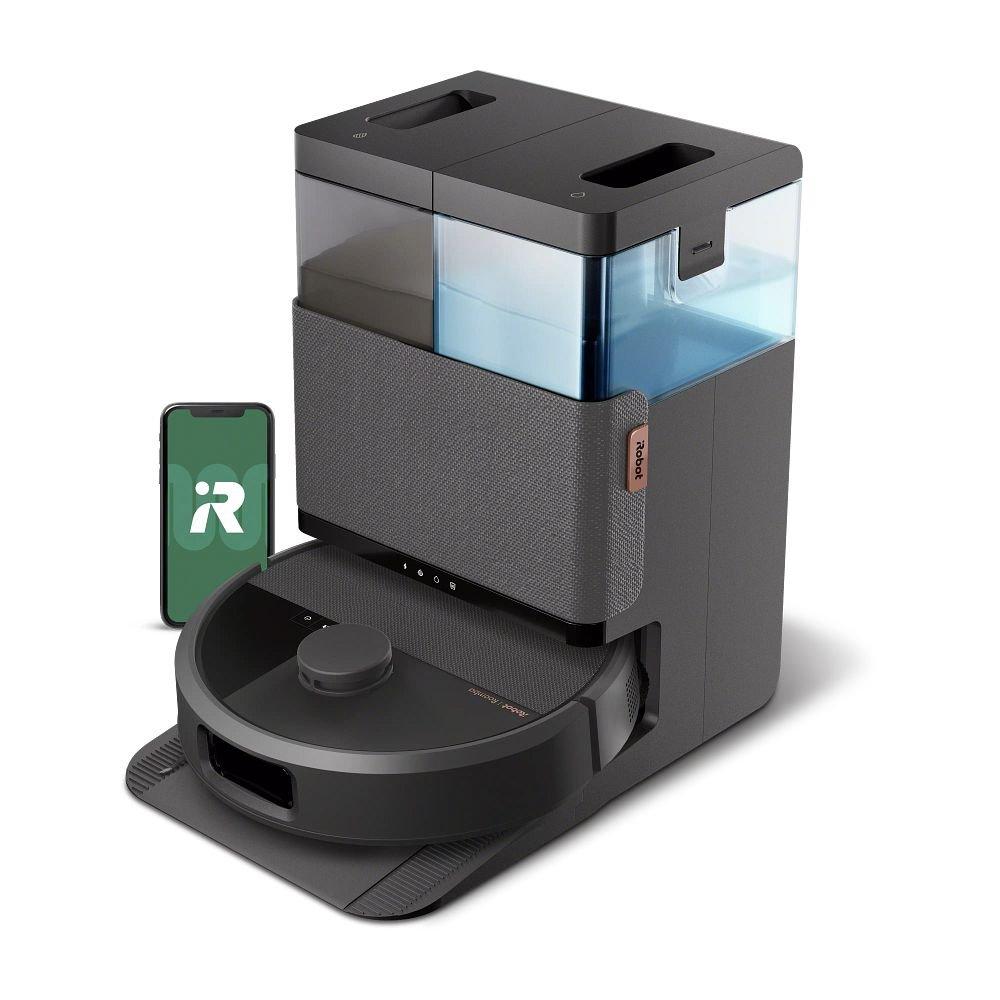
The iRobot Plus 500 care article says to check the main brush and filter weekly, twice weekly in homes with pets. It lists front caster and edge brush inspection every two weeks or as needed, charging contacts every two weeks or as needed, and cliff sensors monthly or as needed. For the dock, it lists washing basin and overflow basin cleaning every two weeks or as needed, with clean and dirty tanks rinsed or refreshed as needed. Replace the dock bag when its light or app prompts you.
Pros
- The maker publishes concrete intervals. It is easier to turn brush, filter, basin and sensor care into a repeatable reminder.
- Pad washing and drying are automated. The owner can focus on checking the outcome and servicing the water system rather than washing the pad after every run.
- Bag replacement is prompted. The dock indicator or app, rather than a guessed number of days, tells the owner when to change it.
Cons and trade-offs
- The written schedule is not a substitute for inspection. Pets, hair and heavy debris can require more frequent brush and filter care than the baseline interval.
- Water and basin chores remain manual. Put the dock where you can empty the dirty tank and reach the wash basin without moving the station.
Our recommendation
For an existing 505 owner, follow the Plus 500 care table and app prompts. For a buyer comparing docks, favor this arrangement if predictable maintenance reminders matter, while accepting that water disposal and bag purchases remain part of ownership. See our 505 versus Curv comparison for robot hardware differences.
Price listing: iRobot Roomba Plus 505 Combo with AutoWash Dock — N185020.
Roborock Qrevo Curv: care by component and condition
Best for: An owner prepared to inspect the tray, cloths, tanks and brushes as needed while using Roborock’s hot-water mop wash, drying and auto-empty routines.
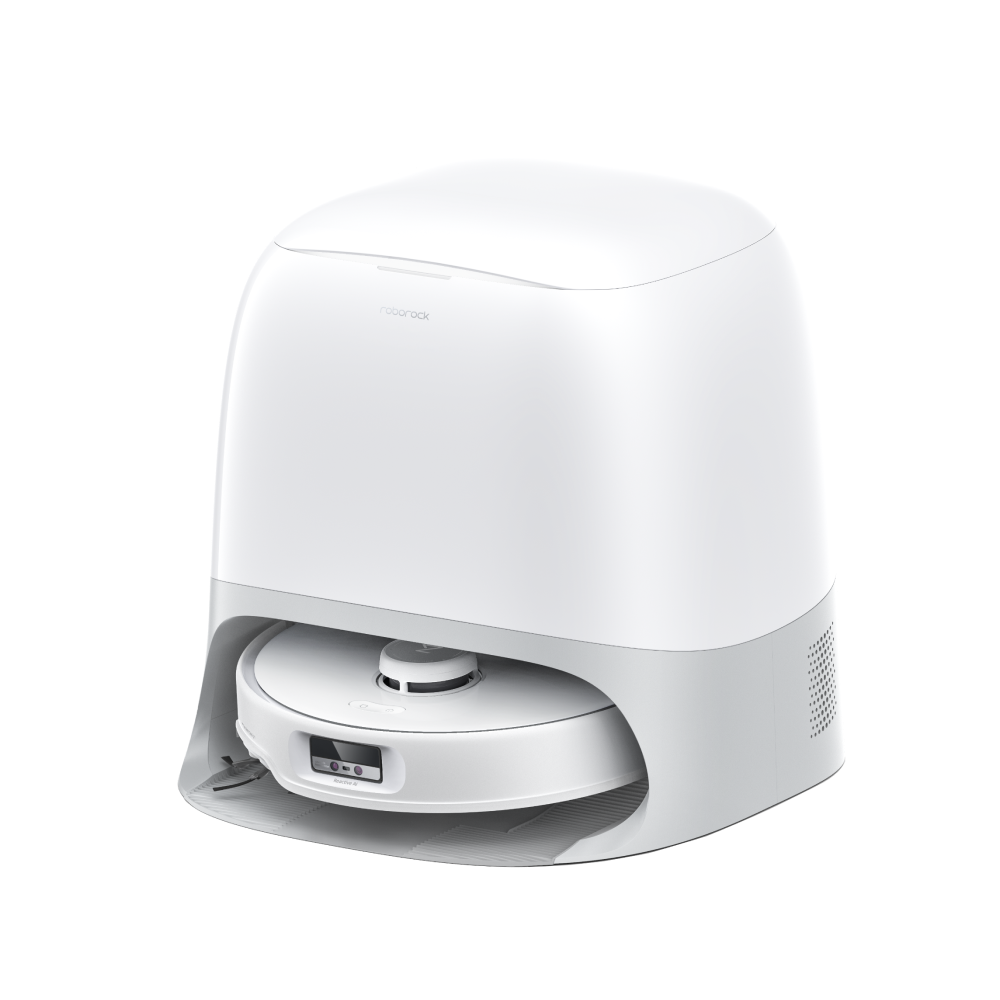
The Curv manual instructs users to empty and rinse the dirty-water tank as required and wipe robot and dock charging contacts with a soft, dry cloth. It warns against a wet cloth or wet hands on contacts. The manual also says to use cold water in the clean tank, avoid disinfectant, and use only Roborock-recommended cleaning solution at the instructed amount. Its dock requires the clean tank, dirty tank, dust bag and cleaning tray module installed for normal operation.
Pros
- The dock handles pad washing during a cleaning route. Roborock says it returns to wash and refill when needed, which matters during repeated hard-floor sessions.
- The dirty-water tank and tray are accessible service parts. The manual describes their removal and rinsing rather than treating them as sealed components.
- The manual separates wet and dry cleaning methods. It explicitly calls for dry wiping of charging contacts and gives different instructions for the dirty-water tank.
Cons and trade-offs
- The system depends on several correctly installed dock parts. Missing tanks, bag or tray can stop normal mop washing or debris transfer.
- “Clean as required” calls for observation. Dirt load and use conditions affect when the tank, cloths and tray need hands-on care; one fixed calendar may be too lax or wasteful.
Our recommendation
Use the Curv manual’s component instructions and inspect wet parts after runs until you know your home’s actual pattern. This is a good ownership fit when you want the dock to wash and refill during regular mopping, and you can comfortably reach the large station for tank and tray service. Confirm you own the standard Curv rather than CurvX or S5 variants before ordering parts.
Tagged model search only; verify the standard Curv and its exact replacement-part compatibility.
Water and cleaner are model-specific
For Roomba Plus 505 Series, iRobot’s North American chart lists plain water, StayClean Mopping Concentrate at two caps before filling the AutoWash clean tank, or its listed Braava Jet Fresh liquid at the model’s stated amount. The same chart says not to use hot water or a water-and-vinegar mixture. Do not borrow the different Plus 575 cartridge or Max 700 reservoir instructions merely because they share an iRobot cleaner name.
For Qrevo Curv, the manual says to fill the dock’s clean tank with cold tap water, use only Roborock-recommended solution, avoid disinfectant and avoid too much solution. The hot-water wash is a dock function; it is not an instruction to pour hot water into the clean tank. If your local manual or solution label differs, follow the instructions for the exact region and model.
Keep wet pads and dock water away from the wrong places
Before mixed-floor runs, identify rug edges, fringe and high pile. Review each model’s carpet settings and first runs so an automatically lifted mop does not become an assumption about every rug. Set no-mop zones or remove vulnerable rugs where the instructions call for it. Both robots need a firm, level dock location; Roborock’s manual specifically warns that a soft carpet or mat under the dock can tilt it and disturb docking.
Inspect the area around the station after washing. Water outside the intended tank or tray warrants stopping wet operation and following the maker’s troubleshooting. Keep electrical contacts dry and clean them only by the specified method.
If buying, choose a serviceable routine
- Lift the tank in your mind before placing the dock. Allow overhead room and a clear route to a sink.
- Price and source the consumables for your exact model. Check bags, mop pads, filters and brushes; a similarly named variant may use different parts.
- Decide whether wet cleaning will be frequent. If not, a simpler charging or dry auto-empty system may involve less equipment to care for. Our robot-vacuum types guide explains the categories.
- Set a first-month inspection habit. Use manufacturer intervals and alerts, then adjust checks to actual hair, debris and water load without extending beyond a required service interval.
Robot mop care FAQ
Can I put hot water in the clean tank because the dock washes with hot water?
No. iRobot’s Plus 505 solution chart forbids hot water, and the Curv manual instructs cold water in its clean tank. Heating inside a dock is a separate function.
Can I use vinegar or household disinfectant?
Do not assume so. iRobot explicitly warns against water and vinegar for Plus 505; Roborock tells Curv owners not to use disinfectant and to use only recommended solution. Use the exact manufacturer’s approved list.
How often should I replace the Roomba dock bag?
iRobot’s Plus 500 care page says to replace it when the dock LED or Roomba Home app prompts. Heavy debris can shorten the interval.
Can charging contacts be washed with the tray?
No. Roborock specifies a soft, dry cloth for Curv’s robot and dock contacts. iRobot lists contacts separately from its washable basin. Keep water away from electrical parts.
Amazon prices: Cards show the named US configuration and an eligible current new USD offer when available, with its check time. Unavailable or expired offers use a labelled search link. Confirm the model, included parts and final checkout price. Numerical Amazon ratings are omitted when usable review data is unavailable.
Research method, primary sources and limits
Original specification research was September 9, 2026. We rechecked the US iRobot Plus 500 care article, its North American solution chart, and the standard Roborock Qrevo Curv manual September 20, 2026. This is an editorial checklist for care of two exact example systems, not a tested hygiene or service-life claim. We did not measure odor, bacteria, residue, carpet wetting or long-term reliability. Manufacturer care intervals and warnings take precedence over our organization of the tasks.
Primary sources: iRobot Plus 500 robot and AutoWash Dock care; iRobot approved-solution chart, Plus 505 row; iRobot N185020 product; Roborock Qrevo Curv user manual; Roborock Qrevo Curv product. Read our methodology.
CERTAIN CONTENT THAT APPEARS ON THIS SITE COMES FROM AMAZON. THIS CONTENT IS PROVIDED “AS IS” AND IS SUBJECT TO CHANGE OR REMOVAL AT ANY TIME.
Affiliate disclosure
As an Amazon Associate, The Gear Audit earns from qualifying purchases. We may earn an affiliate commission when you buy through our links, at no extra cost to you. Read our full affiliate disclosure.