Zebra DS2208 vs. Honeywell Voyager XP 1472g: Counter or Cordless Scanning?
By The Gear Audit Team · Original specification research September 9, 2026; manufacturer-source and buying-advice check September 27, 2026.
Quick answer: decide how far the operator moves
Choose Zebra DS2208 for a fixed counter where a cord can reach the host and a scanner battery would add upkeep without useful mobility. Choose Honeywell Voyager XP 1472g when staff must scan away from the host and a suitable cordless kit is specified. Both are 1D/2D imagers. A decoded symbol still needs the correct interface and input format for your point-of-sale or inventory application.
Corded handheld input keeps the scanner at a defined host. Plan the cable path and connection type.
Bluetooth cordless operation can reach a nearby base or host, subject to the actual kit, environment and supported interface.
Match mobility and host hardware
| Decision | Zebra DS2208 | Honeywell Voyager XP 1472g |
|---|---|---|
| Operator movement | Corded handheld; range is set by the installed cable and workstation | Cordless Bluetooth handheld; range depends on host/base and environment |
| Code categories | 1D/2D array imager; 640 × 480 sensor is a published hardware specification | 1D/2D imaging of printed and digital-screen codes |
| Power and accessories | No scanner battery to charge; confirm cable, host power and stand in the actual kit | Rechargeable cordless workflow; confirm communications/charging base, cable and power supply |
| Best editorial fit | Register or packing desk where items come to the operator | Cart, shelf or stockroom scanning where the operator goes to the item |
Zebra’s DS2278 is the cordless member of its DS2200 series; its similar name does not make it a DS2208. Honeywell’s 1470g is a different model from the 1472g. The current Honeywell page has a stray 1470g reference and inconsistent scan-per-charge figures, so those numbers are not used here.
Zebra DS2208: keep one counter simple
Best for: A fixed point-of-sale or packing workstation with a known host port, cable route and barcode application.
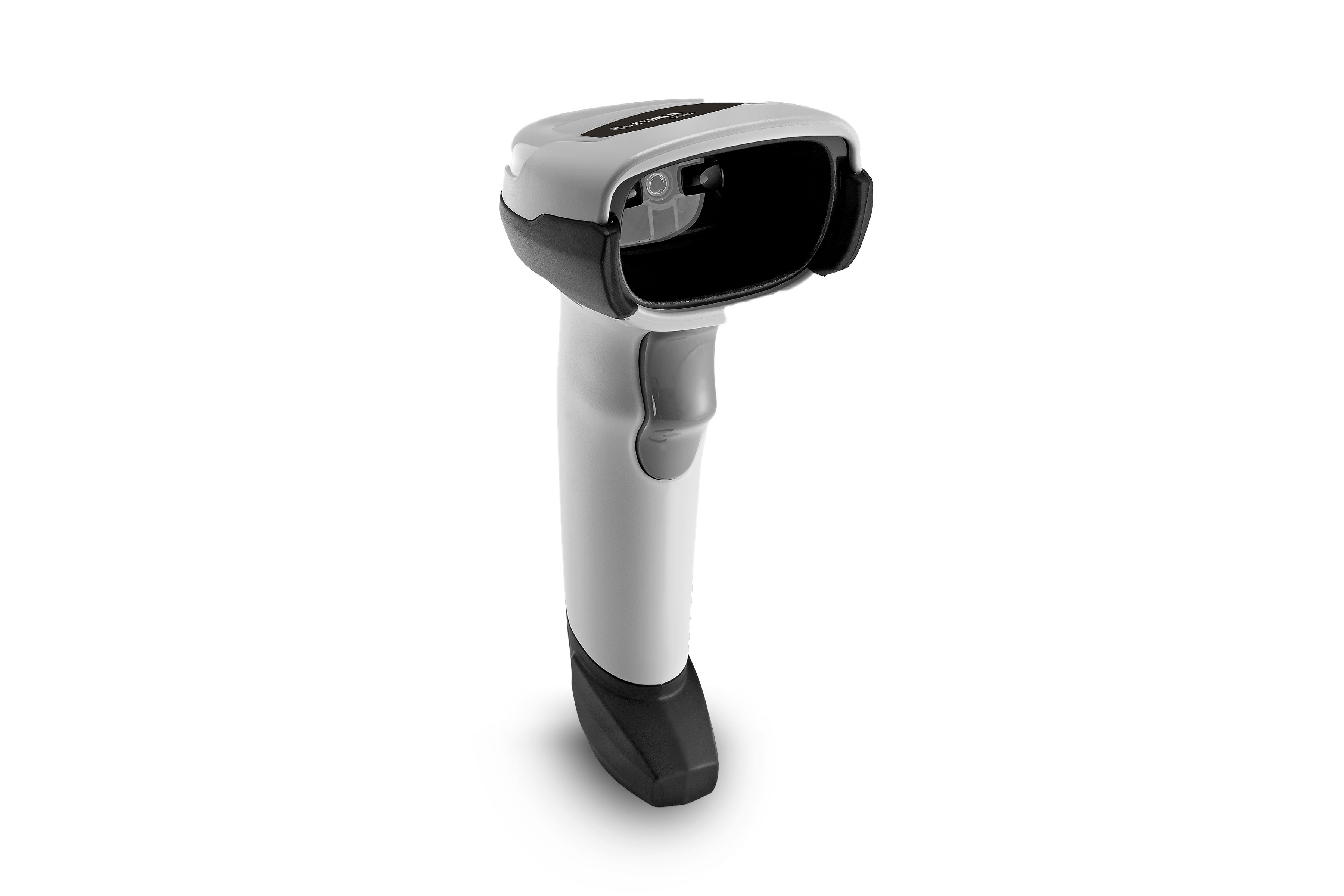
Zebra identifies DS2208 as a corded 1D/2D array imager for uses including point of sale, coupons and loyalty codes. A cable-connected workstation avoids scanner-battery charging and keeps the device in one place. That is a workflow benefit only if products are brought to the counter. Measure the actual path from host port to scan position, including turns around equipment. Zebra’s series page mentions a gooseneck stand, but retail bundles vary; confirm the host cable, power arrangement and stand before purchase.
Pros
- No handheld battery routine. A fixed station can avoid charging and locating cordless units between shifts.
- One defined host path can simplify deployment. Cable and interface choices can be standardized across identical counters.
- 1D and 2D support covers common retail symbols. The exact application still needs to accept the decoded input.
Cons and trade-offs
- The cord limits travel. Scanning an oversized box or a shelf away from the counter may require moving the item or host.
- The cable and host interface are part of the purchase. A bare scanner listing may not supply the connector or power arrangement your terminal needs.
- A fixed tether can crowd the workstation. Route it away from packing materials, drawers and customer-facing surfaces.
Choose something else if: Staff routinely walk to carts or shelves to scan items that cannot come to the counter.
Our recommendation
Choose DS2208 for a clearly mapped stationary task. Confirm its exact kit and host interface; the DS2208 name by itself does not define every cable, stand or configuration code.
Source: Zebra DS2208 US product page and DS2278 comparison. Recommendations are editorial.
Search exact DS2208 on Amazon US
Honeywell Voyager XP 1472g: move to the item
Best for: Staff who must scan away from a fixed computer, provided the business has an approved charging and host-connection plan.
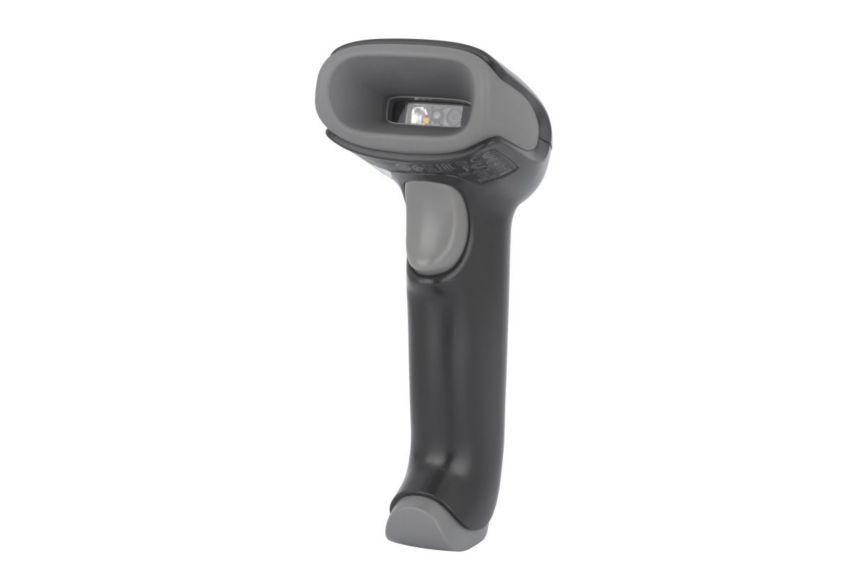
Honeywell identifies the Voyager XP 1472g as a cordless 1D/2D scanner intended for printed labels and digital screens. Its Bluetooth link permits movement away from the host, but the actual usable route depends on the host, base, radio environment and kit. Confirm whether the retail package includes a communications/charging base, the needed host cable and a power adapter. The current product page’s marketing claim about damaged codes is not our tested comparison result; its battery scan-count text is internally inconsistent and is omitted.
Pros
- Cordless movement reaches objects rather than bringing them to the counter. That is useful for carts, shelves and bulky packages.
- 1D/2D and digital-screen reading cover mixed retail inputs. Staff can use one documented decoder category for labels and screen codes.
- A defined base can create a repeatable return-and-charge location. This works when the purchased kit includes the right hardware.
Cons and trade-offs
- Charging becomes a shift task. A cordless unit needs an operational charging routine and a place to return it.
- Bluetooth adds pairing and range conditions. Walls, interference and host settings can constrain movement; do not treat a published maximum as an in-store guarantee.
- A scanner-only listing may omit the base or host cable. Total station cost and deployment depend on the exact kit.
Choose something else if: The work never leaves one counter and staff would gain no value from a wireless scanner and charging routine.
Our recommendation
Choose 1472g for a mapped moving-operator workflow, with the communications and charging kit specified before checkout. Do not substitute the corded 1470g because the manufacturer page’s opening sentence contains that name.
Source: Honeywell Voyager XP 1472g US page. Recommendations are editorial.
Search exact Voyager XP 1472g on Amazon US
Trace the scan into the application
Start with the barcode formats your operation actually uses, including printed or phone-screen symbols. Then ask the application provider which host input mode it accepts: keyboard-style entry, serial data or a specific integration. Confirm terminal ports, power, wireless pairing and any prefix/suffix rules. A successful scan beep proves only that a symbol was decoded; it does not prove the inventory record, order field or payment screen received the right value.
If this is part of a shipping station, read our shipping-label printer guide as well. A label printer’s USB-host port does not automatically make either scanner compatible with its template workflow.
Checks before buying a barcode scanner
- Map operator movement. Record the farthest scan point and whether products can come to one desk.
- Name barcode and screen types. Verify symbols and application input requirements, not just a 1D/2D badge.
- List every kit component. DS2208 needs the right host cable and power route; 1472g needs a supported base/charging plan.
- Keep model names exact. DS2208 is corded, DS2278 cordless; 1472g is cordless, 1470g is a different model.
- Inspect the offer. Amazon US buttons are tagged model searches, not verified ASIN, kit or price links.
Barcode scanner FAQ
Can DS2208 scan 2D codes?
Zebra lists it as a 1D/2D array imager. Check the exact symbol and software input path for your application.
Does DS2208 avoid every setup step?
No. Its cable, host interface, power and output formatting still have to match the terminal and software.
Can 1472g work without a charging base?
That depends on the supported kit and host connection. This comparison does not assume a scanner-only marketplace listing includes a communications or charging base.
Is 1472g the same as 1470g?
No. Honeywell labels this page 1472g cordless, although one opening sentence says 1470g. Match the actual unit and kit to the 1472g documentation.
Research method, sources and limitations
We rechecked the September 9 comparison against current Zebra and Honeywell US pages on September 27, 2026. Product functions are manufacturer claims; use-case recommendations are editorial. We did not measure scanning speed, damaged-code performance, battery endurance, radio range or reliability, and did not verify a live retail price or ASIN. Honeywell’s 1470g wording and conflicting scans-per-charge figures were excluded.
Primary sources: Zebra DS2208 and Honeywell Voyager XP 1472g. Read our methodology.
Affiliate disclosure
As an Amazon Associate, The Gear Audit earns from qualifying purchases. We may earn an affiliate commission when you buy through our links, at no extra cost to you. Read our full affiliate disclosure.