DYMO LabelWriter 5XL vs. Brother QL-1110NWB: Shipping-Label Workflows
By The Gear Audit Team · Original specification research September 9, 2026; manufacturer-source and workflow check September 27, 2026.
Quick answer: choose the label supply and print route together
Choose DYMO LabelWriter 5XL if a USB/Ethernet station and its required authentic NFC-tagged DYMO labels fit your ongoing supply plan. Choose Brother QL-1110NWB when Wi-Fi or Bluetooth, Brother DK rolls, or a Windows-only automatic crop workflow is part of the station. Both use direct thermal printing, but neither guarantees that a marketplace template prints correctly without matching software, roll size and driver settings.
USB or Ethernet with 4 × 6-inch shipping-label support, tied to authentic compatible DYMO NFC-label stock.
USB, Ethernet, Wi-Fi and Bluetooth, with Brother DK media and specific template options.
What changes the printing station?
| Decision | DYMO LabelWriter 5XL, item 2112554 | Brother QL-1110NWB |
|---|---|---|
| Output purpose | 4 × 6-inch shipping labels and other compatible large-format DYMO labels | Labels up to about four inches wide; DK-1247 shipping-label starter roll is listed |
| Connections | USB or Ethernet LAN | USB, Ethernet, Wi-Fi, Bluetooth and USB host |
| Media rule | Authentic compatible DYMO labels with valid NFC tag required by 550-series reference | Compatible Brother DK rolls; verify die-cut or continuous type |
| Special software route | DYMO Connect for Desktop; US page lists Windows 10+ and macOS 14+ | Automatic Crop for A4/Letter label-sheet templates is Windows-only; mobile app and template routes need checking |
Direct thermal means no ink or toner cartridge, but label stock remains a recurring cost. Compare the actual roll and export format used by your shipping software; a nominal four-inch printer width alone does not establish a correct 4 × 6-inch label.
DYMO LabelWriter 5XL: plan for its required media
Best for: A fixed computer or LAN printing station whose operator will buy authentic DYMO LabelWriter rolls and use supported DYMO Connect software.
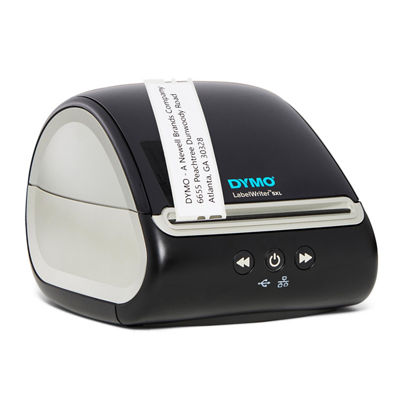
DYMO lists item 2112554 with USB/LAN connectivity, direct thermal output and DYMO Connect for Desktop. The 550-series technical reference explicitly includes 5XL and says printing requires authentic DYMO labels with a valid NFC tag. This is a purchase constraint: a same-size generic roll may physically fit but fail the required authentication path. Record the compatible label SKU and expected monthly volume before treating a lower device price as the total cost. The US product page currently lists DYMO Connect for Windows 10 or later and macOS 14 or later.
Pros
- USB and Ethernet suit a stable shipping desk. A wired local or LAN connection can be planned without wireless configuration.
- Automatic label recognition identifies loaded DYMO media. It helps an operator distinguish size and type in the software workflow.
- 4 × 6-inch labels match a common shipping format. This is useful when the source application exports that exact size.
Cons and trade-offs
- The NFC media requirement narrows supply choice. Roll availability and ongoing cost belong in the decision.
- No built-in Wi-Fi or Bluetooth is listed. A mobile or wireless station would need a different network plan.
- DYMO Connect’s listed OS floor can exclude an older computer. Check the supported version before replacing a functioning printer.
Choose something else if: You need direct wireless connectivity or intend to use rolls outside DYMO’s required label system.
Our recommendation
Choose 5XL when the wired station, compatible DYMO media and shipping application’s supported print path are already identified. Do not assume that a carrier logo on the box verifies a particular marketplace template.
Sources: DYMO exact item page and DYMO 550-series technical reference. Recommendations are editorial.
Brother QL-1110NWB: connect the workflow you will use
Best for: A station that needs a supported wireless or LAN print route, compatible DK labels and possibly Windows automatic crop or a template-based workflow.
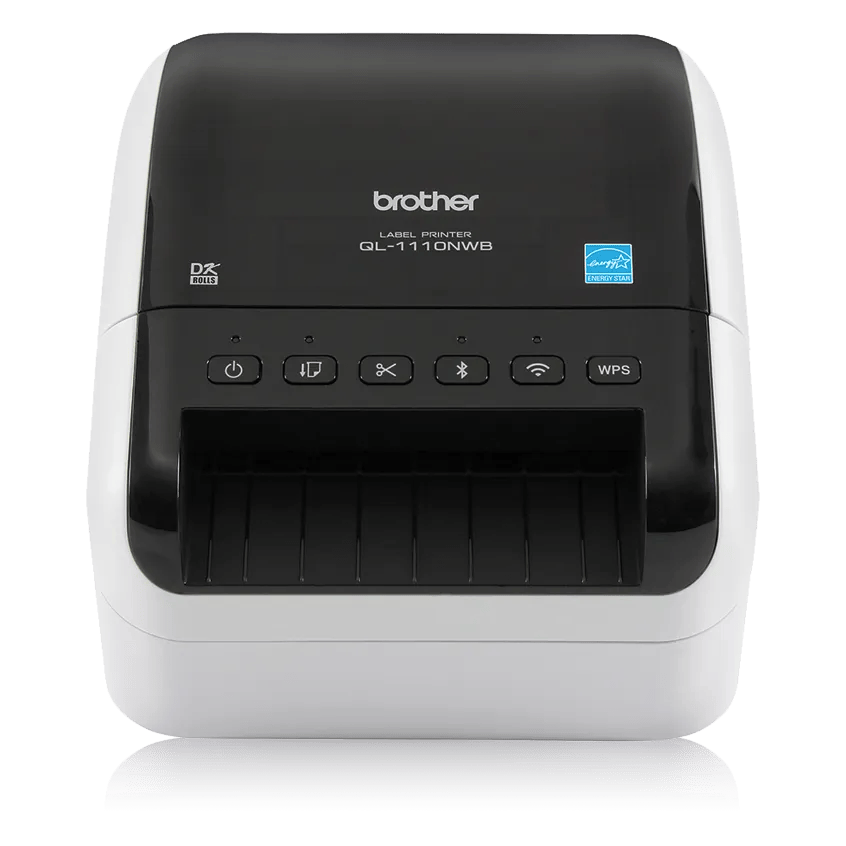
Brother documents USB, Ethernet, Wi-Fi, Bluetooth and USB host interfaces, plus direct thermal printing with DK label rolls. It lists the DK-1247 large shipping-label starter roll in the carton. The Automatic Crop Function extracts product or barcode labels from A4/Letter-size label-sheet templates, but Brother explicitly limits it to Windows. Brother also lists PC-connected and stand-alone ESC/P or P-touch Template modes. These are distinct workflows; a USB-host port does not mean any arbitrary scanner or e-commerce app works without configuration. The current page distinguishes QL-1110NWB from newer similarly named NWBC variants.
Pros
- Several network and local interfaces fit shared or mobile stations. Bluetooth, Wi-Fi, Ethernet and USB allow a specific route to be selected.
- Windows Automatic Crop addresses a defined template problem. It can matter when marketplace output arrives as A4/Letter label sheets instead of individual labels.
- Brother DK die-cut and continuous choices support different label jobs. Select the roll to match the template and cutter workflow.
Cons and trade-offs
- Automatic Crop is Windows-only. A Mac or mobile workflow cannot rely on that feature from this product description.
- More connection paths add configuration choices. Network, phone app, host peripheral and template mode each need a supported software route.
- Wrong DK roll dimensions defeat the four-inch headline. Media width, die-cut length and print margins must match the actual shipping label.
Choose something else if: You need a simpler wired-only station and are comfortable with DYMO’s label system, or you need Automatic Crop on a non-Windows host.
Our recommendation
Choose the exact QL-1110NWB when one of its extra connection or template routes solves a real task. Check the retail title and model label carefully; NWBC is a distinct model name, even if some features overlap.
Source: Brother US QL-1110NWB specifications and feature conditions. Recommendations are editorial.
Trace the entire shipping-label station
Start with a label file from the actual carrier or marketplace. Note its page size, orientation and whether it arrives as one 4 × 6-inch label or a sheet of smaller labels. Match the roll SKU, driver paper size, margins, operating system, connection and target printer. If a barcode scanner also enters the process, our scanner connection guide explains how to verify the host and input format. Brother’s USB host alone is not an end-to-end scanner guarantee.
Checks before ordering
- Print one sample workflow on paper. Identify the application’s output format and template.
- Price the intended roll, not a generic four-inch size. DYMO 5XL has an authentic NFC-label requirement; Brother uses compatible DK rolls.
- Choose the host and interface. Write down Windows/macOS version, USB/Ethernet/Wi-Fi/Bluetooth route and any network policy.
- Confirm the exact model. DYMO item 2112554 and Brother QL-1110NWB are the compared units; QL-1110NWBC is a different name.
- Review the offered item before checkout. Offer cards use verified model identifiers; confirm the included roll, accessories and seller terms on Amazon.
Shipping-label printer FAQ
Can 5XL print from any roll of the right size?
DYMO’s 550-series reference says printing requires authentic compatible DYMO labels with a valid NFC tag. Physical size alone is insufficient.
Does Brother Automatic Crop work on macOS?
Brother identifies the QL-1110NWB Automatic Crop Function as Windows-only.
Do these thermal printers need ink?
Both are direct thermal designs, so their label workflow does not use ink or toner cartridges. You still need the correct consumable rolls.
Does Brother’s USB host guarantee my barcode scanner works?
No. Brother describes a peripheral route, but compatibility depends on the scanner, template mode and software configuration.
Research method, sources and limitations
We rechecked the September 9 material against current DYMO and Brother US pages on September 27, 2026. Hardware and software descriptions are manufacturer claims; station recommendations are editorial. We did not print labels or test speed, adhesion, integration, reliability or running cost. The separate offer cards display current prices only when matching offers are available.
Primary sources: DYMO 5XL item 2112554, DYMO 550-series reference, and Brother QL-1110NWB. Read our methodology.
Affiliate disclosure
As an Amazon Associate, The Gear Audit earns from qualifying purchases. We may earn an affiliate commission when you buy through our links, at no extra cost to you. Read our full affiliate disclosure.