Desk Lamp and Monitor-Light Fit Checklist
By The Gear Audit Team · Manufacturer documentation checked September 27, 2026.
Quick answer
Draw the actual desk and monitor layout before choosing a light. A freestanding arm needs a base and sweep space; a light bar needs a compatible monitor edge, cable route and power supply. The BenQ e-Reading Desk Lamp and ScreenBar Pro show how those fit questions differ; neither format guarantees better comfort or fewer reflections in your room.
Choose where the light can fit
Neither format is automatically the smaller solution. A light on the screen can conflict with a webcam or a rear housing, while a freestanding lamp can require space beyond its base for an articulated arm. Compare the actual product drawing with the planned setup.
Fit checks before purchase
| Setup detail | What to check | How it affects the choice |
|---|---|---|
| Desktop area | Usable area after work materials and equipment are placed | Reserve the actual base footprint or approved clamp contact zone. |
| Monitor edge | Thickness, rear profile, curvature, camera, vents and controls | Use the exact light’s compatibility guidance; a family name does not establish clamp fit. |
| Movement | Screen tilt, monitor-arm reach, lamp-arm movement and nearby shelves | Allow clearance through the intended range, including cable movement. |
| Power | Required voltage and current, connector, supplied adapter and cable length | A spare USB port is not sufficient evidence that it can power the light. |
| Placement | Your normal seated position, screen angle and paper-work area | Allow room to reposition the light if reflections appear; a floor plan cannot predict optical performance. |
Separate overall dimensions from base footprint
BenQ’s US e-Reading Desk Lamp specification page gives overall width, depth and height, as well as power-adapter information. It also identifies a desk clamp and floor stand as optional accessories. Those are different mounting arrangements; the freestanding configuration’s dimensions do not establish the clamp’s fit on your desk.
Read dimension labels carefully. Overall width can include the lamp arm, while base width describes the part occupying the surface. A drawing at one arm position does not show every possible reach or obstruction. If the necessary measurement is absent, ask for the current installation drawing rather than estimating it from a marketing photograph.
Plan the setup in this order
- Place the monitor, keyboard and documents in their working positions.
- Mark the lamp’s proposed base or mounting point. Keep vents, controls and the camera accessible.
- Plan the head and monitor movement with the nearby wall and shelves included.
- Trace the intended power cable through the monitor and standing-desk movement. Avoid tension, pinch points and loops in the chair’s path.
- Read the exact model’s mounting and power instructions before fixing cables or installing accessories.
After purchase, assess light placement in your own workspace and follow the product instructions. This guide does not guarantee reflection-free lighting or establish a health benefit.
For freestanding options, see our BenQ e-Reading versus Dyson Solarcycle Morph Desk comparison. For other mounting arrangements, see the BenQ monitor-light comparison.
Freestanding lamp or monitor light bar?
| Format | Best for | First fit failure to rule out |
|---|---|---|
| Freestanding desk lamp | Lighting a document area away from the monitor and moving the head independently. | Base footprint and arm sweep through shelves, walls and monitor positions. |
| Monitor-mounted light | Freeing the desk surface when the screen edge accepts the clamp. | Rear monitor shape, webcam, vents, screen tilt and power supply. |
BenQ e-Reading Desk Lamp: adjustable freestanding reach
Best for: A desk with room for a base and papers that need light away from the screen edge.
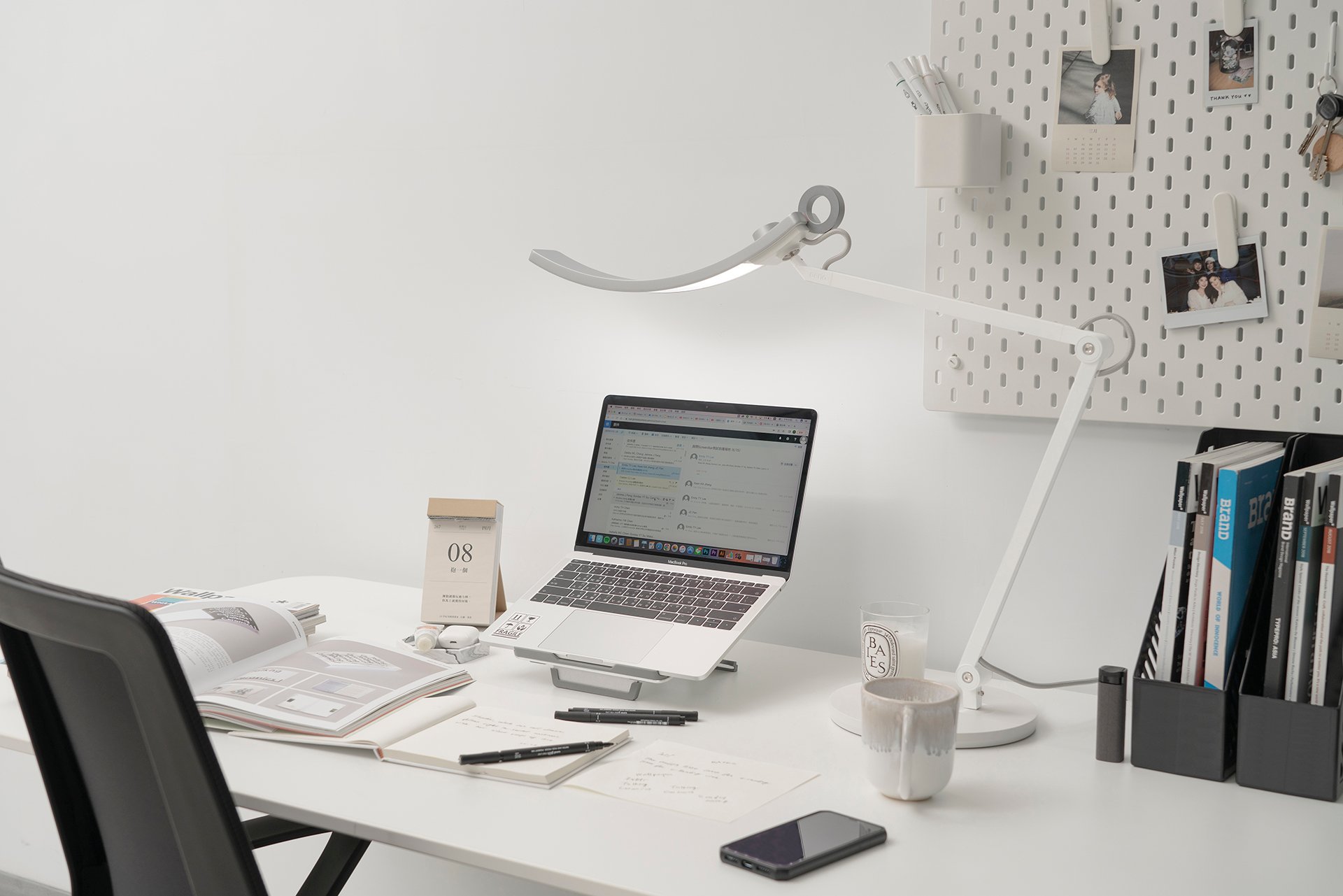
BenQ’s US specification lists overall dimensions and power details, and identifies optional mounting accessories. The dimensions of the assembled lamp do not by themselves tell you the base footprint or arm sweep at every angle.
Pros
- Movable arm and head can be positioned for documents as well as screen-adjacent work.
- Manufacturer drawings give a starting point for checking total clearance.
Cons and trade-offs
- The base occupies desktop area; the arm needs further clearance.
- Optional clamp and floor stand need their own fit checks and may not be in the standard package.
Choose another if: Your desk has no safe base position or arm path.
Our recommendation
Mark the base and arm path on your actual desk before ordering. Verify the selected package and use the exact installation drawing for any clamp.
BenQ ScreenBar Pro: monitor-edge mounting
Best for: A monitor setup that has no spare desktop area but has a compatible screen edge and power supply.
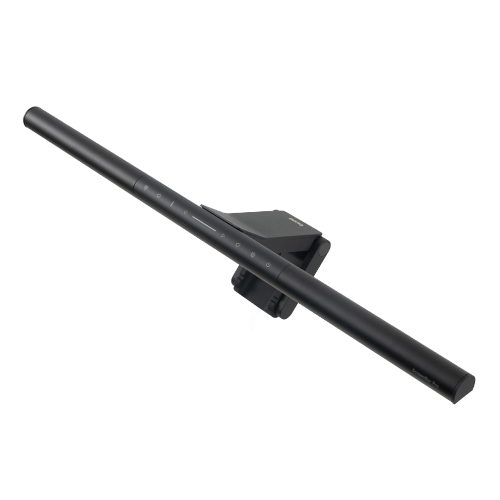
A monitor-mounted light saves base space, but the mounting zone may be shared with a webcam, camera shelf or ventilation. Check BenQ’s exact ScreenBar Pro compatibility information for your monitor, especially curved or unusually thick displays.
Pros
- Leaves desk surface open for papers and input devices.
- The bar moves with the monitor when mounted to the screen.
Cons and trade-offs
- Compatibility depends on the monitor edge and rear housing.
- Cable routing and power requirements still need planning.
Choose another if: Your monitor housing, webcam or arm travel interferes with the mount.
Our recommendation
Choose a light bar only after comparing the current clamp guidance with the monitor you own. If the edge fit is doubtful, a freestanding or desk-clamped lamp may be easier to place.
Desk-light fit FAQ
Do overall lamp dimensions tell me the base footprint?
No. Overall width can include an arm and head. Use a dimensioned base drawing or measure the product in a store.
Will a monitor light fit every curved screen?
No. Check the exact model’s clamp limits and the screen’s rear shape, thickness and bezel.
Can a product image prove reflection-free lighting?
No. Position, screen surface and room lighting differ. After installation, assess glare and shadows in your own workspace.
Exact-model searches
Confirm the exact mounting configuration, included adapter, seller and condition in each offer.
Research method and primary sources
Maker dimensions and compatibility statements are source claims. Placement advice is editorial. We did not test illumination, glare, comfort, color rendering or durability; images cannot prove optical performance.
Primary sources: BenQ e-Reading specifications; BenQ e-Reading product page; BenQ ScreenBar Pro product page. Read our methodology.
Affiliate disclosure
As an Amazon Associate, The Gear Audit earns from qualifying purchases. We may earn an affiliate commission when you buy through our links, at no extra cost to you. Read our full affiliate disclosure.