BenQ e-Reading Desk Lamp vs Dyson Solarcycle Morph Desk
By The Gear Audit Team · Manufacturer specification check September 27, 2026.
Quick answer
Choose between the freestanding BenQ e-Reading Desk Lamp and Dyson Solarcycle Morph Desk White/Silver by placement and controls first. BenQ publishes a 1,600 lux center figure at 45 cm plus 90 cm coverage at 500 lux. Dyson publishes 850 lumens and separate docked/undocked color-temperature ranges. Lux at a distance and total lumens are different measures, so the larger number is not a brightness verdict.
Published specifications
| Specification | BenQ e-Reading Desk Lamp | Dyson Solarcycle Morph Desk White/Silver |
|---|---|---|
| Dimensions and weight | 59 × 22 × 62.5 cm overall; 4.8 kg | Technical drawing: 20.6 inches high × 7.9 wide × 16.3 deep with arm not extended; 3.5 kg |
| Published lighting figure | 1,600 lux at the center from 45 cm; 90 cm coverage width at 500 lux | 850 lumens |
| Color-temperature range | 2,700–5,700 K | 1,800–3,400 K docked; 2,700–6,500 K undocked |
| Power | 100–240 V, 50/60 Hz adapter; 18 W maximum | 100–240 V, 50/60 Hz; 11.2 W rated |
| Control or additional feature | Brightness and color adjustment by knob; ambient-light sensor | MyDyson app control; USB-C charging point rated 5 V, 1.5 A |
Dyson dimensions above follow its technical drawing; overall lamp dimensions are not the same as base footprint or maximum reach. Check the current drawing and selected package rather than estimating either lamp’s fit from a photograph.
BenQ: local adjustment and a documented coverage condition
BenQ’s product page describes manual brightness and color-temperature controls plus automatic operation using an ambient-light sensor. Its specification page gives a center illuminance at a stated height and a separate coverage width at a stated illuminance. Those conditions matter if you are planning a paper-work area.
Consider this layout when on-lamp controls and an articulated head suit the workstation. Mark where the base would sit after the monitor, keyboard and papers are in place. The manufacturer’s coverage statement does not predict reflections on your display or the light distribution in your room.
BenQ e-Reading Desk Lamp
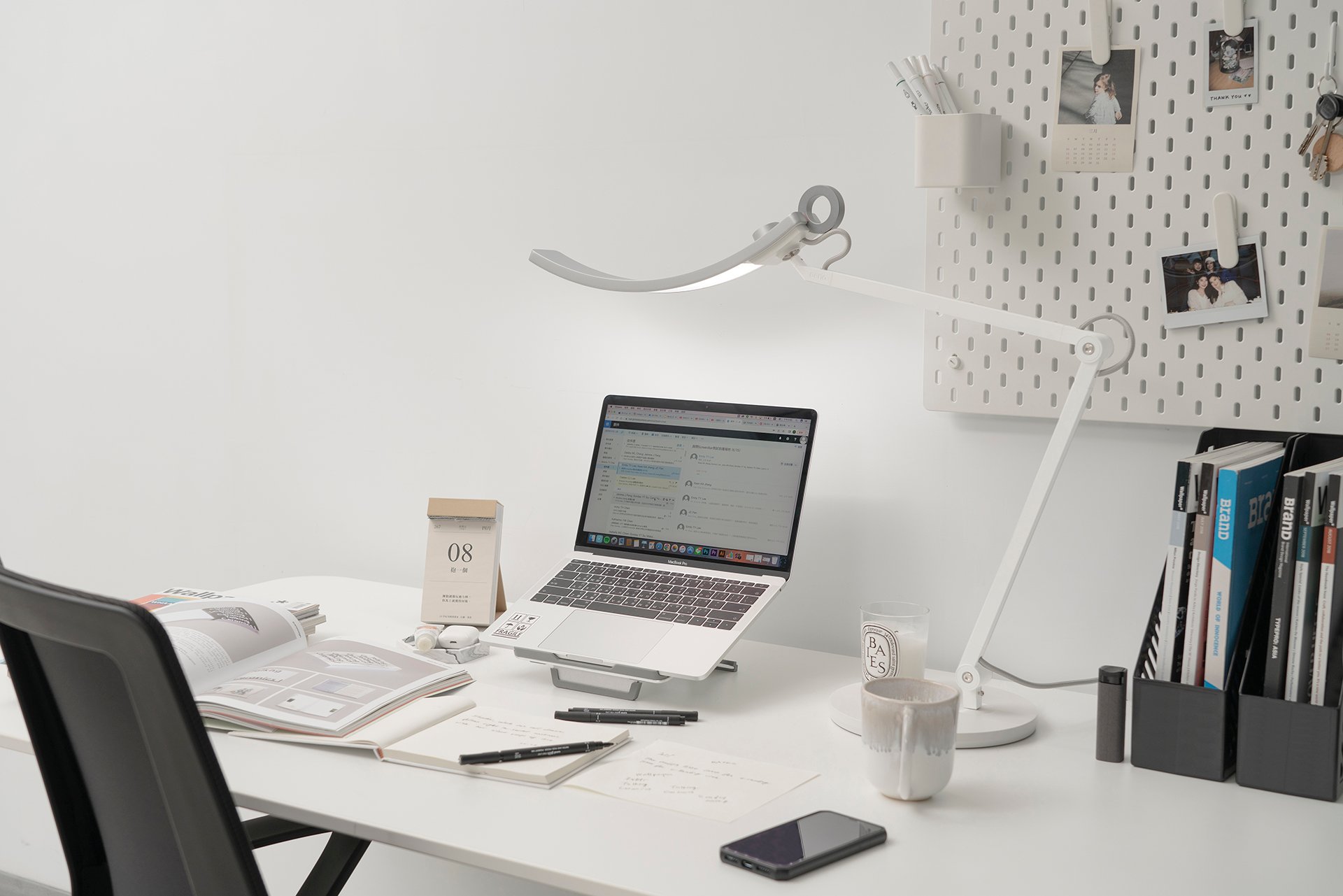
Best for: A paper-and-screen workstation needing local brightness and color controls.
Pros
- BenQ publishes local brightness/color adjustment and an ambient-light sensing mode.
- BenQ documents a wide-area 500-lux condition and a separate 1600-lux center condition for planning paper and screen zones.
Cons and trade-offs
- Its freestanding base and adjustable arm require a clear surface area near the monitor and papers.
- At 4.8 kg, relocating the lamp between work areas takes more effort than moving a small task light.
Choose another if: Your desk cannot spare the base and arm-clearance area or you prefer app control.
Our recommendation
Choose BenQ after laying out the base, monitor and papers at your normal working positions; treat its lux values as maker conditions.
Dyson: distinguish desk, floor and operating modes
Dyson’s US technical sheet identifies the White/Silver desk version as 292214-01 and lists a separate floor version. It documents different color-temperature ranges for docked and undocked use, plus app control and a low-power USB-C charging point. That charging specification is not a laptop-dock power rating.
Consider the app feature only after confirming current MyDyson compatibility for your phone. The sheet specifies Bluetooth support and a network or mobile-data requirement for the app; it does not establish that every device or automation system is supported. The dimensional drawing also makes clear why arm position belongs in the space plan.
Dyson Solarcycle Morph Desk White/Silver 292214-01
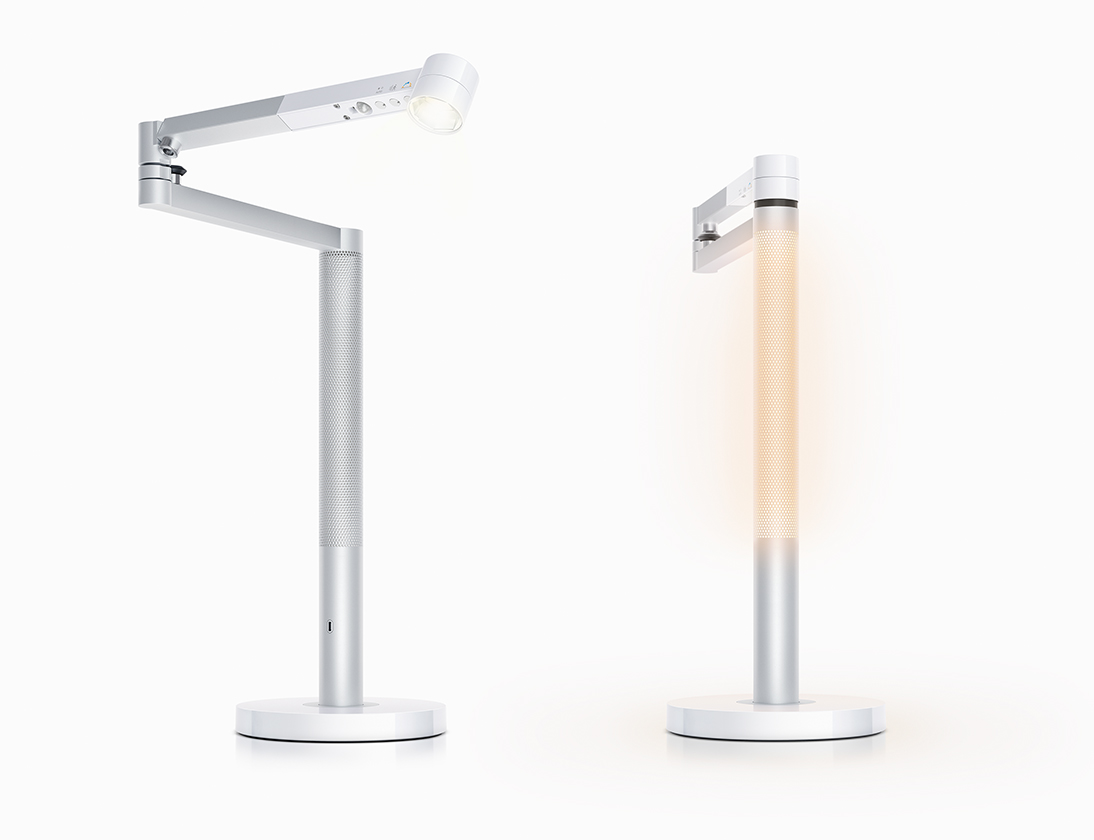
Best for: A desk setup valuing Dyson’s docked/undocked lighting modes and MyDyson controls.
Pros
- The US technical sheet distinguishes docked and undocked color-temperature ranges on the desk model.
- Dyson documents slide-touch controls and MyDyson app personalization for different task modes.
Cons and trade-offs
- Personalized app features require current phone and Bluetooth compatibility and can be unavailable if the app setup is not used.
- Its 5 V/1.5 A USB-C output is unsuitable as a laptop-power assumption.
Choose another if: You need USB-C laptop power or cannot leave enough clearance for the base and moving arm.
Our recommendation
Match desk model 292214-01 and its footprint to the cart; verify current app support before giving that feature weight.
Check fit in your normal working position
- Reserve the actual base footprint and a cable route. Keep the work area, controls and any monitor-arm attachment accessible.
- Allow clearance for head movement near shelves, walls and adjacent screens. Overall dimensions at one position do not describe every position.
- Plan placement with your monitor and paper tasks in mind. Neither a lumens value nor a coverage width guarantees reflection-free use.
- Match the exact US model, supplied power equipment, seller and return terms. Check any optional clamp or stand separately.
For the measurement workflow, see our desk-lamp and monitor-light fit checklist. For monitor-mounted alternatives, see our BenQ ScreenBar comparison.
Search Amazon US for BenQ e-Reading Desk Lamp. The BenQ link is a model search. The Dyson card shows a current eligible offer only when the exact listing passes our checks.
Buying checks before checkout
Draw the desk to scale with the monitor, keyboard, papers and both lamp bases. Mark the nearest shelf or wall and the arm sweep at several head positions, not only the lamp’s listed overall height. Compare the task area where you actually read: BenQ’s 90 cm coverage is specified at 500 lux, while Dyson’s 850 lumens is total output. Place the proposed lamp to limit direct glare into your eyes and reflected glare on a screen; those effects cannot be settled from specifications. Check cable and outlet positions, exact color/region variant, return terms and any optional clamp separately.
Common questions
Is BenQ’s 1,600 lux brighter than Dyson’s 850 lumens?
Those numbers use different measures. BenQ specifies illuminance at a point and distance; Dyson gives total luminous output.
Will Dyson’s USB-C port charge a laptop?
The cited 5 V, 1.5 A output is not a laptop power rating.
Does a published coverage width guarantee no screen glare?
No. Glare depends on head position, screen finish, room light and the lamp’s placement.
Primary sources checked September 27, 2026
We checked BenQ’s US specification and product pages and Dyson’s US Solarcycle Morph Desk technical sheet. Figures are manufacturer claims; placement and model-choice guidance are editorial. We did not measure illuminance, glare, color accuracy or stability.
Primary sources
- BenQ US e-Reading specifications
- product and control details
- Dyson US Solarcycle Morph Desk technical sheet, version November 6, 2023
- White/Silver product page
Affiliate disclosure
As an Amazon Associate, The Gear Audit earns from qualifying purchases. We may earn an affiliate commission when you buy through our links, at no extra cost to you. Read our full affiliate disclosure.