External Drives Compared: Portable SSDs and Hard Drives (2026)
Quick answer
For a portable all-rounder, start with the Samsung T7 Shield SSD. Use WD My Passport HDD when archive capacity matters more than speed. LaCie Rugged USB-C HDD adds a protected USB-C HDD option if available. SanDisk Extreme PRO SDSSDE81 is conditional: it needs a 20 Gb/s host for its peak rating and its manufacturer has a firmware advisory for affected capacities. Keep more than one copy of important data.
Portable SSDs and mechanical external hard drives serve different jobs. Compare interface, capacity, ruggedness and backup plans before choosing a carry drive or an archive drive.
Compare the configurations
| Model | Role | Choose another when… |
|---|---|---|
| Samsung T7 Shield | rugged everyday portable SSD | You need the lowest cost per terabyte or an explicitly 20 Gb/s transfer workflow. |
| SanDisk Extreme PRO Portable SSD (USB 3.2) | conditional 20 Gb/s creator SSD | You need a simple, low-maintenance primary backup drive or cannot confirm the firmware status. |
| WD My Passport HDD | capacity-focused portable hard drive | You move files repeatedly in the field or need a shock-tolerant drive. |
| LaCie Rugged USB-C HDD | protected portable hard drive | You need readily available stock or fast on-drive editing. |
Samsung T7 Shield: rugged everyday portable SSD

The T7 Shield balances portable-SSD speed with a grippy protective exterior. Samsung rates USB 3.2 Gen 2 transfers up to 1,050 MB/s reading and 1,000 MB/s writing, plus IP65 dust and water resistance and a three-metre drop claim under stated conditions. Those are manufacturer ratings, not our own transfer or drop results. It suits regular laptop backups and files carried between sites. Check capacity and color in the listing; the image shows the black version while Samsung also sells other variants.
Pros
- USB-C Gen 2 speed is a useful step above a mechanical portable hard drive for routine large transfers.
- Samsung documents IP65 protection and a rubber exterior for travel use.
Cons and trade-offs
- Its 10 Gb/s interface cannot exploit a faster 20 Gb/s port as fully as a compatible Gen 2×2 drive.
- The protection rating does not make it waterproof or a substitute for a second copy of important data.
Best for: General portable storage when protection and predictable USB-C compatibility matter.
Choose another if: You need the lowest cost per terabyte or an explicitly 20 Gb/s transfer workflow.
Our recommendation
Choose the T7 Shield as the balanced carry drive; match its capacity to your backup size and keep a separate copy.
SanDisk Extreme PRO Portable SSD (USB 3.2): conditional 20 Gb/s creator SSD

The SDSSDE81 Extreme PRO is rated by SanDisk for up to 2,000 MB/s read and write, but that ceiling depends on a compatible USB 3.2 Gen 2×2 (20 Gb/s) host; many USB-C ports do not offer that mode. More importantly, SanDisk has published a firmware advisory for affected Extreme PRO portable SSD capacities after unexpected-disconnection reports. Before choosing this model, identify the exact SKU and capacity, read the maker advisory, install the applicable firmware update, and maintain another copy of your data. Do not treat its maximum speed as a reason to overlook that step.
Pros
- A 20 Gb/s interface and 2,000 MB/s maker rating can suit large media transfers on a compatible host.
- Portable rubberized design and manufacturer-stated IP65 resistance fit field transport.
Cons and trade-offs
- SanDisk’s published unexpected-disconnection firmware advisory requires an exact-capacity check and applicable update before reliance on the drive.
- Its advertised peak depends on USB 3.2 Gen 2×2; ordinary 10 Gb/s USB-C ports cap the benefit.
Best for: An informed user with a verified 20 Gb/s host who will check the firmware advisory and keep another backup.
Choose another if: You need a simple, low-maintenance primary backup drive or cannot confirm the firmware status.
Our recommendation
Treat this as a conditional speed choice only after checking SanDisk’s advisory and your host port; otherwise choose a simpler SSD.
Search Amazon for SanDisk Extreme PRO Portable SSD (USB 3.2)
WD My Passport HDD: capacity-focused portable hard drive
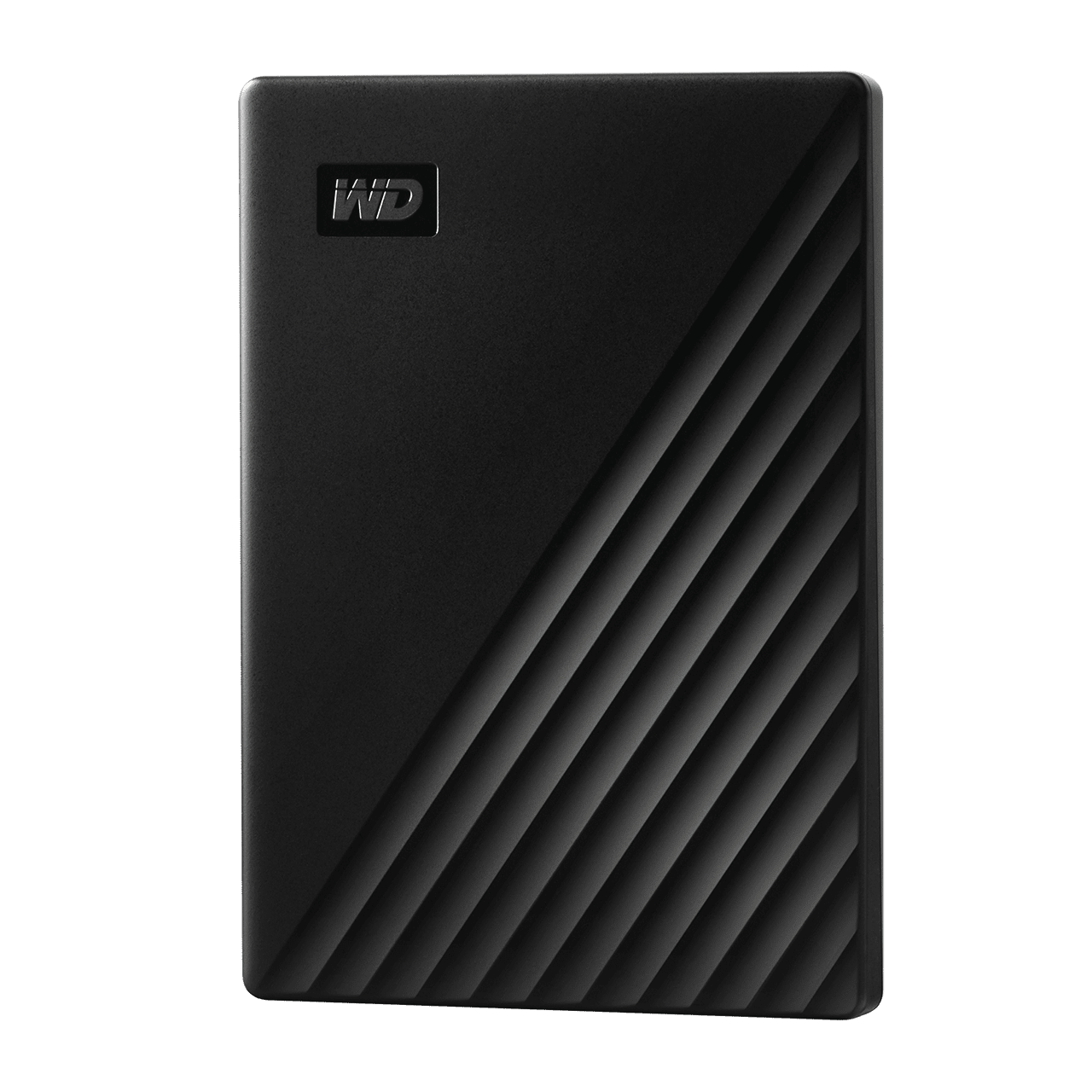
My Passport remains a practical mechanical-drive option when capacity per purchase matters more than speed or impact tolerance. WD documents USB 3.2 Gen 1 connectivity, a Micro-B drive connector, and hardware AES encryption for the My Passport family. The USB interface’s 5 Gb/s number is not the hard disk’s measured transfer speed. Model years, formats and software packages vary, so confirm the exact capacity, connector and operating-system setup rather than assuming every listing is identical.
Pros
- Portable hard-disk capacities make larger local archives feasible without paying SSD cost per terabyte.
- WD documents hardware encryption for the My Passport family, useful when configured correctly.
Cons and trade-offs
- Mechanical disks are slower and more vulnerable to knocks while running than solid-state drives.
- Micro-B on this version is less convenient than native USB-C, and the exact bundled cable or software can vary.
Best for: A local archive or secondary backup where capacity matters more than fast editing.
Choose another if: You move files repeatedly in the field or need a shock-tolerant drive.
Our recommendation
Choose My Passport for a capacity-focused second copy, not for editing directly from the drive.
LaCie Rugged USB-C HDD: protected portable hard drive

The orange-bumper Rugged USB-C combines mechanical capacity with a USB-C connection and physical protection. Seagate specifies resistance to a 1.2-metre drop and rain for the model, subject to its conditions. This does not make a running hard disk immune to damage and is not a data-recovery guarantee. Seagate’s current page lists the product as out of stock, so confirm an exact new listing and warranty before relying on its availability; similarly named Rugged Mini and SSD products have different specifications.
Pros
- Native USB-C avoids the older Micro-B drive connector used by the My Passport version above.
- The bumper and stated drop/rain resistance provide defined physical protection for transport.
Cons and trade-offs
- The hard disk remains slower and mechanically vulnerable compared with an SSD, especially while operating.
- Seagate’s direct page currently shows out of stock, so availability and exact seller warranty need checking.
Best for: A field archive buyer who values a USB-C HDD and can verify a genuine available unit.
Choose another if: You need readily available stock or fast on-drive editing.
Our recommendation
Consider this model only when the exact Rugged USB-C HDD is available with clear warranty; otherwise choose a current SSD or capacity HDD.
Search Amazon for LaCie Rugged USB-C HDD
Buying guide
- Separate SSD speed from HDD capacity. SSDs are better for repeatedly moving large files or editing media; portable hard disks often make more sense for a second large archive. None of these should be the sole copy of important files.
- Check the real host port. USB-C describes the connector, not its speed. Samsung T7 Shield uses 10 Gb/s USB 3.2 Gen 2; SanDisk Extreme PRO SDSSDE81 targets 20 Gb/s Gen 2×2. A 10 Gb/s computer port cannot deliver its full advertised sequential figure. Cable and file mix also matter.
- Treat rugged claims as limited ratings. Samsung’s IP65, SanDisk’s IP65 and LaCie’s drop/rain claims apply under maker-defined conditions. Keep a second copy and never plan around a single drive surviving a fall or water exposure.
- Read firmware and variant notices. SanDisk publishes an unexpected-disconnection advisory for affected Extreme PRO capacities. Match the SKU and capacity before purchase or use and follow the applicable update instructions. Do not confuse the USB 3.2 Extreme PRO with different Extreme, Extreme PRO USB4 or older models.
- Budget for a backup system, not one device. An external drive helps only when backups are current and restorable. Keep an additional copy in another location or service and test restoring a few files. Our dash-cam guide and mirrorless-camera guide cover devices that generate files worth preserving.
FAQ
Is an external hard drive the same as an external SSD?
No. A hard drive uses moving parts and often offers more capacity for the money; an SSD uses flash storage and normally transfers files faster while tolerating movement better.
Will a 2,000 MB/s SSD reach that speed on any USB-C laptop?
No. The SanDisk model needs a compatible 20 Gb/s USB 3.2 Gen 2×2 host for its rated ceiling. A USB-C connector alone does not establish the port mode.
Can I use a portable drive as my only backup?
No. Theft, failure, deletion and damage can affect any single drive. Keep a second independent copy and verify that you can restore files.
Is an IP rating enough to protect my files?
No. Ratings apply to defined exposure conditions and do not guarantee your stored data. Keep an independent backup even when the enclosure is ruggedized.
Sources and method
Specifications and protection claims come from manufacturer documentation; these are not our own transfer, drop or reliability tests. We found no original benchmark or review-count records for the previous article. Read our research methodology.
- Samsung T7 Shield manufacturer documentation
- SanDisk Extreme PRO Portable SSD (USB 3.2) manufacturer documentation
- Western Digital My Passport 2TB Black product page
- LaCie Rugged USB-C HDD manufacturer documentation
- SanDisk Extreme PRO firmware advisory
As an Amazon Associate, The Gear Audit earns from qualifying purchases. We may earn an affiliate commission when you buy through our links, at no extra cost to you. See our affiliate disclosure.