Best External SSDs for 2026: Three 2TB Picks by Use Case
By The Gear Audit Team · Manufacturer specifications researched October 20, 2026
Which external SSD should you buy?
Choose the Samsung T7 Shield 2TB for a portable drive with a stated IP65 rating; the Samsung T9 2TB for large transfers on a confirmed 20Gbps USB 3.2 Gen 2×2 port; or the Kingston XS1000 2TB when a lighter drive for everyday file carrying matters most. Start with your computer’s connection and your working environment. Paying for a higher speed ceiling makes sense only when your setup can use it.
These are research-based recommendations from manufacturer documentation, with 2TB configurations held constant. Quoted speeds are manufacturer maxima; your transfers will depend on the host, cable and workload.
A shortlist built around three different jobs
The T7 Shield and XS1000 share a 10Gbps interface and similar claimed peak speeds, but differ substantially in weight and protection. The T9 offers a higher transfer ceiling while keeping hardware encryption and a longer stated warranty than the Shield. The table describes the exact configurations covered here.
On a small screen, scroll the comparison horizontally. Keyboard users can focus the table region and use the arrow keys.
| Buying question | Samsung T7 Shield | Samsung T9 | Kingston XS1000 |
|---|---|---|---|
| Our use-case pick | Dust or splashes around a 10Gbps workflow | Large transfers on a verified 20Gbps host | Light everyday file carrying |
| Exact configuration | Black 2TB, MU-PE2T0S/AM | Black 2TB, MU-PG2T0B/AM | Black 2TB, SXS1000/2000G |
| USB interface | 3.2 Gen 2, 10Gbps | 3.2 Gen 2×2, 20Gbps | 3.2 Gen 2, 10Gbps |
| Read / write, up to | 1,050 / 1,000 MB/s | 2,000 / 1,950 MB/s | 1,050 / 1,000 MB/s |
| Environmental protection | IP65; up to 3m drop claim | Up to 3m drop claim; no IP rating in cited data sheet | No IP rating in Kingston’s comparison |
| Published weight | 98g | 122g | 28.7g |
| Limited warranty | 3 years | 5 years | 5 years or SSD Life Remaining, under Kingston’s terms |
| Included connections | USB-C to C and C to A cables | USB-C to C and C to A cables | USB-C to A cable and A to C adapter in current bundle |
Sources: Samsung T7 Shield data sheet, Samsung T9 data sheet and Kingston XS1000 specifications. Ruggedness figures describe manufacturer test conditions, not a promise against damage or data loss.
Samsung T7 Shield 2TB: our pick for a 10Gbps field kit

The Shield is the practical starting point for someone moving a drive between a desk and a camera bag. Its distinctive reason to buy is the stated IP65 protection. The T9’s faster interface offers little justification on a 10Gbps-only computer, while the lighter XS1000 does not carry the same environmental rating.
Reasons to choose it
- Protection has a documented boundary. Samsung specifies dust and water resistance rather than relying only on rugged styling.
- Connections cover two common port shapes. Separate supplied C-to-C and C-to-A cables let you connect without first finding an adapter.
- Password-based hardware encryption is available. AES 256-bit hardware encryption can be useful for carried files when configured with compatible software.
Trade-offs to accept
- The 10Gbps interface leaves a verified Gen 2×2 workstation’s faster connection unused. Choose the T9 when that is your actual bottleneck.
- At 98g, this is a heavier choice than the 28.7g XS1000 for someone minimizing a daily carry kit.
- Its three-year limited warranty is shorter than the other two listed terms. Samsung also excludes liquid, dust and drop damage under its stated conditions; IP65 does not mean immersion protection.
Our recommendation: choose the Shield when its protection addresses your environment and your host is 10Gbps. Choose something else if your priority is minimum weight or exploiting an existing 20Gbps connection. The Shield has no fingerprint reader: Samsung identifies that feature with the separate T7 Touch model, not this drive. Samsung’s product announcement distinguishes the family members.
Search Amazon: T7 Shield 2TB blackAmazon search fallback; confirm MU-PE2T0S/AM, capacity, condition, seller and bundle before ordering.
Samsung T9 2TB: our pick for a verified 20Gbps workstation

The T9 is the choice to investigate when copying large project folders is a regular part of your day and your machine explicitly supports USB 3.2 Gen 2×2. Its higher advertised sequential ceiling creates headroom for that workflow. It does not establish that an export, a folder of tiny files or every long write will finish twice as quickly.
Reasons to choose it
- A 20Gbps interface provides a higher ceiling than the two 10Gbps alternatives on a compatible host.
- Samsung specifies a five-year limited warranty, giving a longer stated defect-coverage period than the Shield.
- Hardware encryption and both C-to-C and C-to-A cables suit a drive moving between compatible machines.
Trade-offs to accept
- A USB-C, USB4 or Thunderbolt label alone does not prove Gen 2×2 compatibility. Verify the exact host specification before paying for this capability.
- The cited Samsung data sheet provides a drop claim but no IP water/dust rating. For that documented protection, choose the Shield.
- At 122g, it is the heaviest option here. Its published 2TB write maximum is 1,950 MB/s; the family’s 2,000 MB/s write figure applies to the 4TB configuration.
Our recommendation: choose the T9 for repeated large transfers through a confirmed 20Gbps path. Avoid choosing it solely to speed up a 10Gbps-only connection. If you are down to these two Samsung models, our T7 Shield versus T9 comparison expands the port and protection decision.
Search Amazon: T9 2TB blackAmazon search fallback; confirm MU-PG2T0B/AM and 2TB rather than transferring the specifications to another capacity.
Kingston XS1000 2TB: our pick for a lighter everyday carry
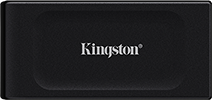
The black XS1000 makes a different trade: carry less bulk while staying in the same advertised speed class as the Shield. Kingston lists a 69.54 × 32.58 × 13.5mm enclosure and 28.7g weight. That makes it worth considering for commuting, university work or carrying a second copy between computers where environmental protection is less important.
Reasons to choose it
- Its published weight is substantially lower than either Samsung model, useful in a small accessory pouch.
- The 10Gbps interface fits a host already limited to that class without buying 20Gbps capability you cannot use.
- The current bundle covers USB-A and USB-C hosts using a cable plus adapter. Kingston’s exact 2TB parts page identifies SXS1000/2000G and those accessories.
Trade-offs to accept
- Kingston lists no IP rating for the XS1000. Choose the Shield for its documented dust/water protection.
- It is a 10Gbps drive, so the T9 is the more relevant shortlist option for a confirmed 20Gbps workflow.
- The supplied cable is 12 inches, with an adapter for a USB-C host. Check whether that connection arrangement reaches your desktop comfortably; older black XS1000 stock may omit the adapter added from August 2024.
Our recommendation: choose the XS1000 when light packing is the clear priority and a current, complete bundle is available on suitable terms. Choose the Shield for environmental protection or the T9 for its faster interface. Do not treat the red XS1000R or the XS2000 as the same SKU.
Search Amazon: XS1000 2TB blackAmazon search fallback; check SXS1000/2000G, black finish and included adapter.
Four checks before you order
- Read the host’s data specification. Map the computer, dock and cable rather than stopping at the USB-C connector. A slower link can limit the entire path. Our USB-C charging cable versus data cable guide explains what to look for.
- Choose capacity for the job. These comparisons use 2TB consistently. Allow room for incoming projects and another copy elsewhere; a drive carrying the only copy is storage, not a complete backup.
- Match protection to the environment. A drop claim and an IP rating answer different questions. Neither replaces a backup or establishes that damage will be covered.
- Compare the actual offer. Check the model code, condition, supplied accessories, return policy and warranty eligibility. Search results can mix capacities and models; no fixed price or stock promise is made here.
External SSD buying FAQs
Will a faster SSD fix a slow cable?
No. Both Samsung and Kingston make their speed figures conditional on the host and connection. Try the supplied cable and a suitable direct port before assuming the drive itself is the bottleneck. Charging capability does not establish data speed.
Are these rankings based on measured transfer speeds?
No. They match manufacturer-documented features to use cases. We do not have comparable hands-on benchmarks, failure-rate evidence or sustained-write measurements for these three exact units, so we do not rank them by those outcomes.
Is the T7 Shield waterproof?
Samsung specifies IP65 under controlled conditions, not immersion protection. Its terms exclude liquid, dust and drop damage. Keep the connection dry and retain another copy of important files.
Should I pay more for the T9 for a Mac?
First check the exact Mac’s supported USB modes. A Thunderbolt or USB4 port name does not by itself establish USB 3.2 Gen 2×2. Buy for documented compatibility rather than assuming the T9’s 20Gbps mode is available.
Research method, sources and limits
We checked manufacturer documentation on October 20, 2026, including the black US Samsung 2TB product identifiers and Kingston’s exact black 2TB part. Our recommendations are editorial judgments from those specifications. We did not perform original transfer, endurance, drop, water or recovery tests. No numerical customer ratings, review counts or prices are used.
Primary sources: T7 Shield US 2TB product page, T7 Shield data sheet, T9 US 2TB product page, T9 data sheet, XS1000 specifications and bundle footnotes and XS1000 exact 2TB part. Manufacturer product images identify the named model and configuration; they do not establish achieved speed or the contents of every retail bundle.