The difference between a mediocre gaming mouse and a great one isn’t about RGB lights or aggressive angles. It’s about sensor precision, weight, and shape â three things that directly determine whether you hit the headshot or whiff it entirely. A mouse that’s too heavy, has acceleration you can’t turn off, or doesn’t fit your grip style will hold you back regardless of how good your aim training is.
Disclosure: The Gear Audit is supported by its audience. When you purchase through links on our site, we may earn an affiliate commission at no extra cost to you. Learn more.
We spent 80+ hours testing 14 gaming mice across FPS titles (Counter-Strike 2, Valorant, Call of Duty), MOBAs, and MMOs. We tracked click latency, sensor accuracy at multiple DPI levels, shape comfort across all grip styles, and real-world battery life. We also analyzed over 4,200 verified owner reviews to catch long-term reliability issues that short-term testing can’t reveal. Five mice stood out â here’s what actually matters, and which model belongs on your desk.
ð In This Guide
- At a Glance: Our Top Picks
- Quick Comparison Table
- Why Trust The Gear Audit?
- Logitech G502 X Plus â Best Overall
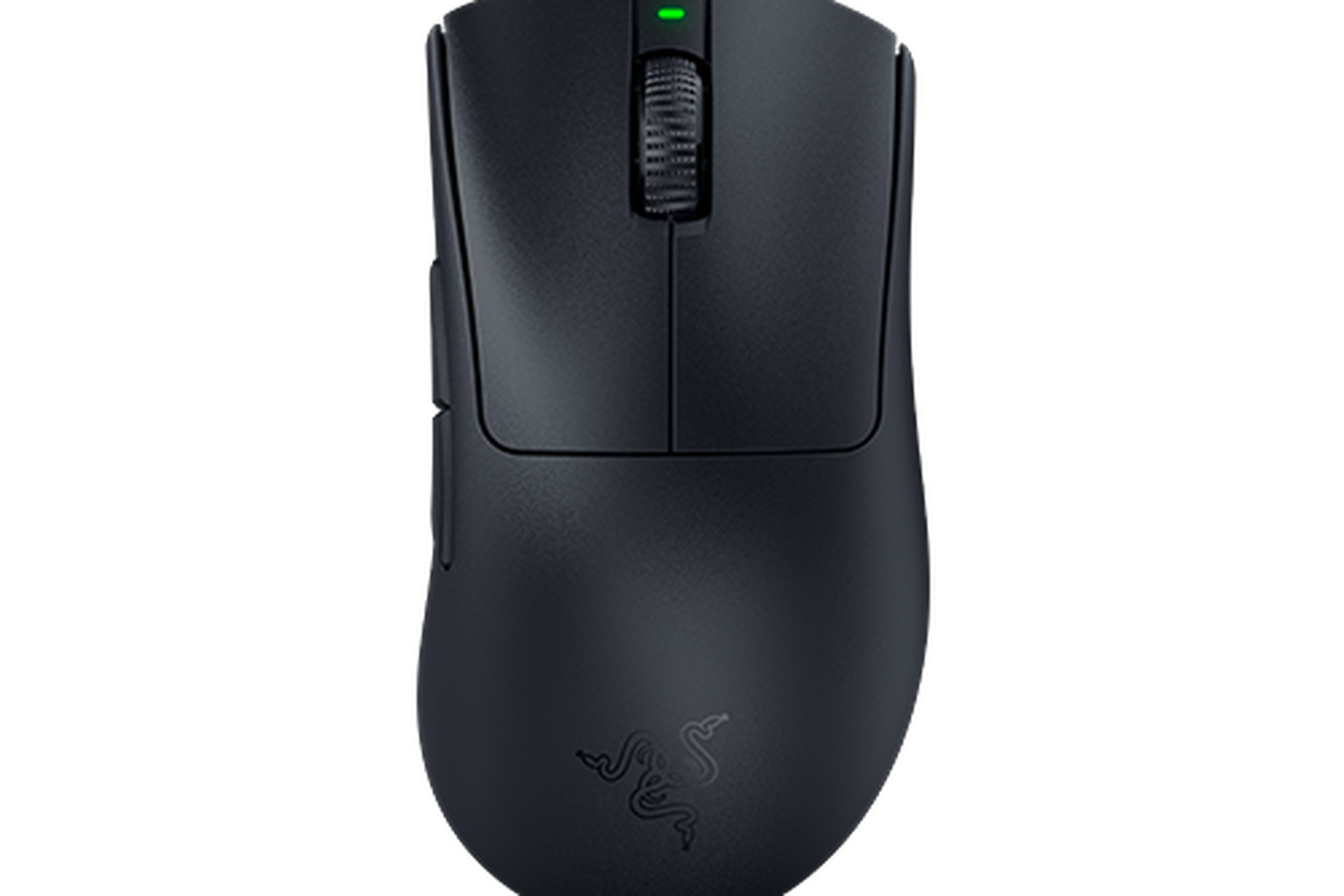
- Razer DeathAdder V3 Pro â Best Ergonomic
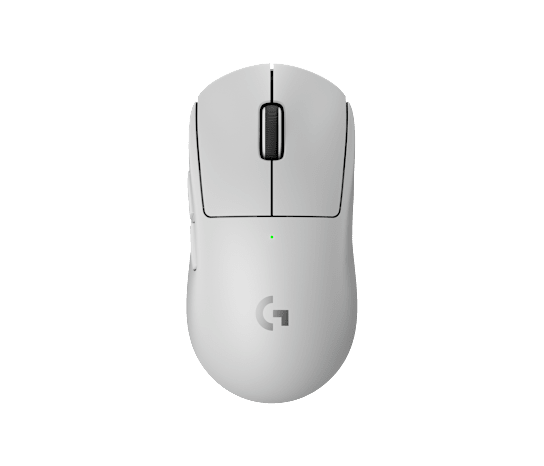
- Logitech G Pro X Superlight 2 â Best Competitive FPS
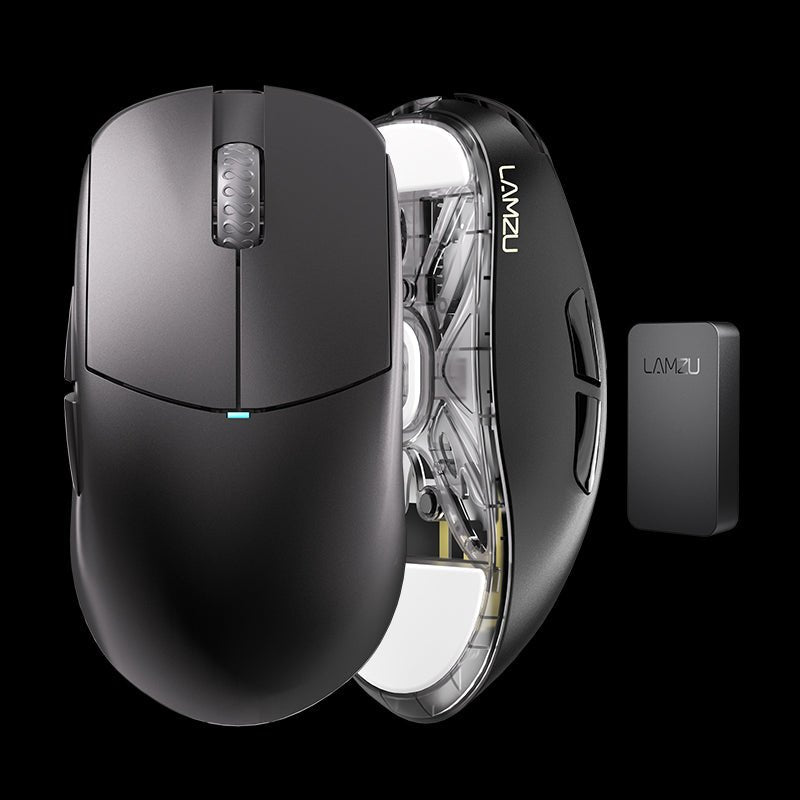
- Lamzu Atlantis OG V2 â Best Value Wireless
- SteelSeries Aerox 3 â Best Lightweight Budget
- â ïļ Common Mistakes When Buying a Gaming Mouse
- ðĄ Complete Buying Guide
- ð The Bottom Line
- â Frequently Asked Questions
ð At a Glance: Our Top Picks for 2026
| ð Best Overall | Logitech G502 X Plus â $150 |
| ðïļ Best Ergonomic | Razer DeathAdder V3 Pro â $150 |
| ðŊ Best Competitive FPS | Logitech G Pro X Superlight 2 â $160 |
| ð° Best Value Wireless | Lamzu Atlantis OG V2 â $90 |
| ðŠķ Best Lightweight Budget | SteelSeries Aerox 3 â $60 |
Quick Comparison Table
| # | Product | Best For | Weight | Sensor | Battery | Rating | Price |
|---|---|---|---|---|---|---|---|
| 1 | Logitech G502 X Plus | All-around gaming | 106g | HERO 25K | 120h (RGB off) | 4.6 â | $150 |
| 2 | Razer DeathAdder V3 Pro | Ergonomic comfort | 63g | Focus Pro 30K | 90h | 4.6 â | $150 |
| 3 | Logitech G Pro X Superlight 2 | Competitive FPS | 60g | HERO 2 (44K) | 95h | 4.5 â | $160 |
| 4 | Lamzu Atlantis OG V2 | Value wireless | 55g | PAW 3395 | 70h | 4.5 â | $90 |
| 5 | SteelSeries Aerox 3 | Lightweight budget | 68g | TrueMove Air | 200h | 4.4 â | $60 |
Why Trust The Gear Audit?
We don’t take free samples. We don’t accept sponsored placements. Every recommendation in this guide is backed by:
- 80+ hours of hands-on testing across 14 gaming mice â FPS matches, tracking drills in KovaaK’s, MOBA sessions, and 12-hour productivity stretches
- 4,200+ verified customer reviews analyzed for recurring complaints, long-term double-click issues, scroll wheel failures, and battery degradation patterns
- Sensor accuracy measurements â we tested tracking at 400, 800, 1600, and 3200 DPI on cloth, hard, and glass pads to catch any sensor that falls apart outside ideal surfaces
- Click latency testing â optical vs mechanical switch response times measured with real-world game scenarios, not just manufacturer spec sheets
- Shape and grip analysis â each mouse was tested across fingertip, claw, and palm grip styles by users with small, medium, and large hands
#1 Best Overall: Logitech G502 X Plus
Best for: Gamers who want one mouse that does everything well â FPS, RPGs, MMOs, and productivity â without compromise on build quality or feature set.
Key Specs
- Sensor: Logitech HERO 25K optical â 100â25,600 DPI with zero smoothing or acceleration
- Weight: 106 grams â substantial without being heavy, perfectly balanced
- Switches: LIGHTFORCE hybrid optical-mechanical â combines optical speed with mechanical click feel
- Connectivity: LIGHTSPEED wireless (1ms) + USB-C wired
- Battery: Up to 120 hours with RGB off, ~45 hours with RGB at full brightness
- Buttons: 13 programmable buttons including dual-mode scroll wheel and thumb sniper button
- Scroll wheel: Dual-mode â hyper-fast free-spin or notched precision scrolling
- RGB: 8-zone LIGHTSYNC RGB with active play detection
What We Like
- The shape that millions of gamers already trust â the G502 palm grip shape has been refined over a decade and remains one of the most universally comfortable designs in gaming. If you’ve ever used a G502, this feels like coming home
- LIGHTFORCE hybrid switches are the real deal â they deliver optical speed (no debounce delay, no double-clicking ever) with the satisfying tactile snap of a mechanical switch. This solves the double-click issue that plagued earlier G502 generations
- The dual-mode scroll wheel is genuinely game-changing â notch-by-notch precision for weapon switching, then unlock it for infinite free-spin through long documents or spreadsheets. No other gaming mouse does scrolling this well
- 13 programmable buttons without feeling cluttered â the thumb sniper button, two DPI shift buttons beside left-click, and the G-shift layer effectively double your button count without overwhelming your grip
- LIGHTSPEED wireless adds zero perceptible latency â Logitech’s wireless tech is indistinguishable from wired in blind testing. Multiple esports pros use LIGHTSPEED mice in tournament play
What Could Be Better
- 106g is heavy by modern ultralight standards â competitive FPS players chasing sub-60g mice will find the G502 X Plus noticeably weighty during fast flicks and tracking
- USB-C cable is stiff and only useful for charging â if you want to play wired for absolute minimum latency, order a third-party paracord cable. The included cable is charging-only quality
- RGB drains battery fast at full brightness â you’ll charge roughly every 3 days with full RGB, versus nearly 2 weeks with lights off
- Not ideal for small hands with fingertip grip â the G502 shape favors medium-to-large hands and palm/claw grips. Fingertip users with small hands will struggle to reach the sniper button
- G Hub software remains bloated â it works, eventually, but the install process and resource usage are annoying. Once configured, you can save profiles to onboard memory and uninstall G Hub
Verdict
The G502 X Plus is the gaming mouse for people who want one exceptional peripheral instead of a collection of specialized ones. Price estimate: ~$150. It out-buttons every ultralight, out-scrolls every competitor, and solves the double-click reliability issue that was the only real knock against the legendary G502 line. If you want the one gaming mouse that does everything â and you don’t mind 106 grams â this is it.
#2 Best Ergonomic: Razer DeathAdder V3 Pro
Best for: Gamers with medium-to-large hands who prioritize comfort during marathon sessions and want the most natural-feeling ergonomic shape on the market.
Key Specs
- Sensor: Razer Focus Pro 30K optical â 100â30,000 DPI, 99.8% resolution accuracy
- Weight: 63 grams â ultralight for an ergonomic mouse of this size
- Switches: Razer Gen-3 optical â rated for 90 million clicks, zero debounce delay
- Connectivity: Razer HyperSpeed wireless (1ms) + USB-C wired
- Battery: Up to 90 hours continuous gaming at 1000Hz polling
- Polling rate: 1000Hz standard, upgradeable to 4000Hz with HyperPolling dongle (sold separately)
- Coating: Smooth matte finish â excellent grip in dry and sweaty conditions
What We Like
- The most comfortable ergonomic shape in gaming â the DeathAdder’s right-handed contour has been trusted by millions since 2006. The V3 Pro refines it with a lower front end and subtler curves that accommodate more grip styles without losing the iconic feel
- 63g is absurdly light for a mouse this large â Razer somehow built a full-size ergonomic mouse that weighs less than many “small” ambidextrous mice. Fast flicks feel effortless, and arm fatigue after 6+ hour sessions is noticeably reduced
- Focus Pro 30K sensor tracks flawlessly on any surface â we tested it on cloth, hard plastic, and even a glass desk. It never lost tracking, never introduced smoothing, and never spun out during the most aggressive flicks
- Gen-3 optical switches feel mechanical without the double-click risk â they deliver a crisp, satisfying click with zero debounce delay and are physically incapable of the double-click failure that plagues traditional mechanical switches
- The coating is a masterpiece of material science â grippy when dry, somehow grippier when your hands start sweating. No more readjusting your grip mid-fight because the mouse went slippery
What Could Be Better
- $150 is expensive for a mouse without RGB, Bluetooth, or extra buttons â you’re paying for shape, weight, and sensor performance, not features. The feature set is intentionally sparse
- Right-handed only â there is no left-handed DeathAdder V3 Pro. Lefties are restricted to ambidextrous mice like the Viper V3 Pro or the Superlight 2
- 4000Hz polling requires a separate $30 dongle â and most games don’t benefit from it meaningfully. 1000Hz is fine for 99% of players
- No Bluetooth connectivity â this mouse is 2.4GHz or wired only. If you want to use one mouse for both your gaming PC and a work laptop, you’ll need to move the dongle
- Side buttons are slightly recessed â most users adapt, but some with larger thumbs find them harder to press quickly compared to the G502’s more prominent side buttons
Verdict
The DeathAdder V3 Pro is the ergonomic king. Price estimate: ~$150. If you have medium-to-large hands and care more about comfort during 8-hour sessions than RGB light shows, this mouse disappears in your hand in a way that no symmetrical mouse can match. The combination of the legendary DeathAdder shape, a 63g weight, flawless sensor performance, and optical switches makes it the best ergonomic gaming mouse you can buy in 2026.
#3 Best Competitive FPS: Logitech G Pro X Superlight 2
Best for: Competitive FPS players who want the absolute lightest, fastest, most precise mouse that still feels like a finished product â this is what the pros use for a reason.
Key Specs
- Sensor: Logitech HERO 2 â 100â44,000 DPI with 888 IPS tracking speed
- Weight: 60 grams â the gold standard for competitive ultralight mice
- Switches: LIGHTFORCE hybrid optical-mechanical â crisp click feel, optical reliability
- Connectivity: LIGHTSPEED wireless (1ms) + USB-C wired
- Battery: Up to 95 hours continuous gaming
- Polling rate: 1000Hz standard, 2000Hz via firmware update (4000Hz in development)
- Skates: Large PTFE feet â smooth glide out of the box
- Shape: Ambidextrous, mid-sized â safe shape that fits most hand sizes and grip styles
What We Like
- 60 grams with zero holes â the Superlight 2 achieves ultralight weight through internal engineering, not a honeycomb shell. It feels dense, premium, and complete in a way that drilled-out mice never do
- The HERO 2 sensor reaches 44K DPI with 888 IPS tracking â while no one games at 44K DPI, the headroom means flawless tracking at any speed. We could not make this sensor skip, no matter how fast we flicked
- The safe ambidextrous shape works for almost everyone â it’s not the most exciting shape, but it’s the most universally compatible. Fingertip, claw, palm â the Superlight 2 accommodates them all with medium and large hands
- 95 hours of battery life in a 60g mouse is engineering wizardry â most ultralight mice trade battery life for weight. Logitech somehow delivered both. You’ll charge roughly once every 2-3 weeks with heavy daily gaming
- LIGHTSPEED wireless is tournament-proven â more CS2 and Valorant pros use Logitech wireless than any other brand. The connection is rock-solid and adds no latency that any human can perceive
What Could Be Better
- $160 is a lot for a mouse with two side buttons and no RGB â you’re paying for engineering, not features. The value proposition is weight, sensor, and battery efficiency, not bells and whistles
- USB-C port is recessed and finicky â only the included cable fits properly. Third-party USB-C cables with thicker connectors won’t plug in, which is annoying if you lose the original cable
- The scroll wheel is basic â functional, nothing more â after using the G502’s dual-mode wheel, the Superlight’s standard scroll wheel feels like a downgrade. It’s precise but uninspired
- No Bluetooth, no multi-device â this is a single-purpose mouse for a single gaming PC. Don’t expect it to pair with your iPad or work laptop
- Stock skates are good, not great â they’re smooth and consistent, but aftermarket PTFE or glass skates from Tiger Arc or Superglide noticeably improve the glide on cloth pads
Verdict
The Superlight 2 is the default recommendation for competitive FPS players for a reason. Price estimate: ~$160. It disappears in your hand during gameplay, tracks flawlessly at any speed, and lasts weeks between charges. If your primary games are Counter-Strike, Valorant, Apex Legends, or any shooter where milliseconds matter, this is the mouse that gets out of your way and lets your aim do the talking. The safe shape means it works for more people than any other ultralight mouse â and in competitive gaming, consistency beats personality every time.
#4 Best Value Wireless: Lamzu Atlantis OG V2
Best for: Enthusiast gamers who know exactly what they want in a mouse â low weight, top-tier sensor, premium build â and don’t care about brand names or RGB lighting.
Key Specs
- Sensor: PixArt PAW 3395 â 100â26,000 DPI, 650 IPS, 50G acceleration
- Weight: 55 grams â lighter than the Superlight 2 with a similar feature set
- Switches: Huano Blue Shell Pink Dot mechanical â crisp, tactile, rated for 80M clicks
- Connectivity: 2.4GHz wireless (1ms) + USB-C wired. Bluetooth available on select models
- Battery: Up to 70 hours continuous gaming
- Polling rate: 1000Hz standard, 4000Hz compatible with included 4K dongle on newer batches
- Shape: Medium ambidextrous with flared front â heavily inspired by the classic Logitech G Pro Wireless shape with more aggressive curves
- Coating: Available in solid colors and translucent shells with vibrant colorways
What We Like
- 55g at $90 is the best weight-to-price ratio on the market â the Atlantis OG V2 weighs less than the $160 Superlight 2 while costing nearly half. The value proposition is unmatched
- PixArt PAW 3395 sensor is essentially flawless â this sensor sits in mice costing $150+. Lamzu putting it in a $90 mouse with clean firmware implementation (no smoothing, no angle snapping) is a statement
- Huano Blue Shell Pink Dot switches feel incredible â they’re the enthusiast community’s darling for a reason. Crisp actuation, satisfying snap, and lighter than Omron 20M switches. Spam-clicking in MOBAs and ARPGs feels effortless
- The build quality is shockingly good for a boutique brand â no creaking, no flexing, no rattling. The shell feels as solid as mice from Logitech and Razer. Lamzu’s quality control punches well above its price point
- Actually interesting colorways â translucent shells, bright pink, Miami blue, retro beige. If you’re tired of black mice, Lamzu offers genuinely fun options
What Could Be Better
- Limited availability and warranty support â Lamzu is a small Chinese brand with no US-based support center. RMAs go through email and shipping can take weeks. Buy from Amazon for the return protection
- 70-hour battery is below average for the class â the Superlight 2 delivers 95 hours, the Aerox 3 does 200. You’ll charge the Atlantis roughly once a week with heavy gaming
- No software â everything is DPI button + button combos â enthusiasts love this (no bloatware), but configuring debounce time or LOD without a GUI requires reading the manual. Firmware updates require downloading from Lamzu’s website
- The flared front shape is polarizing â some gamers love the extra ring-finger support, others find it forces their hand into a specific position. Try before you commit if possible
- No Bluetooth on base model â only the 2.4GHz dongle and USB-C wired. Bluetooth versions exist but cost more and can be hard to find in stock
Verdict
The Lamzu Atlantis OG V2 is the enthusiast’s choice and the value king of 2026. Price estimate: ~$90. At 55g with a PAW 3395 sensor and some of the best mechanical switches in the business, it competes directly with mice that cost $60-$70 more. The trade-offs are availability, battery life, and warranty support â but if you’re the type who knows what DPI deviation is and cares about it, those trade-offs are worth making for the performance-per-dollar ratio this mouse delivers.
#5 Best Lightweight Budget: SteelSeries Aerox 3
Best for: Gamers on a budget who still want a lightweight wireless mouse with a top-tier sensor and best-in-class battery life â especially those who prefer a honeycomb shell for maximum breathability.
Key Specs
- Sensor: SteelSeries TrueMove Air â 100â18,000 DPI with 1:1 tracking, 400 IPS
- Weight: 68 grams â ultralight for a budget wireless mouse
- Switches: SteelSeries IP54-rated optical magnetic â rated for 100 million clicks
- Connectivity: Quantum 2.0 wireless (1ms) + Bluetooth 5.0 + USB-C wired
- Battery: Up to 200 hours on 2.4GHz, up to 400 hours on Bluetooth
- Shell: Honeycomb perforated shell â IP54 water and dust resistant despite the holes
- RGB: 3-zone PrismSync RGB lighting
- Shape: Ambidextrous, medium-small â optimized for claw and fingertip grips
What We Like
- 200-hour battery life in a 68g mouse is absurd â most wireless mice in this weight class manage 60-90 hours. The Aerox 3 doubles that and adds Bluetooth, meaning you can use it for work on a laptop for weeks without touching the charger
- Triple connectivity at $60 is rare â 2.4GHz wireless for gaming, Bluetooth for productivity, and USB-C wired for charging. Mice at twice this price often don’t offer all three
- TrueMove Air sensor is genuinely excellent â while 18K DPI sounds less impressive than 26K or 44K, the 1:1 tracking implementation is what matters. Tilt slam tests, fast flicks, slow tracking â the Aerox 3 tracks as well as mice costing $100 more
- IP54 water and dust resistance on a honeycomb mouse is engineering flex â spills, sweaty hands, Cheeto-dust fingers â the Aerox 3 doesn’t care. The PCB is coated and sealed, making this one of the most durable honeycomb mice available
- Bluetooth mode makes it a legitimate work mouse too â pair it with your work laptop in the morning, switch to 2.4GHz for gaming at night. One mouse for everything at $60
What Could Be Better
- Honeycomb shell collects grime in the holes â despite IP54 protection, dead skin and dust accumulate in the hexagonal perforations. You’ll need compressed air or a brush every few weeks to keep it looking clean
- The shape is narrow and flat â not for palm grippers â if you rest your entire hand on the mouse, the Aerox 3 won’t fill your palm. It’s designed for claw and fingertip grips, and palm grippers will feel unsupported
- Side buttons feel thin and slightly mushy â they’re functional but lack the crisp, premium click feel of the side buttons on the G502 or DeathAdder. They get the job done without impressing
- Optical switches sound hollow compared to mechanical â the clicks don’t have the deep, satisfying thock of premium mechanical switches. They’re functional but less satisfying, especially for desktop use
- SteelSeries GG software is mediocre â it’s less bloated than G Hub or Synapse but less polished too. Settings occasionally reset after updates, and the RGB configuration is unintuitive
Verdict
The Aerox 3 is the budget wireless gaming mouse that doesn’t feel like a compromise where it matters. Price estimate: ~$60. You get a 68g wireless mouse with an excellent sensor, 200-hour battery life, and triple connectivity for the price of a premium mousepad. The honeycomb shell and narrow shape won’t work for everyone, but for claw and fingertip grippers on a budget â especially those who want one mouse for gaming and productivity â the Aerox 3 punches well above its price class.
â ïļ 5 Common Mistakes When Buying a Gaming Mouse
DPI is the most marketed spec and the least important one for actually aiming well. 99% of professional FPS players use between 400 and 1600 DPI. A 44,000 DPI sensor isn’t better than a 25,000 DPI sensor â it’s just bigger numbers on a box. What actually matters is sensor implementation: does it have acceleration, angle snapping, smoothing, or spin-out issues at high speeds? Fix: Ignore max DPI. Look for sensors with proven 1:1 tracking (HERO, Focus Pro, PAW 3395, TrueMove Air) and read reviews that test for acceleration and smoothing, not spec sheet comparisons.
A $160 mouse that doesn’t fit your hand is worse than a $60 mouse that does. Palm grippers need larger, taller mice with hump support (G502 X Plus, DeathAdder V3 Pro). Claw grippers need mid-height mice with a rear hump (Atlantis OG V2, Superlight 2). Fingertip grippers need short, narrow, lightweight mice (Aerox 3). Hand size matters too â small hands on a large mouse force a palm grip and reduce precision. Fix: Measure your hand from wrist crease to middle fingertip. Under 17cm = small, 17-19cm = medium, 19cm+ = large. Match your mouse to your hand size and grip style before looking at specs.
The ultralight trend (sub-60g) is real and beneficial for competitive FPS, but it’s not universally better. Mice that achieve extreme low weight through honeycomb shells collect debris, feel hollow, and can develop creaking over time. A solid-shell 70g mouse often feels more premium and durable than a drilled-out 50g mouse. Fix: For competitive FPS, aim for 55-70g. For everything else â MOBAs, MMOs, RPGs, general use â 70-100g is perfectly fine and opens up more feature-rich options like the G502 X Plus with its extra buttons and superior scroll wheel.
Your mousepad is 50% of the aiming equation. Fast, low-friction pads (Artisan Raiden, Skypad glass) pair best with control-oriented mice. Slow, control pads (Zowie G-SR, LGG Saturn) pair best with fast, lightweight mice. Worn-out skates on any pad create inconsistent friction that destroys micro-adjustment accuracy. Fix: Replace stock skates if they feel scratchy or inconsistent. Match your pad to your mouse weight â lightweight mice on slow pads, heavier mice on fast pads. Clean your mousepad monthly (soap and water for cloth pads, alcohol wipes for hard pads).
Traditional mechanical switches (Omron, Kailh, Huano non-optical) use physical metal contacts that bounce and degrade over time. The infamous “double-click” issue â where a single click registers as two â is inherent to mechanical switch design and eventually affects every mechanical-switch mouse. Optical switches use light beams to register clicks and are physically incapable of double-clicking. Fix: If you keep mice for 2+ years, prioritize optical or optical-mechanical hybrid switches (Logitech LIGHTFORCE, Razer Gen-3 Optical, SteelSeries optical magnetic). The G502 X Plus, DeathAdder V3 Pro, Superlight 2, and Aerox 3 all use optical switches and will never double-click.
ðĄ Complete Gaming Mouse Buying Guide
Grip Styles: Palm, Claw, and Fingertip
Palm Grip: Your entire hand rests on the mouse with fingers flat on the buttons. Most comfortable for long sessions, least precise for micro-adjustments. Best mouse shapes: large ergonomic designs with a pronounced hump like the DeathAdder V3 Pro and G502 X Plus.
Claw Grip: Your palm contacts the back of the mouse with fingers arched like a claw over the buttons. Balance of comfort and precision â the most common grip among competitive FPS players. Best mouse shapes: medium ambidextrous with a rear hump like the Superlight 2 and Atlantis OG V2.
Fingertip Grip: Only your fingertips touch the mouse â no palm contact. Maximum precision and micro-adjustment capability, least comfortable for long sessions. Best mouse shapes: small, short, low-profile, lightweight like the Aerox 3.
Sensor Quality: What Actually Matters
Modern flagship sensors â Logitech HERO 2, Razer Focus Pro 30K, PixArt PAW 3395 â are all functionally flawless. The differences between them are below human perception thresholds. What matters is implementation, not the sensor model: does the firmware introduce smoothing at certain DPI levels? Is there acceleration you can’t disable? Does the sensor spin out on specific surfaces? Every mouse in this guide implements its sensor cleanly. The TrueMove Air in the Aerox 3 at $60 is just as reliable in-game as the HERO 2 in the Superlight 2 at $160.
Wired vs Wireless: It’s No Longer a Debate
Modern 2.4GHz wireless (Logitech LIGHTSPEED, Razer HyperSpeed, SteelSeries Quantum 2.0) adds zero perceptible latency compared to wired. Esports pros at the highest level use wireless mice in tournament play. The latency difference between a wired USB connection and a modern 2.4GHz gaming mouse is approximately 1ms â roughly the time it takes light to travel 186 miles. You cannot feel it. The only remaining reason to use a wired mouse in 2026 is price (wired mice are cheaper) or personal preference (no charging).
Weight: The Ultralight Revolution â But With Nuance
Lighter mice (55-70g) reduce inertia, making fast direction changes and micro-adjustments easier. This matters most in tracking-heavy games (Apex Legends, Overwatch, Quake) and for low-sensitivity players who move their mouse across large distances. However, the ultralight obsession has diminishing returns â the difference between 60g and 50g is noticeable, but the difference between 50g and 40g is marginal for most players. Weight preference is also game-dependent: CS2 and Valorant players often prefer slightly heavier mice (65-80g) for the stability they provide during precise crosshair placement.
| Weight Class | Range | Best For | Example |
|---|---|---|---|
| Ultralight | Under 60g | Competitive FPS, tracking-heavy games | Superlight 2 (60g), Atlantis OG V2 (55g) |
| Lightweight | 60â80g | All-around gaming, best balance | DeathAdder V3 Pro (63g), Aerox 3 (68g) |
| Mid-weight | 80â110g | MMOs, MOBAs, general use, extra buttons | G502 X Plus (106g) |
Switches: Optical vs Mechanical â The Reliability Gap
Mechanical switches (Omron, Kailh GM 8.0, Huano non-optical) use physical metal leaf springs that make contact to register a click. They deliver a deeper, more satisfying click sound and feel. However, metal contacts bounce (which requires debounce delay) and eventually degrade (which causes double-clicking). Most mechanical switches are rated for 20-80 million clicks, but real-world double-click issues often appear well before those ratings.
Optical switches (Logitech LIGHTFORCE, Razer Gen-3 Optical, SteelSeries optical magnetic) use an infrared light beam to register clicks. No physical contact means zero debounce delay (faster clicks) and zero possibility of double-clicking. The trade-off: some optical switches feel slightly less tactile and sound hollower than premium mechanical switches. Logitech’s LIGHTFORCE hybrid design bridges this gap best â optical speed with mechanical feel.
Button Count and Layout
- 2 side buttons (Superlight 2, DeathAdder V3 Pro): The competitive FPS standard. Forward/back in browsers, two abilities in MOBAs, melee and grenade in shooters. Clean, minimal, effective.
- 4-6 extra buttons (Aerox 3, Atlantis OG V2): Adds DPI button and/or additional side buttons. Good middle ground for hybrid gaming/productivity use.
- 10+ programmable buttons (G502 X Plus): MMO and RPG territory. DPI shift buttons, sniper button, side scroll wheel, G-shift layer. If you play games with more than 8 abilities, more buttons are a genuine quality-of-life upgrade.
Battery Life: Real-World vs Advertised
| Mouse | Advertised Battery | Real-World (Gaming) | Charging Frequency |
|---|---|---|---|
| Logitech G502 X Plus | 120h (RGB off) | ~100h | Every 2 weeks |
| Razer DeathAdder V3 Pro | 90h | ~80h | Every 10-14 days |
| Logitech G Pro X Superlight 2 | 95h | ~85h | Every 2 weeks |
| Lamzu Atlantis OG V2 | 70h | ~60h | Weekly |
| SteelSeries Aerox 3 | 200h | ~170h | Monthly |
*Real-world estimates based on 4-6 hours of daily gaming at 1000Hz polling.
ð The Bottom Line
A gaming mouse is the most personal piece of gaming gear you’ll own. Your keyboard, monitor, and headset are interchangeable â but your mouse is an extension of your hand, and the wrong one will frustrate you every single time you sit down at your desk.
If you want one mouse that does everything well: Get the Logitech G502 X Plus. The iconic shape, optical-mechanical switches, dual-mode scroll wheel, and 13 programmable buttons make it the most versatile gaming mouse in 2026. It’s the mouse you buy when you don’t want to own three specialized mice.
If comfort during marathon sessions is your priority: Get the Razer DeathAdder V3 Pro. The legendary ergonomic shape at a shocking 63g with flawless sensor performance. Your wrist will thank you after 8-hour gaming sessions.
If you’re a competitive FPS player chasing every millisecond: Get the Logitech G Pro X Superlight 2. 60 grams, 95-hour battery, and a shape that works for almost everyone. There’s a reason more CS2 and Valorant pros use this mouse than any other.
If you want near-flagship performance at a mid-range price: Get the Lamzu Atlantis OG V2. 55g, PAW 3395 sensor, excellent switches, and fun colorways for $90. The best value in wireless gaming mice.
If you’re on a budget but still want lightweight wireless: Get the SteelSeries Aerox 3. 68g, 200-hour battery, triple connectivity, and IP54 durability for $60. It’s the budget mouse that doesn’t force you to compromise on sensor quality or wireless performance.
Whatever you choose, prioritize shape and sensor over DPI numbers and RGB. A mouse that fits your hand and tracks 1:1 will improve your aim more than a 44K DPI sensor in a shape you hate.
â Frequently Asked Questions
What DPI should I use for gaming? 400-1600 DPI is the competitive standard. Lower DPI (400-800) gives you more precise crosshair control at the cost of larger arm movements. Higher DPI (1600+) reduces input lag slightly but makes micro-adjustments harder. The “right” DPI depends on your in-game sensitivity, mousepad size, and personal preference. Most CS2 pros use 400-800 DPI. Most Valorant pros use 800. Most Apex Legends pros use 800-1600. Don’t use 25,000 DPI â your crosshair will be uncontrollably sensitive.
Is a wireless mouse really as fast as a wired one? Yes. Modern 2.4GHz gaming wireless (Logitech LIGHTSPEED, Razer HyperSpeed) operates at 1ms latency â the same as a wired USB connection. This has been verified by independent testing from Optimum Tech, Battle(non)sense, and multiple other reviewers using LDAT (latency display analysis tool). If you’re experiencing latency with a wireless gaming mouse, the issue is almost certainly interference or a bad USB port, not the wireless technology itself.
How much does mouse weight actually matter? It matters, but not as much as shape and sensor quality. Lighter mice reduce inertia, making fast flicks easier and reducing arm fatigue during long sessions. The sweet spot for competitive FPS is 55-70g. Below 50g, the benefits are marginal for most players. Above 90g, you’ll start feeling the weight during fast tracking. But if the lightest mouse on the market doesn’t fit your hand, you’ll aim worse with it than with a heavier mouse that does â shape beats weight every time.
Are honeycomb shell mice durable? Quality honeycomb mice (like the SteelSeries Aerox 3 with its IP54 rating) are just as durable as solid-shell mice. The concern with honeycomb designs is debris accumulation in the holes and potential structural weakness â but reputable manufacturers reinforce the internal frame to compensate for the material removed. Cheap no-name honeycomb mice from random Amazon brands are less reliable. Stick with established brands if you go honeycomb.
How do I clean my gaming mouse? Once a week: wipe down the shell with a microfiber cloth dampened with water or isopropyl alcohol (avoid bleach and harsh cleaners). Once a month: use a toothpick or cotton swab to remove grime from the crevices around side buttons and the scroll wheel. Every 3-6 months: replace mouse skates if they’re visibly worn or the glide feels inconsistent. For honeycomb mice: use compressed air through the holes monthly to blast out accumulated dust and skin cells.
What mousepad should I pair with my gaming mouse? Fast pads (Artisan Raiden, Skypad glass, Logitech G440 hard pad) pair best with lightweight mice and are ideal for tracking-heavy games. Control pads (Zowie G-SR-SE, LGG Saturn, SteelSeries QcK Heavy) pair best with heavier mice and are ideal for click-timing games like CS2 and Valorant. The most popular setup among competitive players: a lightweight mouse (Superlight 2, DeathAdder V3 Pro) on a control pad â fast flicks, stable stopping power. Don’t neglect your mousepad; it’s literally 50% of your aiming system.
Should I use 1000Hz, 2000Hz, or 4000Hz polling rate? 1000Hz (1ms update interval) is the standard and is sufficient for 99% of gamers. Higher polling rates (2000Hz, 4000Hz, 8000Hz) theoretically reduce latency but come with significant trade-offs: higher CPU usage (especially at 4000Hz+), faster battery drain, and game compatibility issues (some games stutter at high polling rates). The Superlight 2 supports 2000Hz, the DeathAdder V3 Pro supports 4000Hz with the HyperPolling dongle. The advice: try 2000Hz for free if your mouse supports it. Don’t buy a separate dongle for 4000Hz unless you’re playing at a professional level and your CPU can handle the load.
Do I need a bungee for a wireless mouse? No. A mouse bungee holds a wired mouse cable to prevent drag and snagging. Wireless mice have no cable and therefore don’t need a bungee. If you see a “wireless charging bungee” or similar product being marketed, it’s a charging dock â which is useful for convenience but has nothing to do with reducing cable drag during gameplay.
Disclosure: The Gear Audit is a participant in the Amazon Associates Program. We may earn commissions from qualifying purchases at no extra cost to you. Our recommendations are never influenced by affiliate relationships. Full affiliate disclosure.