Smart Speakers by Ecosystem, Input and Room Role
By The Gear Audit Team · Original specification research September 9, 2026; manufacturer-source and buying-advice check September 20, 2026.
Quick answer: choose the household control system
Sonos Era 100 suits a compact room that needs Sonos/Wi-Fi plus Bluetooth and may need analog line-in with the separate Sonos adapter. Era 300 makes more sense when supported Dolby Atmos Music or a compatible Sonos surround pair is an actual plan; music format, service and surround-mode limits matter. Apple HomePod (2nd generation) suits an Apple Music/AirPlay, Siri and Apple TV 4K household with a supported iPhone or iPad for setup. It is not a generic Bluetooth-input or analog-line-in speaker. None of these feature lists establishes a measured sound or voice winner.
Use Sonos app/Wi-Fi, Bluetooth or optional analog line-in with the correct adapter and preamp if needed.
Check supported Atmos music service, subscription and Wi-Fi; rear-surround use changes inputs.
Choose for Siri/AirPlay and an Apple TV 4K plan, with compatible Apple setup hardware.
Three room roles and their dependencies
| Decision | Sonos Era 100 | Sonos Era 300 | HomePod (2nd generation) |
|---|---|---|---|
| Primary role | Compact Sonos room with mixed Wi-Fi/Bluetooth sources | Spatial music or a compatible Sonos theater surround pair | Apple Music/AirPlay, Siri, Apple home and Apple TV 4K integration |
| External source | Bluetooth; analog line-in through sold-separately Sonos adapter/cable | Bluetooth; analog line-in through adapter/cable when standalone | AirPlay sources from Apple devices; no ordinary Bluetooth audio input or analog line-in documented |
| Important dependency | Initial Sonos app/Wi-Fi setup; phono stage for a turntable without one | Supported Atmos content/service over Wi-Fi; line-in and Bluetooth disabled as theater surrounds | Supported iPhone/iPad and Wi-Fi; Apple TV 4K and compatible TV for television-audio route |
| Pairing | Matched Sonos stereo or compatible surround pair | Matched pair; verify exact home theater compatibility | Stereo pair requires two of the same HomePod generation/model |
Voice service availability, subscription features and speaker combinations vary by region and software. Separate a Bluetooth specification used for setup/proximity from an actual Bluetooth music-input feature; HomePod’s listed Bluetooth radio does not mean it takes generic Bluetooth audio.
Sonos Era 100 in Black: compact sources with optional line-in
Best for: A room that will use the Sonos app but also wants direct Bluetooth from a device or a line-level analog source with the proper adapter.
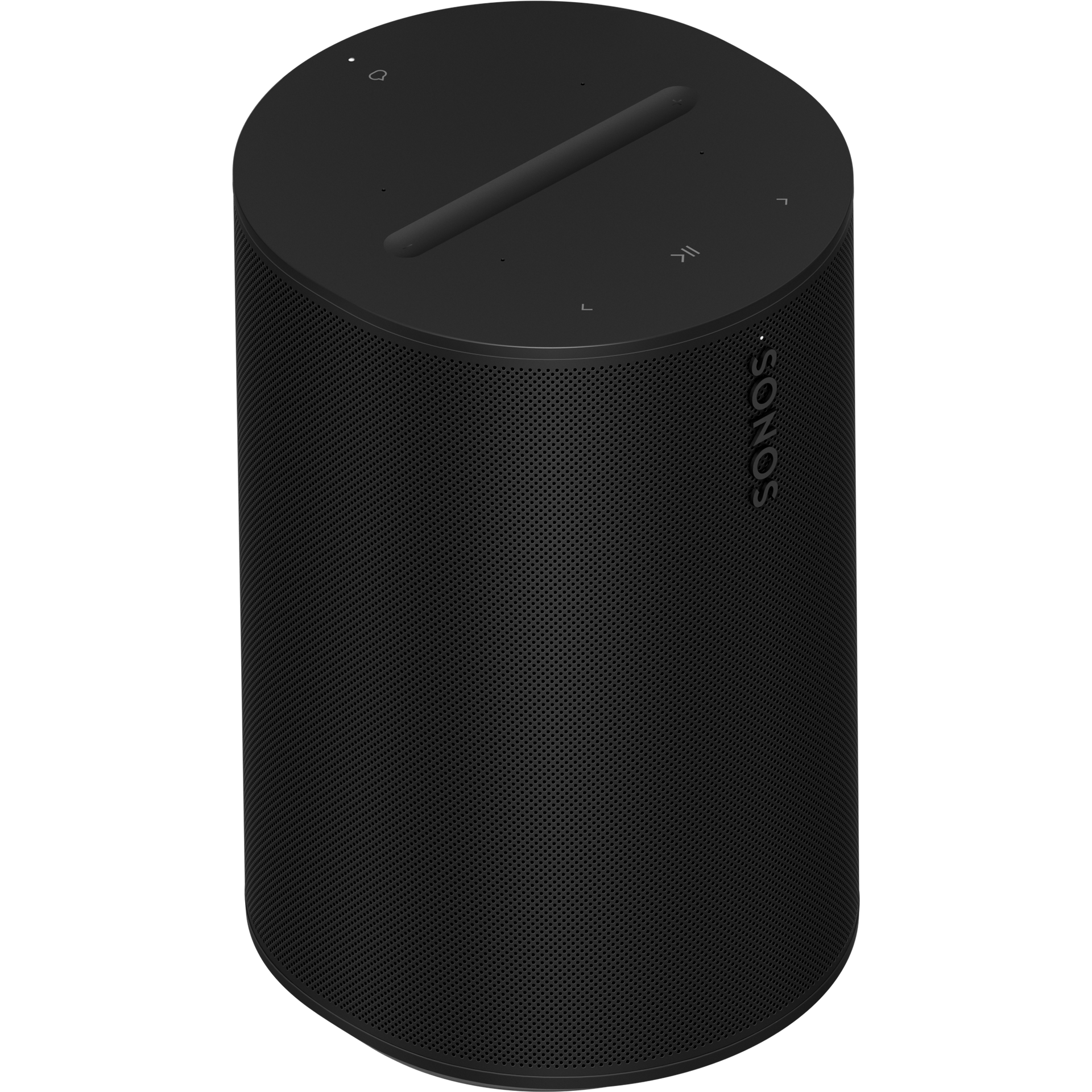
Era 100 has Wi-Fi, Bluetooth, AirPlay 2 and Sonos Voice Control, with Alexa subject to availability and account setup. Its rear hardware microphone switch disconnects the microphones; the top voice-service control is a distinct function. USB-C analog line-in requires the separately sold Sonos Line-In or Combo Adapter and an audio cable. A turntable without its own phono preamp, such as the RT82 discussed in our setup guide, also needs a phono stage before that line input. Sonos requires initial app/Wi-Fi setup even when Bluetooth will be used later.
Pros
- Bluetooth and adapter-based analog line-in cover different sources. This matters to a household that alternates phone audio and a properly amplified turntable or CD player.
- The microphone controls offer explicit choices. A hardware switch can disable all microphones, while the top control can turn voice services off but leave features needing microphones available.
Cons and trade-offs
- Line-in is not ready with a bare USB-C cable. Budget for the Sonos adapter, analog cable and any required phono preamp.
- Initial Wi-Fi/app setup remains mandatory for Bluetooth playback. This is not a stand-alone portable Bluetooth speaker workflow.
- Inputs change when bonded as theater surrounds. Sonos disables Bluetooth, AirPlay and line-in on surrounds; do not buy a pair for both simultaneous rear duty and local turntable input.
Choose something else if: Supported Dolby Atmos Music is central, or your household is exclusively Apple HomePod/Apple TV rather than Sonos.
Our recommendation
Choose voice-enabled Era 100 when its real sources are Bluetooth and Sonos network playback, with optional analog input planned end to end. Check an Amazon listing is Era 100 rather than the newer no-voice Era 100 SL.
Sources: Sonos Era 100 Black, Era 100 guide and surround limitations. Recommendations are editorial.
Price listing: Sonos Era 100 — Black.
Sonos Era 300 in Black: spatial music and theater potential
Best for: A Sonos household with supported Atmos music content over Wi-Fi, or a carefully checked compatible soundbar and matching Era 300 rear pair.
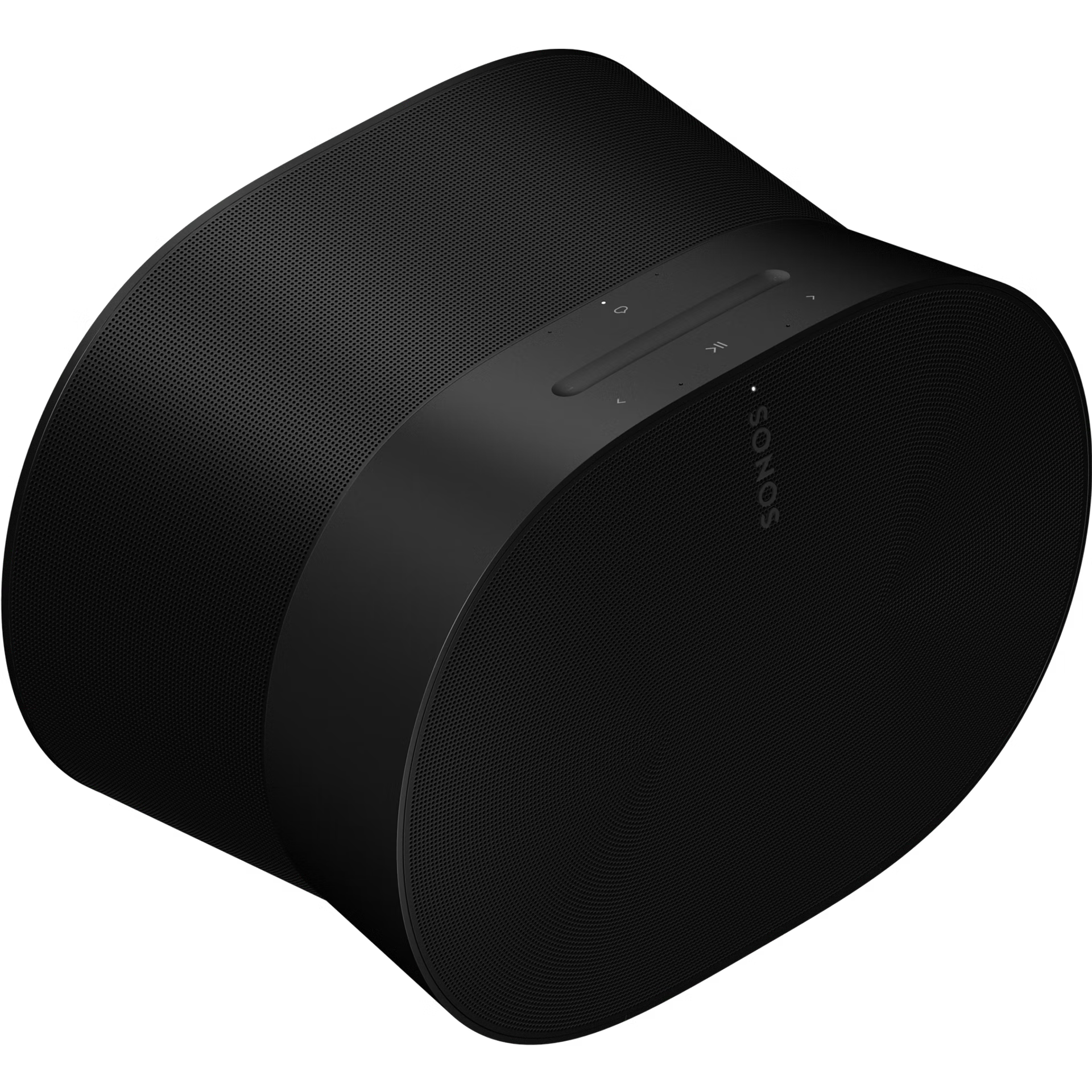
Era 300’s six-driver arrangement includes an upward-firing tweeter for supported Dolby Atmos Music. Sonos requires Wi-Fi, a supported service and compatible content for spatial music; some services require a subscription. It also has Bluetooth and adapter-based line-in when used standalone. Two matching Era 300 units can be compatible rear surrounds for suitable Sonos bars, but Sonos disables Bluetooth, AirPlay and line-in while they are bonded as surrounds.
Pros
- Its upward channel is designed for supported spatial content. Buyers with an Atmos Music service have a concrete reason to choose it over Era 100, though no in-room effect is guaranteed.
- Standalone source flexibility remains broad. Bluetooth or the supported analog adapter can supplement Sonos network streaming before any theater bonding.
Cons and trade-offs
- Spatial music requires the whole service path. Ordinary stereo content or an unsupported tier does not become native Atmos simply because the speaker has upward hardware.
- Surround duty disables local inputs. A turntable line-in or phone Bluetooth route cannot simultaneously be used on Era 300 units bonded as rear surrounds.
- The wider 10.24-inch body needs placement space. Check the shelf and surrounding clearance, especially for reflected spatial channels.
Choose something else if: You mainly need a compact Sonos speaker for stereo music and occasional Bluetooth/line-in, or want a simpler Apple TV household route.
Our recommendation
Choose Era 300 when Atmos Music or a verified compatible rear-pair plan will be used. If it becomes a surround, plan another input point for analog sources.
Sources: Sonos Era 300 Black, spatial music requirements, line-in limitation. Recommendations are editorial.
Price listing: Sonos Era 300 — Black.
Apple HomePod (2nd generation) in Midnight: Apple household control
Best for: A household already using a supported iPhone or iPad, AirPlay/Siri and Apple TV 4K, with expectations grounded in service and TV requirements.
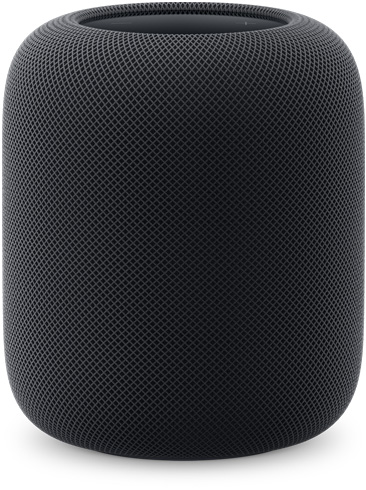
Apple lists Siri, AirPlay, Thread, temperature/humidity sensing, Apple Music and third-party services subject to their availability and subscription terms. HomePod 2 needs a supported iPhone or iPad and Wi-Fi for setup. A stereo pair needs two HomePods of the same model, not one first-generation and one second-generation speaker. Apple TV 4K can use HomePod as default output; TV audio return from other HDMI devices needs Apple TV 4K second generation or later and a compatible ARC/eARC television. The listed Bluetooth radio does not document ordinary Bluetooth speaker pairing for audio sources.
Pros
- Apple TV and AirPlay can make one consistent household route. Owners of compatible devices can use HomePod for Apple TV audio and AirPlay content without joining a separate Sonos system.
- Thread and temperature/humidity sensors support Apple Home roles. They matter if compatible home accessories and the Home app are already central.
Cons and trade-offs
- It is not a generic Bluetooth or analog-input speaker. Do not plan to plug a turntable into it or pair an arbitrary Bluetooth audio source solely from the Bluetooth 5.0 specification.
- Setup and TV integration are Apple-dependent. Check the eligible iPhone/iPad, Wi-Fi, Apple TV generation, TV ARC/eARC and current software before purchasing for TV sound.
- A stereo pair needs the same HomePod model. A first-generation or mini cannot form a stereo pair with a second-generation unit.
Choose something else if: Direct Bluetooth music and analog line-in are required, or the household is not equipped for Apple’s setup and TV pathway.
Our recommendation
Choose second-generation HomePod for a specific Apple household and supported TV plan. Confirm the exact generation and Midnight color if comparing a retail offer; our search link does not verify a part number or ASIN.
Sources: Apple HomePod 2 specifications and footnotes, Apple TV ARC/eARC, stereo-pair requirements. Recommendations are editorial.
Search HomePod second generation on Amazon
Trace the external input and television path
For a turntable into Era 100 or Era 300, the signal must reach line level first. A turntable without a built-in phono stage needs an external preamp, then RCA-to-3.5 mm cable and the supported Sonos Line-In or Combo Adapter. Sonos says this line-in is not intended as a TV connection; a soundbar is the TV path. Era line-in and Bluetooth are disabled when the speaker serves as a theater surround.
For HomePod TV audio, Apple TV 4K and Home app assignment are the path. ARC/eARC return of a TV’s other inputs requires Apple TV 4K second generation or later and a compatible TV. Do not interpret HomePod’s Bluetooth 5.0 listing as equivalent to Sonos’s direct Bluetooth audio input.
Check the household before adding a second speaker
- List devices and controllers. Who has a compatible phone/tablet, account and app? Check voice language and regional service availability.
- Name the music source. Atmos Music needs supported content/service and Wi-Fi on Era 300; Apple Music and some third-party HomePod services may require subscriptions.
- Draw the input chain. Include the Sonos adapter, cable and phono stage where required; HomePod has no comparable analog-in route.
- Choose one future role. Confirm Sonos matched pairs and surround compatibility, including disabled inputs. HomePod stereo pairing requires the same model; Apple TV integration has its own hardware conditions.
- Check exact variant and offer. Era 100 is not Era 100 SL. HomePod generation and Midnight color are separate from an unverified retailer part number. Search links do not establish condition, price or ASIN.
See our turntable setup guide for the phono-stage decision and soundbar guide for Sonos theater expansion.
Buying FAQ
Can Era 100 or Era 300 accept a turntable?
Yes, via the supported Sonos adapter and cable when standalone. The signal must already be line-level; add a phono preamp for a turntable without one. The line-in is disabled when that Era speaker is bonded as a theater surround.
Does Era 300 make all songs Dolby Atmos?
No. Sonos requires compatible Atmos Music content and a supported service over Wi-Fi; subscription requirements may apply. Other tracks remain in their available format.
Can HomePod 2 play from a normal Bluetooth source?
Apple lists Bluetooth 5.0 wireless hardware but documents Apple Music, supported services and AirPlay audio sources, not ordinary Bluetooth audio-source pairing. Do not purchase it for a generic Bluetooth-input requirement.
Can a first-generation HomePod pair in stereo with a second-generation unit?
No. Apple requires two HomePods of the same model for a stereo pair.
Will HomePod play TV-console audio without Apple TV?
Apple’s documented TV return route runs through Apple TV 4K second generation or later and a TV with ARC/eARC; verify that entire setup before relying on it for another HDMI device.
Amazon prices: Cards show the named US configuration and an eligible current new USD offer when available, with its check time. Unavailable or expired offers use a labelled search link. Confirm the model, included parts and final checkout price. Numerical Amazon ratings are omitted when usable review data is unavailable.
Research method, sources and limitations
We compared exact-model Apple and Sonos specifications, guides and support pages. Product functions are manufacturer claims; room-role recommendations are editorial judgments. We did not test sound, voice recognition, privacy, room correction, automation reliability or latency. A manufacturer microphone-control description is not a privacy audit. Service tiers, region, software and bonded speaker roles change features.
Original specification research: September 9, 2026. Manufacturer-source and buying-advice check: September 20, 2026. This does not constitute hands-on evaluation or current price verification.
Primary sources: Era 100, Era 300, Sonos surround limits, Sonos spatial music, HomePod 2 specifications, Apple TV ARC/eARC and HomePod stereo pairs. Read our methodology.
CERTAIN CONTENT THAT APPEARS ON THIS SITE COMES FROM AMAZON. THIS CONTENT IS PROVIDED “AS IS” AND IS SUBJECT TO CHANGE OR REMOVAL AT ANY TIME.
Affiliate disclosure
As an Amazon Associate, The Gear Audit earns from qualifying purchases. We may earn an affiliate commission when you buy through our links, at no extra cost to you. Read our full affiliate disclosure.