Garmin fēnix 8 AMOLED 47 mm vs Apple Watch Ultra 3 (2026)
Quick answer
Choose the fēnix 8 AMOLED 47 mm if your priority is recording long activities and reducing charging stops: Garmin quotes up to 16 days in smartwatch mode with gesture display, or 7 days with always-on display. Choose Apple Watch Ultra 3 if you have a compatible iPhone and put greater weight on Apple communication, apps and cellular features; Apple quotes up to 42 hours of normal use. These are different manufacturer test routines, not a controlled endurance comparison.
This comparison is for two specific watches, not every fēnix or Apple Watch configuration. Apple now lists an Ultra 4 in its current lineup, so verify the generation of any Ultra 3 offer before paying a current-model premium.
What exactly are we comparing?
| Decision point | Garmin fēnix 8 AMOLED, 47 mm | Apple Watch Ultra 3 |
|---|---|---|
| Case and display | 47 mm case with AMOLED; lens, bezel and band vary by SKU | 49 mm titanium case with always-on LTPO3 OLED |
| Published everyday battery | Up to 16 days with gesture display, or 7 days always-on, in Garmin smartwatch mode | Up to 42 hours normal use; up to 72 hours in Low Power Mode |
| Activity battery example | Up to 47 hours GPS-only with gesture display; up to 35 hours all-satellite plus multi-band with gesture display | Apple says up to 20 hours continuous outdoor workout tracking in Low Power Mode with full GPS and heart-rate readings |
| Phone setup | Pair through Garmin Connect; check your phone and desired features before ordering | Apple requires iPhone 11 or later with iOS 26 or later for Ultra 3 setup |
| Best starting question | How long must a recorded activity run between charges? | How much of your day depends on iPhone communication and watch apps? |
The activity rows are deliberately separated from everyday use. GPS-only, multi-band tracking, Low Power Mode and normal smartwatch use consume power differently. Even the two everyday figures are manufacturer estimates under different conditions.
Garmin fēnix 8 AMOLED 47 mm

Garmin’s 47 mm AMOLED model makes most sense when a long activity, multiday travel or irregular charging access defines the purchase. Its manual separates smartwatch, GPS-only, all-satellite, multi-band and music modes. That level of mode detail lets you plan around the workload you expect instead of a single headline number. Garmin also documents built-in maps and an LED flashlight for this model, useful if navigation and outdoor convenience matter more than a broad phone-app ecosystem.
Pros
- The 47 mm AMOLED column offers several explicitly documented battery modes, including up to 47 hours GPS-only with gesture display. It is easier to match a published estimate to a specific activity.
- Garmin lists built-in mapping, multi-band GPS and an LED flashlight on the 47 mm product page, giving outdoor buyers useful functions without choosing a Pro or Solar variant.
Cons and trade-offs
- Always-on display changes Garmin’s own smartwatch estimate from up to 16 to up to 7 days; music and more demanding satellite modes shorten activity estimates further.
- The 47 mm case can be bulky for smaller wrists; check the case dimensions and band fit against a watch you already wear comfortably.
Best for: a buyer who prioritizes activity-mode planning and fewer charging stops.
Choose another if: your daily value depends mainly on watchOS apps or iPhone-linked communications.
Our recommendation
shortlist the 47 mm AMOLED version, then match your exact activity mode and chosen finish to the product page before ordering. Build a margin into endurance plans; the published maximum is not a guarantee.
Apple Watch Ultra 3
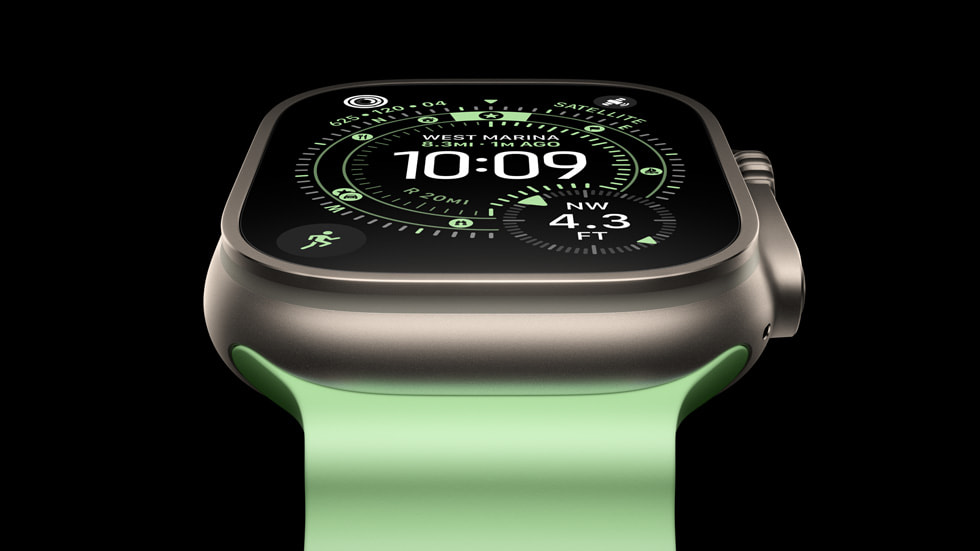
Ultra 3 is the stronger fit when the watch is part of an iPhone routine: calls and messages, Apple apps, and cellular service where supported. Apple’s published normal-use estimate is 42 hours, and its 72-hour Low Power Mode headline uses different settings. Apple also states up to 20 hours for continuous outdoor workout tracking in Low Power Mode with full GPS and heart-rate readings. That is a more relevant number to inspect for a long recorded outing than the 72-hour headline.
Pros
- Apple documents on-watch cellular communication with a plan and satellite features for eligible regions, giving iPhone users more ways to stay connected away from the phone.
- Fast charging can fit a frequent charging routine: Apple claims up to 12 hours of normal use from a 15-minute charge under its test conditions.
Cons and trade-offs
- The 42-hour normal-use claim points to a much more frequent charging routine than Garmin’s smartwatch-mode headline; plan for sleep and travel charging.
- Ultra 3 requires a compatible iPhone for setup, while cellular features also depend on plan and region. An Android-phone buyer should not treat it as a stand-alone substitute.
Best for: an iPhone owner who will use communication and watchOS features daily.
Choose another if: you need a longer interval between charging opportunities or have no compatible iPhone.
Our recommendation
Verify iPhone compatibility and local cellular/satellite availability first, then compare the exact Ultra 3 offer with Apple’s current lineup. Do not mistake an Ultra 2 or Ultra 4 listing for the 2025 Ultra 3.
How to read the battery claims
Start with your longest period without an outlet. For Garmin, use the 47 mm AMOLED column in the owner’s manual and select the row closest to your actual recording mode. For Apple, use normal-use estimates for ordinary days and the continuous-workout estimate when planning a tracked outdoor session. Turn on display, music, cellular or additional sensors only after checking how those choices affect the relevant manufacturer’s estimate.
Neither company published these figures as a head-to-head test with matched conditions. Battery age, temperature, signal quality and features can change actual endurance. We cannot infer that one watch will achieve its maximum for every user.
Before you order
- Confirm the exact model. Garmin’s 47 mm AMOLED range has different lens, bezel and band SKUs; Apple’s Ultra 3 is a 49 mm 2025 generation. Check the listing images and model text together.
- Check fit. Compare wrist range and included band size. Case diameter alone will not establish comfort, and we have not worn either watch.
- Check the phone and region. Apple Ultra 3 setup needs a compatible iPhone. Confirm that the apps, cellular plan, health features and satellite services you expect are available in your location.
- Plan charging against real activities. Write down a normal week and your longest recorded outing; use the relevant manufacturer mode rather than the most flattering headline.
- Compare the current offer. Review seller, generation, included band, warranty and return terms. The search buttons above are not verified sellers, ASINs or current prices.
FAQ
Can I compare 16 days with 42 hours directly?
They describe different manufacturer test routines. They signal different charging priorities, but they do not measure identical use.
Does Garmin’s 47 mm estimate apply to the 43 mm or 51 mm watch?
No. Garmin publishes separate battery columns. Match the case, display and battery mode to your exact configuration.
Can Ultra 3 be set up with Android?
No. Apple’s setup guidance requires a compatible iPhone. Check its current support page for the operating-system requirement before ordering.
Sources and method
We compared manufacturer documents current at this update, not hands-on tests. The key references are Garmin’s fēnix 8 battery table, Garmin’s 47 mm AMOLED product page, Apple’s Ultra 3 technical specifications, Apple’s setup requirements and Apple’s Ultra 3 announcement. Read our research methodology.
As an Amazon Associate, The Gear Audit earns from qualifying purchases. We may earn an affiliate commission when you buy through our links, at no extra cost to you. See our affiliate disclosure.