13-inch MacBook Air M3 vs ASUS Zenbook 14 OLED UX3405MA
By The Gear Audit Team · Specification research September 10, 2026; layout and image sourcing updated September 13, 2026.
Quick answer: choose the operating system first, then confirm the configuration
The 13-inch MacBook Air M3 is a specific 2024 Apple model sold in several memory, graphics and storage configurations. ASUS documentation establishes a 2024 Zenbook 14 OLED UX3405MA family, including Core Ultra 7 155H, but does not map every listed display, memory and storage choice to one current U.S. retail suffix. Choose based on macOS or Windows, then verify the exact capacity and ports on the unit being sold.
Choose the memory, GPU and storage capacity in the exact unit at purchase; this article does not treat those choices as later upgrades.
Confirm a retail suffix against the UX3405MA specification family before ordering.
What the manufacturer specifications establish
| Attribute | MacBook Air (13-inch, M3, 2024) | Zenbook 14 OLED UX3405MA family |
|---|---|---|
| Operating system | macOS | Windows 11 |
| Processor / graphics | Apple M3: 8-core CPU; 8-core or 10-core GPU depending on purchase configuration | Intel Core Ultra 7 155H with Intel Arc graphics |
| Display | 13.6-inch Liquid Retina IPS, 2560 × 1664, 500 nits | 14-inch 3K OLED, 2880 × 1800, 120Hz listed for UX3405MA configurations; verify exact suffix |
| Memory / storage | 8GB, 16GB or 24GB unified memory; 256GB, 512GB, 1TB or 2TB SSD depending on purchase configuration | 16GB or 32GB LPDDR5X onboard; 512GB or 1TB PCIe 4.0 SSD family options; verify exact suffix |
| Physical connections | MagSafe 3, two Thunderbolt / USB 4 ports, 3.5mm headphone jack | Two Thunderbolt 4 USB-C ports, USB-A 3.2 Gen 1, HDMI 2.1 TMDS and 3.5mm audio jack |
MacBook Air M3: a named 2024 model with configurable options
Best for: Buyers whose required software runs on macOS and who want the 13.6-inch Apple format.

Apple lists the 13.6-inch Liquid Retina display, M3 chip, several GPU, memory and storage purchase configurations, MagSafe 3 and two Thunderbolt / USB 4 ports. Choose it when required software supports macOS and this two-port layout fits the desk. Match the seller unit to the needed capacity before purchase rather than assuming it can be changed later.
Pros
- MagSafe preserves both data ports while charging. A desk can use both Thunderbolt / USB 4 ports without assigning one to the supplied magnetic charging connection.
- A defined compact display format. The named 2024 model combines a 13.6-inch, 2560 × 1664 display with the smaller option in this comparison.
- A 2TB storage option is documented. Buyers can select twice the UX3405MA family’s listed 1TB storage ceiling at purchase; buyers prioritizing a 32GB memory option should check the Zenbook’s exact suffix instead.
Cons and trade-offs
- No built-in HDMI. A common monitor or projector connection needs a compatible USB-C adapter or dock.
- No built-in USB-A. Existing USB-A drives and peripherals need an adapter or hub.
- Only two Thunderbolt / USB 4 ports are listed. Several wired peripherals can make a dock necessary even when MagSafe handles charging.
Choose something else if: Choose Zenbook UX3405MA if Windows, direct HDMI or direct USB-A matters more than the MacBook Air’s macOS workflow and higher listed storage ceiling.
Our recommendation
We recommend the 13-inch MacBook Air M3 when macOS compatibility is settled and its two-port layout is sufficient. Buy the required memory, GPU and storage configuration upfront; choose the Zenbook when its built-in legacy display and USB connections avoid a dock.
Source: Apple MacBook Air (13-inch, M3, 2024) technical specifications. Recommendations are our editorial interpretation.
Search Amazon US for the 13-inch MacBook Air M3
ASUS Zenbook 14 OLED UX3405MA: a configuration family, not a single proven retail SKU
Best for: Windows buyers who need built-in HDMI and USB-A, and can verify a UX3405MA retail suffix.
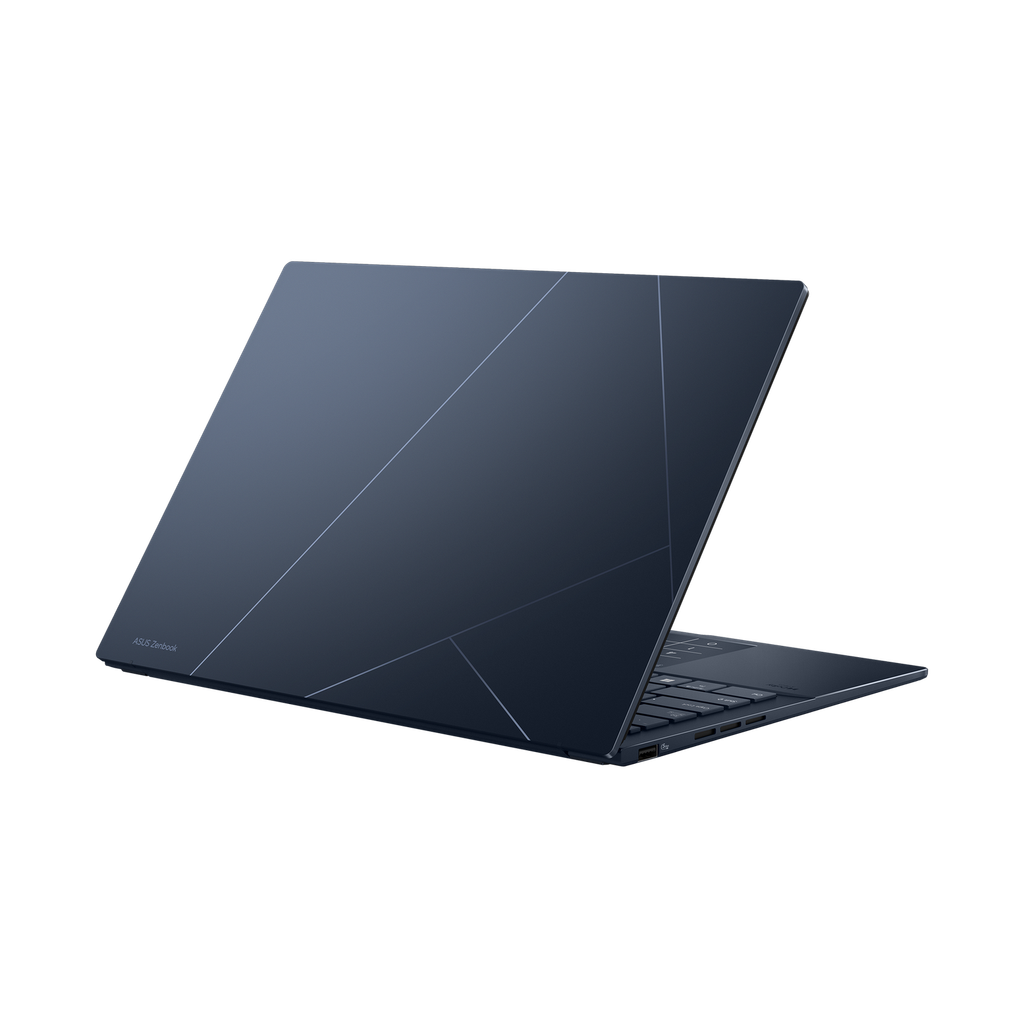
ASUS lists Core Ultra 7 155H with Intel Arc graphics, a 14-inch OLED option and the stated port layout for UX3405MA. That makes this family relevant for a Windows setup needing HDMI and USB-A. The family boundary matters at checkout: verify the retail suffix before relying on a particular display, memory or storage combination.
Pros
- HDMI and USB-A are built in. A monitor and an existing USB-A peripheral can connect without the adapters the MacBook Air requires.
- Two Thunderbolt 4 ports add flexible expansion. Compatible docks, displays and USB-C devices can use the higher-speed ports while HDMI and USB-A remain available.
- A 3K 120Hz OLED option exists in the family. Buyers seeking that display type have a documented UX3405MA option once the exact suffix is confirmed.
Cons and trade-offs
- The family name does not identify one configuration. A seller title that says only UX3405MA is insufficient to promise the 3K/120Hz panel, RAM capacity or SSD capacity.
- ASUS describes the memory as onboard. Treat 16GB or 32GB as a capacity to select in the exact unit at purchase, not as a documented after-purchase upgrade.
- The listed storage options stop at 1TB. Buyers who need more internal capacity should consider the MacBook Air’s 2TB purchase option or budget for external storage.
Choose something else if: Choose the 13-inch MacBook Air M3 if macOS is required, more than 1TB of listed internal storage is needed, or the seller cannot provide an exact UX3405MA suffix and configuration record.
Our recommendation
We recommend a Zenbook 14 OLED UX3405MA only when the seller’s exact suffix confirms the display, onboard memory and SSD required. Choose it for Windows and direct HDMI/USB-A; choose the MacBook Air when macOS or the 2TB purchase option is the deciding requirement.
Sources: ASUS UX3405 technical specifications and ASUS UX3405 launch material. Recommendations are our editorial interpretation.
Search Amazon US for the ASUS Zenbook 14 OLED UX3405MA
Laptop buying questions
Is this a one-to-one SKU comparison?
No. The Apple side is the named 13-inch M3 2024 model; ASUS information is a UX3405MA family-level comparison.
Does the Zenbook family page prove every listing has a 3K 120Hz display?
No. Match the seller’s exact suffix to its ASUS configuration record.
Which has HDMI and USB-A built in?
ASUS lists HDMI 2.1 TMDS and USB-A 3.2 Gen 1 for the UX3405MA family. Apple lists MagSafe 3, two Thunderbolt / USB 4 ports and a headphone jack for the named Air.
Are Amazon results verified offers?
No. They are tagged model searches. Confirm the precise configuration, seller, condition and return terms.
Research method, limitations and update record
Research updated September 10, 2026. We compared Apple’s technical specifications for the named 2024 model with ASUS’s UX3405MA family specifications and the original December 2023 launch material. We did not test performance, battery life, display quality, keyboard, noise or durability.
Correction: Unsupported legacy testing, ratings, battery measurements, benchmark results and price comparisons are removed. September 13 restores the decision structure and adds source-observed manufacturer images. The ASUS image is explicitly UX3405MA; no UX3405CA asset or specifications are substituted.
Primary sources
- Apple, MacBook Air (13-inch, M3, 2024) technical specifications.
- ASUS US, Zenbook 14 OLED UX3405 technical specifications.
- ASUS, December 2023 Zenbook 14 OLED (UX3405) announcement and UX3405MA image downloads.
- ASUS US, 2024 Zenbook announcement.
For a larger-screen Apple comparison, see 15-inch MacBook Air M3 vs Dell XPS 14 9440.
Affiliate disclosure
As an Amazon Associate, The Gear Audit earns from qualifying purchases. We may earn an affiliate commission when you buy through our links, at no extra cost to you. Read our full affiliate disclosure.