Best Baby Monitors 2026: Five Choices by Connection Type
Quick answer
For a straightforward no-Wi-Fi screen, choose Infant Optics DXR-8 PRO. Nanit Pro suits a family that specifically wants an overhead phone view and optional sleep history; eufy E21 combines a handheld screen with app access. HelloBaby HB6550 offers a lower-detail five-inch local screen, while VTech VM819 keeps the controls and display compact. None is a medical device or a substitute for safe sleep.
Compare the five options
| Model | Connection | Useful reason to buy | Tradeoff |
|---|---|---|---|
| Infant Optics DXR-8 PRO | Dedicated, no Wi-Fi | Direct-view monitor for a single nursery | Camera needs continuous power and parent unit needs charging |
| Nanit Pro Baby Monitor | Wi-Fi/app | Overhead app view and optional sleep history | Requires an internet connection and smartphone for routine viewing |
| eufy Baby Monitor E21 | Hybrid direct/app | Handheld screen plus optional remote app access | Phone access requires Wi-Fi and app setup |
| HelloBaby HB6550 | Dedicated, no Wi-Fi | Large-screen local value | Lower-detail video than 720p and 4K-camera alternatives |
| VTech VM819 | Dedicated, no Wi-Fi | Compact-screen budget option | 2.8-inch view is noticeably smaller than the other picks |
Our recommendation
A parent unit is the simplest choice for at-home listening: DXR-8 PRO is our lead because its five-inch 720p display, noise reduction and replaceable battery address routine use. Choose eufy E21 only if the hybrid app access and mobile camera are useful enough to justify extra setup. Nanit Pro makes sense when its overhead view and optional analysis are the reason to buy. For fewer features, HB6550 gives a bigger screen than VM819; VM819 trades screen size for a compact unit.
Infant Optics DXR-8 PRO: Direct-view monitor for a single nursery
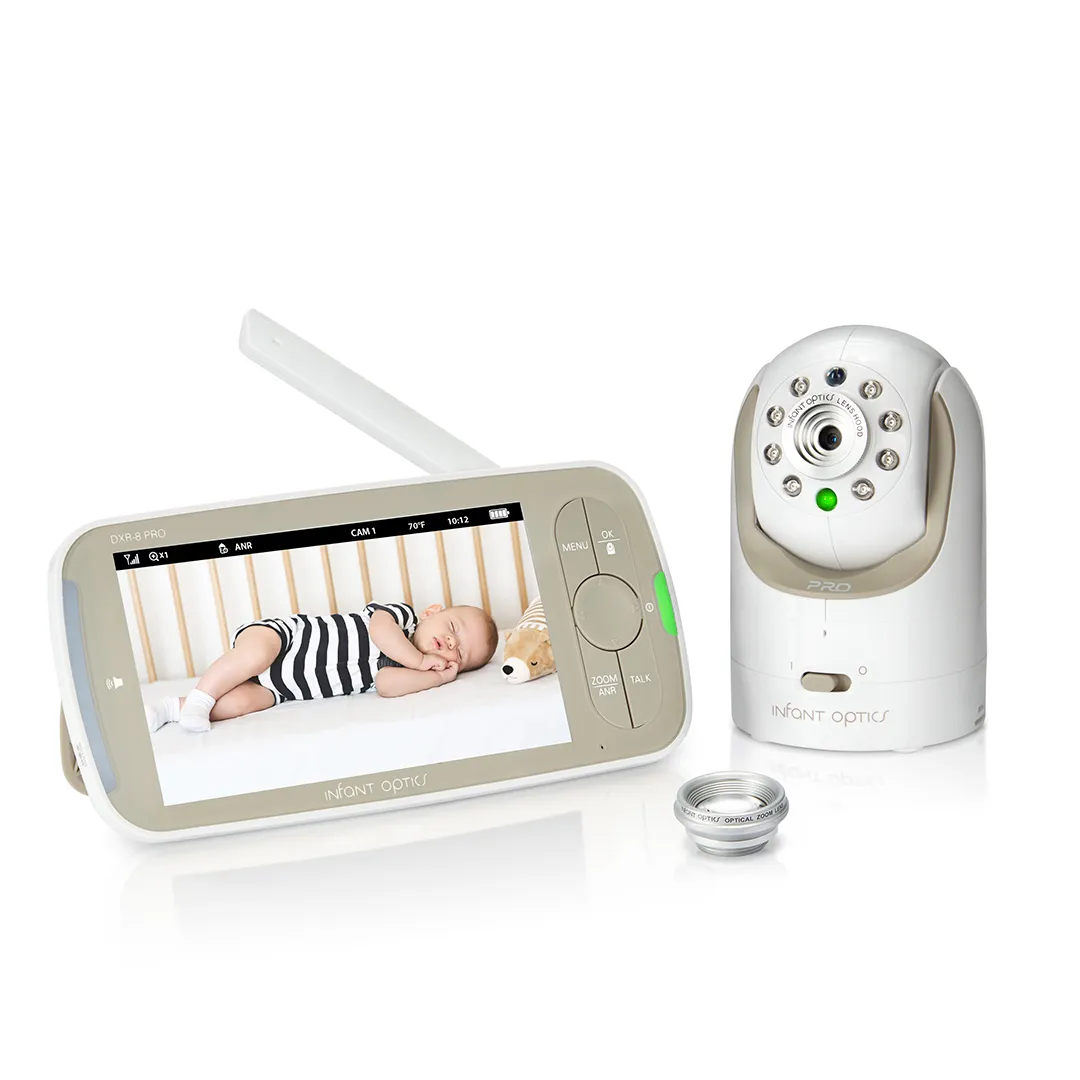
Best for: Caregivers who want a handheld screen without a router or phone app.
Pros
- 5-inch 720p parent screen and remote pan/tilt
- Active Noise Reduction can reduce repetitive nursery hum
- Replaceable parent-unit battery and optional extra cameras
Cons and trade-offs
- Camera needs continuous power and parent unit needs charging
- No phone or out-of-home viewing
- Single view; its distinct PRO SS version adds simultaneous dual audio/split screen
Our recommendation
The maker lists a direct FHSS link, not an internet connection. That avoids an online account for routine viewing, but no wireless device is “hack-proof,” and walls or nearby 2.4 GHz devices can reduce the quoted line-of-sight range. The included kit has a camera, parent unit and two lenses; check whether extra cameras or lenses are included in any retailer bundle.
Choose another if: You need a remote phone view or simultaneous split-screen viewing.
Nanit Pro Baby Monitor: Overhead app view and optional sleep history

Best for: Households that want remote phone viewing and are prepared to mount and manage a smart camera.
Pros
- 1080p live video and two-way audio in the Nanit app
- Floor or wall mounting options with cable management
- Core live view, alerts and Breathing Motion Monitoring do not require an Insights plan
Cons and trade-offs
- Requires an internet connection and smartphone for routine viewing
- Overhead mounting and safe cord routing take setup
- Sleep history, analytics and some extra sharing features depend on an optional paid plan after the trial
Our recommendation
Nanit includes a small Breathing Band with the Pro package. It tracks breathing motion through the camera, but it is a consumer feature, not a medical monitor or a way to prevent SIDS. Nanit says live video, real-time sound/motion notifications, background audio, temperature/humidity, two-way audio and breathing-motion view remain available without Insights. History and advanced insights are plan features. Confirm floor-stand versus wall-mount bundle before ordering.
Choose another if: You need an included handheld screen or live monitoring that works without internet.
Search Amazon US for Nanit Pro Baby Monitor floor stand (verify the exact model and bundle).
eufy Baby Monitor E21: Handheld screen plus optional remote app access

Best for: A household that wants a direct parent-unit feed at home and phone access when away.
Pros
- 4K maker-listed camera and 5-inch dedicated display
- Physical Wi-Fi switch allows local monitor-only mode
- Battery-powered camera can be moved for temporary placement
Cons and trade-offs
- Phone access requires Wi-Fi and app setup
- Camera battery is maker-rated about nine hours, less with night vision
- A second camera for split screen is an extra purchase
Our recommendation
The E21 is the specific model behind the legacy “eufy Security Hybrid” label; it is not the older SpaceView Pro or E20. eufy says the parent monitor connects directly to the camera normally, while its Smart Connect mode may use a router if direct range weakens. Turning the camera Wi-Fi switch off limits it to parent-unit viewing. “4K” describes camera capture, not the resolution of the 5-inch handheld display. The claimed battery and range are maker figures, not our measurements.
Choose another if: You prefer no account or Wi-Fi capability at all, or do not need a portable battery camera.
HelloBaby HB6550: Large-screen local value
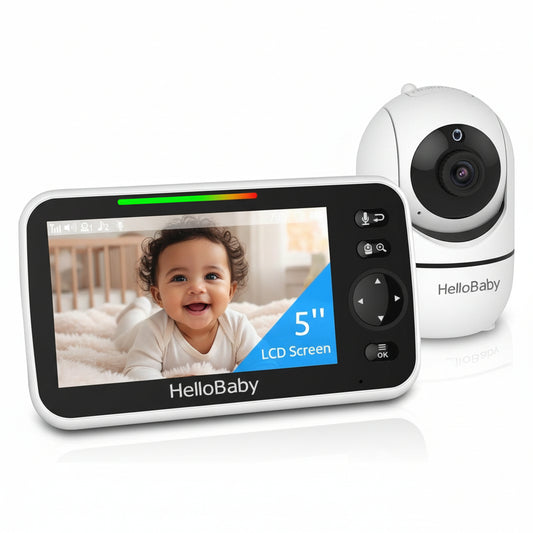
Best for: A one-room setup that wants a 5-inch screen without app features.
Pros
- 5-inch screen and remote pan/tilt
- No router or subscription needed for local viewing
- Two-way talk, temperature display and night vision
Cons and trade-offs
- Lower-detail video than 720p and 4K-camera alternatives
- Camera still needs a wall outlet
- Maker page lists this particular unit sold out, so availability may vary
Our recommendation
HelloBaby’s HB6550 product page identifies a five-inch display, remote pan/tilt and a direct 2.4 GHz connection. It claims a 30-hour maximum in economy use; do not expect that with video left on continuously. Verify the exact HB6550 model and current seller because other HelloBaby 5-inch kits look similar and use different cameras or controls.
Choose another if: You need high-detail video, phone access, or a camera that runs on battery.
VTech VM819: Compact-screen budget option
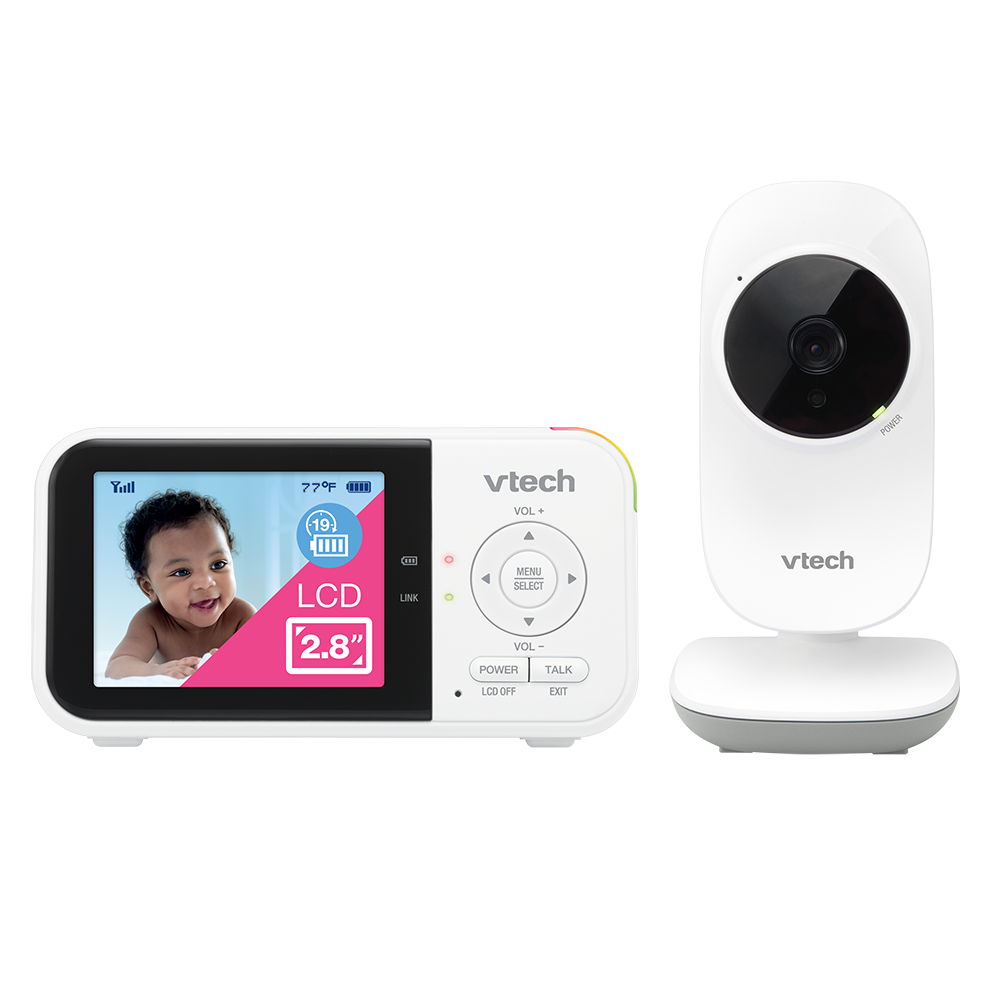
Best for: A caregiver who only needs basic video and sound on a small handheld unit.
Pros
- 2.8-inch portable display and simple direct connection
- Maker-listed up to 19 hours video streaming on a charge
- Two-way talk, automatic night vision and room-temperature reading
Cons and trade-offs
- 2.8-inch view is noticeably smaller than the other picks
- Camera angle is adjusted at the camera, not remotely
- Quoted 1,000-foot range is unobstructed; interior walls can shorten it
Our recommendation
VTech’s US product and support pages confirm the VM819 model, basic features and battery claim. One paragraph on its store page mistakenly calls the screen five inches, while its heading and product designation say 2.8 inches; we use the latter. This is a no-Wi-Fi direct-view unit, not an app monitor.
Choose another if: You want a five-inch view or remote pan and tilt from the parent unit.
Baby monitor buying guide
If your household needs cameras in two rooms, our second baby-monitor comparison explains compatible add-on cameras and split-screen kits. For audio masking rather than surveillance, see our white-noise machine guide.
Start with the connection you actually need
A dedicated direct-link display works without a phone or home internet but generally cannot show the nursery when you are away. A Wi-Fi camera makes remote app viewing possible but adds network setup, account security and phone notification choices. A hybrid system offers both; check the exact way its local and app modes switch. Set a strong unique account password and enable multifactor authentication when available.
Check the room, not just the box
Manufacturer range claims are usually unobstructed and can shrink through walls or near other 2.4 GHz devices. Place and test the camera where it will actually be used. Battery claims vary with screen brightness, night vision, audio-only or standby mode; plan charging around the mode you use. Check whether camera and display batteries are separate, and whether the camera must stay plugged in.
Install cords safely
Keep monitor, power cord and any wall-mount hardware out of a child’s reach; follow the exact manual. A floor stand and a wall mount are different bundles. Route cables in the supplied covers and reassess reach as the child begins standing or climbing. A monitor does not replace safe sleep: the AAP advises a firm flat sleep surface, back sleeping, and no loose bedding or soft objects in the infant sleep space.
Treat alerts as conveniences
Sound, movement, temperature or camera-based breathing-motion notifications can be helpful prompts to check on a child. They can miss events or generate false alerts, and consumer monitors have not been shown to reduce SIDS. Seek a clinician’s advice if a baby needs medical monitoring.
Frequently asked questions
Do baby monitors prevent SIDS?
No. The American Academy of Pediatrics says monitoring technology does not reduce SIDS risk. Follow safe-sleep guidance and any individual medical advice.
Can a no-Wi-Fi monitor be hacked?
A direct radio link avoids internet account exposure, but “hack-proof” is not a defensible guarantee. Follow the manufacturer’s setup and firmware guidance, and protect any app account you choose.
Are advertised ranges and battery hours realistic indoors?
They are manufacturer figures under stated conditions, not our measurements. Walls, competing wireless devices, display brightness and night vision can materially change real use.
Do I need an app subscription?
It depends on the model and the feature. Nanit says its Pro live view and core alerts work without Insights, while history and advanced analytics may require a plan; direct-screen models have no app plan.
Where should I put the camera?
Follow the exact mounting and cord-routing manual. Keep every cord and attachment outside the child’s reach and recheck after the child can sit, stand or climb.
Research method and primary sources
We compared maker product pages and support documents for exact monitor models, connection methods, mounting, power and plans, then applied American Academy of Pediatrics safety guidance. We have no original hands-on range, battery, image-quality or alert-accuracy test records. Manufacturer runtime and performance figures are labeled as claims rather than our measurements.
Primary sources: Infant Optics DXR-8 PRO; Nanit Pro Baby Monitor; eufy Baby Monitor E21; HelloBaby HB6550; VTech VM819; AAP monitor guidance; AAP safe sleep guidance. Our methodology.
Affiliate disclosure
As an Amazon Associate, The Gear Audit earns from qualifying purchases. We may earn an affiliate commission when you buy through our links, at no extra cost to you. Read our full affiliate disclosure.