USB-C and Thunderbolt Monitor Ports: Dell U2724DE vs Lenovo P27u-20
By The Gear Audit Team · Specification research September 10, 2026; manufacturer source and image check September 13, 2026.
Quick answer: faster hub and refresh, or a sharper 4K workspace?
Choose the Dell UltraSharp U2724DE (210-BKSJ) when QHD at 120 Hz, 2.5GbE and a 10 Gbps peripheral hub fit your desk plan. Consider the Lenovo ThinkVision P27u-20 (62CBRAR6US) when 4K at 60 Hz, up to 100 W through its Thunderbolt input and a separate up-to-27-W USB-C downstream port better match the job. Lenovo’s US page showed conflicting availability messages during our source check, so verify the exact listing before relying on it for a new purchase.
Its documented 120 Hz mode, 2.5GbE port and four 10 Gbps USB-A ports suit a laptop or two-computer station that can use the faster display and hub paths.
Its 3840 × 2160 panel and up-to-100-W Thunderbolt input fit a detail-focused workspace, subject to exact-model availability and host compatibility.
Compare the documented display and hub differences
| Published attribute | Dell UltraSharp U2724DE | Lenovo ThinkVision P27u-20 |
|---|---|---|
| Native display mode | 27-inch; QHD 2560 × 1440 at 120 Hz | 27-inch; 4K 3840 × 2160 at 60 Hz |
| Computer-facing Thunderbolt connection | Thunderbolt 4 upstream for video and data, with DisplayPort 1.4 alternate mode and up to 90 W power delivery | Thunderbolt 4 input with up to 100 W power delivery |
| Other USB-C / Thunderbolt connections | Separate USB-C upstream is data only; Thunderbolt 4 downstream supplies 15 W and is listed for daisy chaining | Thunderbolt 4 output; separate USB-C 3.2 Gen 1 downstream port for data and up to 27 W |
| Network and peripheral hub | 2.5GbE RJ45; four USB-A downstream ports at 10 Gbps; one USB-C downstream port | 1GbE RJ45; three USB-A and one USB-C downstream ports; USB-B upstream; hub data up to 5 Gbps |
| KVM stated by manufacturer | Yes | Yes |
| Display-output detail | HDMI input is stated up to QHD 120 Hz; DisplayPort output is present for daisy chaining | The display is specified at 4K 60 Hz; Thunderbolt ports do not establish a higher refresh mode |
The charging figures apply to specific ports. Dell’s 90 W figure belongs to its Thunderbolt 4 upstream video/data connection; the separate USB-C upstream port is data only. Lenovo’s 100 W figure belongs to the Thunderbolt 4 input, while the separate USB-C downstream port is listed for data and up to 27 W. Lenovo says that 27 W maximum can fall when downstream devices are connected or brightness is raised.
Dell UltraSharp U2724DE: QHD 120 Hz with the faster network hub
Best for: A laptop or two-computer workstation that will use QHD at 120 Hz, 2.5GbE and multiple 10 Gbps USB-A connections.
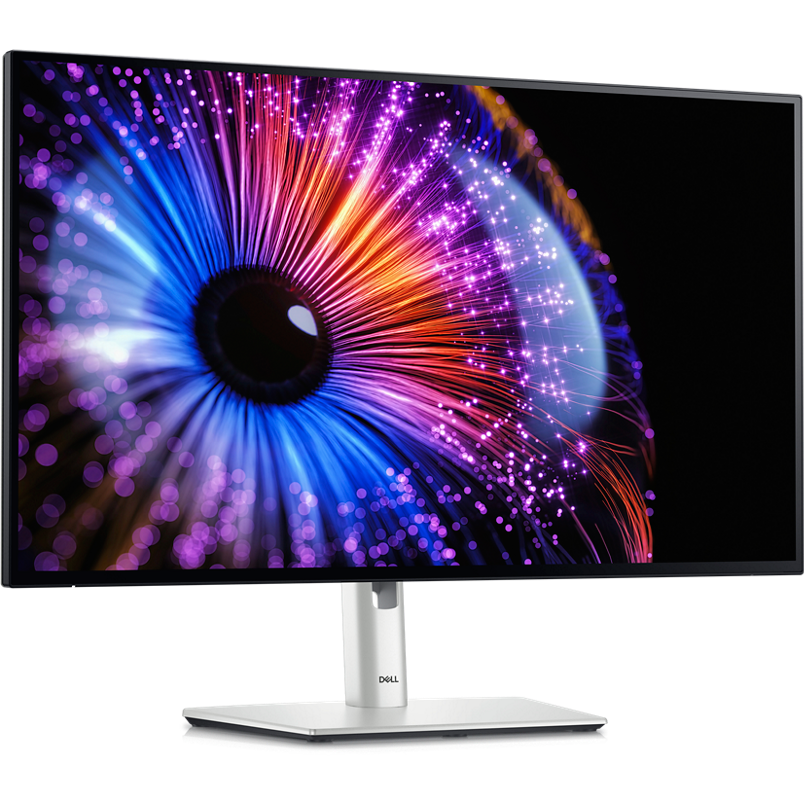
The U2724DE pairs a 27-inch QHD panel with a documented 120 Hz refresh mode and a workstation hub. Its Thunderbolt 4 upstream path carries display, data and up to 90 W to a compatible laptop. A separate data-only USB-C upstream path and the stated KVM support let a planned second computer share the monitor’s peripherals, but the inputs still need to be mapped correctly.
Pros
- The 120 Hz mode provides more refresh headroom than Lenovo’s 60 Hz mode. Compatible systems can show smoother pointer movement, scrolling and motion at the native QHD resolution.
- Its 2.5GbE connection supports a faster wired-network ceiling. That matters when the computer, network equipment and service can exceed Lenovo’s 1GbE path.
- Four 10 Gbps USB-A downstream ports create a capable peripheral hub. The extra USB-A port and higher documented hub rate can help with fast storage and several desk accessories.
Cons and trade-offs
- QHD provides fewer pixels than Lenovo’s 4K panel at the same stated size. Buyers prioritizing fine text or image detail over refresh have a stronger reason to consider the P27u-20.
- The Thunderbolt host-power ceiling is lower. Dell lists up to 90 W, so a laptop that needs more may charge more slowly or require its own adapter; Lenovo lists up to 100 W.
- The two upstream USB-shaped ports have different roles. The separate USB-C upstream is data only, so connecting a laptop to the wrong port will not provide the intended one-cable display and charging setup.
Choose something else if: Your main requirement is 4K detail at 27 inches or your laptop benefits from more than 90 W. The Lenovo documents 4K at 60 Hz and up to 100 W on its Thunderbolt input, if you can confirm an appropriate exact-model listing.
Our recommendation
We recommend the U2724DE for a confirmed QHD/120 Hz workstation where 2.5GbE and its 10 Gbps USB-A hub remove the need for separate desk hardware. Check that the computer supports the target display mode and accepts 90 W before treating it as a one-cable solution.
Source: Dell USA U2724DE / 210-BKSJ specifications. The recommendation is editorial interpretation of documented features.
Price listing: Dell UltraSharp U2724DE.
Lenovo ThinkVision P27u-20: 4K detail and up to 100 W host power
Best for: A detail-focused 4K/60 Hz workspace whose laptop can use the documented Thunderbolt input and whose buyer can verify the exact 62CBRAR6US listing.
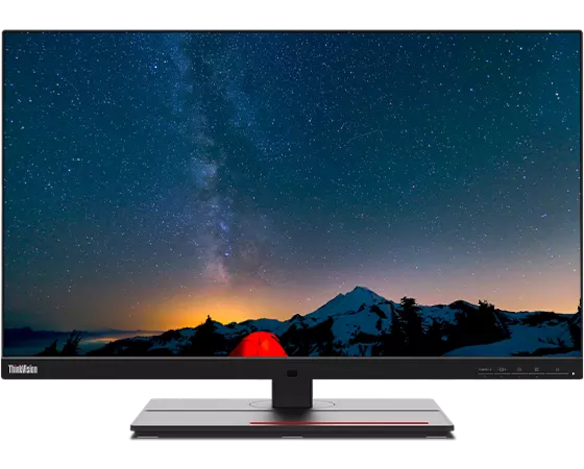
The P27u-20 uses a 27-inch 3840 × 2160 panel at 60 Hz and lists up to 100 W from its Thunderbolt 4 input. It also documents Thunderbolt output, a separate USB-C 3.2 Gen 1 downstream connection rated for data and up to 27 W, 1GbE and KVM. The US product page displayed both “no longer available” and “available soon” messaging during the September 13 check, so availability needs confirmation at the exact listing.
Pros
- The 4K panel provides more native detail than Dell’s QHD panel. At the same stated 27-inch size, its 3840 × 2160 workspace can suit fine text, high-resolution images and dense application layouts when scaling is set appropriately.
- Its Thunderbolt input supplies up to 100 W. That gives it 10 W more published host-power headroom than the Dell for compatible laptops.
- The separate USB-C downstream port can supply up to 27 W. It offers more documented downstream charging headroom than Dell’s 15 W Thunderbolt downstream connection, though Lenovo makes the maximum conditional.
Cons and trade-offs
- The 60 Hz ceiling has less refresh headroom than Dell’s 120 Hz mode. Buyers sensitive to desktop motion or planning high-refresh content should favor the U2724DE’s documented mode.
- The network and USB hub have lower published ceilings. Lenovo lists 1GbE and up to 5 Gbps hub data, while Dell lists 2.5GbE and four 10 Gbps USB-A ports.
Choose something else if: You need a confirmed current purchase path, QHD at 120 Hz, 2.5GbE or the faster documented USB-A hub. Dell’s U2724DE is the clearer specification match for those requirements.
Our recommendation
Consider the P27u-20 when 4K detail and up to 100 W host power solve defined needs and you can verify the exact 62CBRAR6US listing. Do not choose it from the connector labels alone: confirm the host’s 4K output, power needs and the conditional downstream-power behavior.
Sources: Lenovo US P27u-20 / 62CBRAR6US product page and Lenovo PSREF specification. The recommendation is editorial interpretation of documented features.
Price listing: Lenovo ThinkVision P27u-20 — US 62CBRAR6US.
Plan every connection before ordering
- Start with the display goal. Confirm that the exact computer and cable can output Dell’s QHD/120 Hz mode or Lenovo’s 4K/60 Hz mode.
- Compare laptop power needs. Match the laptop’s supplied adapter and sustained load to Dell’s up-to-90-W or Lenovo’s up-to-100-W Thunderbolt input.
- Draw the two-computer route. Assign display inputs, USB upstream paths, Ethernet and peripherals. A KVM label does not make every cable or input switch automatically.
- Separate upstream and downstream roles. Dell’s additional USB-C upstream is data only; Lenovo’s separate USB-C port is downstream and its up-to-27-W output depends on brightness and attached devices.
- Verify the exact listing. Confirm part number, availability, included cables, warranty and regional support, especially for the older Lenovo listing.
After mapping the connections, use our monitor-arm mounting and desk-fit checklist to check clearance.
USB-C and Thunderbolt monitor FAQ
Does any USB-C port provide video and laptop charging?
No. Dell’s Thunderbolt 4 upstream port carries video, data and up to 90 W, while its separate USB-C upstream port is data only. Lenovo assigns up to 100 W to its Thunderbolt input and lists its separate USB-C port as a downstream data/power connection.
Is 4K 60 Hz better than QHD 120 Hz?
They solve different priorities. Lenovo’s 4K mode provides more native pixels for detail; Dell’s 120 Hz mode provides more refresh headroom for motion. Confirm operating-system scaling, graphics output and the applications you use.
Can either monitor replace a dock?
Potentially, if its host power, Ethernet speed, downstream ports and display mode match the entire setup. Neither specification guarantees performance with an unverified laptop, cable, operating system or network.
Do both monitors include a KVM?
Both manufacturers state KVM support. Check the current manual for input mapping, required upstream connections, switching steps and cable contents before buying around that workflow.
Amazon price check: Cards use the named US variant and show an eligible current USD offer with its check time. Prices expire within one hour; unavailable offers fall back to a labelled Amazon search. Confirm model, condition, included parts and final checkout price. No numerical Amazon rating is shown because the API did not return usable review data.
Research method, primary sources and limitations
We compared exact-model manufacturer information for display mode, Thunderbolt power, USB roles and data rates, Ethernet and KVM. We did not measure image quality, color, response behavior, charging, KVM switching, network throughput or compatibility with a specific computer. The practical recommendations are our editorial interpretation of the documented differences.
Buying-advice update: September 13, 2026. Original specification research: September 10, 2026. The later check preserved that research date while rechecking the manufacturer pages and exact-model images. Lenovo’s US page presented a “no longer available” modal while its body also said “available soon”; we therefore treat exact-listing availability as unresolved rather than claiming current stock.
Primary sources: Dell USA U2724DE / 210-BKSJ; Lenovo US P27u-20 / 62CBRAR6US; Lenovo PSREF specification. Read our research methodology.
Correction: This research comparison replaced an earlier ranked article whose hands-on test claims, review counts and ratings lacked supporting records. Those claims were removed.
CERTAIN CONTENT THAT APPEARS ON THIS SITE COMES FROM AMAZON. THIS CONTENT IS PROVIDED “AS IS” AND IS SUBJECT TO CHANGE OR REMOVAL AT ANY TIME.
Affiliate disclosure
As an Amazon Associate, The Gear Audit earns from qualifying purchases. We may earn an affiliate commission when you buy through our links, at no extra cost to you. Read our full affiliate disclosure.