TP-Link Deco BE63 vs eero Pro 7 Mesh Wi-Fi (2026)
By The Gear Audit Team · Specification research September 9, 2026; buying-advice structure, three-pack and manufacturer source check September 13, 2026.
Quick answer: more wired sockets per node, or a faster ceiling on two ports?
For comparable three-packs, choose TP-Link Deco BE63 when four 2.5GbE WAN/LAN ports on each unit reduce the need for switches at wired locations. Choose eero Pro 7 when two auto-sensing 5GbE ports per unit fit the topology and its Zigbee, Thread and Matter-controller roles are useful. Neither port layout guarantees faster Wi-Fi in your building; placement, backhaul, clients and internet service still govern the result.
Four 2.5GbE auto-sensing ports per unit suit TV cabinets, offices or wired backhaul locations with several devices.
Two auto-sensing 5GbE ports per unit pair with Zigbee, Thread and Matter-controller support in eero’s documented platform.
Compare the three-pack around a real floor plan
| Published attribute | TP-Link Deco BE63 | eero Pro 7 |
|---|---|---|
| Pack compared | Three Deco BE63 units, three adapters, one Ethernet cable, guide | Three eero Pro 7 units; confirm three-pack included supplies and cables at checkout |
| Wireless platform | Tri-band Wi-Fi 7; 2.4, 5 and 6 GHz; 320 MHz and MLO documented | Tri-band Wi-Fi 7; 2.4, 5 and 6 GHz; up to 320 MHz and MLO documented |
| Ethernet per unit | Four auto-sensing 2.5GbE WAN/LAN ports | Two auto-sensing 5GbE ports |
| Other hardware | Confirm USB support against the received hardware revision | Zigbee-compatible hub, Thread and Matter controller |
| Setup/operation | Deco app; router and access-point modes documented | eero app required; router or bridge-mode path with feature consequences |
| Optional services | HomeShield; check which features require a plan | Compatible with eero Plus and eero Business |
TP-Link Deco BE63 three-pack: four 2.5GbE ports at each location
Best for: A three-node home where multiple wired devices sit near one or more mesh units and 2.5GbE per port is sufficient.
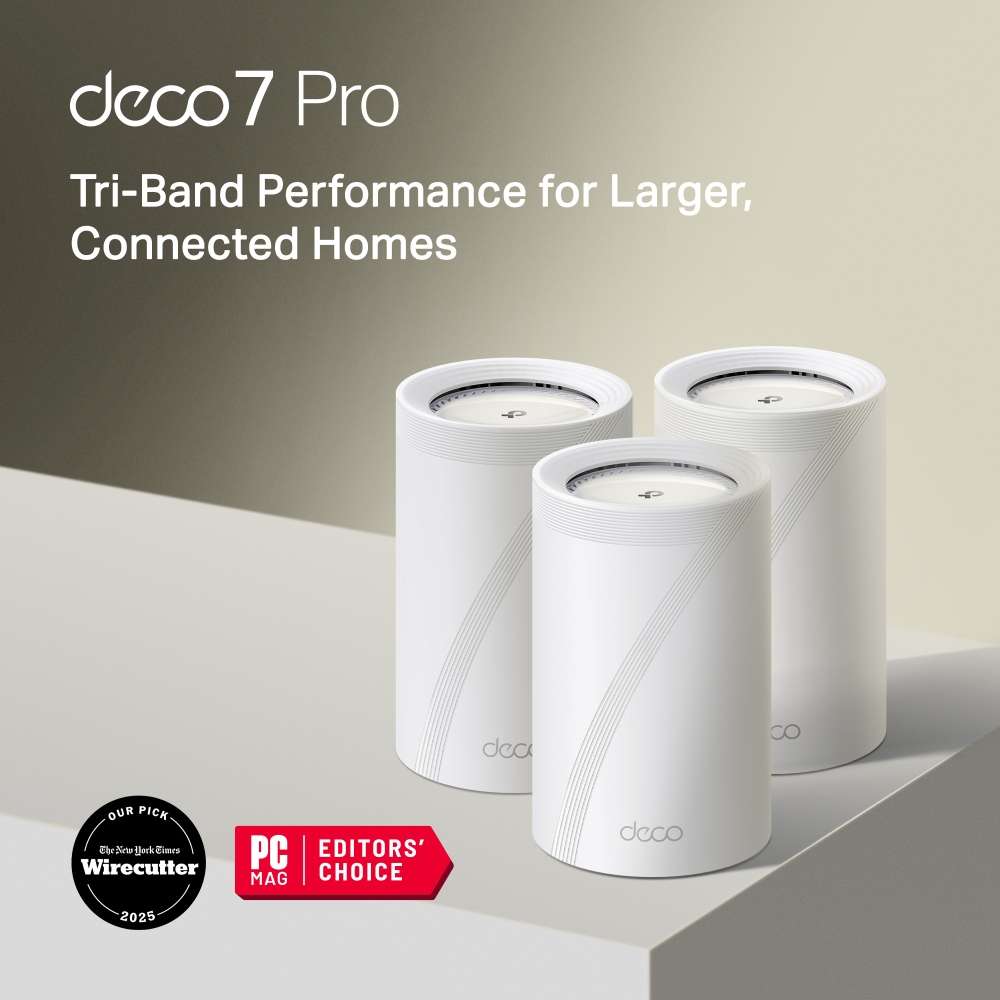
TP-Link lists four 2.5GbE WAN/LAN auto-sensing ports per unit. On the gateway, the modem connection consumes one Ethernet socket; wired backhaul can consume another. Count the remaining client connections at each location rather than treating all twelve physical ports across the pack as free endpoint sockets. Check USB support against the hardware revision received rather than assuming a generic BE63 offer includes it.
Pros
- Four Ethernet ports per unit support wired clusters. Several nearby devices can connect without immediately adding a separate switch.
- Every Ethernet port is 2.5GbE. The gateway and satellites can be arranged without reserving one uniquely faster socket for a particular role.
- Router and access-point modes are documented. Access-point mode provides a path when an existing router must remain in control.
Cons and trade-offs
- Each wired port tops out at 2.5GbE. A 5GbE modem or local device cannot use its full link rate through one BE63 socket.
- Four physical sockets are not four free client ports. Gateway, backhaul and endpoint roles share the same per-node count.
- Some HomeShield functions affect ongoing cost. Check the exact included and subscription features needed before comparing total ownership cost.
Choose something else if: A 5GbE modem, NAS or wired backhaul path matters more than connecting several devices directly at each node. eero’s two-port layout offers the higher per-port ceiling.
Our recommendation
Choose the Deco BE63 three-pack when the floor plan has several wired endpoints near each node and four 2.5GbE sockets reduce extra switches. Map gateway and backhaul use first, then verify hardware revision, operating-mode behavior and the HomeShield features you expect.
Source: TP-Link Deco BE63 specifications and three-pack contents.
Price listing: TP-Link Deco BE63 — 3-pack.
eero Pro 7 three-pack: two 5GbE ports and smart-home integration
Best for: A three-node eero network where two wired links per unit are enough, a 5GbE path is useful, and Zigbee, Thread or Matter-controller support fits the home.
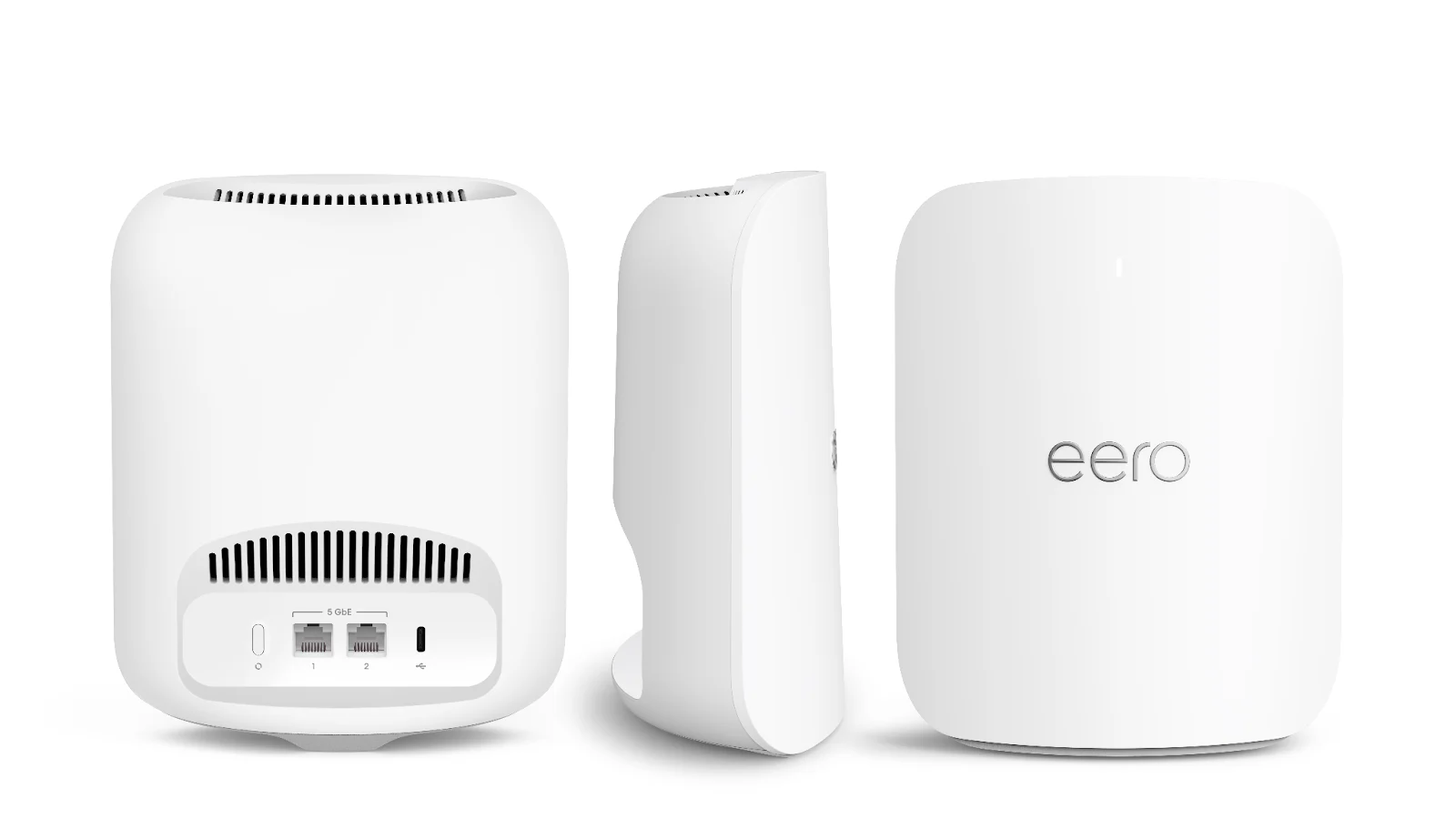
Each eero Pro 7 has two auto-sensing 5GbE ports. eero states wired speeds up to 4.7Gb/s under its conditions and documents tri-band Wi-Fi 7, up to 320 MHz channels, MLO, a Zigbee-compatible smart-home hub, Thread compatibility and Matter-controller support. Setup and management require the eero app.
Pros
- Two 5GbE ports give each unit a higher wired ceiling. A compatible modem, backhaul or local-device path can exceed 2.5GbE without an extra faster-port adapter.
- Gateway and extender roles use the same hardware. That simplifies reassigning units if the floor plan changes.
- Zigbee, Thread and Matter-controller functions consolidate smart-home roles. They can matter when those ecosystems are already part of the household plan.
Cons and trade-offs
- Two sockets leave little room for local wired devices. Gateway and wired-backhaul connections can consume both, requiring a switch for nearby clients.
- The eero app is required for setup and management. Buyers wanting a documented standalone web-admin workflow should choose accordingly.
- Some services are subscriptions. eero Plus or Business compatibility does not make those features part of the hardware purchase.
Choose something else if: Several TVs, consoles, workstations or other Ethernet clients sit beside each node. Deco’s four-port layout may avoid a separate switch when 2.5GbE is enough.
Our recommendation
Choose the eero Pro 7 three-pack when the topology needs no more than two wired links at each node and the 5GbE or smart-home functions solve a specific need. Budget for switches and subscriptions separately; neither is implied by the router pack.
Sources: eero Pro 7 specifications and eero Pro 7 shop page.
Price listing: eero Pro 7 — 3-pack.
Plan the network before choosing a three-pack
- Draw the modem and node locations. Mark floors, walls, power outlets and practical elevated surfaces.
- Choose wired or wireless backhaul for each link. A wired connection uses a port but can remove a wireless hop from the path.
- Count Ethernet clients at every node. Include modem and backhaul connections before deciding whether a switch is needed.
- Check client capabilities. Older Wi-Fi and Ethernet devices do not gain Wi-Fi 7 or 5GbE simply by joining a newer mesh.
- Separate hardware from services. Compare three-pack contents, necessary switches and the subscription features you intend to keep.
Manufacturer coverage and device-count figures are controlled claims, not promises for a particular building. We do not name a range or speed winner without tests in that home.
Mesh Wi-Fi FAQ
Does a three-pack triple a per-unit coverage claim?
No. Overlap, walls, interference, backhaul and placement prevent simple multiplication. Treat manufacturer figures as planning inputs and adjust node positions after observing the real home.
Are all four Deco ports free for devices?
Not necessarily. The gateway uses a port for the modem, and wired backhaul also consumes a port. Count roles per unit.
Will a 5GbE eero port make a 1Gb internet plan faster?
No. The slowest link in the relevant path still limits throughput, including the internet plan, modem, cable, switch and client.
Can either system work with an existing router?
Yes, with mode consequences. TP-Link documents access-point mode. eero says its network can run in bridge mode behind an existing router, but that disables listed advanced network and subscription features and keeps one gateway eero wired. Review the current mode limits before installation.
Why compare the same pack size?
Pack size changes hardware quantity and total cost. Comparing three units with three units keeps the purchase boundary clear, while placement still determines whether three nodes are appropriate.
Amazon prices: Cards show the named US configuration and an eligible current new USD offer when available, with its check time. Prices expire within one hour; unavailable offers use a labelled search link. Confirm the model, pack size, included parts and final checkout price. Numerical Amazon ratings are omitted when usable review data is unavailable.
Research method, primary sources and limitations
We checked current US manufacturer pages for Deco BE63 and eero Pro 7, focusing on three-pack identity, radios, per-unit Ethernet, operating roles, setup and optional services. Recommendations are editorial interpretation of those specifications.
We did not test throughput, range, latency, reliability, roaming, backhaul or service quality. Actual performance depends on the building, interference, clients, internet service, firmware and node placement.
Correction: Unsupported test, rating, review-count, price and universal-winner claims remain removed. This update compares like-size three-packs without multiplying per-unit claims into package guarantees. USB support is not treated as universal across unidentified BE63 hardware revisions.
Buying-advice, three-pack and manufacturer source check: September 13, 2026. Original specification research: September 9, 2026.
Primary sources: TP-Link Deco BE63; eero Pro 7 support; eero Pro 7 shop page; eero bridge-mode feature limits. Read our research methodology and browse Smart Home guides.
CERTAIN CONTENT THAT APPEARS ON THIS SITE COMES FROM AMAZON. THIS CONTENT IS PROVIDED “AS IS” AND IS SUBJECT TO CHANGE OR REMOVAL AT ANY TIME.
Affiliate disclosure
As an Amazon Associate, The Gear Audit earns from qualifying purchases. We may earn an affiliate commission when you buy through our links, at no extra cost to you. Read our full affiliate disclosure.