Wi-Fi Routers Compared: ASUS, TP-Link and Nest Wifi (2026)
Quick answer
For a single Wi-Fi 6 router with a useful 2.5G port, consider ASUS RT-AX86U. For a 6 GHz-capable home, TP-Link Archer AXE75 is the clearer fit after checking hardware revision. Original Nest Wifi H2D is chiefly an extension choice for an existing compatible mesh. No router wins every floor plan; check clients, wiring and mesh compatibility first.
Start with the clients you own, the rooms the signal must cross and the wired ports you need. These three exact routers fit different network layouts.
Compare the configurations
| Model | Role | Choose another when… |
|---|---|---|
| ASUS RT-AX86U | dual-band Wi-Fi 6 with 2.5G port | You specifically need a 6 GHz band or a simpler managed mesh kit. |
| TP-Link Archer AXE75 | tri-band Wi-Fi 6E for compatible clients | You own only 2.4/5 GHz clients or need guaranteed mesh pairing across brands. |
| Google Nest Wifi router (H2D) | older Wi-Fi 5 mesh ecosystem | You are starting from scratch and want current-generation radios or multigig Ethernet. |
ASUS RT-AX86U: dual-band Wi-Fi 6 with 2.5G port

The RT-AX86U remains a sensible single-router choice for a household that wants wired flexibility as well as Wi-Fi. ASUS specifies three external antennas, dual-band AX5700-class Wi-Fi 6, four gigabit LAN ports and a configurable 2.5G WAN/LAN port. That faster port can serve a multigig internet connection or one fast local device, but not both at once without additional network equipment. ASUS also documents AiMesh and two USB 3.2 Gen 1 ports. The visually checked original photo shows the three-antenna RT-AX86U form, but buyers must distinguish the RT-AX86U from RT-AX86S and RT-AX86U Pro; their internals and port configurations are not identical.
Pros
- The configurable 2.5G port provides an upgrade path beyond a wholly gigabit-only wired layout.
- AiMesh support and two USB ports add expansion options if you intend to use those functions.
Cons and trade-offs
- It has no 6 GHz radio; Wi-Fi 6E devices cannot use their extra band here.
- One 2.5G port cannot by itself provide both a multigig WAN and a multigig LAN path.
Best for: A single-router home with a useful multigig port or ASUS AiMesh plan.
Choose another if: You specifically need a 6 GHz band or a simpler managed mesh kit.
Our recommendation
Choose the RT-AX86U for its wired flexibility and documented features, after checking the exact U suffix and current firmware support.
TP-Link Archer AXE75: tri-band Wi-Fi 6E for compatible clients
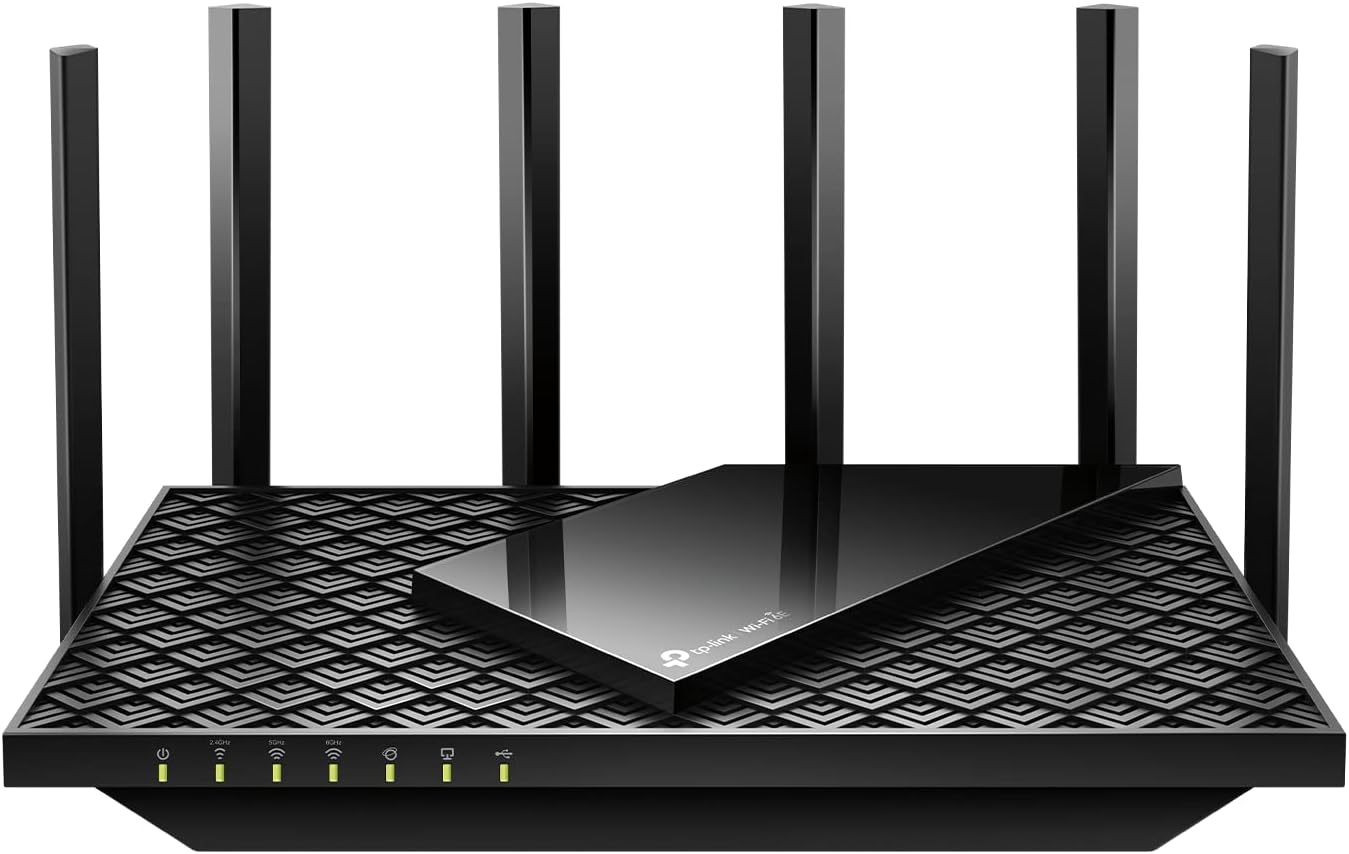
The Archer AXE75 offers a 6 GHz band for compatible Wi-Fi 6E devices, alongside 2.4 and 5 GHz. TP-Link documents materially different US hardware revisions: V1 has gigabit Ethernet and OneMesh, while V2 lists a configurable 2.5G WAN/LAN port and EasyMesh. Check the hardware version printed on the exact unit before relying on either wired speed or mesh compatibility. Walls and regional channel rules still govern practical 6 GHz reach.
Pros
- The dedicated 6 GHz band gives compatible devices another channel choice in a congested home.
- Tri-band Wi-Fi 6E offers a separate 6 GHz choice for clients that support it.
Cons and trade-offs
- Older Wi-Fi clients gain no 6 GHz connection, so the headline feature may go unused.
- V1 and V2 differ in Ethernet and mesh features; confirm the version and matching TP-Link specification before buying.
Best for: A household with Wi-Fi 6E devices and an appropriate hardware revision.
Choose another if: You own only 2.4/5 GHz clients or need guaranteed mesh pairing across brands.
Our recommendation
Choose AXE75 for compatible 6 GHz clients. If you need 2.5G Ethernet or EasyMesh, buy a documented V2 unit; V1 is gigabit-only and uses OneMesh.
Search Amazon for TP-Link Archer AXE75
Google Nest Wifi router (H2D): older Wi-Fi 5 mesh ecosystem
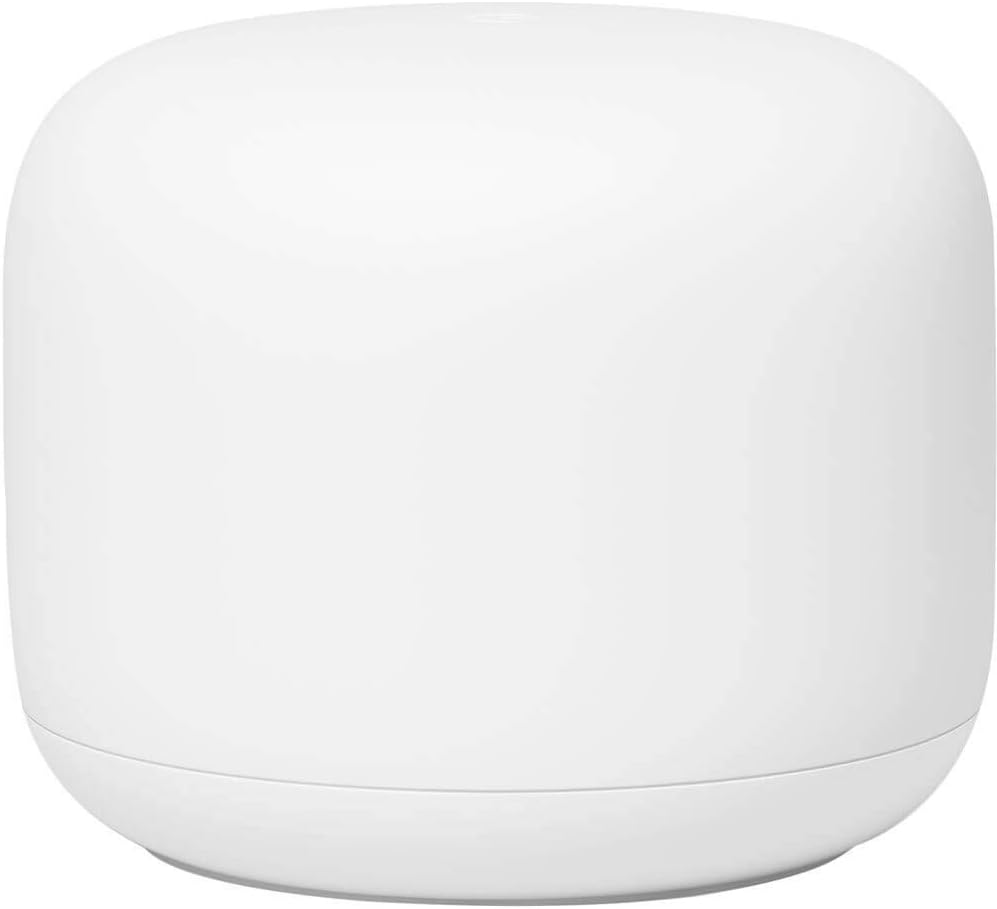
The original Nest Wifi recommendation refers to the older Nest Wifi router, model H2D, not Nest Wifi Pro. Google specifies AC2200 dual-band Wi-Fi 5, two gigabit Ethernet ports on the router, and expansion with compatible Nest Wifi or earlier Google Wifi points. Nest Wifi points are different hardware and have no Ethernet ports. This older ecosystem can make sense when extending an existing installation, but Google says Nest Wifi Pro is incompatible with these earlier mesh nodes. Verify whether a marketplace listing includes a router, a point, or a bundle, plus the condition and software support.
Pros
- It can expand an existing Nest Wifi or compatible older Google Wifi mesh without replacing every node.
- The router’s two gigabit Ethernet ports allow modem and one wired downstream connection.
Cons and trade-offs
- Wi-Fi 5 lacks the newer Wi-Fi 6/6E features offered by the other two routers here.
- Nest Wifi Pro cannot join this older mesh, and a Nest Wifi point has no wired Ethernet ports.
Best for: Someone extending an existing compatible Nest Wifi network.
Choose another if: You are starting from scratch and want current-generation radios or multigig Ethernet.
Our recommendation
Treat H2D as an ecosystem-compatibility purchase rather than a default new-router recommendation.
Search Amazon for Google Nest Wifi router (H2D)
Buying guide
- Map the weak spots first. Put the router near the modem and test rooms where service fails. A large, long or masonry-heavy home may need a second access point or a mesh system; an expensive single router cannot guarantee whole-home coverage. For security-camera placements, see our home-security-camera buying guide.
- Match bands to clients. Wi-Fi 6E adds 6 GHz only for compatible clients and regions. A Wi-Fi 5 phone will still connect on older bands. Published aggregate speeds sum theoretical radio rates; they are not a promised download result.
- Audit the wired path. A gigabit WAN port caps a faster service before Wi-Fi enters the question. Decide whether 2.5G is needed for the modem or a local computer/NAS and count the remaining ports. Our NAS enclosure guide explains storage-side choices; the network must support the speed you expect.
- Check mesh rules by exact model. ASUS AiMesh, TP-Link EasyMesh and Google Nest Wifi are different systems. Google explicitly says original Nest Wifi nodes do not join Nest Wifi Pro. Check firmware, region and supported partner list before buying extra nodes.
- Confirm revision and update path. The ASUS U, S and Pro suffixes differ; TP-Link has hardware revisions; Nest Wifi router and point are different pieces. Read the bottom label, vendor support page and seller bundle contents. Install current vendor firmware and use a unique administrator password during setup.
FAQ
Do I need Wi-Fi 6E to use Archer AXE75?
No. Older devices can use its 2.4 and 5 GHz bands. Only compatible clients can use 6 GHz, subject to regional rules.
Does a 2.5G port guarantee 2.5 Gbps Wi-Fi?
No. It changes one wired link. Internet plan, modem, client radio, interference and layout still limit throughput.
Can Nest Wifi Pro join my original Nest Wifi mesh?
No. Google explicitly documents these generations as incompatible in one mesh.
Is RT-AX86U the same as RT-AX86S or Pro?
No. ASUS lists different hardware and port details. Confirm the complete suffix on the device and listing.
Which is best for gaming?
Choose a wired Ethernet connection if possible, then compare latency under your own home conditions. The legacy guide named an unspecified Nighthawk as a gaming winner without a model or test record; that claim is not supportable.
Sources and method
We checked manufacturer specifications and support documentation for exact model identity, ports, radio standards and mesh compatibility. Speed classes are theoretical maker rates, not our throughput measurements. Read our research methodology.
- ASUS RT-AX86U manufacturer documentation
- TP-Link Archer AXE75 V2 specifications and TP-Link Archer AXE75 V1 specifications
- Google Nest Wifi router (H2D) manufacturer documentation
As an Amazon Associate, The Gear Audit earns from qualifying purchases. We may earn an affiliate commission when you buy through our links, at no extra cost to you. See our affiliate disclosure.