How to Choose a Smart Lock: Complete Buyer’s Guide (2026)
Before comparing apps or fingerprints, take a photo of both sides of your door and its edge. The lock you can fit, the keys you need to keep and the way guests will get in should narrow the field quickly.
Quick answer
Choose a retrofit for a compatible deadbolt you want to keep. Choose a full replacement when you can change the deadbolt and want the keypad built into the exterior lock. Either way, decide how someone gets in with a dead phone and what you actually need to control from outside the house.
- Keep the exterior key: the Aqara U200 Black drives a compatible existing deadbolt from inside and adds a separate outdoor keypad.
- Get app control away from home without a separate hub: the Schlage Encode BE489WB CAM 619 replaces the deadbolt and uses your 2.4 GHz Wi-Fi through the Schlage Home app.
1. Identify the lock and measure the door
Look for a separate single-cylinder deadbolt, with a key cylinder outside and a thumbturn inside. Both examples below are relevant to this common US layout. A mortise lock has a larger mechanism recessed into the door edge. A multipoint system can send bolts into the frame at several positions. For either of those, or a lock where the deadbolt and handle are linked, look for explicit compatibility with that mechanism before ordering.
- Check the bolt with the door open and closed. It should move freely in both positions. If it works with the door open and binds when closed, check the alignment with the strike. Resolve that first, especially if you normally push or lift the door while turning the key.
- For a full replacement, measure the door prep. Record door thickness, the face hole diameter, the edge hole diameter and the backset. Backset is the distance from the edge of the door to the center of the face hole. Check the manufacturer’s template and the space between the deadbolt, handle and trim.
- For a retrofit, check what is under the thumbturn. Compare your deadbolt’s mounting screws, interior clearance and tailpiece shape with the lock manual. The tailpiece is the part that turns the bolt mechanism. A retrofit can leave the cylinder and exterior trim in place and still require a specific adapter.
If a building manager needs the existing key or controls alterations, confirm what they allow before installing anything. For a door with special hardware or a fire label, confirm the approved hardware with the building manager or installer before changing it.
2. Decide how everyone will get in
- Household members: give each regular user an entry method they can manage. A keypad can suit a child without a phone or a guest who rarely visits. A fingerprint reader may suit a regular user who wants quick entry. Keep a backup they can use independently.
- Visitors and service providers: check whether you can assign separate codes, restrict their hours and revoke them. Check those features in the app you intend to use. The lock maker’s app and a linked home platform can offer different controls.
- Outages and batteries: check what happens if the internet is down, a phone is missing or the lock batteries are depleted. Those are three different failures. If you want a physical key as backup, confirm it is included or retained and that someone can reach it from outside.
- Moving in or out: check the maker’s ownership transfer and reset procedure. Decide whether old keys also need to be replaced or rekeyed. Resetting the app access leaves the mechanical cylinder as it was.
After installation, test the manual turn with the door open, then follow the manufacturer’s calibration instructions. Verify the inside turn, backup key and new codes before enabling auto-lock. If you need to know that the door has actually shut, check for documented door-position sensing. A bolt status alone answers a different question.
3. Choose the connection for what you need away from home
Bluetooth can handle nearby phone access and setup on supported models. For remote use, a Bluetooth lock may need a compatible plug-in bridge. Built-in Wi-Fi can give a lock a direct path to your network. Check its required Wi-Fi band, signal at the door with it closed, app and internet requirements.
Matter over Thread uses Thread for the network connection and Matter to talk to the smart-home platform. Check for a compatible Matter controller and Thread border router. One device may perform both jobs. For remote access via a Matter-only connection, the controller needs internet access at home. If you already have a Z-Wave or Zigbee setup, verify the specific lock and its supported functions with the hub you own.
Write down the action you expect before you buy. “Let in a visitor when I’m out” and “send a scheduled PIN while I’m out” are separate requirements. If tap-to-unlock with an iPhone or Apple Watch matters, look for explicit Apple home key support on the exact model and verify its setup requirements.
4. Compare two US smart-lock setups
These examples show which parts change, what a guest can use at the door and what remote control depends on.
| Decision | Aqara U200 Black | Schlage Encode Camelot |
|---|---|---|
| Installation | Retrofit motor for a compatible single-cylinder deadbolt | Complete deadbolt replacement, BE489WB CAM 619 |
| Key and keypad | Existing key and cylinder. Separate PIN and fingerprint keypad. | New keyed cylinder and integrated touchscreen PIN keypad. |
| Connected control | Nearby Bluetooth in Aqara Home. Matter over Thread for compatible smart-home control. | Built-in 2.4 GHz Wi-Fi and the Schlage Home app for remote access. |
| What to check | Tailpiece adapter, indoor clearance, keypad position and controller compatibility. | Door prep, exterior trim clearance and Wi-Fi at the door. |
Retrofit example | Aqara Smart Lock U200 Black
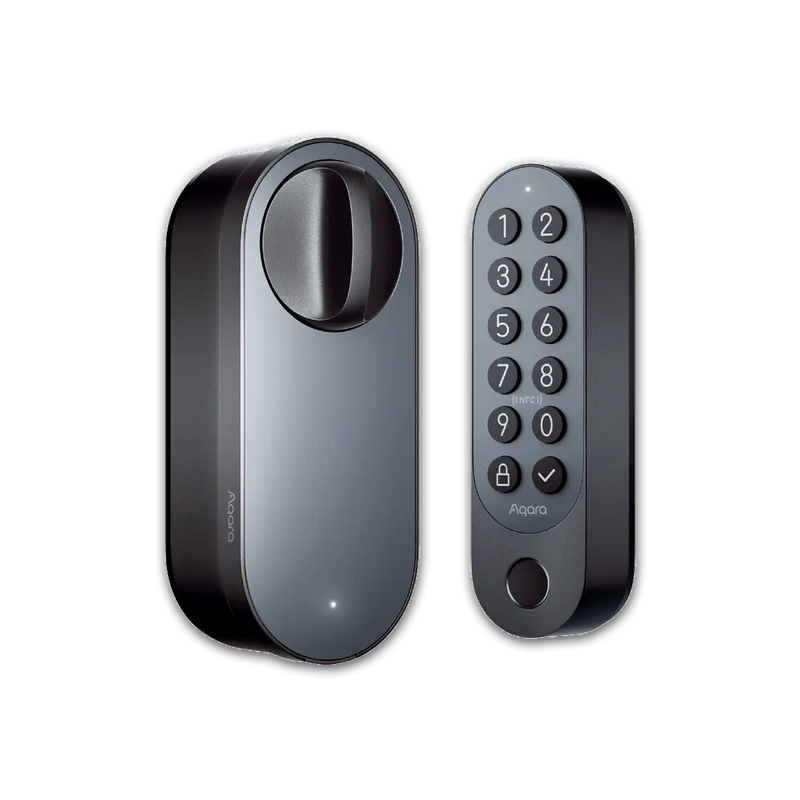
Aqara lists US single-cylinder deadbolts with 2⅜-inch or 2¾-inch backsets. Check the US installation steps for the adapter and mounting plate before assuming that those measurements are enough.
Pros
- Keep the existing cylinder and outside key when the hardware fits.
- The included keypad gives regular users PIN and fingerprint entry. Aqara also documents Apple home key setup for compatible Apple Home systems.
- Nearby Aqara Home use works over Bluetooth. The lock can join a compatible Matter-over-Thread setup.
Trade-offs
- It keeps the existing bolt and cylinder, so wear or misalignment still needs attention.
- The separately mounted keypad adds a battery set to maintain when running on batteries.
- Check for a supported Matter controller with Thread border router functionality if you want connected control through a home platform.
Our recommendation: shortlist it if keeping the key matters and you have confirmed the adapter fit. If you also need to replace the old cylinder, start with a compatible full replacement.
Full replacement example | Schlage Encode BE489WB CAM 619
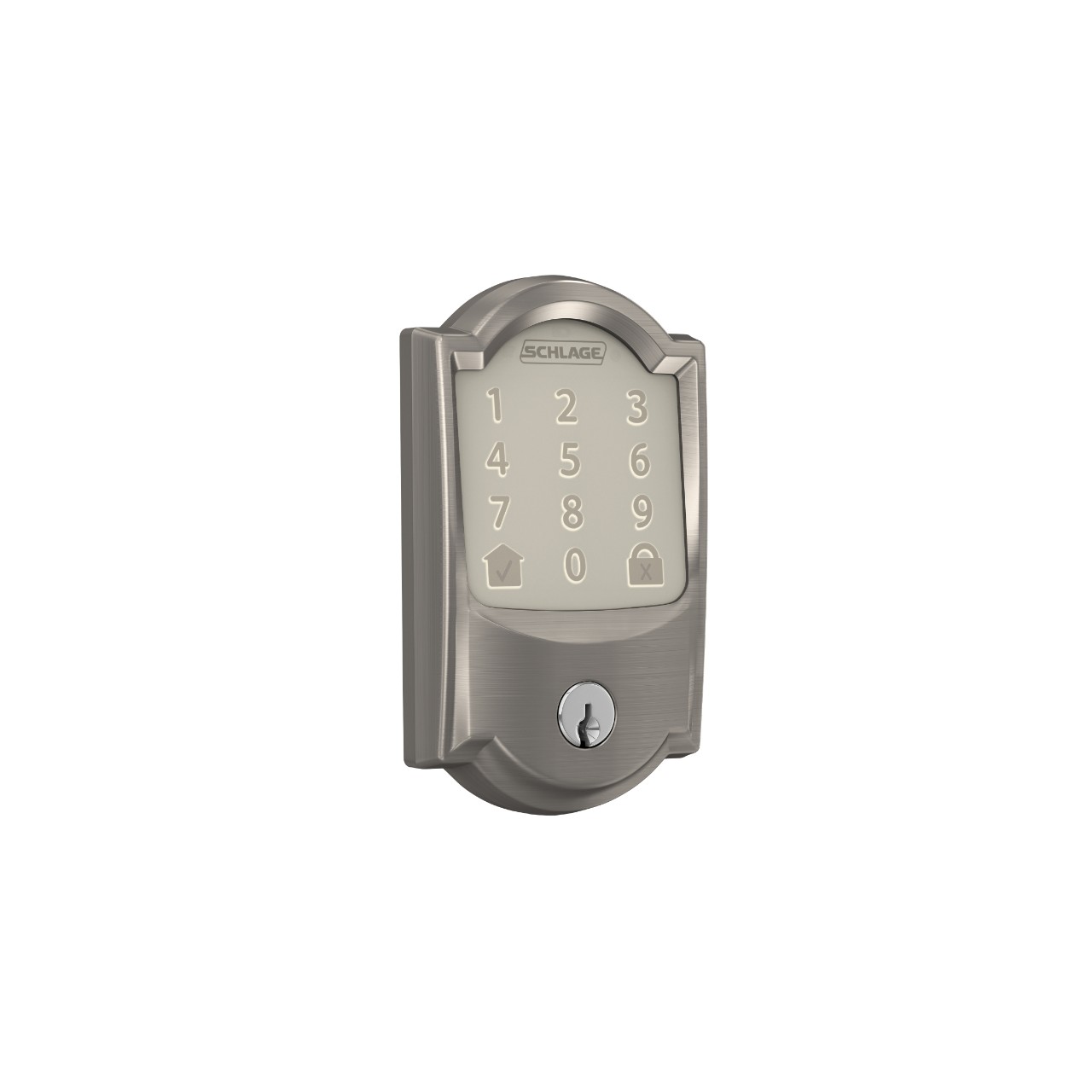
Schlage lists a standard door thickness of 1⅜ to 1¾ inches and a 2⅜-inch or 2¾-inch backset. Its specification sheet lists 1½-inch or 2⅛-inch face bores and a 1-inch edge bore. Check the full template for your door and frame.
Pros
- Built-in Wi-Fi supports remote Schlage Home access without a separate lock bridge.
- Scheduled access codes give a guest entry without sharing an account or handing over a key.
- The exterior cylinder provides a mechanical backup and includes a key.
Trade-offs
- It replaces the existing cylinder. If you need your old key, verify rekeying compatibility first.
- Remote app access depends on working 2.4 GHz Wi-Fi and internet at the house.
- Exterior electronic entry uses a touchscreen PIN. Choose a model with a fingerprint reader or documented Apple home key support if either is essential.
Our recommendation: shortlist this Encode if you can replace the deadbolt and want a straightforward way to manage scheduled codes from away. If Apple home key is the priority, see our Schlage Encode Plus and Yale Assure Lock 2 Touch comparison for a separate set of models.
Frequently asked questions
Can I keep my current key?
Yes, if a compatible retrofit keeps your working cylinder. For a full replacement, check with the manufacturer or a locksmith if you need the replacement keyed alike with another door.
Will a smart lock work when the internet is down?
Look up the model’s local entry behavior for codes, Bluetooth or fingerprints. A mechanical backup key uses the cylinder directly. Away-from-home app control requires a working connection through the lock’s app or home platform.
Do I need to buy a hub?
Check the exact model and your intended use. The Encode example connects directly to compatible Wi-Fi for its app. For the U200, nearby Aqara Home Bluetooth use needs no hub. Its Matter connection requires compatible controller and Thread border router functions.
Do I need a smart lock if I just want to see who is there?
Seeing the visitor and operating the deadbolt are separate jobs. If you only need a view of the doorstep or two-way audio, start with our video doorbell buying guide.
Method and sources
We checked US manufacturer product pages and installation documentation for fit, entry methods and connection requirements. The buying recommendations apply those documented details to common door and household setups. This guide is based on desk research. It does not include installation, battery endurance, fingerprint or forced-entry testing.
- Aqara U200 fit, parts, keypad and connection requirements. Aqara US product page and installation manual.
- Schlage Encode configuration, dimensions, code scheduling and network requirements. Schlage model page and specification sheet.
- Local and remote Matter access, and the role of a Thread border router. Connectivity Standards Alliance FAQ and Thread Group explainer.