How Big Should a Time Machine Backup Drive Be? Mac Capacity Examples
By The Gear Audit Team · Apple and manufacturer sources checked November 11, 2026
Quick answer
Start with a Time Machine backup volume at least twice your Mac’s total storage capacity. Apple’s recommendation uses the Mac’s capacity, rather than just today’s used space. For a 1TB Mac, that means a 2TB backup target before allowing for other files or extra headroom.
For a 512GB Mac, twice the labelled capacity is 1,024GB. A nominal 1TB drive falls slightly short of that literal calculation; a 2TB model is the straightforward larger option. The examples below explain the arithmetic, formatting and shared-drive compromises before you buy.
Choose capacity before choosing a drive model
Apple recommends at least twice your Mac’s storage capacity. Use the same units when comparing the numbers. These are shopping examples using labelled decimal capacities, not measurements of formatted usable space.
| Mac’s total storage | Twice that capacity | Practical shopping starting point | Reason to go larger |
|---|---|---|---|
| 512GB | 1,024GB | 2TB | A nominal 1TB is below 1,024GB; 2TB leaves more room. |
| 1TB | 2TB | 2TB baseline; consider 4TB for headroom. | Large changing projects or other planned storage need more room. |
| 2TB | 4TB | 4TB baseline | Shared storage or additional backup sources require a separate calculation. |
The larger options are our planning judgments, not a promise of a particular number of months of history. Available formatted capacity and the files you change affect the result.
Two worked buying decisions
A 512GB Mac with 180GB currently used
It is tempting to double 180GB and shop for a 500GB drive. That sizes the purchase around the present file collection. It does not follow Apple’s recommendation based on the Mac’s total capacity, and leaves less room if your storage use grows. For a simple purchase that follows the stated rule, start at 2TB.
A 1TB Mac plus 500GB of separate project storage
Allocate the 2TB backup target first. A nominal 2TB physical drive cannot also provide an additional 500GB without reducing that target. Our recommendation is a larger drive, such as 4TB, or a separate project drive. If those projects will also be included in backups, recalculate the backup plan rather than applying this single-Mac example unchanged.
Choose more space when your files change substantially. Replacing large media projects can consume history differently from editing small documents. Apple says Time Machine removes its oldest backups as the disk fills; buying a certain capacity does not guarantee a fixed retention period.
APFS, ordinary files and the same physical drive
For a new Time Machine destination, Apple prefers APFS or APFS Encrypted. Its disk-format guidance also explains that existing Time Machine backups on Mac OS Extended can remain supported. You do not need to erase a working older backup merely because this guide discusses a new purchase.
A drive that can exchange ordinary files with Windows is not automatically ready for Time Machine. Apple does not support a Windows-formatted disk as the backup destination. Reformatting erases its contents, so move any files you need somewhere else and verify those copies before agreeing to an erase prompt.
Keep the Time Machine volume for backups. Apple allows a separate APFS volume for other files on the same physical drive. Those volumes share available container space; adding another volume does not add capacity. Disk Utility offers optional reserve and quota settings to manage allocation, as described in Apple’s APFS volume guide.
For most buyers, a dedicated backup drive is easier to plan. Two volumes on one device still share that device’s failure or loss: an ordinary file stored only on its data volume has not gained an independent backup just because Time Machine uses the neighboring volume.
A concrete capacity example: Samsung Portable SSD T9
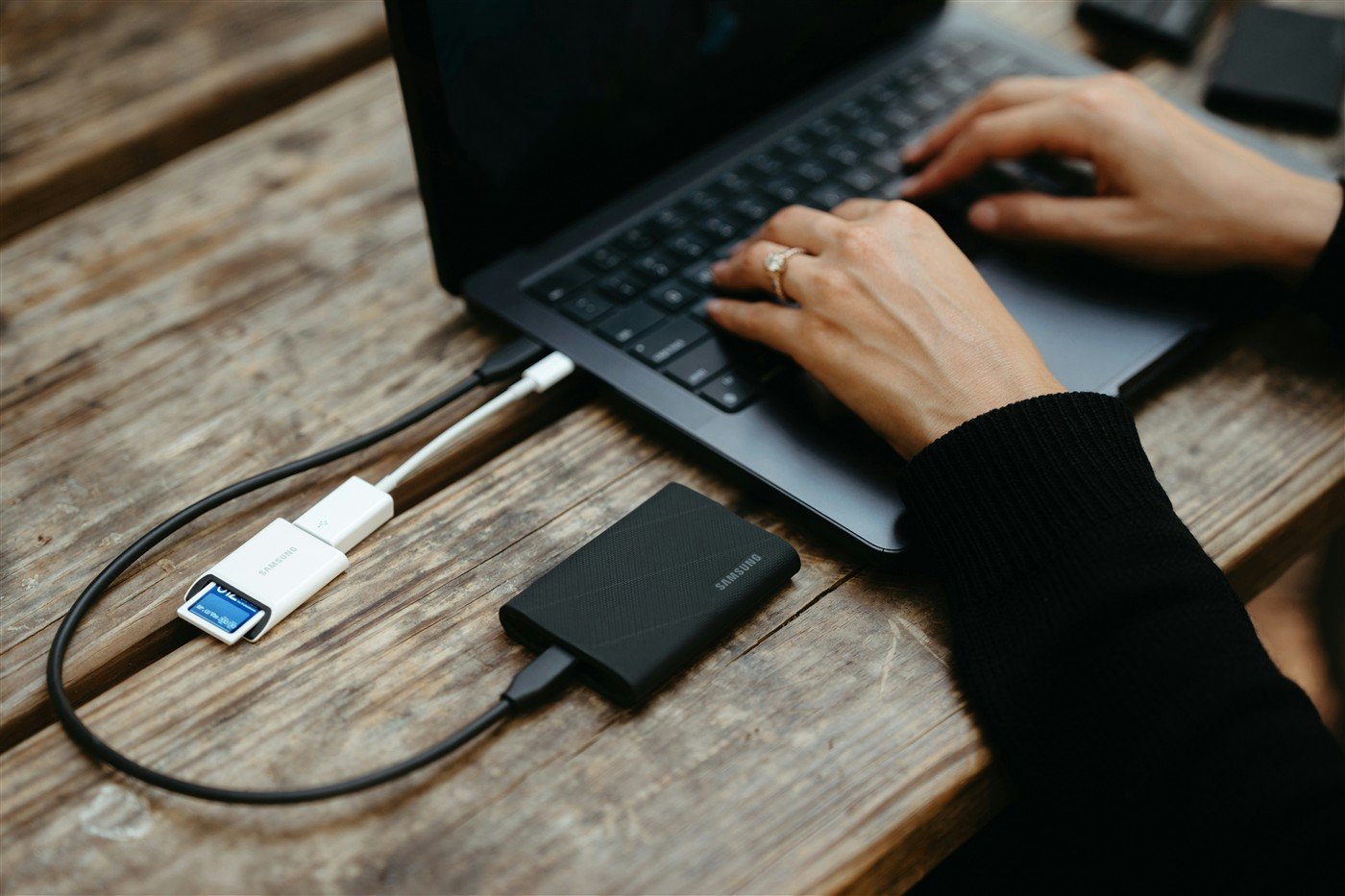
Samsung documents T9 capacities of 1TB, 2TB and 4TB. The U.S. black 2TB version is MU-PG2T0B/AM; the 4TB version is MU-PG4T0B/AM. These are independently sourced product identifiers, not capacities inferred from the photo. The manufacturer datasheet lists an 88 × 60 × 14mm body and USB Type-C to C and Type-C to A cables.
Why consider it
- The documented 2TB and 4TB variants let you match the worked examples without changing product families.
- The compact body and included cable types offer a portable option if your backup routine includes carrying the drive and reconnecting it.
Trade-offs to check
- Choosing the wrong capacity still undermines the plan: the 2TB version does not meet the twice-capacity target for a 2TB Mac.
- Samsung’s advertised interface speed does not establish your Time Machine speed. Host, cable and workload matter; there is no capacity benefit from a faster interface.
Our recommendation: consider the T9 2TB as a capacity example for a 512GB or 1TB Mac when a portable SSD suits your routine. Consider its 4TB version for a 2TB Mac’s baseline or for more planning headroom. This is not a claim that T9 is necessary, the cheapest option or superior to every hard drive for backups. A compatible drive you already own may meet the same capacity and format requirements.
Search Amazon.com for Samsung T9 2TB
Search Amazon.com for Samsung T9 4TB
These are model searches, not verified individual offers. Check capacity, model code, seller and return terms in the listing. Our portable SSD and hard-drive guide covers other storage roles; the T7 Shield versus T9 comparison explains the interface decision separately.
Before the first backup
- Write down the Mac’s total storage and intended backup sources. Keep the buying calculation separate from the space currently used.
- Protect existing drive contents. Select the intended backup device carefully. Read the erase prompt before accepting it.
- Use Time Machine settings. Apple’s current setup path for macOS Ventura 13 or later is System Settings → General → Time Machine → Add Backup Disk. Follow the prompts for the correct device or volume.
- Keep an encryption password recoverable. If you enable Encrypt Backup, Apple says that password is needed to restore from the backup. Store it somewhere accessible if the Mac is unavailable.
- Check the result. Confirm the latest completed backup in Time Machine and practice restoring an unimportant sample file. Reconnect a portable backup drive regularly and eject it before disconnecting.
Frequently asked questions
Is a 1TB backup drive enough for a 512GB Mac?
It may hold a smaller current backup, but it is slightly below twice the labelled 512GB capacity. If buying to follow Apple’s literal sizing guidance, choose a larger option such as 2TB.
Does a 2TB drive guarantee a year of backups?
No. File changes, usage and available space affect history. Time Machine deletes older backups as the destination fills. We have not measured a retention period for your workload.
Can the backup drive also hold ordinary files?
Apple allows another APFS volume on the same device. Budget space for both roles and keep an independent copy of important ordinary files. A second volume is not a second physical device.
Must I buy an SSD?
No. Apple describes compatible external storage, including USB and Thunderbolt drives. This guide uses T9 to make the capacity choices concrete; it does not establish an SSD-versus-hard-drive performance ranking.
Sources and method
We checked Apple’s current support guidance and Samsung’s exact T9 documentation on November 11, 2026. Apple’s main setup article displays an October 16, 2026 publication date. Capacity examples are arithmetic and editorial buying judgments. We did not benchmark backups, test recovery reliability or infer a capacity or operating system from the photograph. Read our research methodology.
- Apple: Back up your Mac with Time Machine — sizing, setup, encryption, history and backup-only use.
- Apple: Types of disks you can use with Time Machine — formats and separate volumes.
- Apple: Add, delete, or erase APFS volumes — shared space and allocation options.
- Samsung T9 datasheet, revision 1.0 — capacities, model codes, dimensions and cables.
- Samsung U.S.: T9 black 2TB MU-PG2T0B/AM — exact U.S. product identity. Retail prices and availability are not stated here.