Home Theater Projectors Compared by Room and Use (2026)
Quick answer
For a controlled-light movie room, BenQ HT2060 combines 1080p LED projection with optical zoom and lens shift. For 4K UHD gaming and sports, Optoma UHD38x offers higher maker-rated brightness and a special 1080p/240Hz mode if your room fits its longer throw. Base XGIMI HORIZON XK03K offers an easier all-in-one 1080p setup, but its exact global listing is currently unavailable. Measure the room and identify the complete SKU before buying.
First decide whether you need true 4K detail, high-frame-rate gaming, or a brighter 1080p all-in-one. Throw distance and room light determine whether any of these three fits.
Compare the configurations
| Model | Role | Choose another when… |
|---|---|---|
| BenQ HT2060 | LED movie-room projector with placement adjustment | You want a 4K display or need the shortest possible throw. |
| Optoma UHD38x | bright 4K UHD gaming and sports | You cannot control direct light on the screen or need easier physical placement. |
| XGIMI HORIZON (XK03K) | all-in-one 1080p setup | You need guaranteed current stock, native 4K output or a battery-powered portable unit. |
BenQ HT2060: LED movie-room projector with placement adjustment

BenQ’s HT2060 is a 1080p 4LED projector for viewers who value color and flexible placement more than a native 4K pixel grid. BenQ specifies 2,300 ANSI lumens, 98% Rec.709 coverage, 1.15–1.5:1 throw, 1.3x optical zoom and +10% vertical lens shift. Lens shift physically moves the picture and can preserve geometry better than relying entirely on digital keystone. It accepts 4K HDMI signals but downscales them to 1080p; do not mistake input compatibility for a 4K display. The maker gives a 16.7 ms 1080p/60Hz input-lag figure under stated conditions and a 20,000-hour normal/30,000-hour Eco light-source rating, neither of which is our test result.
Pros
- Optical zoom plus vertical lens shift provide more installation latitude than fixed-lens designs.
- The LED source avoids routine lamp replacement, and BenQ documents HDR10/HLG input compatibility.
Cons and trade-offs
- The displayed image is 1080p even from a 4K source.
- It still needs mains power and a suitable throw distance; it is not a battery-powered portable projector.
Best for: A dimmable movie room where placement flexibility and LED ownership matter.
Choose another if: You want a 4K display or need the shortest possible throw.
Our recommendation
Choose HT2060 when your measured room fits its throw range and 1080p is acceptable; its lens shift is more valuable than an unverified “best overall” label.
Optoma UHD38x: bright 4K UHD gaming and sports
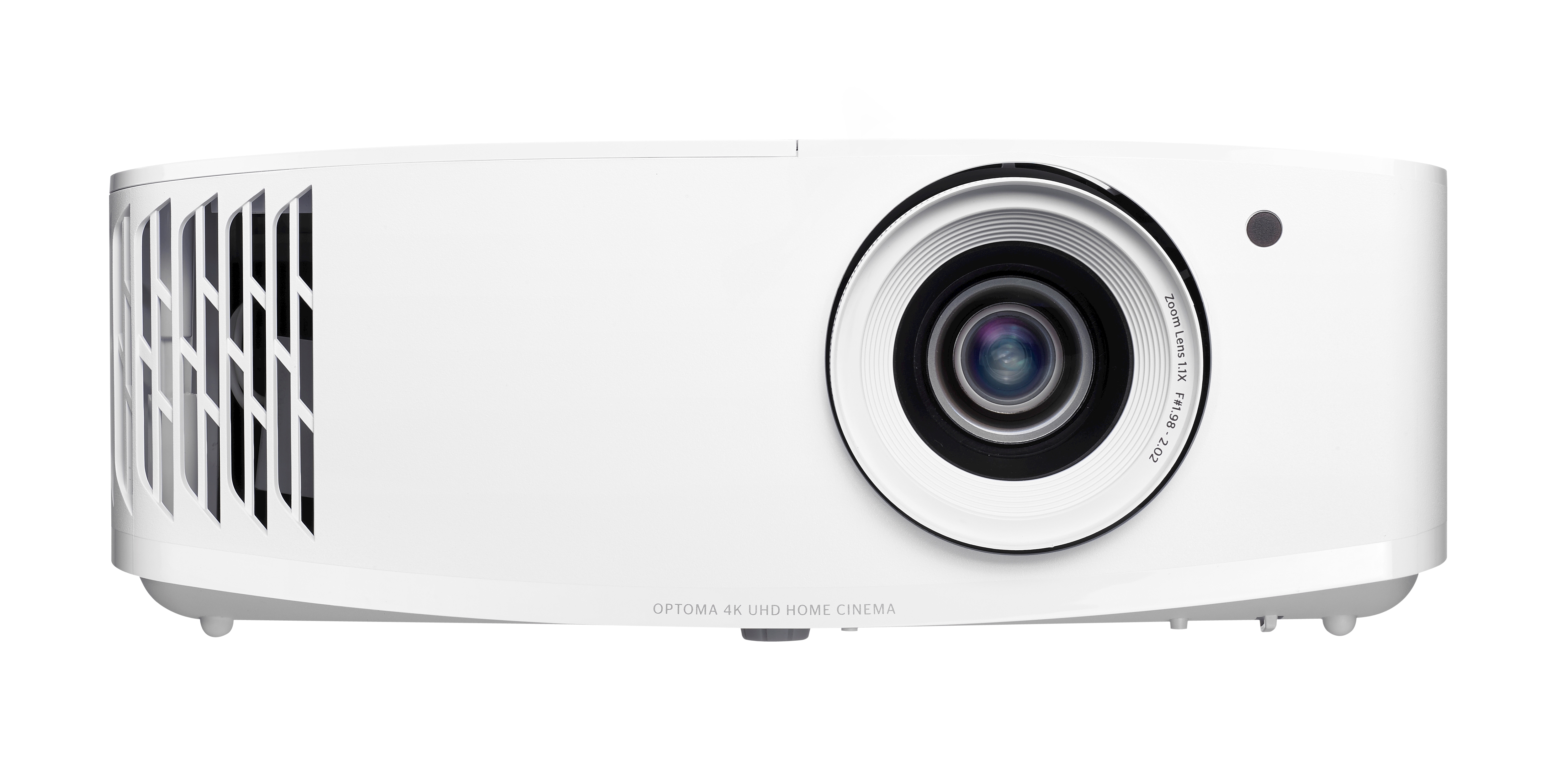
The UHD38x has a different brief: Optoma lists UHD 3840×2160 output and 4,000 lumens for entertainment with some room light. Its 1080p/240Hz gaming mode has a maker-stated 4.2 ms input-lag floor, which is not a promise for 4K content or every processing mode. Installation is less forgiving than the BenQ: Optoma specifies a 1.5–1.66:1 throw ratio, 1.1x manual zoom and no vertical lens shift. It uses a replaceable lamp with different rated hours by brightness mode, so account for lamp availability and running costs before treating a low listing price as the full ownership cost.
Pros
- 4K UHD output and a high maker brightness rating suit large-screen sports, movies and some controlled ambient light.
- The low-lag 1080p/240Hz mode gives compatible gaming sources a distinct high-refresh option.
Cons and trade-offs
- There is no optical lens shift and only 1.1x zoom, making throw and mount position more critical.
- Its lamp has mode-dependent life and eventual replacement cost, unlike the LED choices here.
Best for: A gamer or sports viewer who can place the projector at the specified longer throw.
Choose another if: You cannot control direct light on the screen or need easier physical placement.
Our recommendation
Choose UHD38x for the stated 4K/brightness and special high-refresh mode only after measuring the throw and budgeting for its lamp.
Search Amazon for Optoma UHD38x
XGIMI HORIZON (XK03K): all-in-one 1080p setup
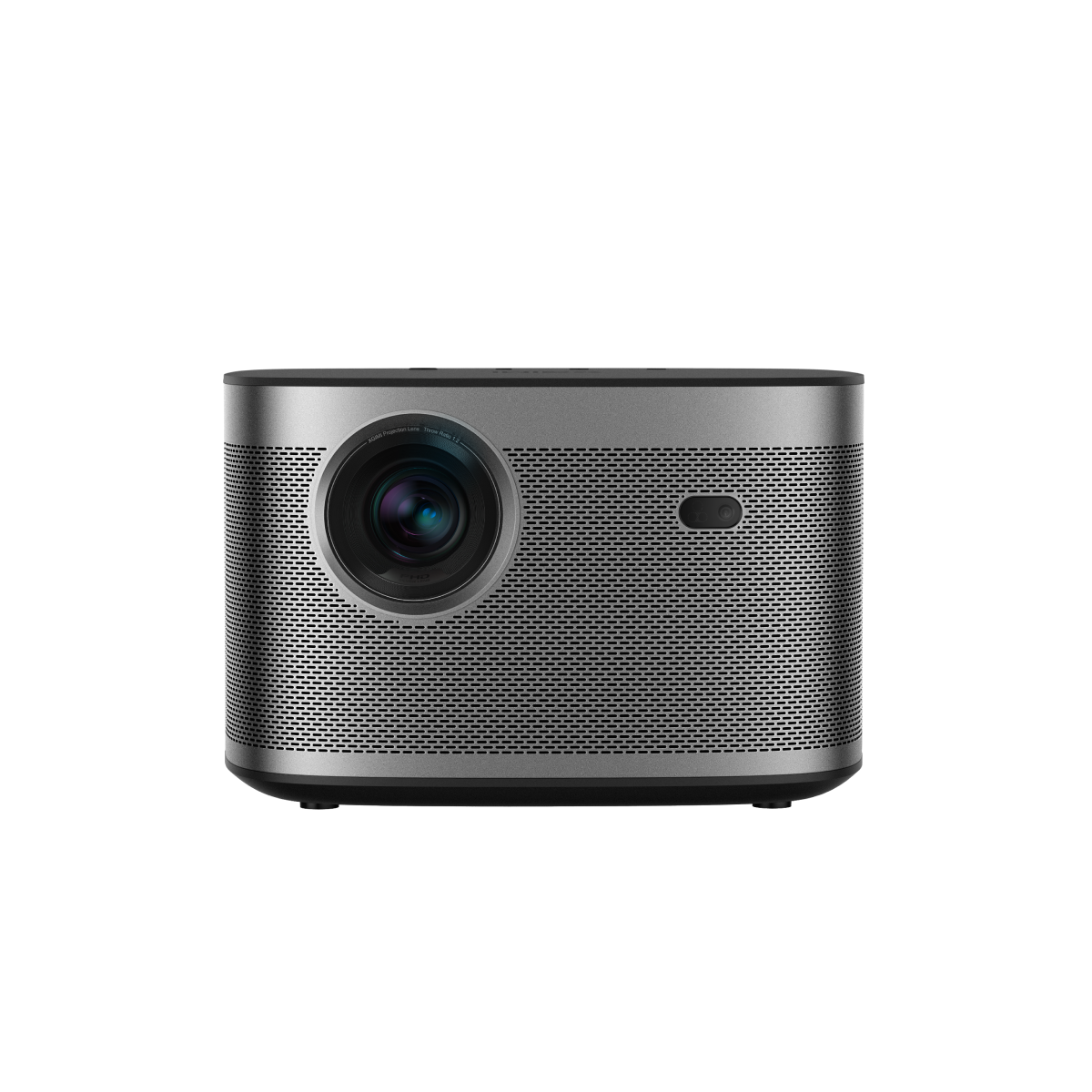
The original article said “XGIMI Horizon” without distinguishing the base HORIZON from HORIZON Pro or Ultra. Here we mean the base XK03K model on XGIMI’s FHD product page. XGIMI lists 1920×1080 display resolution, 1,500 ISO lumens, 1.2:1 throw, auto focus and automatic screen alignment/obstacle avoidance. Two 8W speakers and Android TV make it an integrated setup, though streaming-app availability and software support need checking for the sale region. Its global page currently says this exact product is unavailable; search results can mix in different HORIZON generations, so do not substitute a Pro/Ultra listing on name alone.
Pros
- Auto focus and screen alignment reduce the adjustment work for occasional repositioning.
- Integrated speakers, Android TV and two HDMI inputs make a self-contained setup possible.
Cons and trade-offs
- Its output is 1080p and the maker page lists 1,500 ISO lumens, so treat it as a controlled-light choice.
- The exact base model is unavailable on XGIMI’s global listing; marketplace condition and software status matter.
Best for: Someone who values a simple integrated projector and finds verified XK03K stock.
Choose another if: You need guaranteed current stock, native 4K output or a battery-powered portable unit.
Our recommendation
Consider base HORIZON only when the listing explicitly says XK03K and its support and condition make sense; otherwise compare current XGIMI models anew.
Search Amazon for XGIMI HORIZON (XK03K)
Buying guide
- Measure throw before comparing pictures. Divide lens-to-screen distance by screen width. BenQ lists 1.15–1.5:1, XGIMI 1.2:1 and Optoma 1.5–1.66:1. A 100-inch diagonal 16:9 screen is about 87 inches wide, so these ranges imply materially different placement. Confirm the maker calculator and your actual mount position.
- Separate display resolution from accepted input. BenQ can accept 4K signals while displaying 1080p. Base HORIZON is also 1080p; HORIZON Pro is a different product. Optoma lists UHD output. Choose the image detail you need at your seating distance and screen size.
- Control light and consider the screen. Maker lumen ratings are measured under different standards and modes; Optoma’s 4,000-lumen claim and XGIMI’s 1,500 ISO-lumen claim are not head-to-head measurements by us. Direct daylight on the screen can wash out any of them. Window coverings and a suitable screen may be a better investment than chasing a spec number.
- Plan audio, gaming and streaming separately. BenQ and Optoma have HDMI and built-in speakers; XGIMI adds an integrated TV platform. Verify the app you actually use, external audio connection and latency at the input resolution you intend to run. A 4.2 ms 1080p mode should not be described as 4K/240Hz.
- Budget for the light source and verify SKU. Optoma uses a lamp; BenQ and XGIMI use LED sources with maker-rated lives that vary by mode. “Epson Home Cinema” and “Nebula Mars” in the older article did not specify generations, so we cannot rank those families as products. For camera content to watch on a large screen, our mirrorless-camera guide covers capture choices; our lighting guide covers a different image-lighting task.
FAQ
Does BenQ HT2060 show native 4K?
No. BenQ lists a 1920×1080 display; it accepts a 4K input and downscales it.
Is HORIZON the same as HORIZON Pro?
No. This comparison concerns the base HORIZON XK03K FHD model. Check the complete generation and model number.
Can UHD38x play 4K at 240Hz?
No. Optoma associates its 240Hz and 4.2 ms mode with 1080p, while its UHD output is a separate mode.
Is any projector suitable for full daylight?
None here is a substitute for controlling direct light on the screen. Room light, screen material and image size alter perceived contrast.
What happened to Epson Home Cinema and Nebula Mars?
The original text named product families without exact model numbers; those cannot support a reliable specification or photo-led recommendation. Identify the SKU before comparing either.
Sources and method
We checked manufacturer specification and product pages for resolution, brightness terms, throw, light source, latency modes and model identity. We did not measure brightness, color, noise, lag or long-term reliability. Read our research methodology.
- BenQ HT2060 manufacturer documentation
- Optoma UHD38x manufacturer documentation
- XGIMI HORIZON (XK03K) manufacturer documentation
As an Amazon Associate, The Gear Audit earns from qualifying purchases. We may earn an affiliate commission when you buy through our links, at no extra cost to you. See our affiliate disclosure.