Gaming Mice Compared by Shape and Controls (2026)
Quick answer
Choose G502 X Plus for many controls, DeathAdder V3 Pro for a light right-hand contour, or G PRO X SUPERLIGHT 2 for a simple symmetric FPS shape. Aerox 3 Wireless (2022) adds Bluetooth. LAMZU Atlantis OG V2 4K is a conditional shape option because its maker listing is sold out. Hand fit matters more than the highest DPI claim.
Shape, weight, button layout and wireless receiver requirements matter more than a sensor headline. Match each mouse to your grip and the games you play.
Compare the configurations
| Model | Role | Choose another when… |
|---|---|---|
| Logitech G502 X Plus | feature-rich multi-button mouse | You prioritize the lightest fast-swipe mouse for FPS. |
| Razer DeathAdder V3 Pro | right-hand ergonomic FPS mouse | You prefer a symmetric body or need many thumb buttons. |
| Logitech G PRO X SUPERLIGHT 2 | simple symmetric competitive mouse | You rely on numerous side controls or want a strongly ergonomic grip. |
| LAMZU Atlantis OG V2 4K | conditional claw-grip alternative | You need a readily available purchase or an unambiguous 4K receiver bundle. |
| SteelSeries Aerox 3 Wireless (2022) | lightweight dual-connectivity mouse | You want a sealed smooth shell or the newest Gen 2 feature set. |
Logitech G502 X Plus: feature-rich multi-button mouse

Logitech lists the G502 X Plus at 106 g with a HERO 25K sensor, LIGHTFORCE hybrid switches, 13 programmable controls, eight RGB zones and USB-C charging. Its thumb rest, extra controls and scroll-wheel options make it the practical pick for players who bind many actions, as well as users who switch between games and desktop work. Logitech rates up to 130 hours of constant motion with RGB off and 37 hours with it on, illustrating how lighting changes endurance. It is appreciably heavier than the lightweight FPS-focused choices.
Pros
- Thirteen programmable controls and thumb-rest shape serve ability-heavy games and productivity shortcuts.
- USB-C charging and documented LIGHTSPEED wireless avoid disposable cells.
Cons and trade-offs
- At 106 g it takes more effort to flick than the 60–68 g alternatives.
- RGB use materially reduces Logitech’s published battery estimate; frequent charging may follow a bright setup.
Best for: Mixed gaming and desktop use where extra controls matter more than minimum weight.
Choose another if: You prioritize the lightest fast-swipe mouse for FPS.
Our recommendation
Choose G502 X Plus for its controls and shape, not because it has the highest sensor number.
Razer DeathAdder V3 Pro: right-hand ergonomic FPS mouse
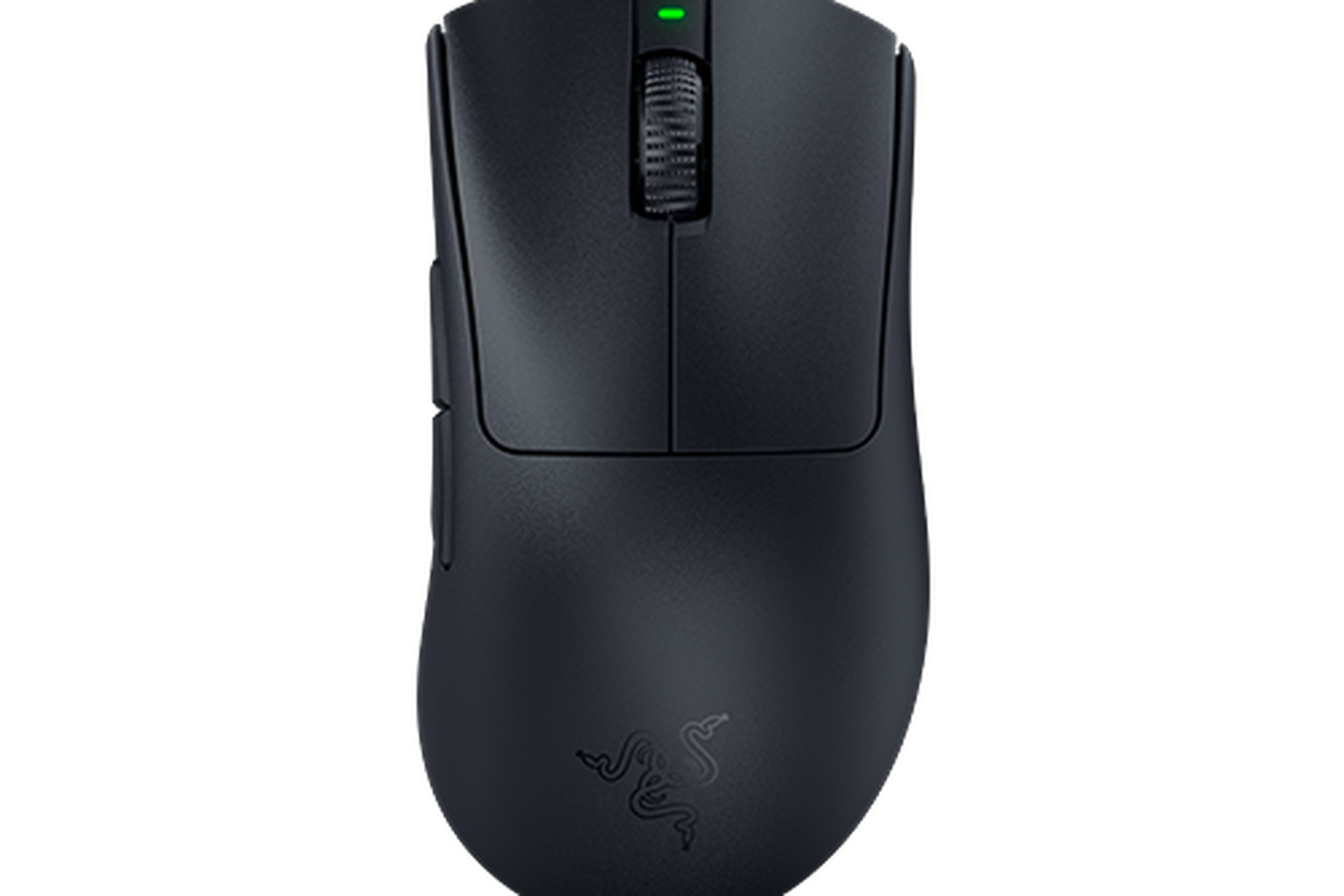
Razer’s original DeathAdder V3 Pro has a sculpted right-hand ergonomic body, a Focus Pro 30K sensor, optical switches and USB-C charging. The standard black version was listed at 63 g and up to 90 hours of battery life under Razer’s stated conditions. This is a stronger fit for a palm or relaxed claw grip than a symmetrical shape, provided its 128 mm length suits your hand. The classic base, Smooth Touch edition and newer DeathAdder variants ship with different dongles and specifications; confirm the exact listing before comparing polling rates.
Pros
- Right-handed contour and low 63 g maker-listed weight suit a light ergonomic grip.
- Optical switches and USB-C rechargeable wireless operation are documented for this model.
Cons and trade-offs
- Its right-hand shape is unsuitable for left-hand use and may not suit small hands.
- Higher polling configurations depend on the exact edition or separate dongle; the standard box should not be assumed to include one.
Best for: A right-handed FPS player who wants an ergonomic contour at low weight.
Choose another if: You prefer a symmetric body or need many thumb buttons.
Our recommendation
Choose the classic DeathAdder V3 Pro after checking hand fit and dongle bundle; avoid mixing Smooth Touch specs into its listing.
Logitech G PRO X SUPERLIGHT 2: simple symmetric competitive mouse
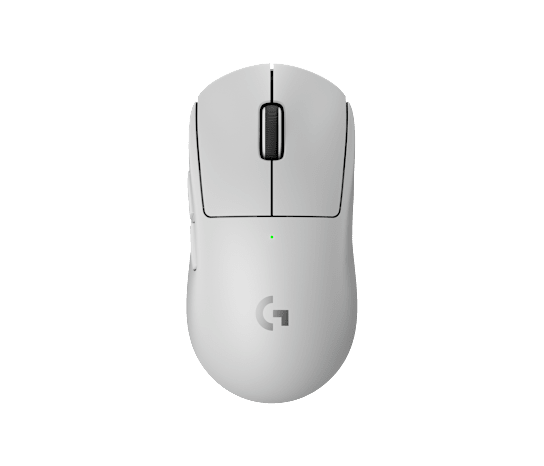
Logitech specifies a 60 g body, HERO 2 sensor, LIGHTFORCE switches, five buttons and LIGHTSPEED wireless for the PRO X SUPERLIGHT 2. The understated symmetric silhouette is its attraction: nothing protrudes to complicate a fast grip change. Logitech’s current product page lists up to 8 kHz polling and 95 hours of constant-motion battery life, subject to firmware, receiver, configuration and usage. Its five-button layout offers fewer bindings than the G502 X Plus and no deliberately contoured right-hand thumb rest.
Pros
- 60 g body and restrained shape support quick repositioning without many protruding controls.
- Five-button layout, PTFE feet and USB-C charging keep the design straightforward.
Cons and trade-offs
- Fewer programmable controls than G502 X Plus for ability-heavy games.
- The symmetric shell gives less molded right-hand support than DeathAdder V3 Pro.
Best for: Players who want a light, simple shape for fast cursor movement.
Choose another if: You rely on numerous side controls or want a strongly ergonomic grip.
Our recommendation
Choose SUPERLIGHT 2 for a stripped-back competitive shape if it fits your hand.
LAMZU Atlantis OG V2 4K: conditional claw-grip alternative
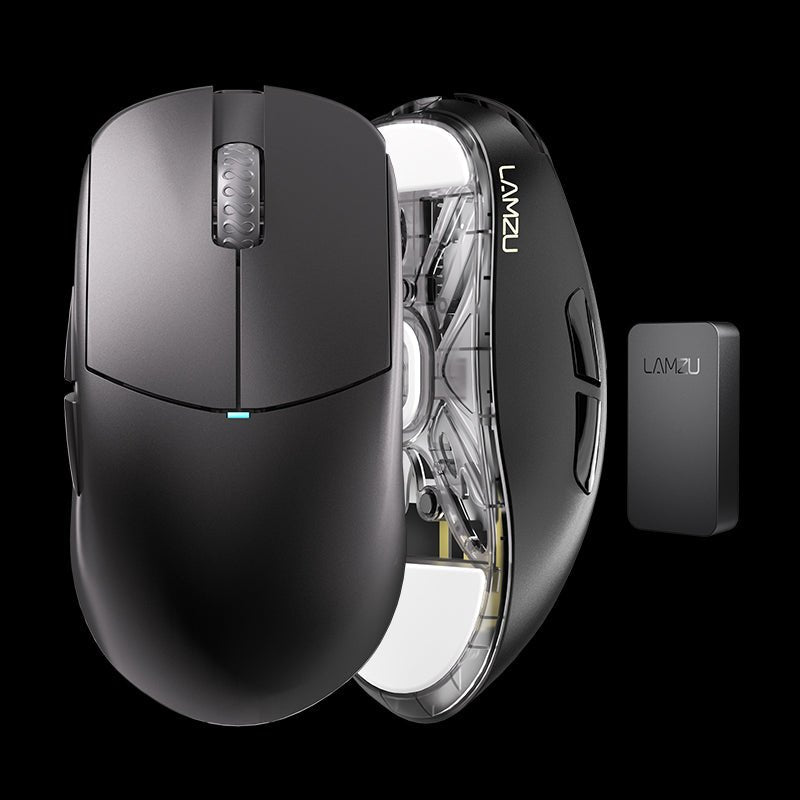
The previous guide named “Atlantis OG V2” without identifying its receiver bundle. LAMZU distinguishes the OG V2 4K from the Pro: its own Q&A says the 4K version comes with the black 4K dongle, while the Pro ships with a 1K dongle and needs an extra purchase for 4K. The official OG V2 4K store page currently shows sold out, so this is a conditional shape option rather than a reliable bargain recommendation. It may appeal to a claw grip, but compare the exact shell and return policy if stock reappears through a seller.
Pros
- Distinctive raised rear and tapered sides offer an alternative to the flatter SUPERLIGHT 2 shape.
- The named 4K package includes its matching receiver according to LAMZU’s own Q&A.
Cons and trade-offs
- Official direct-store listing shows sold out; availability from other sellers is uncertain.
- OG V2 4K and OG V2 Pro have different included receivers, making short marketplace titles risky.
Best for: A buyer specifically seeking the Atlantis OG V2 shape who can verify exact stock and bundle.
Choose another if: You need a readily available purchase or an unambiguous 4K receiver bundle.
Our recommendation
Consider the OG V2 4K only with a verified exact SKU, receiver and return path; it is not a default value pick while sold out.
Search Amazon for LAMZU Atlantis OG V2 4K
SteelSeries Aerox 3 Wireless (2022): lightweight dual-connectivity mouse

SteelSeries lists the 2022 Aerox 3 Wireless at 68 g with 2.4 GHz and Bluetooth connectivity, a TrueMove Air sensor, RGB and IP54-rated AquaBarrier protection. The perforated shell reduces weight while giving it a very different texture from the closed-body Logitech and Razer models. Dual wireless modes make it useful across a gaming desktop and a laptop. SteelSeries also sells a wired Aerox 3 and a newer Wireless Gen 2; neither should inherit the 2022 model’s exact specifications or photo.
Pros
- Both 2.4 GHz and Bluetooth modes make one mouse practical across gaming and mobile devices.
- 68 g perforated shell and IP54-rated protection combine low weight with a specified splash/dust barrier.
Cons and trade-offs
- Perforations and RGB styling are divisive for users who prefer a smooth sealed shell.
- Wireless 2022, wired 2022 and Gen 2 listings differ; short product titles can obscure which version is in the box.
Best for: Someone seeking a light wireless mouse that can also pair by Bluetooth.
Choose another if: You want a sealed smooth shell or the newest Gen 2 feature set.
Our recommendation
Choose the Aerox 3 Wireless 2022 for its connection flexibility, verifying the Wireless and 2022 labels.
Search Amazon for SteelSeries Aerox 3 Wireless (2022)
Buying guide
- Start with hand fit and grip. Compare length, width and hump placement with a mouse you already use comfortably. The right-hand DeathAdder differs substantially from the G PRO X SUPERLIGHT 2’s symmetric shell; neither shape is universally better.
- Decide how many controls you use. G502 X Plus has 13 programmable controls; SUPERLIGHT 2 has five buttons. A simpler body often helps fast grip changes, while extra buttons can reduce keyboard reach in games with many actions.
- Put weight in context. Manufacturer-listed mass ranges from about 60 g here to 106 g for G502 X Plus. A lighter mouse is easier to move repeatedly, but balance, feet, pad and grip can matter more than a small gram difference.
- Treat polling and DPI as configuration, not skill. High advertised numbers need a supported dongle, firmware, USB environment and game setup. They do not guarantee better aim. LAMZU’s Pro and 4K receivers are a particularly important bundle distinction.
- Check power and connection. Competitive play typically uses the included 2.4 GHz receiver. Aerox also supports Bluetooth for convenience; it is a different connection path. RGB settings can markedly change battery life, as Logitech’s G502 X Plus figures show.
- Build a consistent desk setup. Our mechanical keyboard comparison and webcam guide cover adjacent desk choices. Check return terms so you can reject a shape that strains your hand.
FAQ
Is a higher DPI number automatically more accurate?
No. DPI sets pointer sensitivity; sensor implementation, surface and your in-game settings matter. Set a controllable sensitivity rather than buying by the largest number.
Should I buy the lightest mouse?
Only if its shape supports your grip. A well-fitting 68 g mouse can feel better than a poorly fitting 60 g model.
Are all DeathAdder V3 Pro bundles the same?
No. Razer lists classic and Smooth Touch versions with different included receivers and polling options. Verify the exact edition.
Is the LAMZU Atlantis OG V2 4K available?
LAMZU’s direct listing was sold out when checked. Do not assume availability or value from an old price; verify any third-party listing and the included 4K receiver.
Why does the Aerox 3 have holes?
SteelSeries uses a perforated shell to reduce mass and lists IP54 AquaBarrier protection. The texture is a personal preference, and the rating has defined limits.
Sources and method
We used manufacturer product and support pages for dimensions, weight, controls, receiver bundles and connection modes. We have no original gaming-session, latency, click-life or battery-runtime test records. Read our research methodology.
- Logitech G502 X Plus manufacturer documentation
- Razer DeathAdder V3 Pro manufacturer documentation
- Logitech G PRO X SUPERLIGHT 2 manufacturer documentation
- LAMZU Atlantis OG V2 4K manufacturer documentation
- SteelSeries Aerox 3 Wireless (2022) manufacturer documentation
As an Amazon Associate, The Gear Audit earns from qualifying purchases. We may earn an affiliate commission when you buy through our links, at no extra cost to you. See our affiliate disclosure.