How to Choose a Robot Vacuum — Complete Buying Guide 2026
Robot vacuums have gone from quirky gadgets to genuinely capable cleaning appliances. In 2026, the best models can map your home, avoid your pets, empty their own dustbins, and even mop your floors. But with prices ranging from $150 to well over $1,000, picking the right one takes more than grabbing whatever’s on sale.
This guide walks you through everything you need to know — no jargon, no fluff, just the specs and features that actually matter.
How Robot Vacuums Work
A robot vacuum is essentially a motorized suction unit guided by sensors and software. It rolls across your floors, picks up debris through a combination of suction and spinning brushes, and navigates around (or occasionally into) furniture. Modern models add mapping cameras, LiDAR scanners, and obstacle avoidance systems that let them clean methodically instead of randomly bouncing off walls.
Most robot vacuums today use a two-brush system: a side brush sweeps debris from edges into the path of a main roller brush, which then feeds everything into the suction inlet. Some models replace the roller with a dual rubber roller design to reduce hair tangling — a feature that matters a lot if you have pets.
The vacuum’s brain — usually a combination of an onboard processor and companion app — determines the cleaning path, schedules, and which rooms to clean. Higher-end models store multiple floor maps and let you create no-go zones.
Key Specs to Consider
Suction Power (Pa)
Suction power is measured in Pascals (Pa). More suction means better pickup on carpets, especially deep-pile rugs. Here’s a practical breakdown:
- Under 2,000 Pa: Fine for hard floors and low-pile carpets. Most budget models fall here.
- 2,000 – 4,000 Pa: Handles medium carpets and pet hair well. The sweet spot for most homes.
- 4,000 – 6,000 Pa: Strong performance on thick carpets. Found on mid-range to premium models.
- Above 6,000 Pa: Maximum power for heavy-duty cleaning. Only necessary for homes with wall-to-wall thick carpeting.
Don’t fixate on the Pa number alone. Brush design, air seal quality, and software that adjusts suction based on floor type matter just as much in practice.
Navigation Type
Navigation determines how efficiently your robot vacuum covers your home. There are four main technologies, and they make a massive difference in cleaning quality:
- LiDAR (Laser-based): A spinning laser sensor on top of the unit creates a precise 360° map of your home. LiDAR navigation is the gold standard in 2026 — it’s fast, accurate, works in the dark, and lets you set room-by-room cleaning schedules. Found on Roborock, Ecovacs, and increasingly on budget brands.
- Camera-based (VSLAM): Uses an upward-facing camera to visually map your space using landmarks like furniture and ceiling lights. iRobot (Roomba) relies heavily on this approach. Works well in well-lit homes but can struggle in dark rooms. Generally accurate enough for day-to-day cleaning.
- Gyroscopic: Uses internal gyroscopes to track movement direction and estimate position. No visual map is created, so you can’t set room boundaries. Budget models (under $300) typically use this. Adequate for small apartments but frustrating in larger homes.
- Random bounce: The oldest and least efficient approach. The vacuum drives forward until it hits something, then turns. No mapping, no efficiency, lots of missed spots. Only found in the cheapest models now. Avoid unless your budget is extremely tight.
For most homes in 2026, LiDAR is the way to go. It’s no longer a premium-only feature — solid LiDAR models start around $250.
Battery Life
Most robot vacuums run 90 to 180 minutes on a charge. That translates to roughly 1,000–2,500 square feet of cleaning, depending on floor type (carpets drain the battery faster).
Key things to look for:
- Auto-recharge and resume: The vacuum returns to its dock, charges, then picks up where it left off. Essential for homes over 1,500 sq ft.
- Battery degradation: Lithium-ion batteries lose capacity over time. Expect roughly 15–20% capacity loss after two years of daily use.
- Runtime estimates are optimistic. Real-world performance on mixed flooring is usually 20–30% less than the manufacturer’s claim.
Dustbin Size
Standard dustbins hold 300–600 mL. That’s enough for a week of daily vacuuming in a small apartment, or 2–3 days in a home with pets and kids.
If you hate emptying the bin, look into self-emptying models — they dock at a base station that automatically sucks debris into a sealed disposable bag holding 4–8 weeks of dirt.
Obstacle Avoidance
This is one of the biggest advances in the last few years. Models with AI-powered obstacle avoidance use cameras or structured light sensors to identify and route around common hazards: power cords, socks, pet waste, toys, and shoes.
Not all obstacle avoidance is equal. The best systems (Roborock’s ReactiveAI, Ecovacs’ AIVI) can recognize dozens of object types. Budget systems simply detect “something’s there” and skirt around it, which still works but is less precise.
Maintenance Costs
The purchase price isn’t the whole story. Robot vacuums have recurring maintenance costs:
- HEPA filters: Replace every 2–4 months. $10–25 each.
- Side brushes: Replace every 3–6 months. $5–15 for a set.
- Main brush / roller: Replace every 6–12 months. $15–35.
- Self-emptying bags: Replace every 4–8 weeks. $15–20 for a 3-pack.
- Mopping pads: Replace every 1–3 months (if applicable). $10–20.
Expect to spend $50–$120 per year on replacement parts. Self-emptying models add another $30–$60/year for disposable bags. Budget accordingly.
Floor Type Considerations
Hard Floors (Hardwood, Tile, Laminate)
Hard floors are the easiest for robot vacuums. Suction power matters less than brush design — look for rubber rollers or soft-bristle brushes that won’t scratch surfaces. A basic model with 1,500–2,000 Pa will handle hard floors just fine.
If you also want mopping, dual-function models (vacuum + mop) are a popular choice for hard-floor homes. Just know that robot mops are basically damp cloths — they’ll pick up light dust and fresh spills but won’t scrub dried stains.
Low-Pile Carpet
Low-pile carpet needs moderate suction (2,000–3,000 Pa) and a good roller brush to agitate fibers. Most mid-range models handle this well. Auto-carpet boost (the vacuum increases suction when it detects carpet) is a nice feature that saves battery on hard floors.
Medium to High-Pile Carpet
Thick carpet is where spec differences really show. You want 3,500+ Pa of suction and a powerful roller brush. Budget models will struggle — they may ride on top of thick carpet without making contact with the debris embedded in the fibers.
Mixed Flooring
Most homes have a mix of hard floors and carpet. Look for auto-carpet detection, adjustable suction levels, and rubber rollers (which perform well on both surface types). Mid-range and premium models handle mixed flooring with minimal compromises.
What Pet Owners Need
If you share your home with pets, here are the features that matter:
- Anti-tangle brush design: Dual rubber rollers (like Roomba’s) or specialized anti-hair-wrap rollers prevent hair from winding around the brush. This is the single most important pet feature.
- High suction: Pet hair embeds deep into carpet fibers. 3,000+ Pa recommended.
- HEPA filtration: Captures dander, allergens, and fine particles. Essential for allergy sufferers.
- Self-emptying base: Pet hair fills dustbins fast. Self-emptying saves you from daily bin cleaning.
- Obstacle avoidance: Prevents the vacuum from running over pet waste — a scenario you really want to avoid.
For a deep dive, check out our guide to the best robot vacuums for pet hair in 2026.
Smart Home Integration
Most robot vacuums in 2026 support the basics:
- Amazon Alexa and Google Home: Start, stop, and schedule cleaning with voice commands. Supported by virtually all models.
- App control: Every model has a companion app. Quality varies widely — look for apps that let you select rooms, set no-go zones, view maps, and adjust suction settings.
- Smart home platforms: Higher-end models support Apple HomeKit, Samsung SmartThings, and Matter. If you’re deep in one ecosystem, check compatibility before buying.
- IFTTT and routines: Some models integrate with IFTTT or platform routines (e.g., “start vacuuming when everyone leaves the house”).
Wi-Fi connectivity is standard. Bluetooth-only models exist at the very bottom of the price range but offer limited functionality.
Self-Emptying vs. Manual Emptying
Self-emptying models include a docking station with a vacuum mechanism that sucks debris from the robot’s dustbin into a disposable bag. The main advantages:
- You don’t have to touch dirt for weeks at a time.
- The robot can clean more frequently without human intervention.
- Reduced exposure to allergens and dust.
The downsides:
- Higher upfront cost ($150–$300 premium over non-self-emptying versions).
- Recurring cost for disposable bags.
- The base station is larger and noisier during emptying.
If you have pets, kids, or a large home, self-emptying is worth the premium. For a small apartment with light cleaning needs, a standard model with manual emptying is perfectly adequate.
Price Tiers — What You Get
$150 – $250 (Budget)
- Gyroscopic or basic LiDAR navigation
- 1,500–2,500 Pa suction
- No obstacle avoidance
- Basic app with scheduling
- Manual emptying only
- Best for: small apartments, hard floors, occasional use
See our best robot vacuums under $300 for top picks.
$250 – $450 (Mid-Range)
- LiDAR navigation with room mapping
- 2,500–4,000 Pa suction
- Basic obstacle avoidance
- Good app with no-go zones and room selection
- Some models include self-emptying
- Best for: medium homes, mixed flooring, families
$450 – $800 (Premium)
- LiDAR + camera navigation
- 4,000–6,000 Pa suction with auto-carpet boost
- AI obstacle avoidance (recognizes specific objects)
- Self-emptying base standard
- Vacuum + mop combo common
- Multi-floor mapping
- Best for: large homes, pet owners, smart home enthusiasts
$800+ (Ultra-Premium)
- Top-tier everything: suction, navigation, obstacle avoidance
- Advanced mopping with heated water, dirty water return
- Voice assistant built into the dock (some models)
- AI-powered cleaning suggestions
- Auto-docking, auto-emptying, auto-washing mop pads
- Best for: maximum convenience, tech enthusiasts, large multi-level homes
Brand Comparison Overview
iRobot (Roomba)
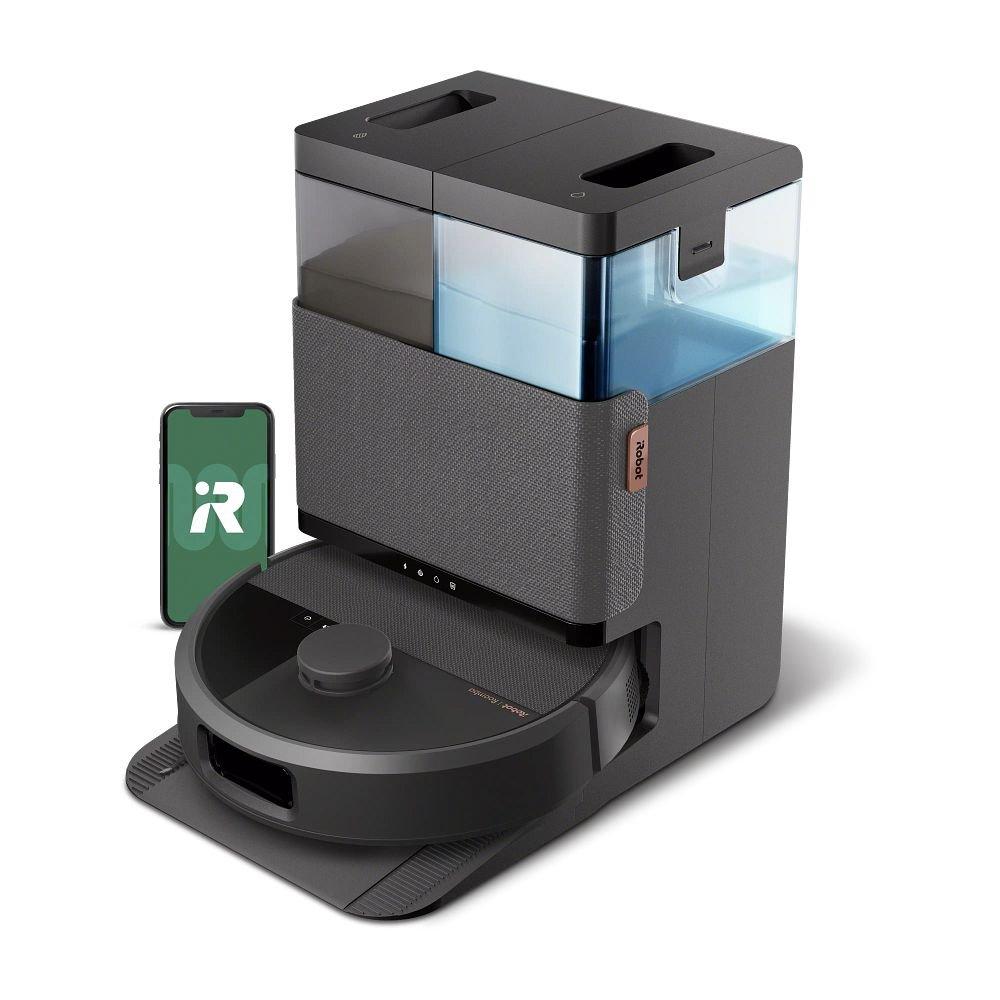
The brand that popularized robot vacuums. Roombas use camera-based navigation (vSLAM) and are known for their reliability and excellent dirt detection. Their dual rubber rollers are best-in-class for hair management. The iRobot app is functional but not the most feature-rich. Models range from $250 to $900+. If you have pets and hair tangles are a concern, Roomba’s roller design alone makes them worth considering.
Roborock
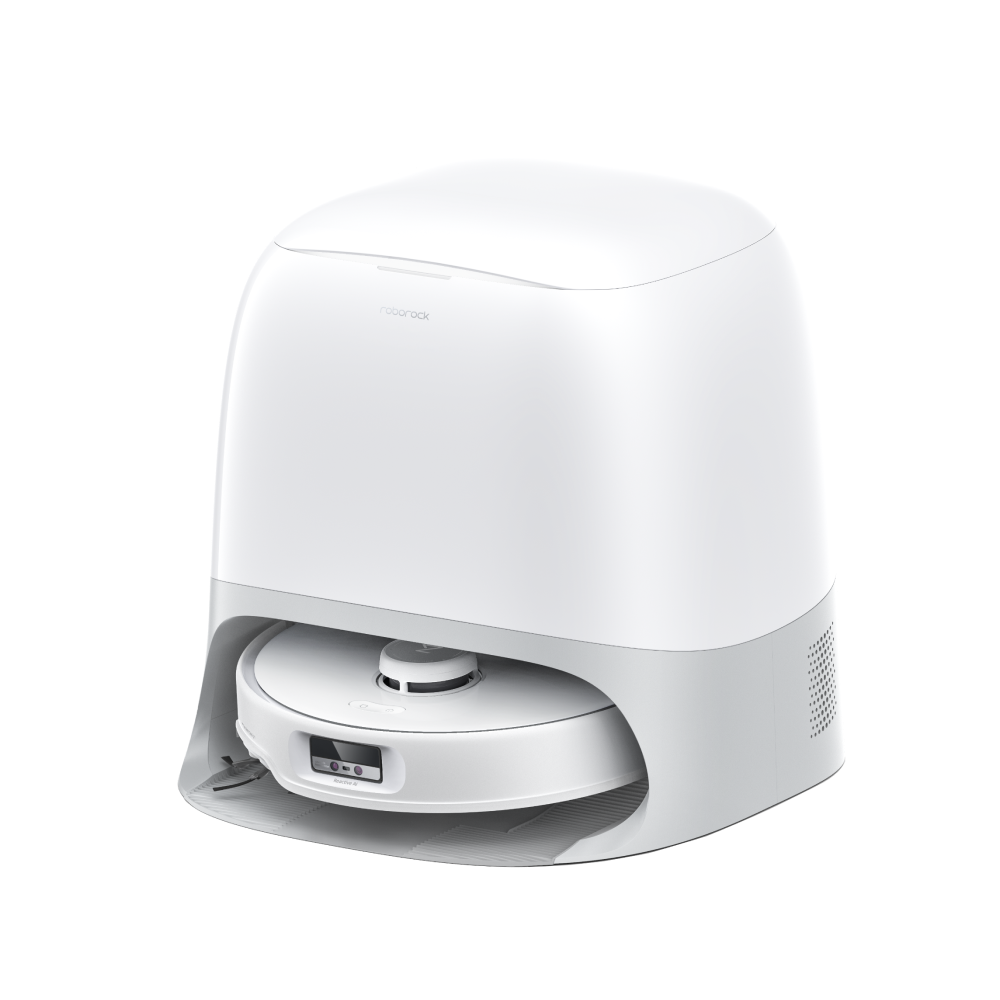
Currently the value leader in robot vacuums. Roborock offers LiDAR navigation, strong suction, excellent apps, and AI obstacle avoidance across almost their entire lineup — including models under $300. Their S-series (S8, S9) competes with the best of iRobot and Ecovacs at lower prices. If you want the most features per dollar, Roborock is hard to beat. See our Roomba vs Roborock comparison for details.
Ecovacs (Deebot)
A major Chinese brand with a strong global presence. Ecovacs offers competitive features including LiDAR navigation, AI obstacle avoidance (AIVI), and capable vacuum+mop combos. Their Ozmo line handles mopping better than most competitors. App quality has improved significantly. Price range: $200–$1,100.
Shark
Shark focuses on the US market with reliable, straightforward models. Their AI Robot series offers LiDAR navigation and self-emptying at competitive prices. Shark’s strength is simplicity — easy setup, minimal fuss, solid cleaning. Not the most feature-packed, but dependable. Price range: $250–$700.
Eufy (Anker)
Eufy is known for quiet, well-built budget and mid-range models. Their emphasis on noise reduction makes them popular for apartments and homes with light sleepers. Navigation is usually gyroscopic (budget) or LiDAR (mid-range). Feature sets trail Roborock and Ecovacs at the same price point, but build quality is consistently good. Price range: $150–$600.
Final Recommendations
The robot vacuum market in 2026 offers genuinely good options at every price point. Here’s how to decide:
- Small apartment, hard floors, tight budget: A $200 LiDAR model from Roborock or Eufy will do the job.
- Medium home, mixed floors, pets: Budget $350–$500 for a LiDAR model with obstacle avoidance and strong suction. Roborock’s mid-range or Shark’s AI series are strong picks.
- Large home, pets, want it all: $500–$800 gets you self-emptying, AI obstacle avoidance, and multi-floor mapping. Roborock S-series or iRobot j7/j9 series.
- Maximum automation: $800+ models with auto-mopping, auto-drying, and auto-emptying. Ecovacs X-series or Roborock top-tier.
Don’t overbuy. A $200 robot vacuum that you run daily will keep your floors cleaner than a $1,000 model that sits in the closet because it’s too complicated to set up. Match the robot to your home, your floors, and your tolerance for maintenance — not just your budget.