Back Up Camera SD Cards to an SSD: Laptop or iPhone?
By The Gear Audit Team · Apple, Samsung and SD Association sources checked November 13, 2026
Quick answer
Use a laptop you already carry to copy camera cards to an external SSD. Consider an iPhone workflow when leaving the laptop behind matters more than convenience. A normal portable SSD and a card reader do not copy files between themselves: you need a host device or a purpose-built copier. Keep the original cards until the files exist in another verified, independent copy.
For a phone route, first prove that your exact iPhone, reader, drive, cable and power arrangement can complete a representative folder copy. Buying a faster SSD before resolving those connections can leave you with storage you cannot use on the trip.
Choose the copying route before the drive
A photographer carrying a computer for editing has a different buying problem from someone taking only a phone. In the first case, an external drive adds a destination. In the second, the missing pieces can include a reader, an adapter or hub, external power and enough phone space for temporary copies.
| Route | What to pack | Best reason to choose it | Main tradeoff |
|---|---|---|---|
| Laptop | Computer, suitable card slot or reader, SSD and data cable | You already carry the computer and want to manage folders on a larger screen. | The computer remains part of the kit; available ports can require a hub. |
| iPhone, staged copy | Compatible reader and SSD connections; enough free phone storage for the batch | You can connect one device at a time and carry a smaller host. | The batch passes through phone storage; there are two copy stages to check. |
| iPhone, simultaneous access | A compatible hub/reader arrangement, SSD and suitable power supply | You want both source and destination accessible without staging the whole batch on the phone. | Exact-kit support is a preflight requirement. A USB-C socket or charging port alone does not establish it. |
Our recommendation: start with the laptop route if the computer is already coming. Choose the phone route only after a successful trial with your own equipment. If neither arrangement works, retaining enough camera cards for the trip is more useful than packing an SSD with no proven copying route.
Laptop route: buy the missing part
Check whether the computer’s built-in reader accepts your card and offers the interface you need. Otherwise, add a reader for the actual card format. SD, microSD and CFexpress are separate buying checks; a full-size SD slot is not a universal camera-card reader.
For repeated large imports, compare the card’s read specification with the reader and host connection. The SD Association distinguishes bus capability from minimum write-speed classes. A V30 or V90 mark concerns recording writes, so it does not tell you how quickly a folder will reach the SSD. Our UHS-I versus UHS-II reader guide covers that purchase in more detail.
Why choose a laptop
- A computer already in your bag can handle the copy without turning the phone into another temporary storage location.
- A larger screen makes nested folders and similarly named shooting batches easier to inspect.
- You can choose copy software with an explicit verification or checksum feature when that matters to your work.
Reasons to choose a phone instead
- Carrying a computer solely for copying adds a substantial item to a small camera kit.
- A computer with one available port may still need a hub and charging plan.
Copy the card into a new destination folder rather than combining it with yesterday’s folder. Keep the card intact while checking the result. These are workflow recommendations, not a claim that any file manager automatically verifies every byte.
iPhone route: check access, storage and power
Apple documents access to connected USB storage and SD cards through Files. Its external-storage guide requires a single data partition and a supported file system. It also describes powered USB hubs for drives needing external power on USB-C iPhones. That is general platform guidance, not approval of a particular reader, hub and SSD combination.
For staged copying, use a local folder on the iPhone as the intermediate destination: copy a manageable batch from the card, check it, then connect the SSD and copy that batch again. Allow sufficient free phone storage before starting. An iCloud Drive location is not the same as a deliberately local staging folder; this route should not depend on an unexpected upload or download.
For simultaneous copying, confirm that both devices appear in Files through the intended hub before relying on the arrangement. Check which hub ports carry data and which accept power only. If either device disappears or the transfer fails, keep the card unchanged and resolve the connection at home. We have not tested a simultaneous iPhone-to-T7 kit.
Apple’s Files instructions describe Copy and folder operations; its transfer guide describes copying to external storage. For backups, choose Copy, leaving the source in place. Open the destination and confirm it contains the intended files after completion.
Why choose an iPhone route
- The phone can serve as the host when you have deliberately left the laptop at home.
- A staged route lets you work in smaller batches when a simultaneous two-device connection is unavailable.
Reasons to keep the laptop route
- Staging requires free local phone storage and repeats the copy operation.
- Hub, power and cable requirements can make the complete kit less simple than the SSD alone suggests.
- A smaller screen makes checking many folders more laborious. Opening a few files is useful but does not prove every file copied correctly.
Size the drive for the files you expect to keep
Use previous shoots as a starting point. For example, 80GB per day for seven days is 560GB. That is a planning assumption, not a measured camera output. A nominal 1TB drive could accommodate that amount when sufficiently empty; a 2TB model gives more room for a larger shoot or existing files. Check actual free space, since formatted capacity and files already present reduce what is available.
For phone staging, the temporary batch size matters separately. If only 30GB is free on the phone, a 100GB folder cannot be staged in one batch. Reduce the batch, make room without deleting unprotected originals, or use another route. Larger SSD capacity does not fix insufficient intermediate storage.
Capacity on one SSD also does not create two independent backups. Keep the camera cards and copied drive in separate places where practical. Plan how another copy will be made when you return.
Samsung T7 Shield 2TB Black: a conditional shopping example
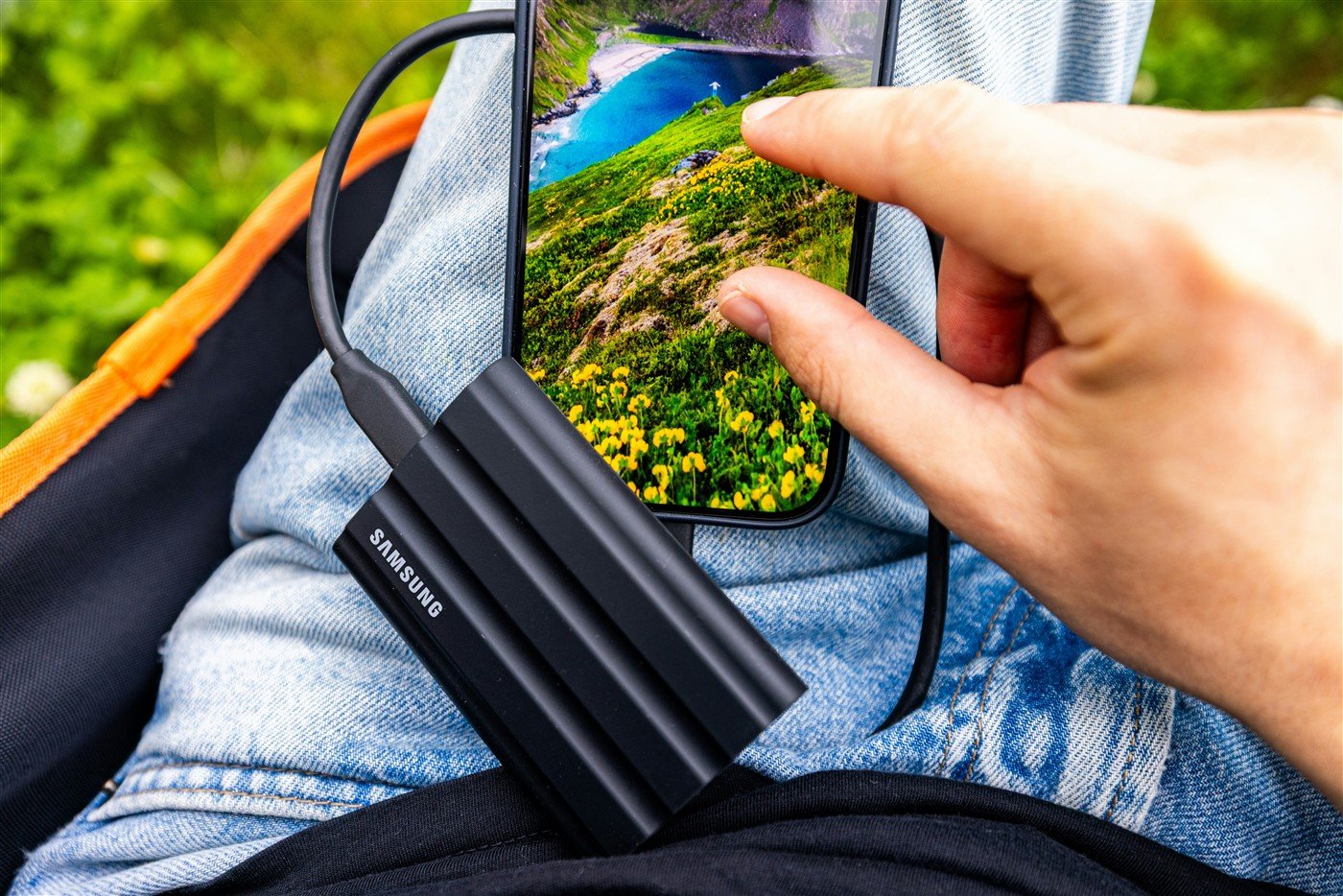
Best for: someone choosing a portable SSD for a proven computer copying route, or adding a drive to a phone kit they can validate before travel. The US black 2TB configuration is MU-PE2T0S/AM; match it in the listing rather than treating every T7-family product as identical.
Samsung’s data sheet lists USB 3.2 Gen 2 at 10Gbps, a 59 × 88 × 13mm body, and USB-C-to-C and USB-C-to-A cables. These are useful kit details. The enclosed cables do not add a reader, a host device or an automatic card-copy function.
Reasons to consider it
- The compact body is straightforward to pack beside a reader and cables.
- Both documented cable types help when a computer has USB-A or USB-C ports.
- Samsung specifies IP65 protection under controlled conditions, relevant when carrying the drive between locations.
Tradeoffs
- It is a storage destination; it cannot replace the host and card reader in this workflow.
- A slower card, reader or host can limit the benefit of its 10Gbps interface.
- IP65 is not a data guarantee. Samsung excludes liquid and dust damage from its warranty.
Our recommendation: shortlist this configuration if its capacity and carry size fit your established route. Keep a suitable drive you already own if it completes the job. Choose a different kit when the missing requirement is a working host connection or independent copier, since changing the SSD alone will not supply those functions. For broader drive choices, see our portable SSD and hard-drive guide.
Search Amazon for T7 Shield 2TB Black
This is a model search. Confirm capacity, color, MU-PE2T0S/AM, condition, seller and included cables. No exact Amazon listing, price or availability is verified here.
A pre-trip copy check
- Use a spare card containing a representative mix of your own files. Include the largest videos and any RAW-plus-JPEG folders you expect to handle.
- Connect the complete intended kit, including the hub, cables and power source. Confirm the source and destination you will use.
- Copy into a clearly named new folder. Preserve the card’s original folder structure and leave the source untouched.
- Wait for completion. Compare file counts and sizes where available, and open selected copied images and videos. For stronger checking, use software with documented checksum verification on a suitable host; a thumbnail check is a sample.
- Reconnect the SSD and confirm the destination remains readable. Keep the source card until you have established the copies you need. Format only after protecting its contents elsewhere.
Keep your first rehearsal separate from an irreplaceable shoot. If the actual copy takes longer than your available evening, reduce the daily batch or change the route before departure. A maximum interface speed cannot predict that total time.
Camera-card backup questions
Can I connect a card reader straight to a normal portable SSD?
Those two accessories alone do not provide the host that runs the copy. Use a computer, a compatible phone arrangement, or a dedicated copier whose documentation explicitly supports the task.
Does my iPhone need to store the whole card first?
A staged route needs room for the selected batch. Simultaneous source-and-destination access can avoid that staging requirement, but it must work with the exact kit. Do not assume every hub supports your intended arrangement.
Will a 10Gbps SSD make my SD card copy at that speed?
No. The card’s reading capability, reader, host, hub, cable and destination all take part. The card’s video write class is a separate specification.
Can I erase the card once I see thumbnails on the SSD?
Thumbnails are only a sampled check. Confirm the copied files and maintain another independent copy before reusing the card. If you keep only the SSD, it becomes the sole copy.
Is this the same as recording iPhone ProRes directly to an SSD?
No. This guide copies files already recorded on camera cards. Direct recording has its own sustained-write, power, format and cable requirements, covered in our iPhone ProRes storage guide.
Research method and primary sources
We checked the sources below on November 13, 2026. Device specifications and platform features are manufacturer statements. Route choices, capacity examples and copy-check advice are editorial recommendations. We did not run a card-to-SSD transfer, validate a specific hub, measure copy speed, certify an iPhone/T7 combination, or test data recovery.
- Apple: connect external storage devices to iPhone.
- Apple: organize files and folders in Files, including Copy.
- Apple: transfer files with external storage.
- Apple: USB-C connections on iPhone, including the distinction between USB-C cables and transfer capability.
- SD Association: speed classes.
- Samsung US: T7 Shield 2TB Black and T7 Shield data sheet, revision 2.0.
The photograph illustrates the black T7 Shield exterior. It establishes neither a 2TB unit nor successful copying from a camera card. Read our research methodology.