How to Choose a Baby Monitor: Complete Buyer’s Guide (2026)
By The Gear Audit Team · Manufacturer and US agency sources checked November 17, 2026
Quick answer
Choose how you want to receive sound and video before comparing camera resolution. For viewing within the home, start with a local video monitor and a dedicated parent screen. Choose audio-only if hearing the room is enough. Choose an internet-connected camera if remote viewing matters and you are willing to manage an app, account and home network.
Then check nursery power, reception along your actual route, alerts, mounting space and the cost of the features you will keep using. A rechargeable parent unit does not mean the nursery unit runs on batteries. A monitor is an aid to adult supervision; it is not a medical monitor or a way to prevent SIDS.
1. Choose the connection that fits your routine
Start with a normal evening: who is with the baby, where will that person carry the receiver, and does anyone need to check in from elsewhere? Remote viewing can be useful to a parent away from home. A caregiver in the house may prefer a separate receiver that leaves their phone available.
| Type | Good fit | Main trade-off | Check before buying |
|---|---|---|---|
| Local audio | You want to hear the room through a dedicated receiver. | No live picture or remote app view. | Sound sensitivity, volume, link-loss alert and power for both units. VTech DM221 is a worked example below. |
| Local video | You want a picture on a parent screen without connecting the monitor to home Wi-Fi. | You must stay within the radio link’s usable range and charge the screen. | Screen controls, view of the room, camera expansion and viewing mode. Infant Optics DXR-8 PRO illustrates this route. |
| Wi-Fi/app video | You need a supported remote feed or shared access through an app. | Network, account, app and sometimes subscription requirements become part of the purchase. | Phone support, background audio, user permissions, outage behavior and features after any trial ends. |
These are connection choices, not a performance ranking. Some systems combine an app and a dedicated display; check whether that display still depends on Wi-Fi. For a wider model shortlist after choosing a type, see our best baby monitors guide.
2. Audio-only example: VTech DM221

The DM221 fits a household that wants room audio without adding a camera feed. VTech lists DECT 6.0 transmission, talk-back, a five-level sound indicator and a vibrating sound alert. A belt clip makes the receiver easier to carry between rooms.
Why we would choose it
- There is no video screen to watch or camera angle to arrange.
- Talk-back lets the caregiver speak through the nursery unit.
- The sound indicator and vibration provide alternatives to listening through the speaker.
Trade-offs
- You cannot see a quiet child or check the room visually.
- The baby unit needs AC power; the receiver’s rechargeable battery does not make both units portable.
- VTech’s support instructions say vibration mode turns off the receiver speaker. Choose the alert mode deliberately.
Our recommendation: choose DM221 when audio is the job and you want a separate receiver. Choose video if visual checks are why you are shopping. DM221-2 is a different package with two parent units; confirm the box contents.
Search Amazon for VTech DM221
Search results, not a verified offer. Match DM221, one parent unit, the supplied adapters and US package.
3. Local video example: Infant Optics DXR-8 PRO
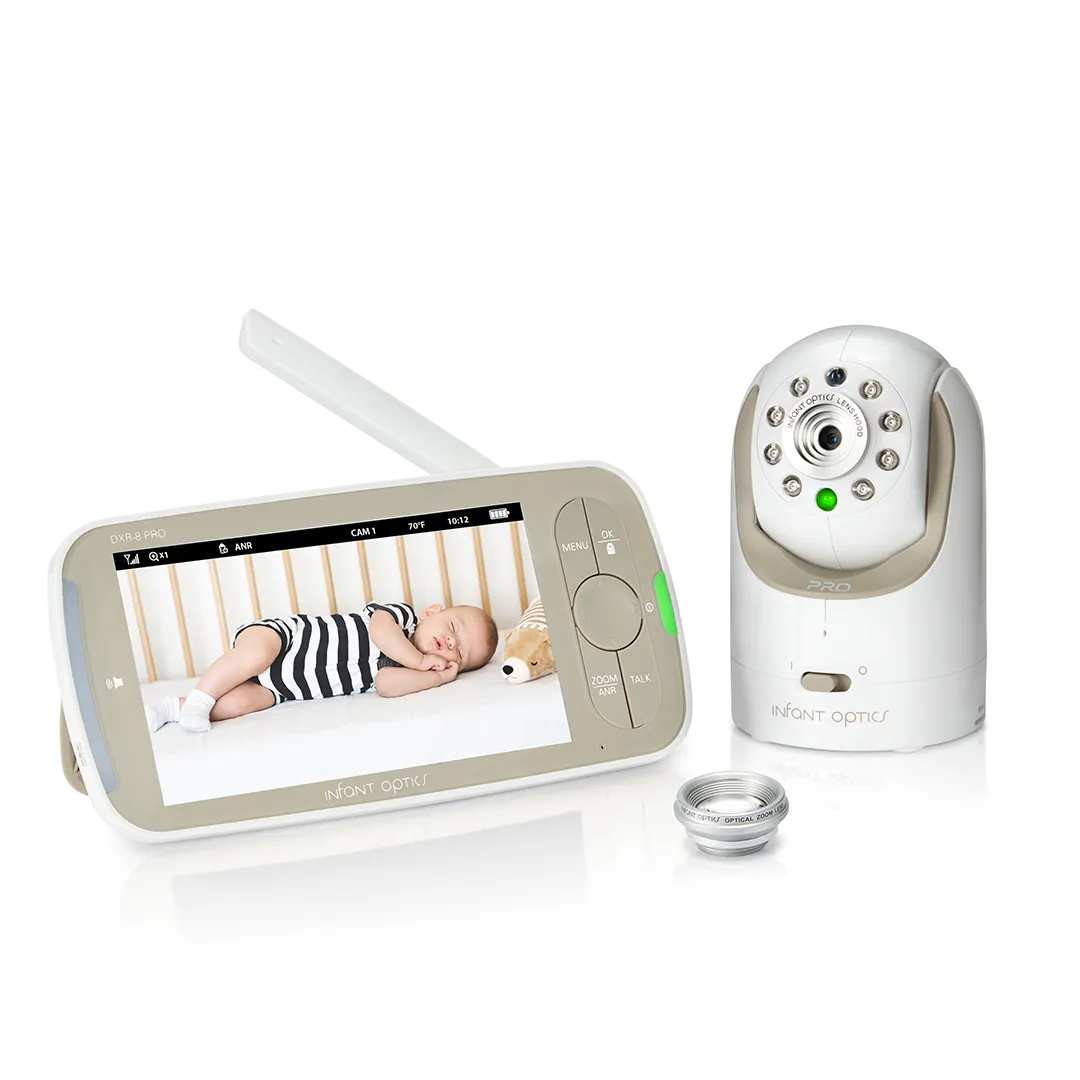
The DXR-8 PRO is a worked example for parents who want video on a separate screen. Infant Optics lists a 5-inch display, remote pan and tilt, interchangeable lenses and a replaceable parent-unit battery. It uses a local radio connection without an app or Wi-Fi.
Why we would choose it
- The dedicated screen leaves a caregiver’s phone available.
- Remote camera controls and lens choices let you adjust framing to the room.
- A replaceable receiver battery gives you a replacement route if battery capacity declines.
Trade-offs
- It provides no app feed for checking in from work or another location.
- The current specification lists single-view mode. Support for four cameras does not mean four simultaneous views.
- The parent screen adds another device to carry and charge.
Our recommendation: choose the original DXR-8 PRO for local, single-view monitoring when a dedicated screen fits your routine. For simultaneous room views, compare that feature explicitly before buying; the DXR-8 PRO SS is a separate model. Do not infer its features from a similar name.
Search Amazon for Infant Optics DXR-8 PRO
Search results, not a verified offer. Match DXR-8 PRO, the 5-inch receiver and full kit. DXR-8, PRO SS and camera-only accessories are different purchases.
4. Check range and power separately
A range number cannot tell you whether a monitor works between your nursery and kitchen. The DM221 manual lists up to 1,000 feet outdoors and 160 feet indoors, with results affected by walls, doors and other interference. Infant Optics labels its DXR-8 PRO figure as up to 1,000 feet line of sight. Neither figure is a guarantee for your home.
Check the return terms, then test the intended route promptly: nursery to bedroom, kitchen and any other place the caregiver will use the receiver. Check the link with doors in their usual positions. Learn the lost-connection alert and confirm that the receiver is linked before relying on its silence.
Read the power requirements for each unit. VTech’s DM221 support page confirms that the baby unit needs its AC adapter while the parent unit can use its charged battery. For travel or an outage, plan around the nursery unit as well as the receiver. “Wireless” may describe the signal alone.
For a video receiver, compare battery claims only when the screen state and settings match. A standby claim and continuous screen-on claim answer different questions. Buy around your charging routine, and check replacement-battery support before treating an advertised runtime as an overnight plan.
5. Price the app features you intend to keep
Before choosing a Wi-Fi model, list the functions you need: live video, background audio, an additional caregiver, recorded clips or sleep history. Then read the manufacturer’s current plan terms. A trial can include functions that disappear later.
For example, Nanit’s Insights support page lists sleep analytics, video clips, continuous recording and certain smart alerts among the features unavailable without an active plan. This is an example of why to check the feature list, not a recommendation of a particular Nanit bundle. Confirm the exact camera, mount, display and plan at purchase.
Ask how the feed behaves when the internet fails, when the router restarts and when the phone locks. Local viewing during an internet outage is model-specific. A dedicated display included in a Wi-Fi bundle does not establish an independent radio connection.
For an internet-connected camera, follow the FTC’s camera-security guidance: use a unique password, enable available two-factor authentication and install camera, app and router updates. Check caregiver permissions and remove access when it is no longer needed. We would avoid a model whose documentation does not explain account controls or its update process. No connection type warrants an absolute security promise.
6. Plan placement before choosing the mount
The US Consumer Product Safety Commission says monitor cords must stay at least three feet from every part of the crib, bassinet, play yard or other sleep space. Never put a monitor inside a crib. Keep the monitor and cords out of reach, follow its mounting instructions and reassess placement as the child grows.
Measure the route to a suitable outlet before ordering a wall mount or stand. Choose a position that respects the cord guidance and provides the view you need. A close camera shot in an advertisement is not an installation instruction.
Buy a consumer monitor for hearing or viewing the room. The FDA says no devices have been authorized to prevent SIDS or SUID. If your baby needs medical monitoring, ask the treating clinician about the specific device and instructions.
Before you buy
- Decide whether you need audio, local video or remote app access.
- Choose what the caregiver will carry: receiver, phone or both.
- Match the exact model and box contents, including cameras, adapters, mounts and any extra parent unit.
- Read the viewing mode. Camera capacity, split screen and simultaneous audio are separate specifications.
- Measure placement and cable reach while keeping cords away from the sleep space.
- Check alerts, power requirements, replacement parts, subscription renewals and return terms.
- After setup, test reception, audio and lost-link behavior before routine use. Repeat checks after moving the units or changing settings.
Baby monitor buying FAQs
Do I need video?
Choose video if a picture is part of what you need from the monitor. If you want room audio and will check in person, an audio unit may cover the job with fewer camera features to manage.
Will a non-Wi-Fi monitor work during a power cut?
A local radio connection removes dependence on the router, but both ends still need power. The DM221 nursery unit, for example, needs its AC adapter even when the parent receiver has a charged battery.
Does a larger range figure mean better indoor reception?
It does not establish that. Compare the stated conditions, then check the connection along your actual route. Walls, doors and interference affect the result.
Can one receiver monitor two rooms at once?
Check the exact viewing and audio modes. The DXR-8 PRO supports up to four cameras but lists single-view mode. Do not assume expansion capacity means simultaneous pictures or simultaneous audio.
Is a subscription necessary?
It depends on the system and the features you want. Check the manufacturer’s list of included functions and what remains after a trial. Recorded history and analytics can have different requirements from live viewing.
Can a baby monitor prevent SIDS?
No device has FDA authorization to prevent SIDS or SUID. A consumer audio or video monitor is an aid to supervision. Medical-monitoring needs belong with your baby’s clinician.
Sources and method
We checked the primary sources below on November 17, 2026. This is specification-based buying advice for US shoppers. The two products are worked examples of connection choices; our recommendations reflect the stated household needs. We did not test reception, audio, night vision, battery runtime, alerts or cybersecurity, and we did not analyze a documented customer-review sample. No current Amazon listing, price, numerical rating or availability is verified. See our research methodology.
- VTech DM221: US product features and package; support and alert behavior; current linked user manual.
- Infant Optics DXR-8 PRO: current model, connection, viewing mode and range conditions.
- Nanit: features without an Insights plan; FTC: connected-camera account and network precautions.
- CPSC: monitor cord strangulation warning; FDA: infant monitor warning and SIDS/SUID claim limits.