Should You Replace Your Apple 20W USB-C Charger?
By The Gear Audit Team · Research checked October 11, 2026
The quick buying answer
Keep a working Apple 20W adapter if it already charges your phone comfortably within your routine. Consider Apple’s current 40W Dynamic Power Adapter with 60W Max when you need a supported faster wired charging mode or a suitable adapter for a newer MagSafe setup. Buying more wattage makes sense only when the phone, cable and charger can use it.
This guide compares the white US 20W MWVV3AM/A and 40W Dynamic MGKN4AM/A packages. Both are adapter-only purchases; charging cables are separate.
Start with the charging problem you want to solve
An adapter upgrade is most useful when a short charging window regularly leaves you short of battery. If you charge at a desk for hours or your existing overnight setup meets your needs, a higher peak rating alone is a weak reason to replace it. Our recommendation is to keep the useful accessory and spend only when a specific limitation matters.
- Keep 20W: Your wired setup is satisfactory, you need a separate phone-only charging location, or you use an older MagSafe arrangement whose supported adapter requirement is already met.
- Consider the Dynamic adapter: You want the faster wired target Apple documents for an eligible newer iPhone, or your newer MagSafe charger needs more than 20W from the wall adapter.
- Choose another type: You want to charge a phone and another device at once. Both adapters here have one USB-C output; neither adds a second charging port.
For a concrete wired example, Apple’s current fast-charge guidance lists a 40W-or-higher adapter for the iPhone 17, 17 Pro and 17 Pro Max’s approximately 20-minute, 50% charging target. It lists its 40W Dynamic adapter for the iPhone 18 Pro and 18 Pro Max’s approximately 15-minute target. For iPhone 17e and iPhone Air, the same guidance allows 20W or higher for approximately 50% in 30 minutes. These are Apple’s conditional claims, not our measured results, and do not establish a full-charge time or guarantee the saving from replacing your particular adapter.
Apple 20W and 40W Dynamic adapters compared
| Buying detail | Apple 20W | 40W Dynamic with 60W Max |
|---|---|---|
| Exact US package | MWVV3AM/A; white, Type A plug | MGKN4AM/A; white, folding Type A plug |
| Power capability | 20W class | Apple specifies 40W continuous sustained power and 60W maximum output |
| USB-C outputs | One | One |
| Cable in the box | No; adapter only | No; adapter only |
| Practical fit | Keep a satisfactory phone charging setup | Buy for a verified higher charging requirement |
| Travel plug | Fixed prongs in this US version | Prongs fold into this US version |
| Main limitation | Cannot meet an adapter requirement above 20W | 60W maximum is not a promise of continuous 60W or phone charging at 60W |
Ratings come from Apple’s adapter specifications; package contents come from the two US store pages. Photo scale is illustrative, not a size comparison. For a laptop-first purchase, see our 65W vs 100W USB-C charger guide and check the laptop’s own power requirement.
Apple 20W USB-C Power Adapter: keep it when it solves the job
Best for: A satisfactory phone charging routine or a simple spare location without a higher verified power requirement.
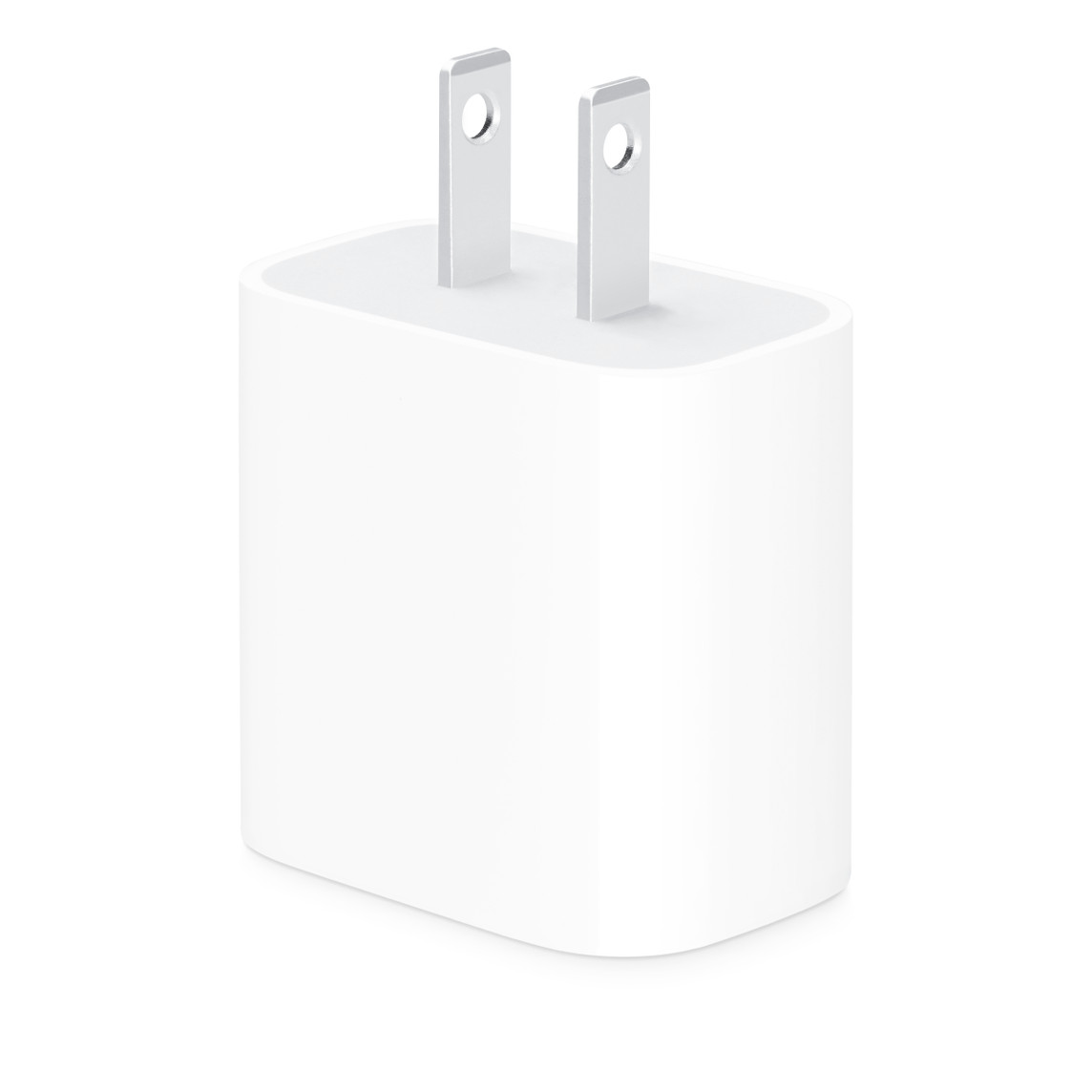
The 20W adapter remains a current Apple product, rather than an accessory that must be retired when a higher-rated adapter appears. Before buying a replacement, decide whether the problem is actually insufficient adapter capability or simply needing another charging point at work.
Pros
- Keeping one you already own avoids buying a replacement for an already satisfactory task.
- Meets the 20W adapter class in Apple’s documented wired example for iPhone 17e and iPhone Air.
- A straightforward choice for a dedicated phone charging location when you do not need multiple outputs.
Cons and trade-offs
- Its power ceiling excludes the higher adapter requirements discussed here.
- Fixed US prongs do not fold away for packing.
- One output and no bundled cable mean a second device or a missing cable still needs a separate solution.
Choose another if: Your actual goal is a higher supported charging mode, a newer MagSafe setup requiring more than 20W, or simultaneous charging of multiple devices.
Our recommendation
Keep your existing 20W adapter if the current charging result is enough. If you are buying a spare, compare the complete adapter-and-cable cost and choose it for that routine; do not assume the larger Dynamic model is necessary merely because it is newer.
Search Amazon for Apple 20W MWVV3AM/A
Apple 40W Dynamic Power Adapter with 60W Max: upgrade for a specific need
Best for: Supported newer-iPhone charging requirements and a one-device charging point with folding US prongs.

Apple describes this model as dynamically supplying up to 60W and identifies Adjustable Voltage Supply, or AVS, support. Its published specifications separately give 40W sustained output. That distinction matters if you also want an adapter for another device: the name does not turn it into an unrestricted continuous-60W laptop supply.
Pros
- It is the exact Apple adapter named in the current faster wired charging guidance for iPhone 18 Pro models.
- Its higher capability makes it relevant to charging requirements that a 20W adapter cannot meet.
- Folding US prongs are a practical packing advantage over the fixed-prong US 20W model.
Cons and trade-offs
- The 60W maximum is different from the published 40W sustained rating.
- Its single output still requires devices to take turns.
- You must supply a suitable cable; replacing the adapter alone does not resolve a missing or unsuitable cable.
Choose another if: You need more than one output, your other device calls for higher continuous power, or your existing 20W phone setup already meets your routine.
Our recommendation
Choose the Dynamic adapter when you can name the supported charging requirement you are buying it for. For a busy day with brief charging stops, access to a higher supported mode is a useful reason. For a long charging window, retaining the 20W adapter may be the more sensible purchase decision.
Search Amazon for Apple Dynamic MGKN4AM/A
MagSafe can change the adapter decision
A wired charging target and a wireless charging target are different purchases. Apple recommends a 30W-or-greater adapter for its supported newer MagSafe charging setup with iPhone 16, iPhone 17 and iPhone Air. Its current fast-charge article calls for 35W or higher for the iPhone 18 Pro models’ approximately 50%-in-30-minutes wireless target. The Dynamic adapter is an Apple option above those thresholds; 20W does not meet them.
Separately, Apple’s MagSafe setup guidance describes up-to-25W peak delivery with eligible phones, charger revisions and the specified 15V/2A-or-higher supply. Peak wattage is not a promise of that power throughout a session, and not the same claim as reaching 50% in 30 minutes. A higher-rated wall adapter also does not upgrade an older MagSafe puck.
For an older supported setup, Apple’s guide pairs the A2140 MagSafe charger with 20W or greater for up-to-15W wireless charging; some phones have lower limits. Confirm the part number on the puck or cable before replacing the adapter. If your existing combination is satisfactory, the upgrade decision remains optional. Our Qi2 vs MagSafe buying guide covers charger and phone compatibility in more detail.
Four checks before spending
- Identify the exact phone and charging goal. A compatibility list means the adapter can be used with the device; it does not establish its fastest mode. Use the model-specific guidance.
- Check the cable. Apple calls for the supplied USB-C cable for its current iPhone 18 Pro fast-charge setup; its user guidance describes a 60W-or-higher cable. Earlier Lightning phones need a suitable USB-C-to-Lightning cable. See charging cable vs data cable when you also need file-transfer features.
- Match the whole package. Check MWVV3AM/A or MGKN4AM/A, the US plug, seller and cable contents. Search results can include other regional adapters or bundles; an image alone does not validate a retail listing.
- Compare the result you need. A spare outlet, two simultaneous devices and a faster top-up are different problems. Choose the accessory that solves yours.
Apple charger upgrade FAQ
Is the 20W adapter obsolete?
No. Apple still offers the US 20W package checked for this guide. Keep one that meets your charging needs; a newer adapter is relevant when it adds a capability you will use.
Does the Dynamic adapter deliver 60W continuously?
Apple publishes 40W continuous sustained power and 60W maximum output. Treat those as different specifications, not interchangeable labels.
Will 40W charge every iPhone twice as fast as 20W?
No such conclusion follows from the adapter ratings. Apple’s timing claims depend on the model, setup and conditions. We have not measured a before-and-after speed difference, and full charging time cannot be calculated by dividing adapter wattages.
Do I need to buy a new cable too?
Both packages are adapter-only. Reuse a suitable existing cable; buy one only if its connector or power capability does not match the setup. Charging wattage and data speed are separate cable choices.
Should I buy this instead of a multiport charger?
Choose the Dynamic model for one-device charging when its supported capabilities fit. If you routinely charge several devices together, compare a multiport adapter and its power allocation with each device’s requirements.
Research method, primary sources and limits
We checked Apple’s US product pages, fast-charge article, MagSafe guidance and adapter specifications on October 11, 2026. Ratings, compatibility and charging targets are manufacturer claims; keep-or-replace advice is our editorial judgment. We did not conduct charging-time, efficiency, temperature or durability tests.
Primary sources: 20W US package; Dynamic US package and AVS support; current model-specific fast-charge guidance; MagSafe charger revisions and power requirements; adapter sustained/maximum specifications; Apple’s 60W cable and AVS guidance for iPhone 18 Pro models.
Apple’s MagSafe pages describe different outcomes; peak power and a battery-percentage timing target, so this guide preserves their separate requirements. We do not infer a universal minimum USB-PD protocol version for third-party adapters from differing body and footnote wording. The exact Apple models are the comparison here. Photos are Apple’s exact US product images, not our photography. Amazon buttons are labelled searches, not verified offers; no static prices, ASINs or numerical ratings are claimed. See our methodology.
Affiliate disclosure
As an Amazon Associate, The Gear Audit earns from qualifying purchases. We may earn an affiliate commission when you buy through our links, at no extra cost to you. Read our full affiliate disclosure.