iPhone 16 Pro Max vs Samsung Galaxy S25 Ultra: Which Should You Buy?
By The Gear Audit Team · Manufacturer sources checked November 9, 2026
Quick answer
Choose the iPhone 16 Pro Max if you want to keep using an Apple Watch, rely on MagSafe mounts or already edit ProRes footage. Choose the Galaxy S25 Ultra if you want Android with a built-in pen, or you often shoot at both 3x and 5x. Both have a nominal 6.9-inch OLED display with an adaptive refresh rate up to 120Hz. The screen size alone gives you little reason to switch.
These are the U.S. versions of two earlier flagships, introduced in 2024 and 2025 respectively. If you’re choosing between used or refurbished listings, compare battery condition, carrier compatibility and return terms before paying more for either one.
Start with the job you need the phone to do
- Keep your Apple Watch or magnetic car mount: start with the iPhone. Check your watch’s iPhone and software requirements, and confirm that any case you plan to use supports your existing MagSafe accessory.
- Write notes or mark up screenshots without carrying a stylus: start with the Galaxy. The S Pen stores inside the phone. It writes on the screen, but it cannot trigger the camera remotely.
- Photograph portraits and subjects across a room: the Galaxy gives you a dedicated 3x camera as well as 5x. If you usually shoot at 1x and 5x anyway, both have a dedicated 5x camera; the Samsung’s extra lens may matter less to you.
- Record video for an existing editing workflow: choose the iPhone when your workflow calls for Apple Log or ProRes. Samsung also offers Galaxy Log. Check which format your editor needs and whether you want to carry an external drive for the iPhone’s highest ProRes setting.
iPhone 16 Pro Max vs Galaxy S25 Ultra at a glance
| Buying question | Apple iPhone 16 Pro Max | Samsung Galaxy S25 Ultra |
|---|---|---|
| Platform | iOS; A18 Pro | Android with Samsung One UI; Snapdragon 8 Elite for Galaxy |
| Display | 6.9-inch OLED, 2868 × 1320, adaptive up to 120Hz | 6.9-inch Dynamic AMOLED 2X, QHD+, adaptive up to 120Hz |
| Width and weight | 77.6 mm; 227 g | 77.6 mm; 218 g |
| Storage options | 256 GB, 512 GB, 1 TB | 256 GB, 512 GB, 1 TB |
| Rear cameras | 48 MP main, 48 MP ultrawide, 12 MP dedicated 5x telephoto; 2x uses the main sensor | 200 MP main, 50 MP ultrawide, 10 MP dedicated 3x telephoto, 50 MP dedicated 5x telephoto |
| Wired charging | USB-C; Apple’s fast-charge setup uses a 20W or higher USB-C power adapter | USB-C; supports Samsung’s 45W Super Fast Charging 2.0 with compatible gear |
| Wireless setup | Built-in MagSafe magnets; Apple specifies up to 25W with a compatible MagSafe charger and a 30W or higher adapter | Qi-compatible wireless charging; use a compatible magnetic case for a snap-on mount |
| Pen and camera controls | Camera Control button; no built-in stylus | Built-in S Pen; no Bluetooth remote shutter or Air Actions on the included pen |
Display diagonals describe the full rectangle; the actual viewable area is smaller. Apple’s 20W figure describes its adapter setup, while Samsung’s 45W figure describes a supported charging mode. The two numbers do not establish a charging-time difference. See the manufacturer sources and notes.
iPhone 16 Pro Max: for Apple gear and ProRes editing
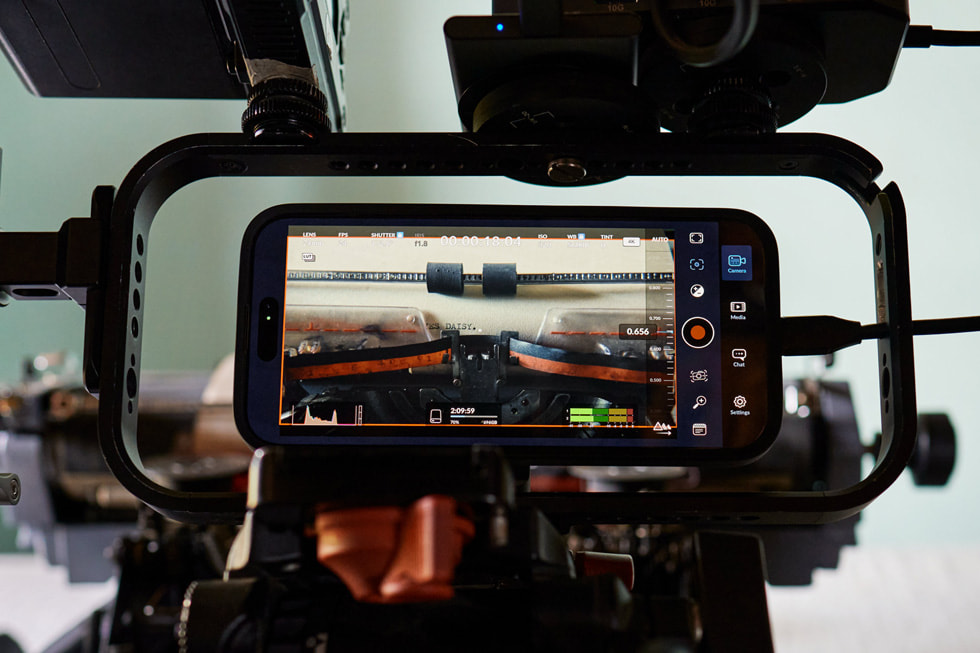
The clearest reason to buy this iPhone is to keep the devices and routines you already use. It also makes sense for a video editor who knows which Apple recording formats the next project needs.
Reasons to choose it
- Keep a compatible Apple Watch. If you track workouts or use notifications on an Apple Watch, staying with iPhone preserves the pairing setup. Check your watch model and required software first.
- Use magnetic accessories directly. MagSafe’s built-in magnet array is useful if you already use a compatible car mount, desk stand or charger.
- Record in formats your editor expects. Apple lists Log and ProRes, including up to 4K at 120 fps in ProRes with compatible external recording. The main camera also supports 4K Dolby Vision at 120 fps.
Trade-offs to accept
- No dedicated 3x lens. The iPhone has a dedicated 5x telephoto and a 2x option from the main camera. If you regularly want a separate lens for framing between those, the Galaxy has one.
- The U.S. model is eSIM only. A physical SIM cannot be inserted. If your travel or prepaid plan requires one, check your carrier before buying or choose a compatible phone with a tray.
- It’s the heavier of the two. At 227 g before a case, it weighs 9 g more than the Galaxy, and both are 77.6 mm wide. Try the size in hand or choose a smaller phone if one-handed use matters.
Our recommendation: start with the iPhone if keeping your Apple Watch, MagSafe accessories or ProRes workflow saves you a switch you don’t want to make. Choose the Galaxy instead if handwritten notes or the dedicated 3x lens would help you more often.
Search on Amazon for iPhone 16 Pro Max
Search results may mix models and conditions. Look for the full name “iPhone 16 Pro Max” and confirm U.S. model A3084, storage, carrier lock and the return policy.
Galaxy S25 Ultra: for S Pen notes and a dedicated 3x camera
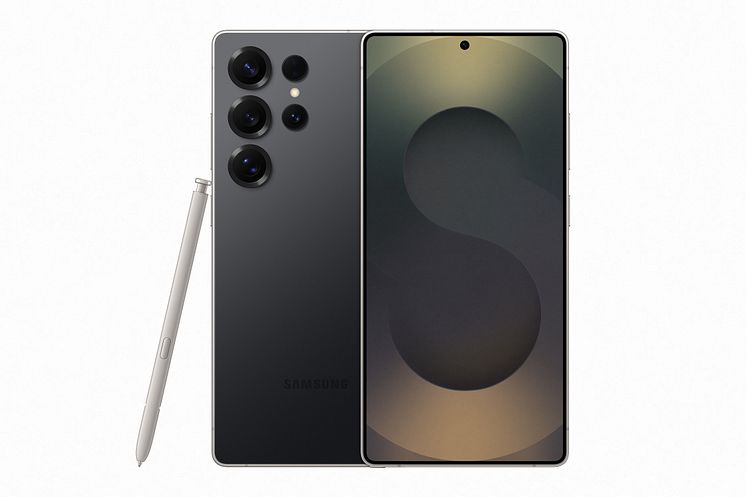
The Galaxy is easier to justify when you can name a feature you would use often: a pen for quick markups, the extra telephoto lens for indoor framing, or Samsung DeX for a compatible monitor or TV.
Reasons to choose it
- The S Pen stows inside the phone. Use the built-in pen for handwritten notes, drawing or marking up the screen. For a used unit, confirm the pen is present and check that it writes.
- Two dedicated telephoto lenses. A 3x view can frame a subject across a table or room when 5x is too tight; the separate 5x camera gives you a tighter view from farther away.
- DeX can give you a desktop layout on a compatible display. That may be useful for reading documents or using supported apps with a bigger screen. Check your display and connection first; the S25 series does not support DeX for PC.
Trade-offs to accept
- No S Pen remote shutter. The included pen lacks Bluetooth and Air Actions. If you rely on the pen to trigger photos from a distance, plan for a separate solution.
- The highest wired charging mode depends on the gear. Samsung supports 45W Super Fast Charging 2.0, but a 45W number on an existing adapter does not establish compatibility. Match the charger and cable to the mode before replacing either.
- Snap-on mounts need an appropriate case. Budget for a compatible magnetic case if you’re bringing a magnetic car mount or stand from an iPhone setup. Check the mount’s fit and charging support together.
Our recommendation: choose the S25 Ultra if you want Android and will use the S Pen, 3x lens or DeX regularly. If none of those solves a problem for you and you already have an Apple Watch or a ProRes workflow, start with the iPhone.
Search on Amazon for Galaxy S25 Ultra
Confirm the full name “Galaxy S25 Ultra,” a U.S. model that your carrier supports, and the included S Pen. Amazon search results may include other S25 models, accessories and imported phones.
Before you pay for either phone
- Match the listing to your carrier. Ask the seller for the exact U.S. model number, lock status and the identifier your carrier needs for its compatibility check. Check eSIM or physical SIM support for the specific service you plan to use.
- Compare like with like. Put the same storage tier, condition, return window and warranty coverage side by side. Include any charger, case or battery service you would need.
- Check the battery and account status. On iPhone, check battery health and parts history, and skip a unit with Activation Lock enabled. On Galaxy, use Samsung Members battery diagnostics when you can inspect the phone. For either device, make sure you can finish setup under your own account during the return window.
- Make sure the upgrade solves a problem. If your current phone does the job and only its battery is worn, get a service quote before replacing it. If you need a smaller phone, neither 77.6 mm-wide model addresses that.
Frequently asked questions
Which phone has the better camera?
Choose the Galaxy S25 Ultra for dedicated 3x and 5x framing, or the iPhone 16 Pro Max when Apple Log and ProRes fit your video workflow. Both have a dedicated 5x lens. Megapixels and zoom labels alone don’t tell you which will handle a moving subject, low light or skin tones better.
Can I use the same USB-C charger and cable for both?
A compatible USB-C Power Delivery setup can charge both. Apple’s stated wired fast-charge setup uses a 20W or higher adapter. For the Galaxy’s 45W Super Fast Charging 2.0, check for a compatible USB PD PPS profile and cable. Samsung’s U.S. 45W PD kit includes a 5A cable; use it as a reference setup. Cable charging and data ratings are separate: to use the iPhone’s stated 10 Gb/s USB 3 connection, you need a cable rated for that speed.
Can the Galaxy S25 Ultra S Pen take a photo remotely?
No. Its built-in S Pen has no Bluetooth support for remote features such as Air Actions. It still works for writing, drawing and supported on-screen pen actions.
Can I move a physical SIM into the U.S. iPhone 16 Pro Max?
No. U.S. model A3084 uses eSIM. Ask your carrier whether it can transfer or activate your plan by eSIM before you order, especially if you depend on a prepaid or travel SIM.
Which one will last longer on a charge?
The manufacturer figures don’t establish a winner. Apple and Samsung use their own test conditions, and the state of a used battery may matter more than either original figure. Check the unit’s current battery condition and the seller’s return terms.
How we compared the phones
We checked U.S. manufacturer specifications and support documents on November 9, 2026. The feature table reflects the manufacturers’ published specifications. The use-case recommendations are our editorial judgments. We did not conduct hands-on testing, time charging, compare camera samples or use owner ratings to score the phones. We did not verify a specific Amazon offer, price or inventory.
- Apple: iPhone 16 Pro Max technical specifications, U.S. model identification, Apple Watch compatibility, USB-C charging and data guidance, and preowned iPhone checklist.
- Samsung: U.S. Galaxy S25 launch specifications, Galaxy S25 charging and cases, 45W adapter and 5A cable kit, charging protocol details, S25 Ultra S Pen support, DeX compatibility and Galaxy battery diagnostics.