External SSD vs USB Flash Drive: Which Should You Buy for Large Files?
By The Gear Audit Team · Primary documentation checked November 15, 2026
Quick answer
For frequent large transfers, start with a drive that publishes a suitable write-speed specification and holds your whole working set. A portable SSD such as the Samsung T7 Shield 1TB is worth considering for that role. For occasional file handoffs, a flash drive that plugs straight into the receiving computer may be more convenient.
Compare exact models before spending. A flash drive’s advertised read speed does not tell you how fast you can fill it, and some high-performance flash drives approach portable-SSD headline speeds. Neither category label guarantees a faster transfer or a safer backup.
Choose the job before the drive category
A designer moving a large project folder every evening has a different problem from someone handing over a presentation once a month. The first buyer needs enough capacity and a tolerable wait on repeated writes. The second may value a direct connector and a small object that is easy to hand over.
| Your job | Start with | Check before buying | Choose differently when |
|---|---|---|---|
| Frequent large project transfers | A portable SSD or a high-performance flash drive with a documented write rate | Capacity, writing performance, receiving port and the actual transfer workload | You carry only small batches and a direct-plug drive is easier to manage |
| Occasional document or media handoff | A suitable direct-plug flash drive | Connector, free space and whether the receiving computer can read the format | Repeated large writes make its transfer time inconvenient |
| Backup of a growing computer library | Storage chosen for the backup software and retention plan | Supported destination, capacity for retained versions and a recovery check | You are only carrying a temporary copy; you may need less space |
These are buying routes, not category-wide performance rankings. The examples below show why exact write specifications matter.
Read speed and write speed answer different questions
Copying a folder onto a removable drive writes to that drive. Copying it off the drive reads from it. For a daily outbound backup or project copy, the write figure deserves attention before the large read figure on the box.
Samsung’s US 256GB Type-C page identifies MUF-256DA/AM. The family’s 2024 data sheet, revision 1.2, gives the 256GB model maximum sequential rates of 400 MB/s reading and 110 MB/s writing. Treating the read figure as a write promise would misrepresent that product.
| Documented example | Sequential read | Sequential write | What this establishes |
|---|---|---|---|
| Samsung Type-C 256GB, MUF-256DA family | Up to 400 MB/s | Up to 110 MB/s | Its read and write ceilings differ substantially |
| Samsung T7 Shield, 1TB buying example below | Up to 1,050 MB/s | Up to 1,000 MB/s | A higher advertised write ceiling for a different-capacity, cabled product |
| Kingston DataTraveler Max series, 256GB to 1TB | Up to 1,000 MB/s | Up to 900 MB/s | A flash-drive category label alone does not imply low performance |
Kingston publishes the Max figures in its DataTraveler Max series data sheet. It distinguishes Type-C and Type-A versions and requires a compatible host for the advertised performance. This is a category counterexample, not our recommendation of a particular regional retail configuration.
The table does not predict a whole-folder transfer time. The manufacturers describe maximum sequential performance under their conditions. We have no measurements here for long writes, a nearly full drive, folders of small files or the exact computers you will use. Avoid turning any of these maxima into a promised sustained rate.
Check the whole path as well. Kingston’s Flash Memory Guide explains that a slower host limits faster storage. A faster destination also cannot make the original files arrive faster than their source can supply them. For an SSD, confirm the data cable and port support the required rate; a USB-C plug shape alone does not establish it.
When a direct-plug flash drive is the better purchase
We would choose a suitable flash drive for a modest handoff that fits comfortably, when the receiving port matches and the copy time is acceptable. A plug built into the drive removes a separate cable from that handoff. Check the physical clearance beside the port, especially if another device must remain connected.
Reasons to choose this route
- A direct connector makes an occasional handoff easier when both parties have the matching port.
- You can select capacity for a small transfer set without buying a larger working drive.
- A documented high-performance flash model remains an option when you want direct connection and faster writes.
Tradeoffs to check
- A model with a much lower write than read rating may be inconvenient to fill repeatedly.
- A fixed connector needs the right receiving socket or an appropriate adapter.
- A protruding drive needs space and support; consider a cabled device when it would sit in a busy or easily knocked port.
Do not replace a working drive solely because it says “flash” rather than “SSD.” Time a harmless, representative copy with the equipment you own. If the wait fits your routine and there is enough room, a purchase may not solve a present problem. If you need a new drive, compare current offers for the capacity you require; no price or cost-per-gigabyte winner is established here.
Samsung T7 Shield 1TB Black: a cabled working-drive example
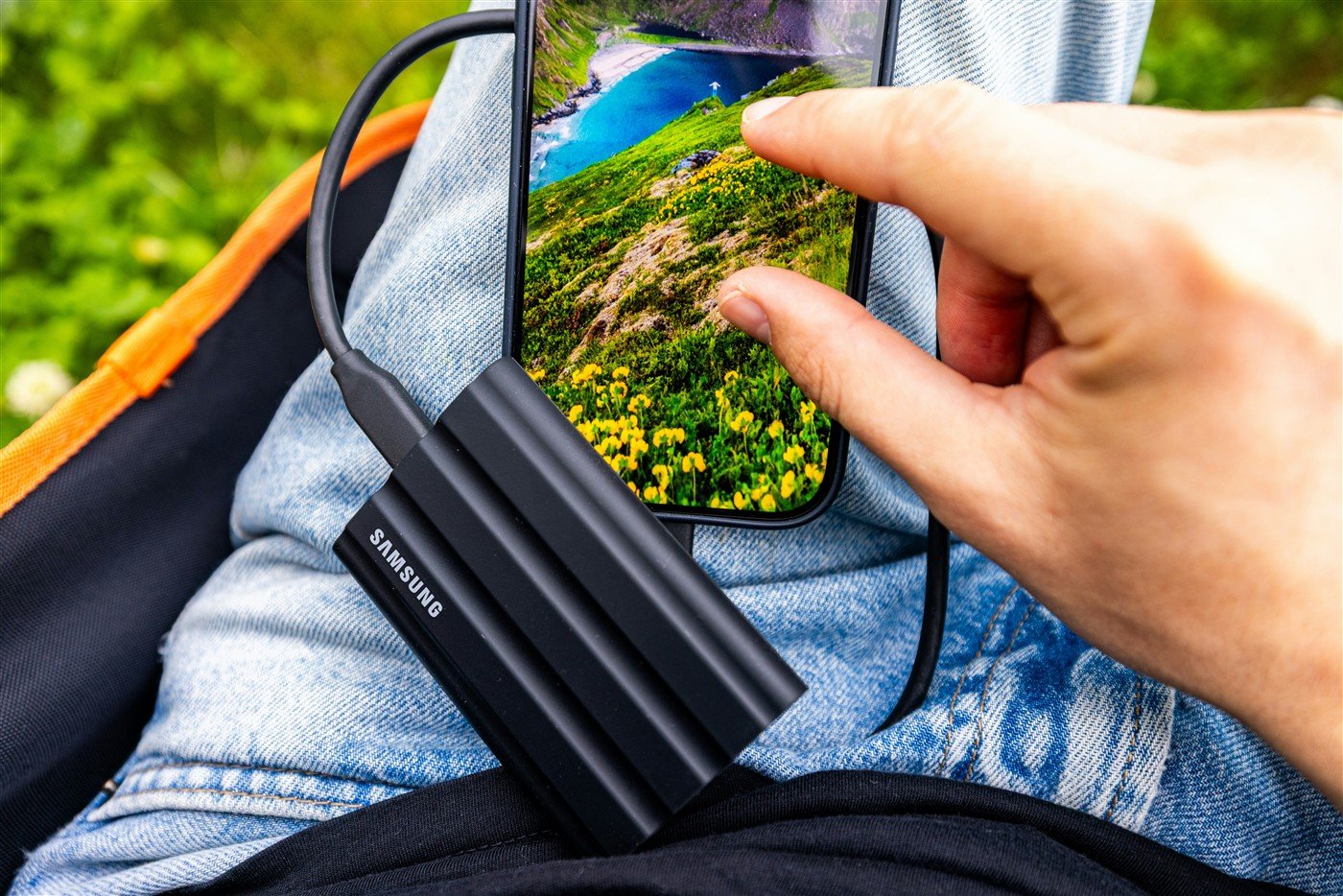
Best for: someone who needs a larger carried working set than the 256GB flash example and accepts a cable. The exact US buying example is 1TB Black, MU-PE1T0S/AM, as identified on Samsung’s product page.
The T7 Shield data sheet, revision 2.0, specifies a 10Gbps USB 3.2 Gen 2 interface and includes USB-C-to-C and USB-C-to-A cables. Its higher advertised writing ceiling makes it worth shortlisting for repeated large copies, provided the host and source can use that connection.
Reasons to consider it
- Samsung publishes both read and write ceilings, helping you evaluate a drive you expect to fill regularly.
- The included two cable types suit a mix of USB-C and USB-A computers without changing the drive’s socket.
- The 1TB configuration provides more nominal room than the 256GB example for a growing project set.
Tradeoffs to accept
- You must carry and connect a separate cable for each handoff.
- The 10Gbps interface remains its ceiling even on a faster computer port.
- The larger capacity may be unnecessary for a small document set; compare suitable smaller drives before paying for space you do not need.
Our recommendation: shortlist this exact 1TB model when your files need the room and regular writes justify evaluating a faster cabled drive. Keep a suitable flash drive for small handoffs if it already meets your needs. Choose a different capacity when your current files and expected growth do not fit comfortably.
Search Amazon for T7 Shield 1TB Black
This is a model search, not a verified listing. Confirm MU-PE1T0S/AM, 1TB, Black, seller, condition, included cables and warranty eligibility. Current price, stock and an exact ASIN are not verified.
For a comparison within Samsung’s cabled range, our T7 Shield versus T9 guide addresses 2TB models and compatible-port requirements. It is a different capacity comparison from this 1TB example.
Buying a backup drive needs a separate check
Copying files to either type can create an additional copy. If you then delete the originals, the removable drive becomes the only copy. Our advice is to keep important files independently recoverable before treating the transfer as finished.
For automatic backups, check the software’s supported destinations and formatting instructions before buying. Do not assume every device with enough nominal space is accepted by every backup tool. Capacity also needs to cover the versions you want to retain. A portable handoff drive and a versioned computer backup can require different amounts of space.
Mac users can follow our Time Machine capacity guide. For the broader choice between portable storage and larger archive drives, see our external SSD and hard-drive guide.
- Measure the files you need to carry. Include the next project or batch, and leave working room.
- Check both computers. Confirm connector, data rate and readable file system. Samsung’s T7 Shield manual documents exFAT read/write access on Windows and Mac, but your backup software may need a different format.
- Protect existing contents before changing the setup. Keep another copy before formatting or repurposing a drive.
- Check a representative transfer. After copying, open important files at the destination and confirm the expected files arrived before removing the source.
- Eject before disconnecting. Samsung’s manual warns that unsafe removal can cause data loss. Include this step in your handoff routine.
SSD versus flash-drive buying questions
Is an external SSD always faster than a USB flash drive?
No. Compare exact models, direction and workload. The DataTraveler Max series demonstrates that flash drives can advertise rates close to a 10Gbps portable SSD. Manufacturer maxima still do not establish your actual long-copy result.
Does “400 MB/s” mean I can write files at 400 MB/s?
Only if the specification actually says writing, and even then it is subject to its stated conditions. Samsung’s 256GB Type-C example lists 400 MB/s reading and 110 MB/s writing in revision 1.2 of its data sheet.
Should I buy 1TB if I only need to hand over a few files?
Choose enough capacity for the task and reasonable growth. A 1TB working drive may be unnecessary for a small occasional handoff. Compare the current offers and receiving connection before choosing.
Will switching to an SSD fix a file-format problem?
Not by itself. The receiving system still needs to read the file system. For protected Mac and Windows transfers, our password-protected SSD guide covers the separate unlock and format decisions.
Which category is safer as my only backup?
We have no failure-rate evidence here to declare a category safer. Keep another independent copy of important files and verify recovery. A different drive label does not remove dependence on one device.
Research method and primary sources
We checked primary documentation on November 15, 2026. Specifications and maximum speeds are manufacturer claims. Use-case choices and the pre-purchase checklist are editorial judgment. We did not benchmark these drives, measure sustained writing, test backup software or compare failure rates. The 256GB flash and 1TB SSD examples deliberately show different capacities and are not a controlled performance or value comparison. Read our research methodology.
- Samsung Type-C USB Flash Drive data sheet, revision 1.2: 256GB identity and separate read/write maxima.
- Samsung T7 Shield data sheet, revision 2.0: interface, maximum sequential performance, cables and model lineup.
- Samsung T7 Shield manual, version 1.1: lower-speed host limits, file-system table and safe removal.
- Kingston DataTraveler Max series data sheet: flash-drive performance counterexample and connector variants.
- Kingston Flash Memory Guide: host and storage performance limits.